

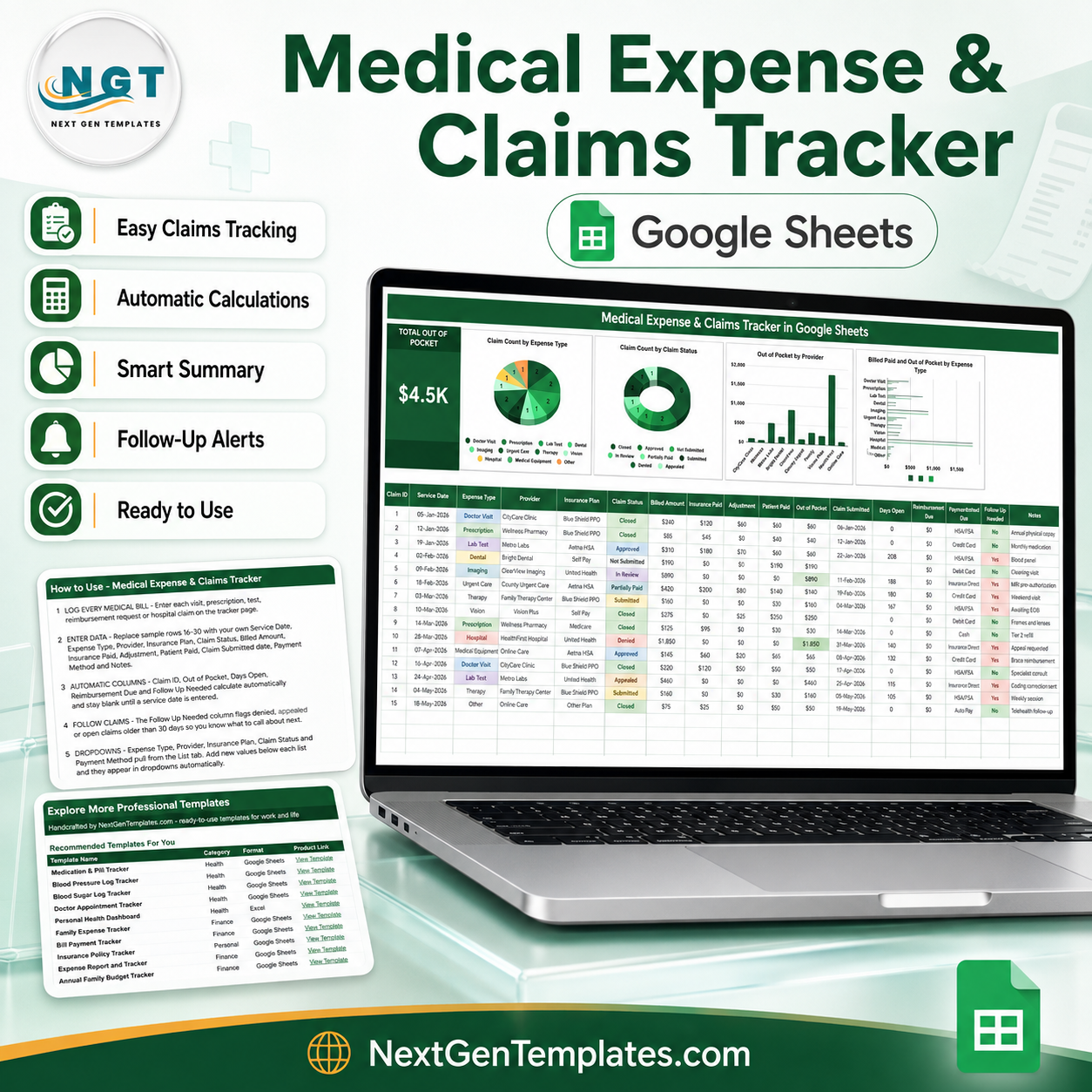

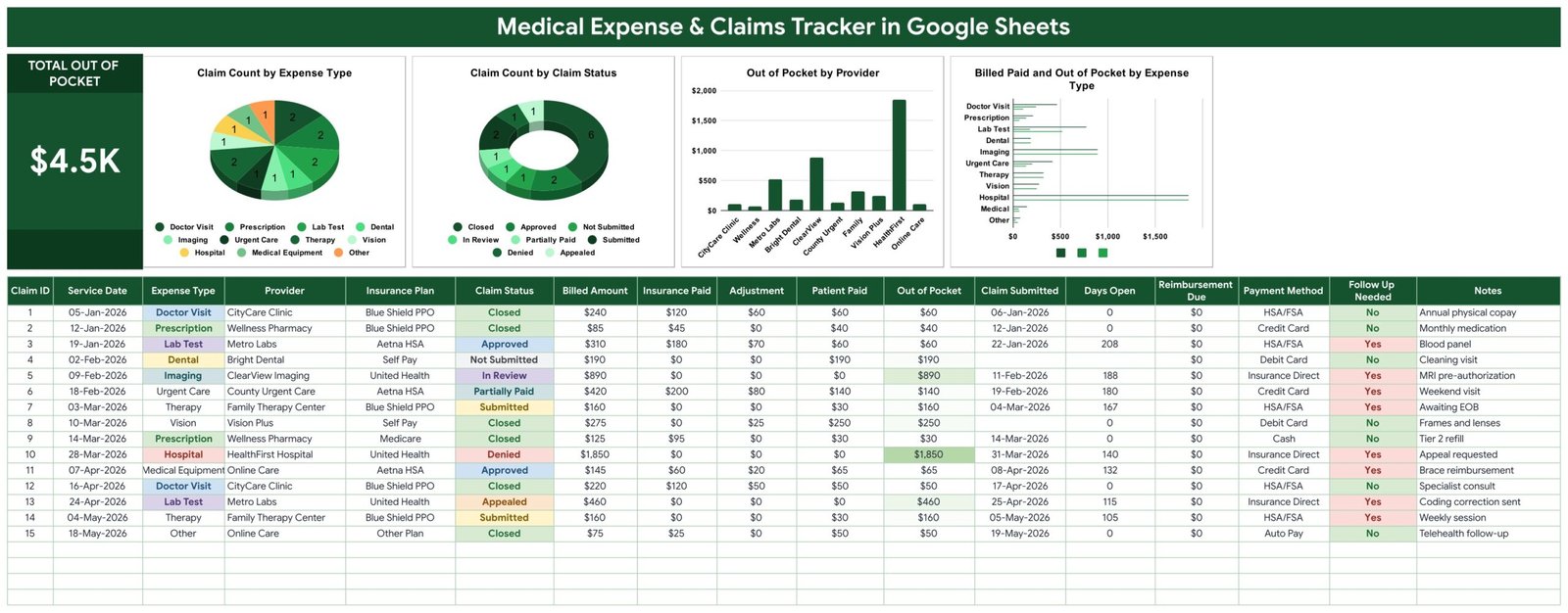
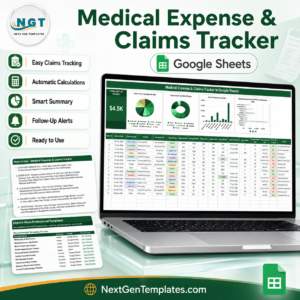
Fifteen medical bills sit in the sample data of the Medical Expense & Claims Tracker in Google Sheets, and the KPI card at the top reads $4.5K Total Out of Pocket. That figure is the point of this template: across a doctor visit, an MRI, a denied hospital claim and eleven other lines, $4,455 is what the household is still carrying. Eight of those fifteen claims are flagged Follow Up Needed. This is a one-page Google Sheets tracker built for the person paying the bills, not for a billing office. Instant download, unlimited use on your own Google account, and a PDF that hands you a “Make a copy” link so the file lands in your own Drive in about a minute.
Key Features of the Medical Expense & Claims Tracker
- One screen, no navigation. The KPI card, four charts and the full claims table live on a single Tracker tab. Nothing is hidden behind a menu.
- Total Out of Pocket KPI. A single large card summing the Out of Pocket column across every row you have entered.
- Four charts wired straight to the data. Claim Count by Expense Type, Claim Count by Claim Status, Out of Pocket by Provider and Billed Paid and Out of Pocket by Expense Type. They read rows 16 to 1000 directly, with no helper tables or pivot ranges to refresh.
- Seventeen columns per claim. Claim ID, Service Date, Expense Type, Provider, Insurance Plan, Claim Status, Billed Amount, Insurance Paid, Adjustment, Patient Paid, Out of Pocket, Claim Submitted, Days Open, Reimbursement Due, Payment Method, Follow Up Needed and Notes.
- Five columns fill themselves in. Claim ID, Out of Pocket, Days Open, Reimbursement Due and Follow Up Needed are formulas. They stay blank until you enter a Service Date, so the sheet never shows phantom rows.
- Out of Pocket is computed, not typed. It is Billed Amount minus Insurance Paid minus Adjustment – the residual the claim leaves with you.
- Follow Up Needed flags the calls you owe. Denied claims, appealed claims and anything still open past 30 days turn to Yes.
- Dropdowns that grow. Expense Type, Provider, Insurance Plan, Claim Status and Payment Method read rows 2 to 500 of the List tab. Add a new insurer or clinic there and it appears in the dropdown immediately.
What’s Inside the Medical Expense & Claims Tracker
Three tabs, and you will spend nearly all your time on the first.
Tracker is the working page. The green banner carries the title, the Total Out of Pocket card sits at the left, and the four charts run across the top. Below them the claims table starts at row 16 and runs to row 1000. Claim Status and Follow Up Needed are colour-coded, so a denied claim or an overdue reimbursement is visible without reading a single number.
List holds the five dropdown sources. It ships with 11 Expense Types (Doctor Visit through Medical Equipment and Other), 10 Providers, 6 Insurance Plans, 8 Claim Statuses – Not Submitted, Submitted, In Review, Approved, Partially Paid, Denied, Appealed, Closed – and 7 Payment Methods including HSA/FSA and Insurance Direct. Every one of them is yours to rewrite.
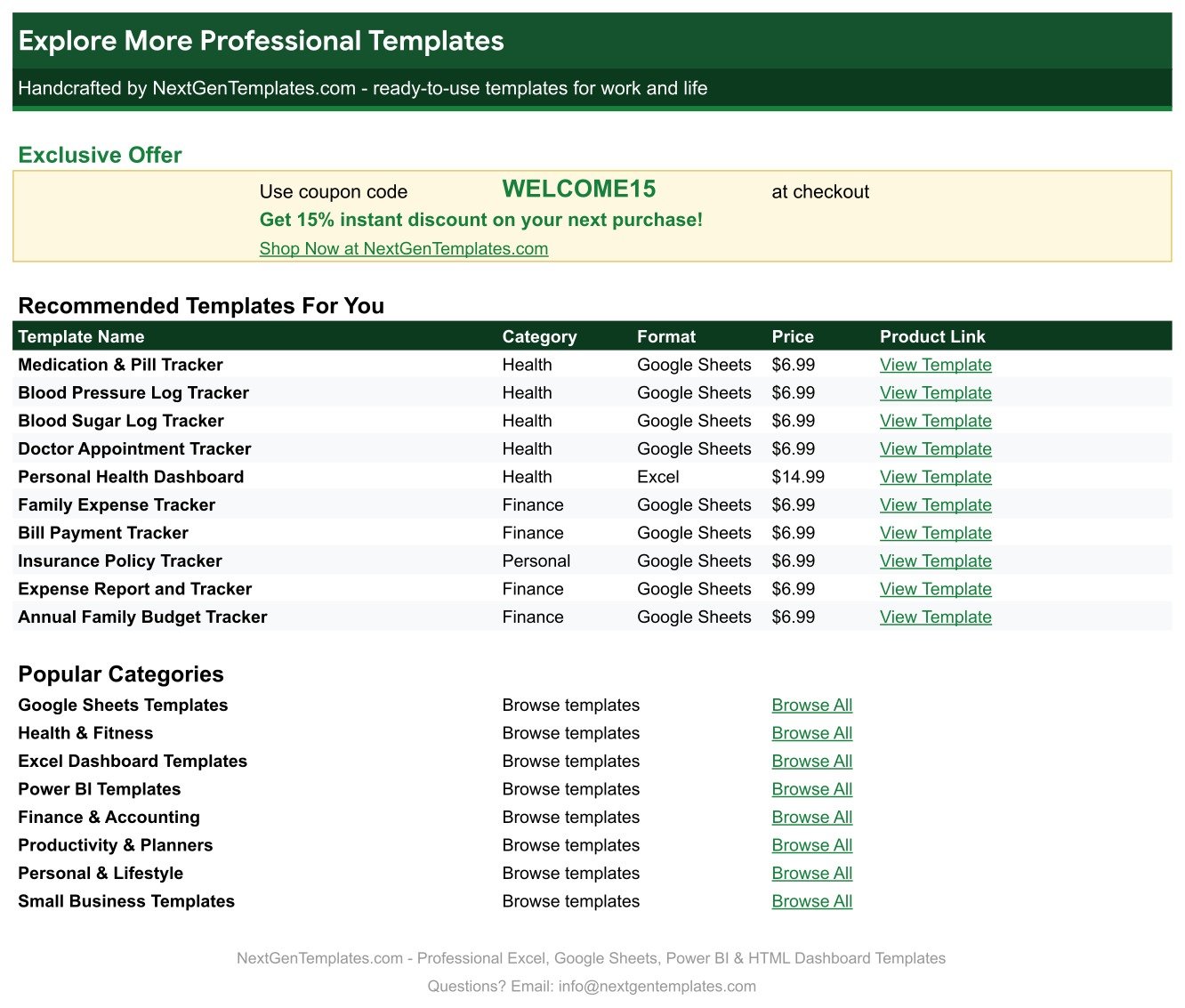
Explore More Templates is a reference page of related NextGenTemplates products and a WELCOME15 coupon code for 15% off your next purchase.
Medical Expense & Claims Tracker vs. Excel vs. a Paid Medical-Bill App – Where This Fits
| This Google Sheets tracker | A DIY Excel workbook | Paid medical-bill manager (subscription) | |
|---|---|---|---|
| Cost | $6.99 once | Free, if you build it | Roughly $8-$15 per month |
| Platform | Google Sheets, any browser | Desktop Excel | Vendor web app |
| Setup time | About a minute – open the PDF, click Make a copy | Hours of formula and chart work | Account signup plus data entry |
| Real-time collaboration | Yes, native Google Sheets sharing | Only via OneDrive co-authoring | Usually paid seats |
| Mobile access | Google Sheets mobile app | Limited | Yes |
| Customizable fields | Every column and dropdown is editable | Yes | Rarely – fixed schema |
| Share with a link | Yes | No | Vendor-controlled |
| Year-1 cost, 5 family members | $6.99 | $0 plus your time | $480-$900 |
| Claim status workflow | 8 statuses plus an automatic follow-up flag | Build it yourself | Yes, vendor-defined |
| Stores EOB documents | No – keep them in your own Drive | No | Often yes |
Who This Template Is For – and Who It’s Not For
It fits a household running its own medical paperwork: a family with a high-deductible plan tracking progress against it, a carer managing a parent’s bills across several providers, a freelancer claiming health costs at tax time, or anyone chasing a denied claim who needs a dated record of what was billed and what the insurer actually paid.
It is not for a clinic billing patients – look at the Chiropractic Clinic Management System Tracker or the Hospital Management System Web App for provider-side work. It does not submit claims, talk to any insurer, import EOB files or check codes. And it is a spreadsheet, not a medical record: it is not HIPAA-certified, and anything you type into it is stored in your own Google account under your own sharing settings.
How to Use the Medical Expense & Claims Tracker
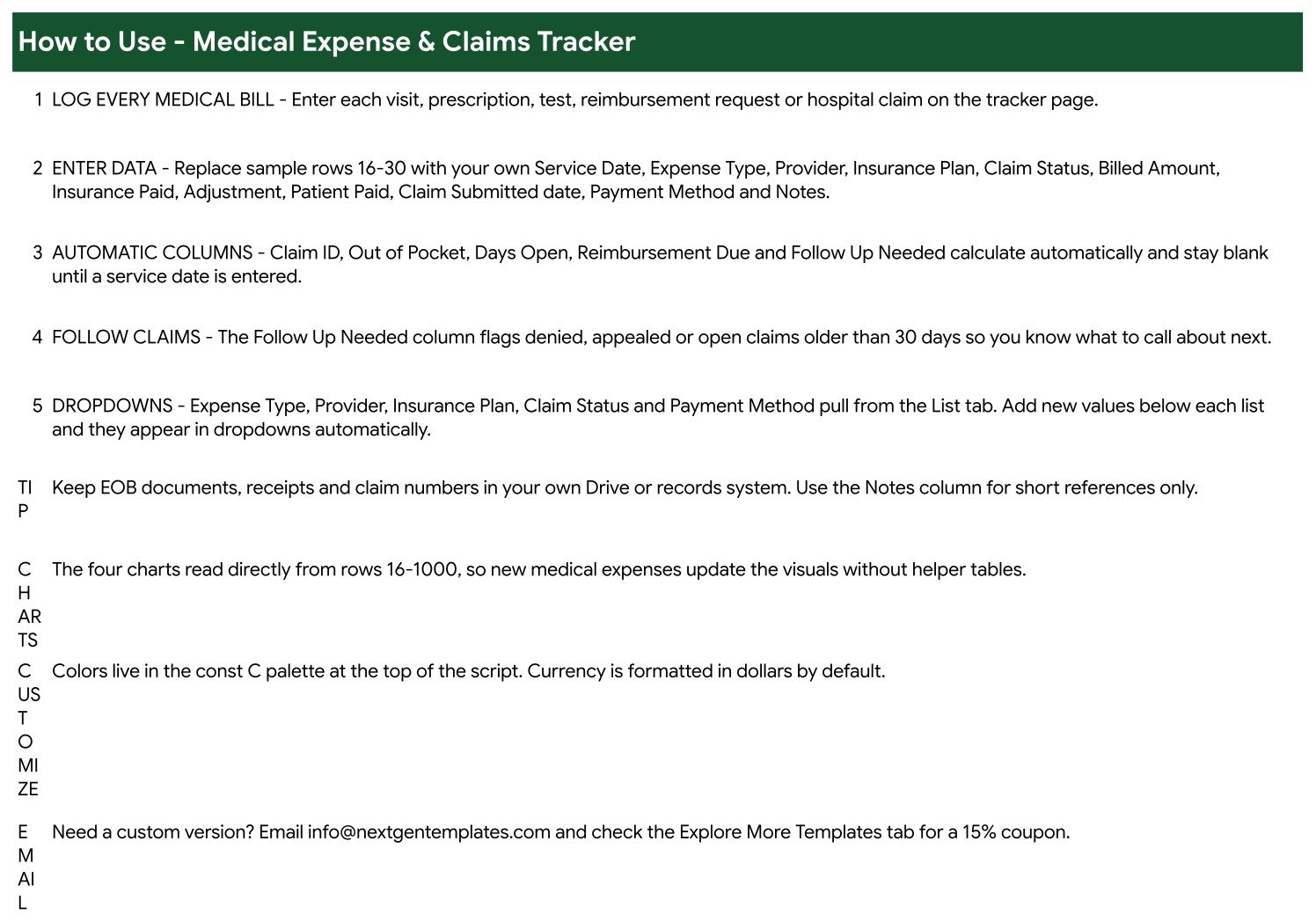
- Open the PDF in your download and click the “Make a copy” link. The tracker lands in your own Google Drive.
- Open the List tab and replace the sample providers and insurance plans with your own. Add rows below each list.
- Go to Tracker and overwrite sample rows 16 to 30 with your real bills. Enter Service Date, Expense Type, Provider, Insurance Plan, Claim Status, Billed Amount, Insurance Paid, Adjustment, Patient Paid, the Claim Submitted date, Payment Method and a short note.
- Leave Claim ID, Out of Pocket, Days Open, Reimbursement Due and Follow Up Needed alone – they calculate themselves.
- Work the Follow Up Needed column each week. Every Yes is a call to a provider or an insurer.
- Change the colours from the palette at the top of the script if you want a different look; currency is formatted in dollars by default.
Real-World Use Cases
Priya, high-deductible plan. She logs every visit as it happens. The Total Out of Pocket card tells her in one glance how close the family is to the deductible, and Out of Pocket by Provider shows which clinic is driving it.
Daniel, chasing a denial. A $1,850 hospital claim came back Denied. Because he recorded the Claim Submitted date, Days Open counts the wait for him and Follow Up Needed keeps the row flagged until it closes. When he calls, the dates are in front of him.
Amara, caring for a parent. Four providers, two plans, an HSA card and a credit card. The Payment Method column plus Claim Count by Claim Status tell her what has been reimbursed and what is still in review.
Frequently Asked Questions
Is this medical or insurance software?
No. It is a personal record-keeping spreadsheet. It does not file claims, connect to any insurer or clearinghouse, import Explanation of Benefits files, validate billing codes, or give medical, billing, tax or insurance advice. It is not HIPAA-certified and is not designed to be a system of record for protected health information. Every number in it is one you typed.
Does “Out of Pocket” subtract what I have already paid?
No, and this is worth knowing before you enter data. Out of Pocket is Billed Amount minus Insurance Paid minus Adjustment – the amount the claim leaves you responsible for. It does not subtract Patient Paid. In the sample data, rows 7 and 14 show Patient Paid of $30 against an Out of Pocket of $160, because those therapy claims are still awaiting an EOB. Read the two columns together: Out of Pocket is the liability, Patient Paid is what has actually left your account.
Why does Reimbursement Due show $0 on every sample row?
Because no seeded claim has you paying more than the residual, so the column has nothing to report. It only comes to life with your own data. Do not read the zeros as a broken formula.
Will it send me reminders?
No. There are no notifications, emails or alerts of any kind. Follow Up Needed is a formula that writes Yes or No into a cell – you have to open the sheet to see it.
Why do the Days Open numbers differ from the screenshots?
Days Open counts forward from the Claim Submitted date to today, so it moves every day the sheet is open. Screenshots capture one moment; your copy will show its own figures.
How many claims can it hold?
The charts read rows 16 to 1000, so roughly 985 claims before you need to extend the ranges.
Can I share it with my family or my accountant?
Yes. It is an ordinary Google Sheet – share it, restrict it or export it to Excel or PDF like any other file. Treat the contents as sensitive and share deliberately.
About the Author
Built by PK – Microsoft Certified Professional with 15+ years of Excel, Google Sheets, and Power BI experience. Founder of NextGenTemplates, reaching 300K+ subscribers across YouTube channels. Every template is hand-built and tested before release.
Explore Related Templates
Pair this with the Lab Results & Health Metrics Tracker in Google Sheets for test results, the Medication & Pill Tracker in Google Sheets for prescriptions, and the Doctor Appointments & Medical History Tracker in Google Sheets for the visits behind the bills. On the money side, the Insurance Policy and Premium Tracker covers what you pay for cover, and the Bill Payment Tracker handles everything that is not medical. Browse the full Google Sheets Trackers range or the wider Google Sheets category.
Get the Medical Expense & Claims Tracker in Google Sheets for $6.99 – down from $12.99. Instant download, unlimited personal use, and a copy that is yours to edit forever. Add it to your cart above.
Watch the step-by-step video Demo:
Last updated: 27 August 2026.































Reviews
There are no reviews yet.