

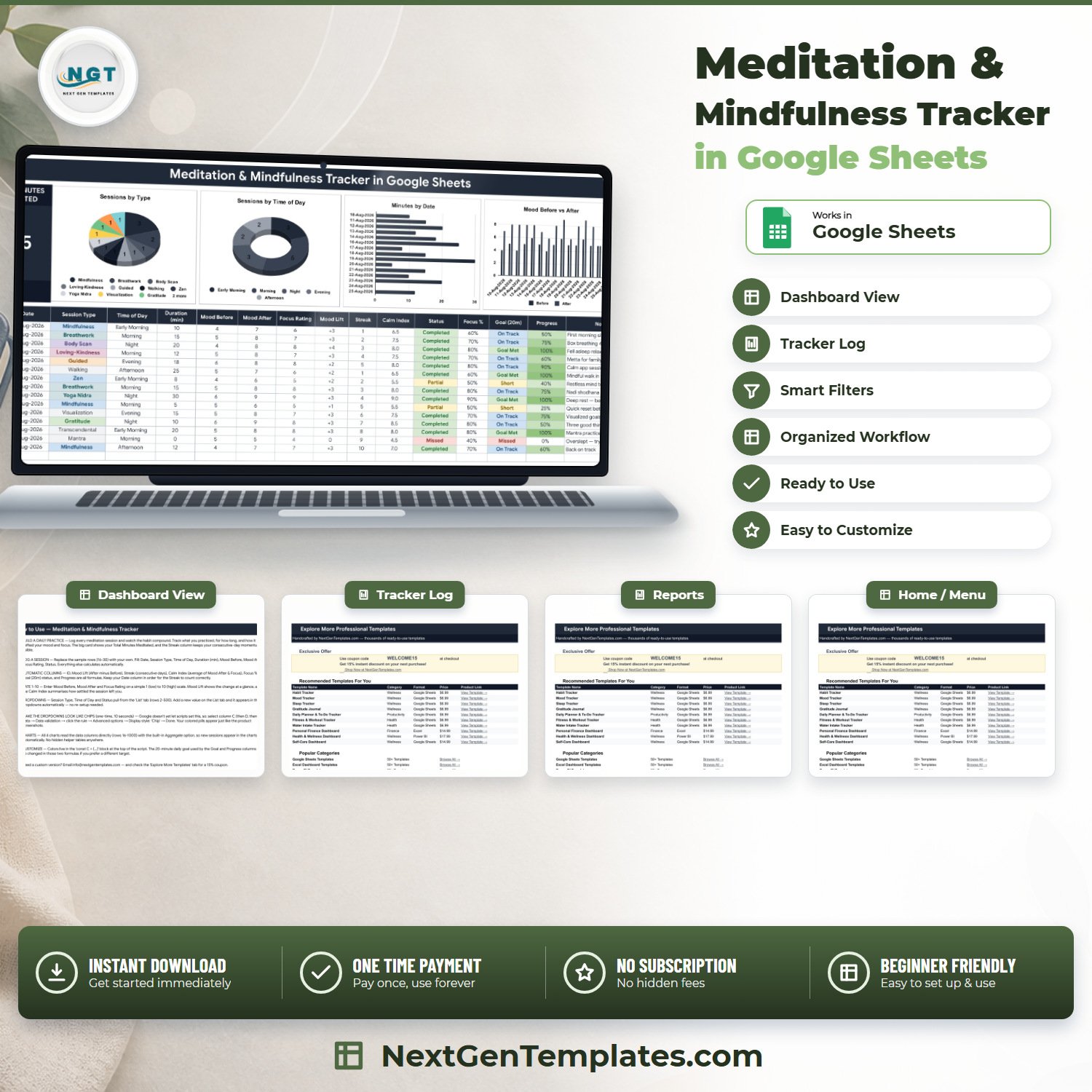

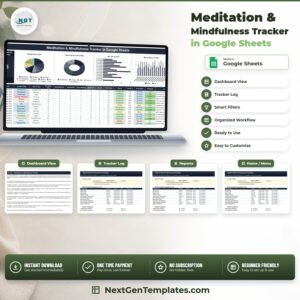
The Meditation & Mindfulness Tracker in Google Sheets turns a scattered sitting habit into a record you can actually read. One tab holds a 16-column session log where you type 9 values and 7 columns calculate themselves, a Total Minutes Meditated card, and four live charts. The log is pre-built to row 1000, so there is room for 985 sessions before you touch a formula. It ships with 15 filled sample rows so nothing is blank on day one, three dropdown lists you extend yourself, and a plain-English Instructions tab. Delivered as a PDF with a “Make a copy” link – one click and the sheet is yours, in your own Google Drive, with no account to create and no subscription to cancel.Meditation & Mindfulness Tracker in Google Sheets
Key Features of the Meditation & Mindfulness Tracker in Google Sheets
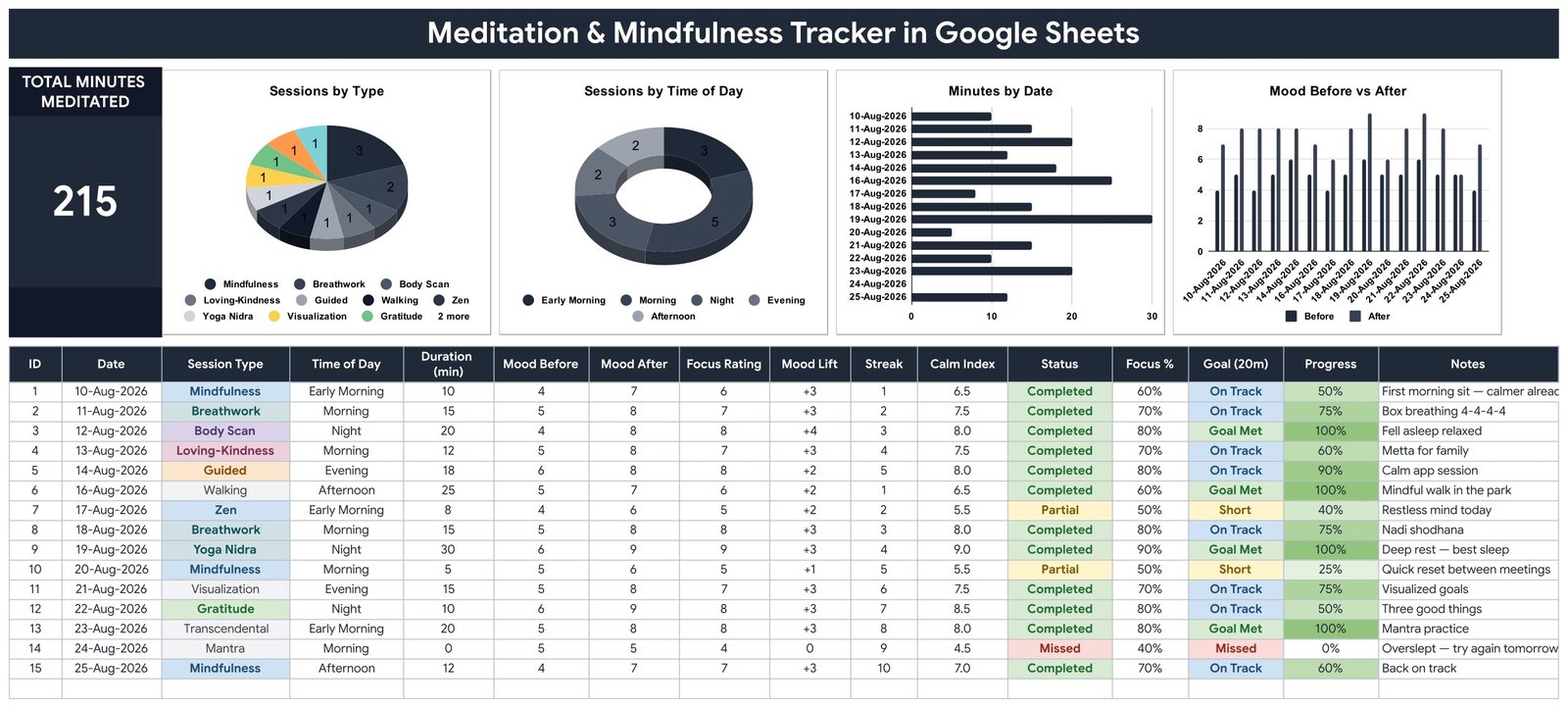
- One Total Minutes Meditated card – a single running total of every minute in the Duration column, from row 16 down to row 1000.
- Four charts wired straight to the log – Sessions by Type, Sessions by Time of Day, Minutes by Date, and Mood Before vs After. They read the data columns directly using the built-in Aggregate option, so there are no hidden helper tables to maintain and a new row appears in every chart the moment you type it.
- Seven automatic columns – ID, Mood Lift, Streak, Calm Index, Focus %, Goal (20m) and Progress are all formulas. You never key a calculated value.
- A real streak counter – the Streak column reads the date above it and only continues the run when the dates are consecutive, so a skipped day resets it honestly instead of quietly carrying on.
- Mood Lift on every row – Mood After minus Mood Before, shown as +3, +1 or 0, so you can see whether a session actually shifted anything.Meditation & Mindfulness Tracker in Google Sheets
- Calm Index – the average of Mood After and Focus Rating, rounded to one decimal, giving one settled-ness number per sitting.Meditation & Mindfulness Tracker in Google Sheets
- A 20-minute daily goal with traffic-light wording – Goal (20m) returns Missed at 0 minutes, Short under 10, On Track from 10, and Goal Met from 20; Progress shows the same thing as a percentage capped at 100%.
- Three self-extending dropdowns – Session Type, Time of Day and Status all read rows 2 to 500 of the List tab. Add “Qigong” to the List tab and it is in the dropdown immediately, with no re-setup.
- Twelve session types out of the box – Mindfulness, Breathwork, Body Scan, Loving-Kindness, Guided, Walking, Yoga Nidra, Visualization, Zen, Transcendental, Mantra and Gratitude.
- Colour-coded status – Completed, Partial and Missed are visually separated down the Status column, so a bad fortnight is obvious at a glance.
- Editable colours in one place – the whole palette lives in a single
const C = {...}block at the top of the script.
What’s Inside the Meditation & Mindfulness Tracker in Google Sheets
Four tabs, no filler:
1. Meditation Tracker. The working page. A dark title banner, the Total Minutes Meditated card, four charts across the top, then the log from row 16 down. Sixteen columns: ID, Date, Session Type, Time of Day, Duration (min), Mood Before, Mood After, Focus Rating, Mood Lift, Streak, Calm Index, Status, Focus %, Goal (20m), Progress and Notes. Fifteen sample sessions dated 10-Aug-2026 to 25-Aug-2026 are already filled in so the charts and the card have something to show while you learn the layout.
2. List. Three columns feeding the three dropdowns – Session Type, Time of Day and Status – each read down to row 500. This is the only place you edit to change what the dropdowns offer.
3. Instructions. A written page covering what to type, what calculates itself, the 1-10 rating scale, how the dropdowns extend, the one-time step to turn the dropdowns into coloured chips, where the colours live, and how to change the 20-minute goal.
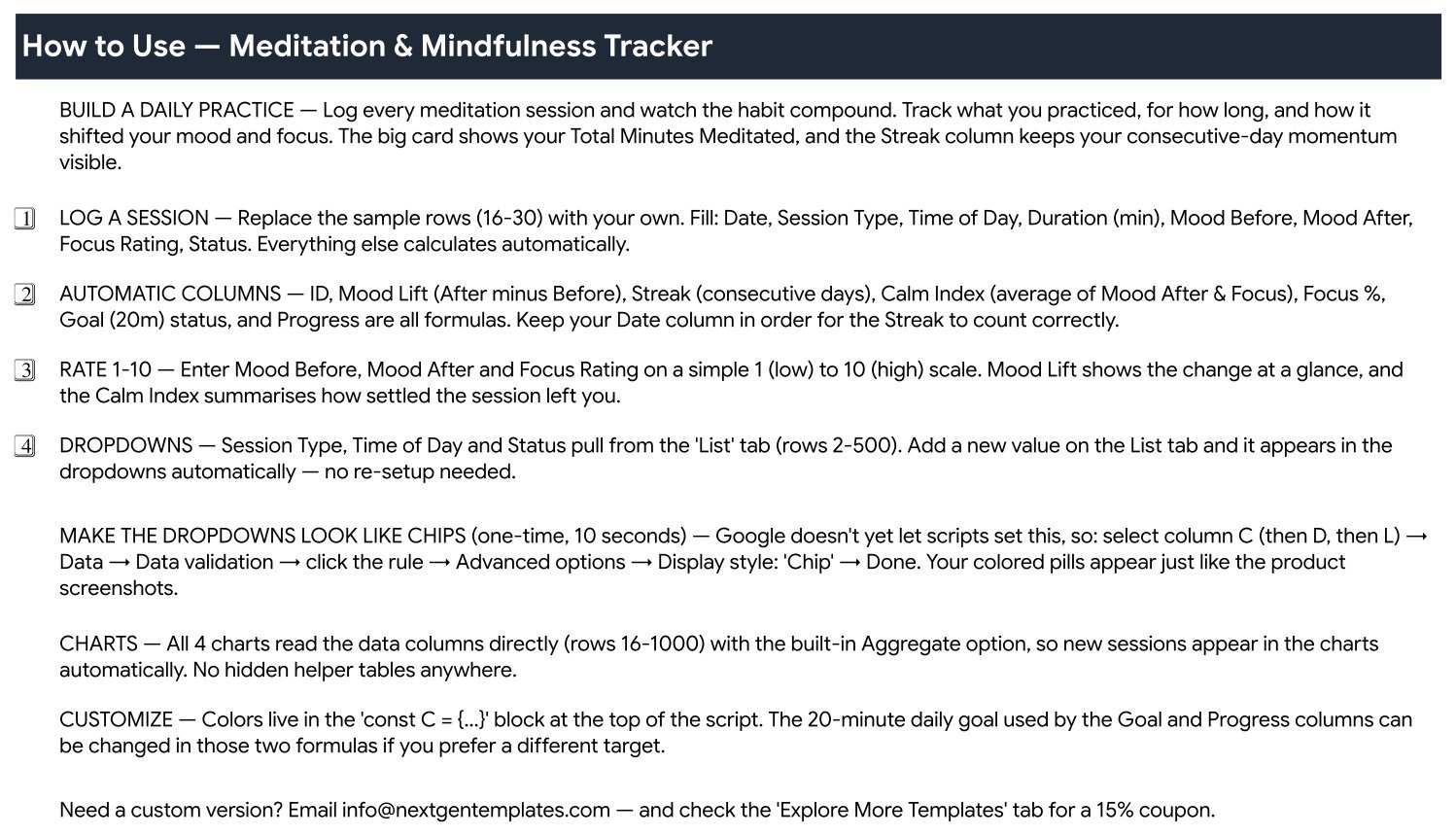
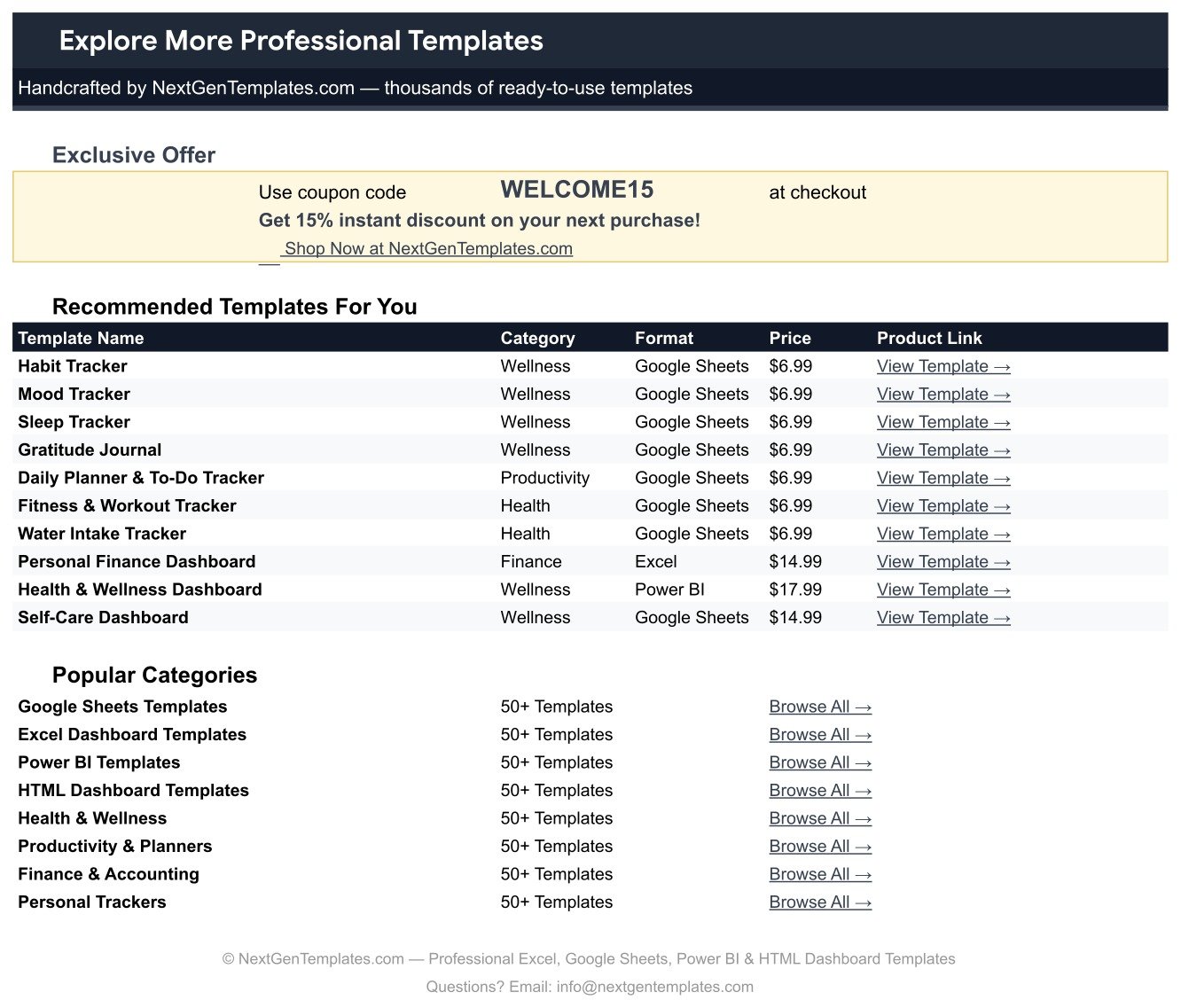
4. Explore More Templates. A directory of related NextGenTemplates products with a WELCOME15 coupon code for 15% off your next purchase.
Meditation & Mindfulness Tracker in Google Sheets vs. Excel vs. a Paid Meditation App Subscription – Where This Fits
| This Google Sheets tracker | A Microsoft Excel tracker | Calm / Headspace-style subscription | |
|---|---|---|---|
| Cost | $6.99 one time | Usually $10-$20 one time, plus Office | Roughly $70/year, per person, forever |
| Platform | Google Sheets, browser or app | Excel desktop; formulas can break in the mobile app | Closed mobile app |
| Setup time | About 2 minutes – open the PDF, click Make a copy | Download, unzip, open, enable editing | Sign up, pick a plan, add a card |
| Real-time team collaboration | Yes – built into Sheets | Only through OneDrive co-authoring | No – single personal account |
| Mobile access | Yes, free Sheets app | Limited | Yes |
| Customizable fields | Yes – add columns, rename anything, edit the formulas | Yes | No |
| Share with a link | Yes | File attachment only | No |
| Year-1 cost at 5 users | $6.99 total – one copy shared, or copied five times | $10-$20 plus five Office licences | About $350 |
| Records mood before AND after each sit | Yes – Mood Before, Mood After and the Mood Lift difference | Only if you build it | Rarely, and never as a column you can export |
| You own and can export the raw data | Yes – it is your spreadsheet | Yes | No, or export only on request |
Who This Template Is For – and Who It’s Not For
It is for anyone with a personal sitting practice who wants a record rather than a feeling: people rebuilding a habit after it lapsed, people working through a 30- or 60-day commitment, meditation teachers keeping a private log of their own practice, and anyone who has tried three meditation apps and wants their history in a file they control.
It is not for everyone. It is a manual log – nothing syncs from your phone, there is no timer, no bell, no guided audio, and no reminders. If you want the app to run the session, this is not that. It is also not a clinical tool: Calm Index, Mood Lift and Focus % are ordinary arithmetic on numbers you typed, not an assessment of anything. It is not therapy, not diagnostic, and not a substitute for professional care. And if you need multi-user roles, permissions or an audit trail, a spreadsheet is the wrong shape – look at a full Google Sheets system instead.
How to Use the Meditation & Mindfulness Tracker in Google Sheets
- Make your copy. Open the PDF in your download and click the “Make a copy” link. The sheet lands in your own Google Drive.
- Clear the samples. Delete the 15 sample sessions once you have looked at them, and start typing on the first empty row.
- Log a session. Fill Date, Session Type, Time of Day, Duration (min), Mood Before, Mood After, Focus Rating and Status. Everything else fills itself.
- Rate 1 to 10. Mood Before, Mood After and Focus Rating all use the same 1 (low) to 10 (high) scale – keep it consistent or the Calm Index stops meaning anything.
- Keep the dates in order. The Streak column compares each row to the one above it, so an out-of-order date will break the run.
- Extend the lists. Add your own session types, times of day or statuses on the List tab and they appear in the dropdowns straight away.
- Turn on the chips (one time, 10 seconds). Select column C, then D, then L, and choose Data → Data validation → the rule → Advanced options → Display style: Chip. Google does not let a script set this, which is why it is the one manual step.
- Change the goal if 20 minutes is not yours. The target sits inside the Goal (20m) and Progress formulas – edit those two and the whole column follows.
Real-World Use Cases
Priya, 34, restarting after a three-month lapse. She sits five minutes a day for the first fortnight and lets the Streak column do the persuading. Because Goal (20m) reports “Short” rather than “Missed” at five minutes, she can see progress without being told she failed – and the Total Minutes Meditated card passes 200 before she notices.
Daniel, a mindfulness teacher. He logs his own practice separately from his classes and uses Sessions by Type to check he is not quietly drifting into only guided sits. Two months in, the chart shows Body Scan at one session against Breathwork at fourteen – which is the conversation he needed to have with himself.
A four-person team running a workplace mindfulness pilot. Each person copies the sheet, and the coordinator compares the Mood Before vs After chart across the four copies at the end of the pilot. Nobody had to buy four app licences, and the raw numbers stayed with the people who produced them.
Frequently Asked Questions
Do I need a paid Google account?
No. Any free Google account can open the PDF link, make a copy and use the sheet. Google Sheets is free.
How many sessions can I log?
The formulas, dropdowns and charts are pre-built from row 16 to row 1000 – that is 985 sessions. At one sit a day that is about two years and eight months before you need to extend anything.
Does it include a timer or guided audio?
No. This is a log, not a meditation app. You sit however you already sit, then record what happened.
Why are my dropdowns plain text instead of coloured chips?
Google Sheets does not allow a script to set the chip display style, so it is a one-time manual toggle: select the column, then Data → Data validation → click the rule → Advanced options → Display style: Chip. It takes about ten seconds per column and only needs doing once.
Can I change the 20-minute daily goal?
Yes. The 20 is written into the Goal (20m) and Progress formulas. Change it in those two formulas and every row recalculates.
Can I add my own session types?
Yes. Type them on the List tab and they show up in the dropdown immediately – the validation reads down to row 500, so you have plenty of room.
Is this medical or mental-health software?
No. It is a personal logging spreadsheet. Calm Index, Mood Lift and Focus % are plain arithmetic on the numbers you enter, not clinical measures. It stores nothing securely, sends no alerts, and is not a substitute for professional care.
About the Author
Built by PK – Microsoft Certified Professional with 15+ years of Excel, Google Sheets, and Power BI experience. Founder of NextGenTemplates, reaching 300K+ subscribers across YouTube channels. Every template is hand-built and tested before release.
Explore Related Templates
- Mood & Mental Health Tracker in Google Sheets – daily mood logging alongside your practice.
- Sleep Tracker in Google Sheets – the other half of an evening routine.
- Habit Tracker in Google Sheets – for the habits meditation tends to drag along with it.
- Yoga & Stretching Practice Tracker in Google Sheets – same structure, movement instead of stillness.
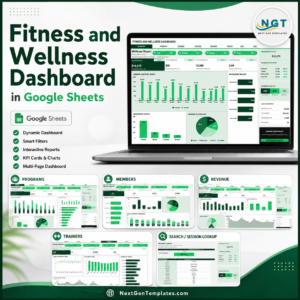
- Fitness and Wellness Dashboard in Google Sheets – when one log is no longer enough.
Browse the whole Google Sheets Trackers category or the wider Google Sheets templates library.
Get the Meditation & Mindfulness Tracker in Google Sheets for $6.99 (regular $12.99). Instant download, one-time payment, no subscription. The PDF in your download carries the “Make a copy” link – you will be logging your first session about two minutes after checkout.
Watch the step-by-step video Demo:
Last updated: 1 September 2026.
Compatibility and Requirements
- Works in Google Sheets. You need a free Google account and a web browser, or the free Google Sheets app.
- The Session Type, Time of Day and Status columns use dropdown lists that read from the List tab. Google explains dropdowns in Create an in-cell dropdown list.






























Reviews
There are no reviews yet.