



Maintaining your vehicle—whether it’s your daily ride or a full fleet—requires attention to detail and consistent upkeep. That’s where the Vehicle Maintenance Checklist in Google Sheets comes in. This smart, ready-to-use Google Sheets template empowers you to stay organized, prevent costly breakdowns, and ensure every maintenance task is completed on time.
Whether you’re a vehicle owner, mechanic, fleet supervisor, or property manager, this tool simplifies how you manage maintenance, giving you full control and clarity over your vehicle health.

🧰 What is the Vehicle Maintenance Checklist?
The Vehicle Maintenance Checklist is a Google Sheets-based tracking system that helps you manage routine and scheduled maintenance tasks with ease. From oil changes and tire rotations to brake checks and fluid replacements, everything is logged and tracked in one central location.
It features intuitive dropdowns, a visual dashboard, and progress bars to help you and your team stay on top of every maintenance job—no matter how big or small.
📋 Template Overview & Key Features
The template is divided into two essential worksheets:
1️⃣ Vehicle Maintenance Checklist Sheet (Main)
This is the core of the tool where you input and monitor all vehicle-related tasks.
🔹 Top Section Cards:
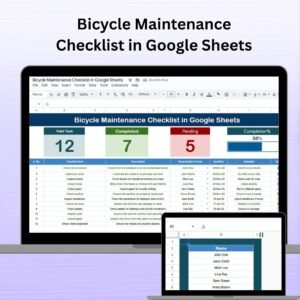
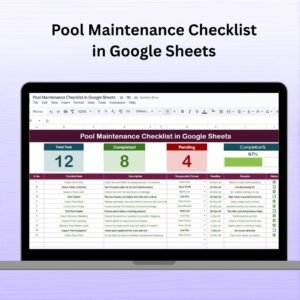
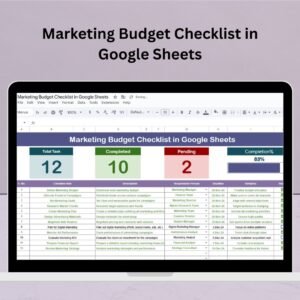
Total Count: Displays the total number of tasks entered
Completed Count: Shows the number of completed tasks
Pending Count: Highlights tasks still pending
Progress Bar: A live visual tracker of task completion
🔹 Checklist Table Includes:
Serial No.: Auto-generated task numbers
Checklist Item: Task name (e.g., oil change)
Description: Brief details about the task
Responsible Person: Assigned using a drop-down list
Deadline: Date when the task is due
Remarks: Optional notes or comments
Status: Mark ✔ for completed or ✘ for pending
This layout ensures nothing slips through the cracks—especially for businesses managing multiple vehicles.
2️⃣ List Sheet Tab
The List Sheet powers the dropdown selection for assigning tasks. Add the names of mechanics, team members, or departments responsible for vehicle care. It’s easy to maintain, and instantly reflects in your main sheet’s dropdowns.
💡 Benefits of Using the Vehicle Maintenance Checklist
✅ Centralized Management: No more loose paper notes or forgotten repairs. Everything is in one organized Google Sheet.
✅ Boosts Accountability: Each task is assigned to a specific person or team, keeping everyone on the same page.
✅ Visual Tracking: Quickly understand your progress with built-in counters and a live progress bar.
✅ Time-Saving: With clearly defined deadlines and auto-updating stats, you save time and reduce the chances of costly oversight.
✅ Customizable for Any Vehicle: Tailor the template to personal cars, service vans, or entire fleets with ease.
🛠️ Who Can Use This?
Car Owners & Families
Fleet Supervisors
Auto Service Centers
Company Transport Departments
Property or Facilities Managers
This template fits anyone who wants to stay ahead of their vehicle’s health.
📌 Best Practices for Effective Use
🗓️ Update Weekly or Monthly: Keep the list fresh and reflective of real-time maintenance needs.
👨🔧 Assign Each Task Clearly: Use the dropdown system to assign responsibility—no ambiguity.
📈 Monitor the Dashboard: Check the top cards regularly to see what’s overdue, pending, or completed.
📎 Duplicate for Fleets: Create a version of this template for each vehicle in your fleet or group them in one master file.
📺 Watch the Tutorial
🎥 Visit our channel: YouTube.com/@NeotechNavigators
Watch the step-by-step video Demo:
Read the detailed blog post
Compatibility and Requirements
- Works in Google Sheets with a free Google account and a web browser. Nothing to install.
- The Responsible Person column uses a dropdown fed by the List Sheet. Google explains dropdowns in Create an in-cell dropdown list.
Frequently Asked Questions
What do the top cards show?
Total count, completed count and pending count of maintenance tasks, plus a progress bar for the share of tasks completed.
What goes in each checklist row?
Serial number, checklist item (for example an oil change), description, responsible person, deadline, remarks and a status of ✔ for completed or ✘ for pending.
How do I add mechanics to the dropdown?
Type their names on the List Sheet. The Responsible Person dropdown in the main sheet reads from that list.
Can I use it for a whole fleet?
Yes. Make a copy of the sheet for each vehicle, or keep all vehicles in one master file.
Related Vehicle and Maintenance Templates
- Fleet Management Dashboard in Excel: analyze fleet costs and use
- Fleet Management KPI Dashboard in Excel: fleet KPIs in one view
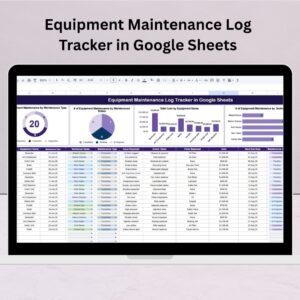
- Equipment Maintenance Log Tracker in Google Sheets: log maintenance work in detail
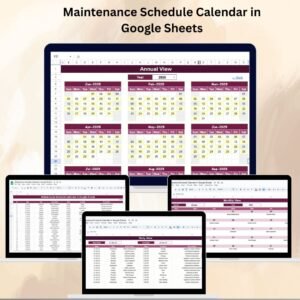
- Maintenance Schedule Calendar in Google Sheets: plan service dates by month
- Vehicle Movement Register System V1.0: record vehicle trips in Excel
Browse all Google Sheets checklist templates or the logistics templates.








Reviews
There are no reviews yet.