



Say goodbye to missed maintenance tasks and hello to a crystal-clear pool! The Pool Maintenance Checklist in Google Sheets is a smart, ready-to-use digital template that helps pool owners and maintenance teams stay organized, accountable, and efficient. Whether you’re managing a residential pool or commercial facility, this checklist keeps you on top of your pool care routine—without the paperwork!

🧰 Key Features of the Pool Maintenance Checklist
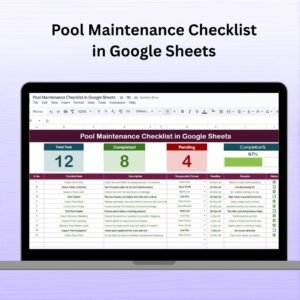
📋 Interactive Checklist Dashboard
Total Tasks, Completed Count, and Pending Count all displayed in real-time
🎯 Progress Bar shows how much of your maintenance plan is complete
A clear, color-coded layout makes tracking quick and easy
📝 Task Table with Full Details
Serial No. – Unique identifier for every maintenance item
Checklist Item – Tasks like Clean Pool, Test Chlorine Level, Backwash Filter, etc.
Description – Add notes on what’s required for each task
Responsible Person – Assign each task to someone via a dropdown list
Deadline – Keep tasks on schedule with due dates
Remarks – Add observations or notes
Status – Mark as ✔ (Completed) or ✘ (Pending)
📄 List Sheet Tab
Maintain a clean dropdown of responsible persons
Makes task assignment fast, standardized, and easy to update
📦 What’s Inside the Pool Maintenance Checklist Template?
You’ll get two powerful, fully connected tabs:
1️⃣ Pool Maintenance Checklist Tab
This is your master checklist. Track tasks, assign people, set deadlines, and monitor progress—all in one place.
2️⃣ List Sheet Tab
Create and update your pool maintenance team here. The Responsible Person column in the main checklist automatically pulls from this tab, keeping data consistent and tidy.
Everything is fully dynamic and designed to save you time while providing maximum clarity.
🧭 How to Use the Pool Maintenance Checklist in Google Sheets
1️⃣ Add Tasks – Input regular and seasonal maintenance tasks into the Checklist Item column
2️⃣ Assign Team Members – Use the dropdown in Responsible Person (fed by the List Tab)
3️⃣ Set Deadlines – Keep maintenance on schedule
4️⃣ Update Status – Mark ✔ for completed and ✘ for pending
5️⃣ Track Progress – View your real-time stats and progress bar at the top
6️⃣ Document Notes – Use the Remarks column for water test results or equipment issues
That’s it! You’ll always know what’s done, what’s left, and who’s responsible.
👥 Who Can Use This Pool Maintenance Checklist?
🏠 Homeowners – Stay ahead of routine cleanups and chemical checks
🏢 Property Managers – Oversee multiple pools across buildings or locations
👷♂️ Pool Maintenance Companies – Keep clients’ pools in perfect shape with structured plans
🌴 Resort/Hotel Staff – Maintain guest safety and pool hygiene with reliable task tracking
🏊 Recreational Facility Managers – Assign responsibilities and avoid missed checkups
If you’re in charge of a pool—this checklist is for you!
💡 Why This Template Stands Out
✅ Real-time collaboration – Easily share with your team for updates on the go
✅ Beginner-friendly – No formulas or setup required
✅ Color-coded progress bar – Quickly see task completion status
✅ Fully customizable – Add your own tasks, people, and categories
✅ Track all maintenance data in one clean, cloud-based sheet
✅ Printable & sharable – Export as PDF or share the live sheet
✅ No login required for tools – Just Google Sheets!
🔁 Click here to read the Detailed blog post Pool Maintenance Checklist in Google Sheets
Click here to read the Detailed blog post
Watch the step-by-step video Demo:
🎥 Visit our YouTube channel to learn step-by-step video tutorials
Youtube.com/@NeotechNavigators
Compatibility and Requirements
- Works in Google Sheets. You need a free Google account and a web browser.
- The Responsible Person column is a dropdown fed by the List Sheet. Google explains dropdowns in Create an in-cell dropdown list.
Frequently Asked Questions
Which tabs are in the checklist?
It has two tabs: the Pool Maintenance Checklist tab and the List Sheet tab of team members.
What can I record for each task?
Each row has a serial number, checklist item, description, responsible person, deadline, remarks and status.
How do I mark a task as done?
Set the status to a check mark for completed or a cross for pending. The totals and progress bar update at the top.
Can I add my own pool tasks?
Yes. Add regular and seasonal tasks such as cleaning, chlorine tests or filter backwash in the Checklist Item column.
Can I print it?
Yes. You can export the sheet as a PDF or share the live Google Sheet with your team.
Related Maintenance Templates
- Pool Maintenance Checklist in Excel: the same checklist in Excel
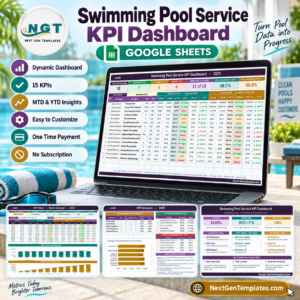
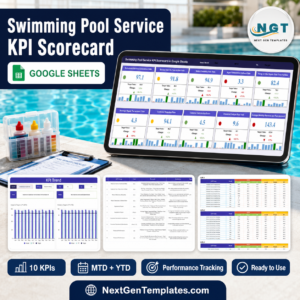
- Swimming Pool Service KPI Dashboard in Google Sheets: KPIs for a pool service business
- Seasonal Home Maintenance Checklist in Google Sheets: seasonal upkeep around the home
- HVAC Maintenance Checklist in Google Sheets: plan HVAC servicing
- Checklist & SOP Pack: 12 checklist templates in one download
Browse all Google Sheets checklists.



Reviews
There are no reviews yet.