


Struggling to stay consistent with your content? Missing deadlines or losing track of who’s doing what?
It’s time to get organized with the Content Calendar Checklist in Google Sheets — the smart, collaborative, and customizable solution for all your content planning needs.Content Calendar Checklist in Google Sheets
Whether you’re managing a blog, planning YouTube videos, coordinating social media, or launching email campaigns, this tool helps ensure your team stays aligned and your content stays on schedule. 📌
📘 What Is the Content Calendar Checklist?
This Google Sheets-based checklist is designed to help you plan, organize, assign, and track every piece of content from idea to publication.
✅ Easy-to-use
✅ Fully editable
✅ Built for collaboration
✅ Ideal for individuals, teams, and agencies
Unlike generic to-do lists, this template includes visual progress tracking, team assignment, real-time status updates, and integrated dropdown lists — all in one place.
🔍 Key Features of the Template
The template includes two worksheet tabs, carefully structured for clarity and performance:
1️⃣ Main Checklist Sheet
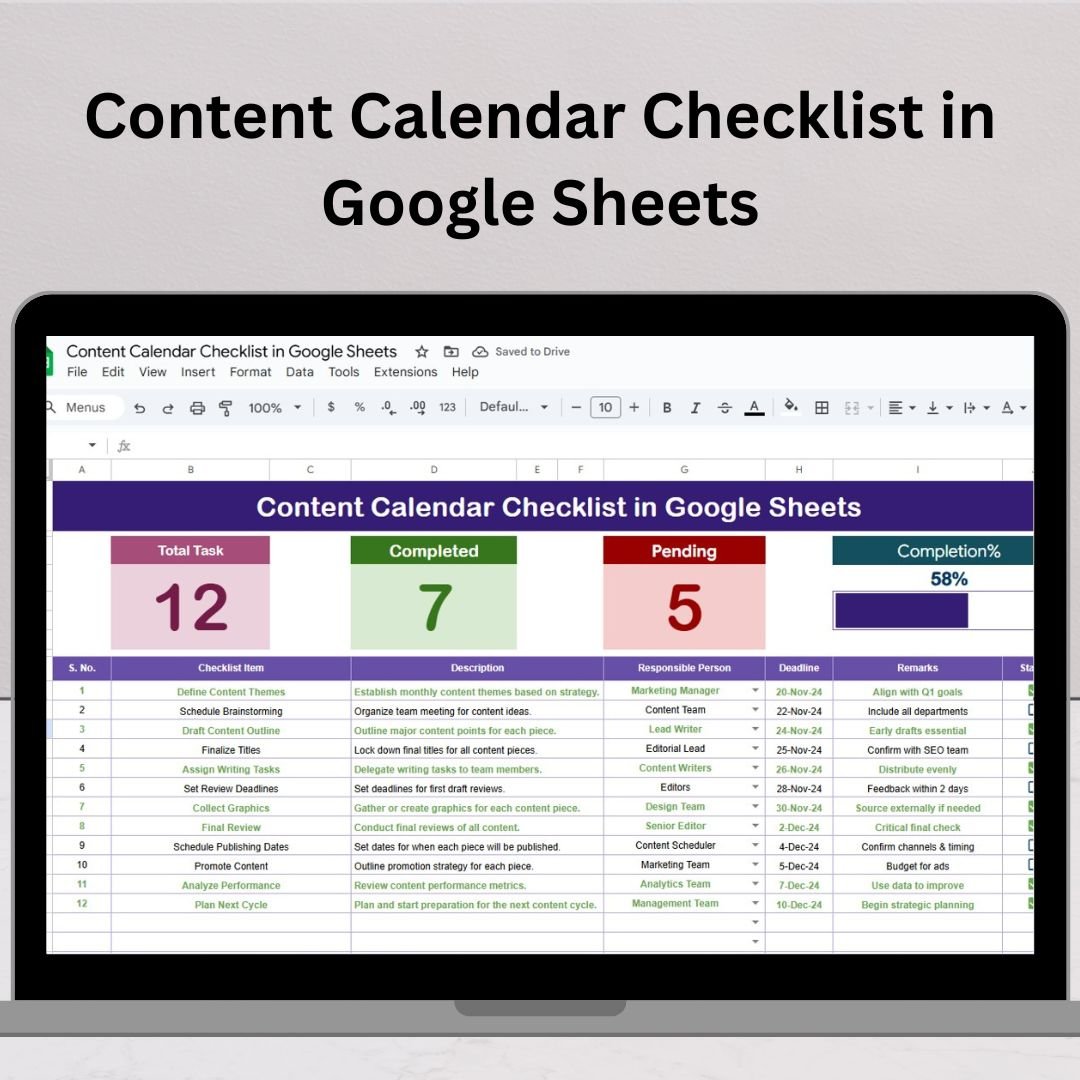
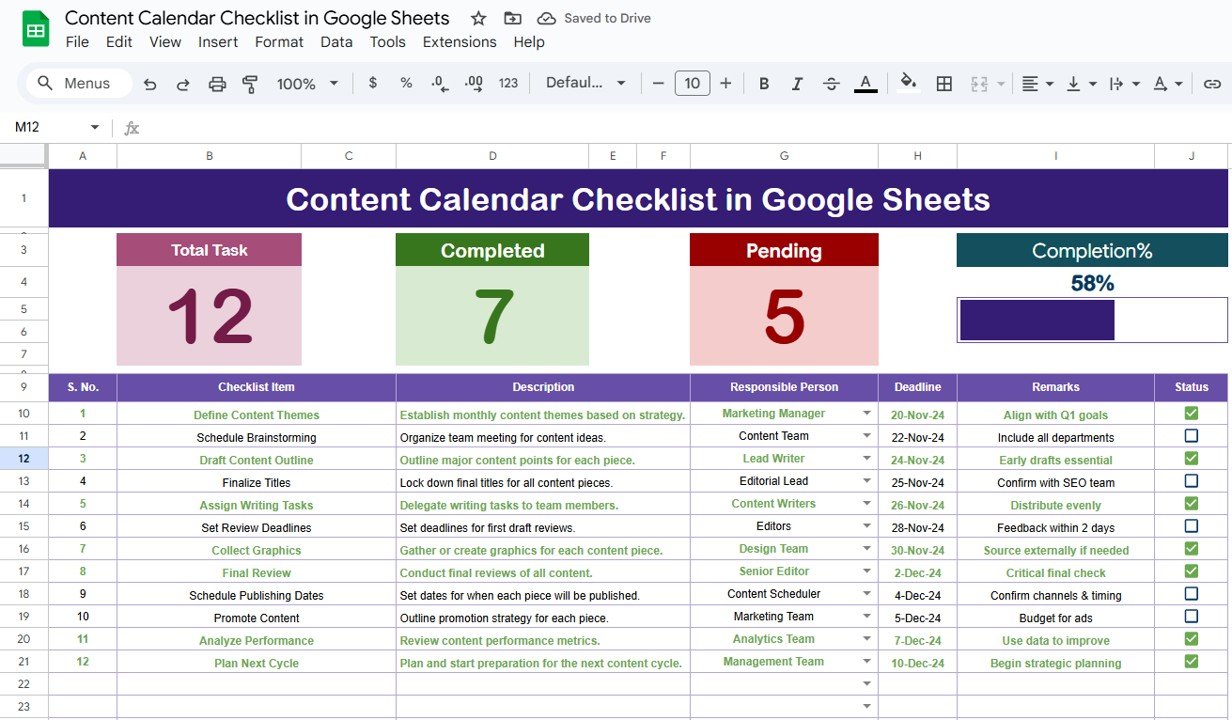
This is your command center for planning and tracking content.
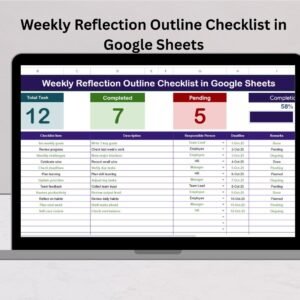
🔝 Top Summary Cards:
Total Count – Number of tasks listed
Completed Count – Tasks marked ✔
Pending Count – Tasks marked ✘
Progress Bar – Auto-calculates completion percentage visually
📋 Task Table Columns:
Serial No. (Auto-numbered)
Checklist Item (Content Title)
Description (Task details)
Responsible Person (Dropdown list)
Deadline (Due date)
Remarks (Optional notes)
Status (✔ or ✘)
Simply update the Status column, and the progress visuals change instantly.
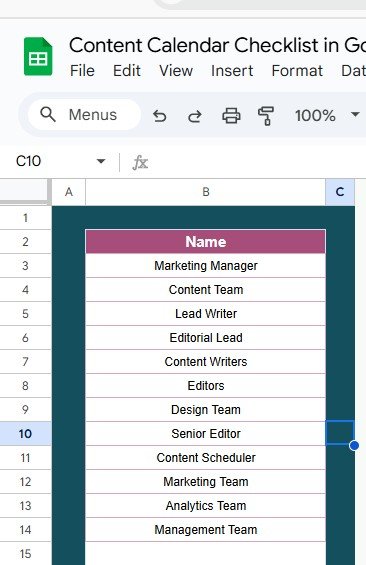
2️⃣ List Sheet Tab
Manage your team roster here. This tab powers the dynamic dropdown list in the main checklist for assigning responsibilities with accuracy and consistency.
💡 Why Use Google Sheets for a Content Calendar?
📌 Cloud-based & Shareable – Collaborate in real-time with your team from anywhere.
📌 Customizable – Add new fields, conditional formats, or filters easily.
📌 Zero Cost – No extra software, just your free Google account.
📌 Offline Access – Sync to edit even without internet.
📌 Mobile-Friendly – Manage your calendar from any device.
✅ Advantages of Using This Content Calendar Template
Boosts Productivity – Plan your content pipeline in advance
Clarifies Accountability – Assign team members to tasks clearly
Improves Visibility – Track deadlines and task statuses easily
Saves Time – Reduces back-and-forth by centralizing content operations
Visual Progress – Motivates your team through a live progress bar
Easy to Scale – Add more rows, months, or teams as you grow
🔧 Opportunities to Improve the Checklist
Want to take things to the next level? Here’s what you can add:
📧 Email Alerts via Google Apps Script for deadline reminders
📆 Calendar Integration to sync deadlines with Google Calendar
📊 KPI Tab to track performance metrics post-publication
📂 File Linking Column to add direct links to content drafts
🧠 Automation to flag overdue tasks in red or highlight upcoming deadlines
🧠 Best Practices for Content Calendar Management
🗓️ Update Weekly – Keep your list fresh and relevant
🎨 Use Conditional Formatting – Highlight overdue or priority items
👥 Maintain Clean Data – Use dropdowns and naming standards
🔒 Protect Key Cells – Lock headers and formulas to avoid mistakes
🛠️ Customize for Your Workflow – Add content types, priority levels, or tags
🎯 Who Is This For?
Bloggers and content creators
Digital marketing teams
YouTube and social media managers
Agencies and freelancers
Educators planning course content
Startups and small businesses managing content schedules
🔚 Conclusion
The Content Calendar Checklist in Google Sheets is more than a spreadsheet — it’s your visual workflow manager. From brainstorming to execution, this tool ensures that nothing slips through the cracks.
✅ Plan with clarity
✅ Execute with precision
✅ Publish on time, every time
Start using this template today and watch your content strategy become faster, smoother, and more organized than ever before. 🚀
Click here to read detailed blog post
Watch the step-by-step video Demo:
📺 Visit our YouTube channel for step-by-step tutorials
👉 youtube.com/@NeotechNavigators
Compatibility and Requirements
- Works in Google Sheets with a free Google account and a web browser.
- The Responsible Person column uses a dropdown list fed by the List sheet.
- Want to edit the dropdown? Google explains how in Create an in-cell dropdown list.
Frequently Asked Questions
What does the Content Calendar Checklist include?
Two tabs: the main checklist with summary cards and a progress bar, and a List sheet that holds your team roster.
Which columns are in the task table?
Serial No., Checklist Item, Description, Responsible Person, Deadline, Remarks and Status.
How is progress calculated?
Mark each task ✔ or ✘ in the Status column. The completed and pending counts and the progress bar update right away.
Can my team work in it together?
Yes. Share the Google Sheet and team members can update tasks in real time.
Related Content Planning Templates
- Social Media Content Calendar Tracker in Google Sheets: plan and track social posts
- Content Calendar Checklist Template in Excel: the checklist for Excel users
- Marketing Manager Toolkit: 9 marketing templates in one download
- Checklist & SOP Pack: 12 checklist templates in one download
Browse all Google Sheets checklists or the Google Sheets sales and marketing templates.
































Reviews
There are no reviews yet.