



The Weekly Reflection Evaluation Checklist in Google Sheets is not just another task list—it’s a productivity powerhouse ✅. With this tool, you can:Weekly Reflection Evaluation Checklist in Google Sheets
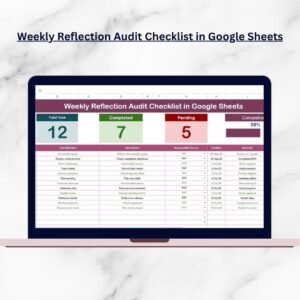
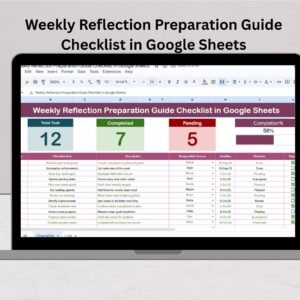
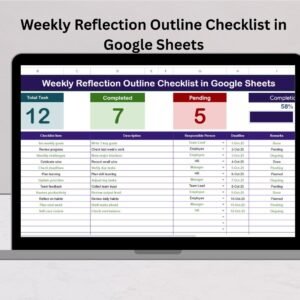
📊 Track Progress Instantly – View total tasks, completed items, pending actions, and a live progress bar.
📝 Organize Your Week Clearly – Use structured columns for Serial No., Checklist Item, Description, Deadline, Responsible Person, Remarks, and Status.
👥 Collaborate Seamlessly – Multiple users can update and review in real time.
⏰ Stay Accountable – Assign responsibilities and track deadlines effectively.
📱 Access Anytime, Anywhere – Since it’s built in Google Sheets, your checklist stays cloud-based and device-friendly.

This makes reflection effortless and helps you evaluate where you excelled and where you need to improve.
📂 What’s Inside the Weekly Reflection Evaluation Checklist
When you download this template, you get a ready-to-use structured system with two simple yet powerful sheets:
Main Checklist Sheet
Top cards showing total, completed, and pending tasks with a progress bar.
A fully functional checklist table with dropdowns, status columns (✔ or ✘), and remarks section.
List Sheet
A dedicated sheet for maintaining a list of responsible persons.
Ensures dropdowns stay consistent and error-free.
This minimal structure keeps things clean, scalable, and adaptable for personal or professional use.
⚡ How to Use the Weekly Reflection Evaluation Checklist
Getting started takes just a few minutes:
Open the template in Google Sheets.
Enter tasks in the Checklist Item column.
Assign responsibilities using the dropdown for “Responsible Person.”
Add deadlines and notes in the respective columns.
Update the Status as ✔ for completed or ✘ for pending tasks.
Review your weekly progress via the top cards and progress bar.
By updating the sheet daily, you’ll always have a clear view of your week’s performance.
🎯 Who Can Benefit from This Checklist
This versatile tool is designed for anyone looking to grow and stay accountable:
🎓 Students – Track study schedules, assignments, and weekly learning goals.
💼 Employees – Stay on top of weekly deliverables and responsibilities.
👨💼 Managers – Review team progress and project status.
🧑💻 Freelancers – Ensure timely delivery of client projects.
🏢 Small Business Owners – Manage weekly tasks across operations and staff.
Whether for personal reflection or team collaboration, this checklist adapts to your needs.
🚀 Why You Need This Template Right Now
In today’s fast-moving world, reflection is the secret weapon for consistent growth. Instead of juggling sticky notes, apps, or paper journals, you’ll have:
A structured system to capture achievements and pending actions.
Visual insights with progress bars and summary cards.
Team-ready collaboration features with Google Sheets’ real-time updates.
Flexibility to customize for personal, academic, or professional goals.
This isn’t just a checklist—it’s your weekly growth partner. 🌟
Click here to read the Detailed Blog Post
Watch the step-by-step video tutorial:
Visit our YouTube channel to learn step-by-step video tutorials
Compatibility and Requirements
- Works in Google Sheets. You need a free Google account and a web browser.
- You pick the responsible person from a dropdown, filled from the List sheet. Google explains dropdowns in Create an in-cell dropdown list.
Frequently Asked Questions
Which sheets are included?
Two sheets: the Main Checklist sheet and the List sheet. The Main Checklist sheet has the summary cards, the progress bar and the checklist table. The List sheet holds the names of responsible persons.
How do I add people to the Responsible Person dropdown?
Add each name to the List sheet. The dropdown on the Main Checklist sheet uses that list, so names stay consistent.
How do I mark a task as done?
Set the Status column to a check mark for completed tasks or a cross for pending ones. The total, completed and pending cards and the progress bar update from those entries.
What columns does the checklist table have?
Serial No., Checklist Item, Description, Deadline, Responsible Person, Remarks and Status.
Is there an Excel version?
Yes. See the Weekly Reflection Evaluation Checklist in Excel.
Related Weekly Reflection Templates
- Weekly Reflection Evaluation Checklist in Excel: the same checklist for Excel
- Weekly Reflection Action Plan Checklist in Google Sheets: a checklist built around action items
- Weekly Reflection Audit Checklist in Google Sheets: an audit-style weekly review
- Weekly Reflection Checklist in Google Sheets: a general weekly reflection checklist
- Checklist & SOP Pack: 12 checklist templates in one download
Browse all Google Sheets checklists.





















Reviews
There are no reviews yet.