

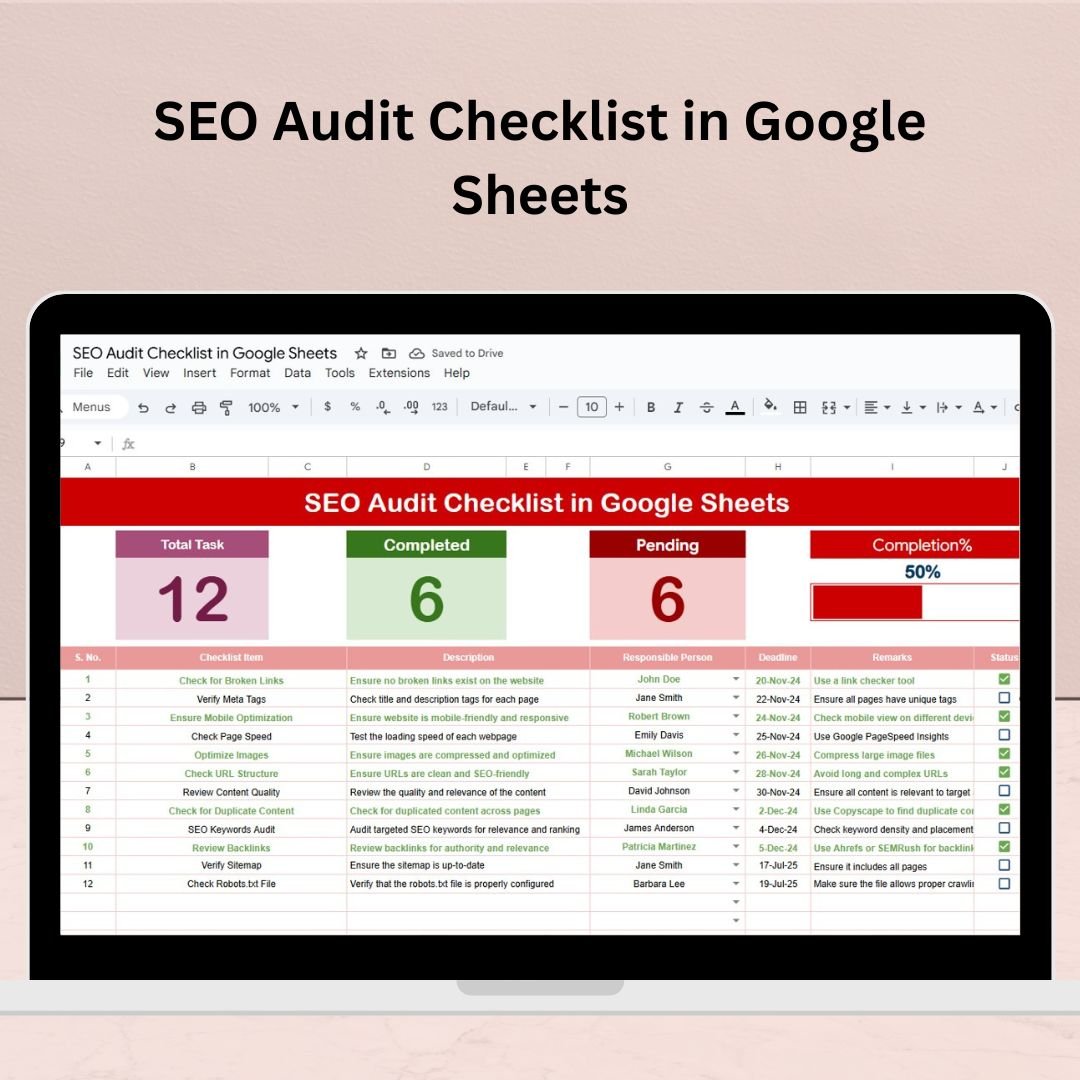

Tired of scattered SEO tasks and missed deadlines dragging your rankings down? Say goodbye to messy spreadsheets and hello to clarity with the SEO Audit Checklist in Google Sheets — the ultimate solution for managing all your technical, on-page, and content-related SEO tasks in one place. ✅📈
Designed for digital marketers, SEO experts, agencies, and website owners, this ready-to-use template brings order to your audit process with automated tracking, dropdowns, and visual progress indicators — all inside a simple Google Sheet!
✨ Key Features of the SEO Audit Checklist in Google Sheets
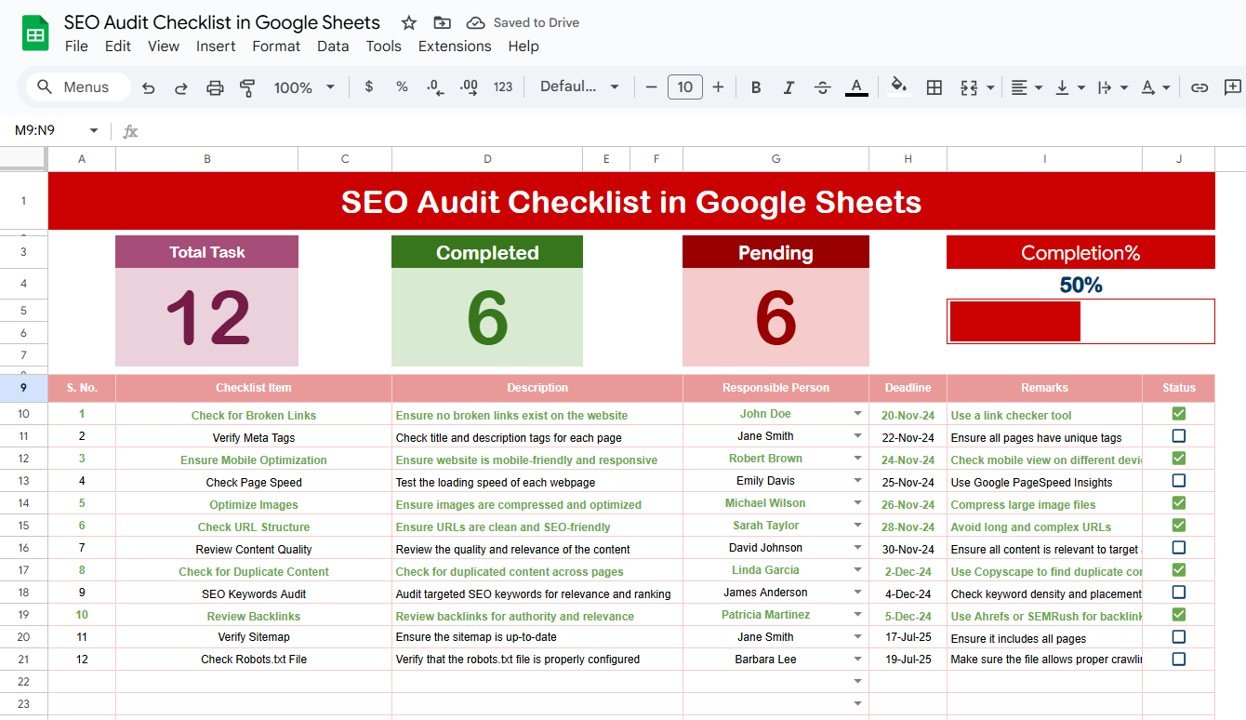
✅ 1. SEO Audit Checklist Tab (Main Sheet)
This is your command center. Here’s what it offers:
📌 Total Checklist Count – Instantly see how many SEO tasks you’re tracking
✅ Completed Count – Automatically tracks ✔ marked items
❌ Pending Count – Shows remaining ✘ items
📊 Progress Bar – Dynamic visual progress tracker that updates automatically
👤 Responsible Person Dropdown – Assign team members quickly from a linked list
🗓️ Deadline Field – Stay on top of your timelines
💬 Remarks Section – Add notes, links, or findings per task
No more guessing who’s doing what or when things are due!
✅ 2. List Sheet Tab
Keep your data clean and functional with this companion tab:
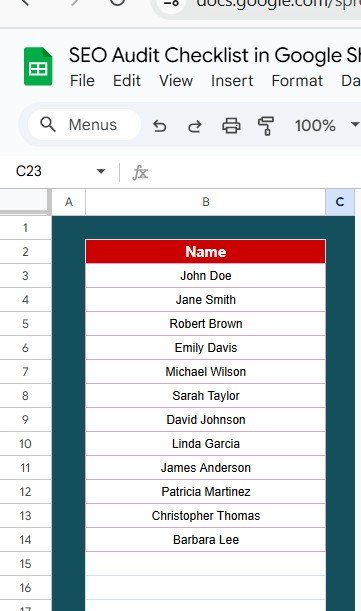
👥 Team Member List – Central place to enter team names
🔄 Auto-populates the “Responsible Person” dropdown in the checklist tab
💯 Reduces spelling errors and keeps assignments consistent
A smart backend that powers seamless collaboration.
📦 What’s Inside the SEO Audit Checklist Template?
2 professionally formatted Google Sheets tabs
✔ & ✘ status tracking with auto-counts
Dynamic visual progress bar
Dropdowns for team member assignments
Editable columns for flexibility
Clean, color-coded design for better focus
Whether you’re managing SEO for your own blog or multiple client websites — this template saves time, boosts accountability, and delivers results.
🧠 How to Use the SEO Audit Checklist in Google Sheets
Make a copy of the Google Sheet to your Drive
Add or edit your SEO tasks under the Checklist Item column
Assign responsibilities from the dropdown
Update statuses using ✔ or ✘
Monitor progress using the real-time progress bar
Review remarks or links in the Remarks column
It’s designed for beginners and pros alike — no steep learning curve!
👥 Who Can Benefit from This SEO Checklist?
This tool is perfect for:
💼 Digital Marketing Agencies – Track audits across multiple clients
🧑💻 SEO Professionals – Manage deep-dive technical audits
🧍♂️ Freelancers & Consultants – Deliver structured reports to clients
🏢 In-house Marketing Teams – Collaborate on recurring audits
📝 Content Strategists & Bloggers – Track on-page optimizations
🌍 Web Developers – Stay aligned with SEO requirements during site updates
No matter your role, if SEO matters — this checklist delivers.
🏆 Why Choose a Google Sheets-Based SEO Audit Checklist?
☁️ Cloud-Based – Access from anywhere
👥 Real-Time Collaboration – Work together with your team seamlessly
🧩 Fully Customizable – Add, remove, or modify checklist items to fit your workflow
📊 Built-in Progress Tracking – No plugins or third-party software needed
💸 Zero Cost – No paid tools required to manage your audit
Spend less time organizing and more time optimizing! 🔍⚡
📈 Advantages of This SEO Checklist Template
Easy to Use – No technical skills required
Visual Tracking – Stay motivated by watching your progress grow
Audit-Ready Format – Reuse it monthly, quarterly, or per campaign
Accountability Built-In – Every task is assigned and tracked
Scalable – Use for a single site or 20 clients with ease
🔧 Opportunities for Improvement (Optional Customizations)
🎨 Add conditional formatting to flag overdue tasks
🏷️ Add priority dropdowns (High, Medium, Low)
📧 Use Google Apps Script to send reminders
🔍 Create filter views for faster navigation
🔗 Attach hyperlinks or tool shortcuts (e.g., Ahrefs, Search Console)
With these tweaks, you can level up this tracker into a full-blown SEO command center.
✅ Best Practices for Success
📆 Audit Monthly or Quarterly
👥 Review as a Team for better visibility
🔐 Lock formulas to prevent accidental edits
📁 Duplicate per website if you manage multiple clients
📝 Document fixes in the Remarks column for future reference
📚 Click here to read the detailed blog post
Watch the step-by-step video Demo:
👉 Visit our YouTube channel to learn step-by-step video tutorials
Compatibility and Requirements
- Works in Google Sheets. You need a free Google account and a web browser.
- You pick the responsible person from a dropdown on the SEO Audit Checklist tab. Google explains dropdowns in Create an in-cell dropdown list.
Frequently Asked Questions
Which sheets are included?
Two sheets: the SEO Audit Checklist tab and the List Sheet tab.
How do I assign a task to a team member?
Enter your team names on the List Sheet tab. They fill the Responsible Person dropdown on the checklist tab, so you pick a name for each task.
How does the progress bar work?
Mark each task with a ✔ or ✘. The checklist counts completed and pending items and the progress bar updates automatically.
Can I add my own SEO tasks?
Yes. The columns are editable, so you can add or change items under Checklist Item and use the Deadline and Remarks columns for each one.
Is there an Excel version?
Yes. See the SEO Audit Checklist in Excel.
Related Audit and Checklist Templates
- SEO Audit Checklist in Excel: the same SEO audit checklist for Excel
- Compliance Audit Tracker in Google Sheets: track audit items in Google Sheets
- Project Management Checklist in Google Sheets: another task checklist for Google Sheets
- Employee Onboarding Checklist in Google Sheets: a checklist with the same style of tracking
- Checklist & SOP Pack: 12 Excel and Google Sheets templates in one download
Browse all Google Sheets checklists.




























Reviews
There are no reviews yet.