



Planning a successful workshop requires attention to detail, coordination, and a reliable system to ensure that every task is completed on time. The Workshop Planning Checklist in Google Sheets is a ready-to-use template designed to make workshop management simple, transparent, and stress-free. Whether you are organizing corporate training, educational workshops, or team-building sessions, this checklist ensures no detail is missed, responsibilities are clearly assigned, and deadlines are met with ease.

✨ Key Features of the Workshop Planning Checklist
Our template is structured to provide clarity and efficiency:
✅ Main Sheet Tab – Workshop Planning Checklist
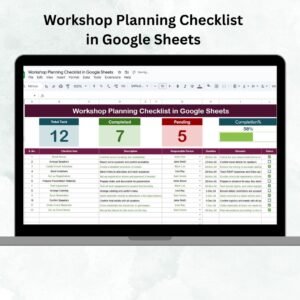
This is the heart of the template where you can manage all planning tasks. It includes:Progress Overview Cards showing Total Tasks, Completed Tasks, and Pending Tasks.
A dynamic progress bar that updates automatically as you mark items completed.
A checklist table with columns for Serial No., Checklist Item, Description, Responsible Person, Deadline, Remarks, and Status (✔ or ✘).
✅ List Sheet Tab
This sheet contains a unique list of responsible persons, used to populate drop-down menus in the main sheet. This minimizes data entry errors and ensures smooth accountability.
📦 What’s Inside the Workshop Planning Checklist
When you download this template, you’ll get a structured Google Sheets file preloaded with:
Pre-built overview cards to quickly track overall progress.
A progress bar that visually shows how much of the checklist is completed.
A task management system where each task can be assigned to a responsible person.
Drop-down lists that make assigning tasks error-free and consistent.
A fully customizable checklist that you can adapt to your specific workshop needs.
This ensures you have everything you need to plan, track, and execute a seamless workshop.
🛠 How to Use the Workshop Planning Checklist
Open the Main Sheet Tab – Start by reviewing the preloaded columns.
Enter Workshop Tasks – Add all tasks into the checklist with short descriptions.
Assign Responsibility – Use the drop-down to select who is accountable for each task.
Set Deadlines – Assign due dates so nothing is left until the last minute.
Update Status – Mark ✔ for completed tasks and ✘ for pending ones.
Monitor Progress – Use the cards and progress bar to track completion at a glance.
In just a few steps, you’ll have a structured and easy-to-maintain system for workshop preparation.
👥 Who Can Benefit from This Checklist
This Google Sheets template is versatile and can be used by:
HR Teams & Trainers – For scheduling corporate training sessions or workshops.
Project Managers – To organize internal knowledge-sharing or skill-building sessions.
Event Coordinators – For educational, cultural, or professional workshops.
Educators – To plan classroom workshops, extracurricular activities, or student training.
Team Leaders – To streamline planning and assign clear responsibilities.
Whether you’re planning a small group session or a large-scale workshop, this checklist makes management effortless.
🚀 Advantages of the Workshop Planning Checklist
Centralized tracking of all tasks in one sheet.
Improved accountability by assigning tasks to specific people.
Instant visual progress updates with cards and a progress bar.
Easy customization for workshops of any size.
Real-time collaboration since it’s built in Google Sheets.
🔧 Opportunities for Improvement
Add Google Apps Script automation to send task reminders via email.
Use conditional formatting to color-code pending vs completed tasks.
Extend with analytics charts for tasks completed by department or team.
Sync deadlines with Google Calendar for automatic notifications.
By incorporating these improvements, your workshop planning can become even more efficient.
✅ Best Practices for Success
Keep the checklist updated daily for accuracy.
Use consistent naming conventions for tasks and responsible persons.
Share access with all stakeholders to promote transparency.
Review progress regularly to spot bottlenecks early.
Highlight high-priority items in the remarks column.
With these practices, your workshops will always be on track and stress-free.
📌 Click here to read the Detailed Blog Post
Watch the step-by-step video Demo:
📺 Visit our YouTube channel to learn step-by-step video tutorials
Compatibility and Requirements
- Works in Google Sheets with a free Google account and a web browser. Nothing to install.
- The responsible person column uses an in-cell dropdown. Google explains dropdowns in Create an in-cell dropdown list.
Frequently Asked Questions
What do the overview cards show?
They show Total Tasks, Completed Tasks and Pending Tasks, and a progress bar updates as you mark items complete.
How do I assign a task?
Pick the responsible person from the dropdown in the checklist table. The names come from the List sheet.
How do I mark a task as done?
Set the Status column to the tick mark for completed tasks and the cross for pending ones.
Can I add my own tasks and columns?
Yes. The checklist is fully customizable, so you can adapt it to any workshop size.
Can my team work on it together?
Yes. It is built in Google Sheets, so you can share it with every stakeholder.
Related Workshop and Event Templates
- Workshop Planning Checklist in Excel: the same checklist for Excel users
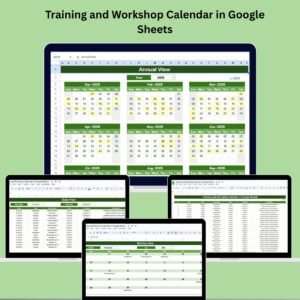
- Training and Workshop Calendar in Google Sheets: schedule sessions across the year
- Event Planning Checklist in Google Sheets: a checklist for wider events
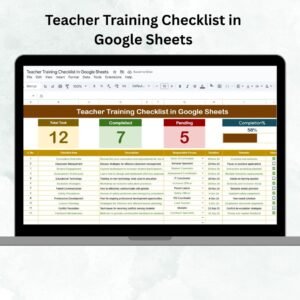
- Teacher Training Checklist in Google Sheets: plan training for teaching staff
- Checklist & SOP Pack: 12 premium Excel and Google Sheets checklists
Browse all Google Sheets checklists.




Reviews
There are no reviews yet.