

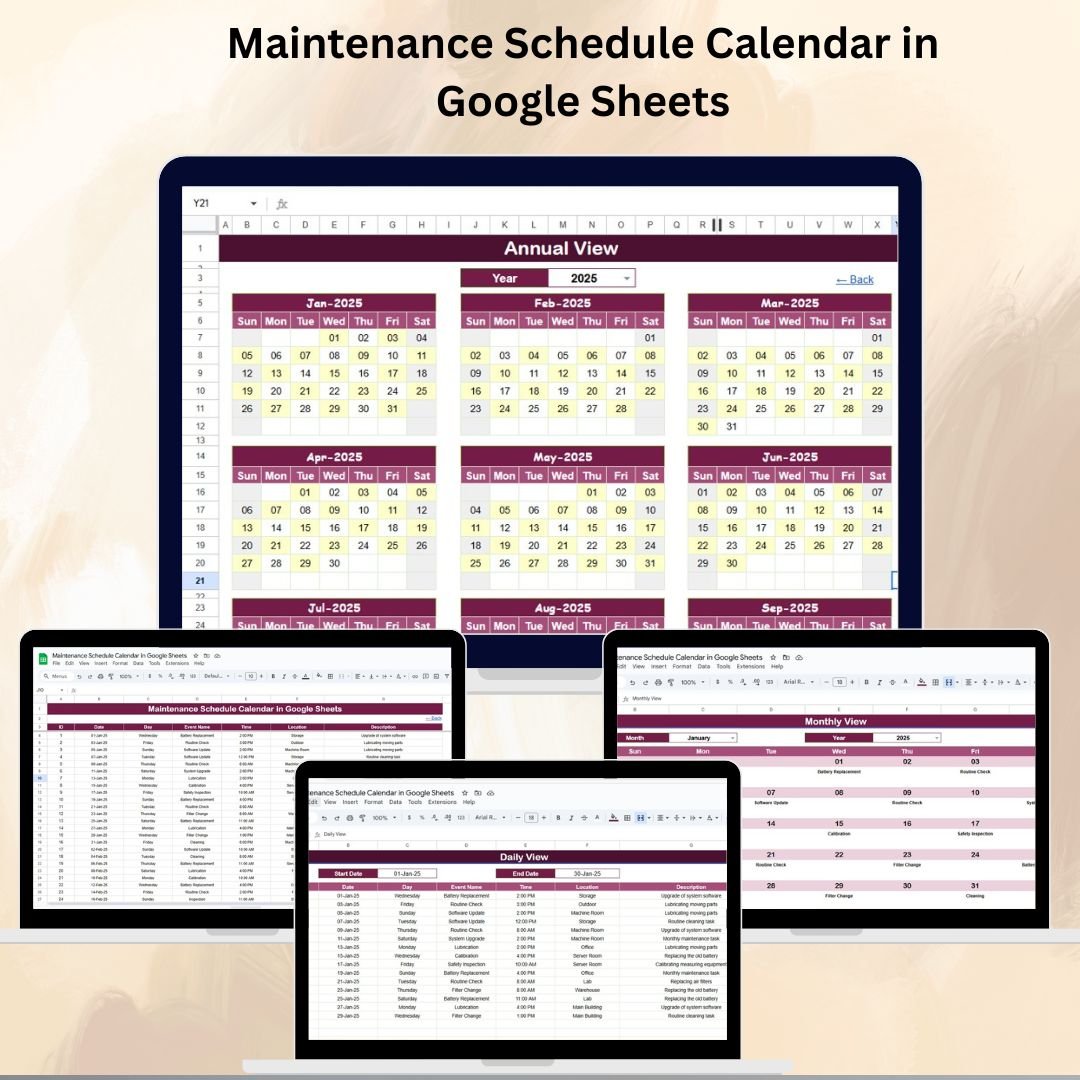

Proper maintenance is the key to smoother operations and longer asset life. But managing multiple maintenance tasks across various facilities and equipment is not easy — unless you have the right tool. The Maintenance Schedule Calendar in Google Sheets is a ready-to-use, fully customizable calendar designed to help you plan, track, and manage all maintenance activities in one place.
With a clean interface and multiple calendar views, this template helps facilities managers, maintenance teams, and operations staff stay organized and ensure that no task is ever overlooked.
🔑 Key Features of the Maintenance Schedule Calendar
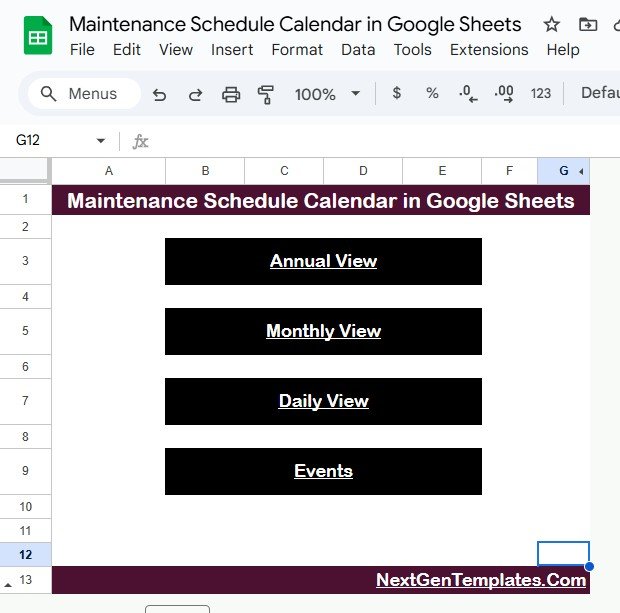
🏠 Home Sheet Tab – Easy Navigation
Quickly jump to any view of the calendar using buttons for:
Annual View
Monthly View
Daily View
Events Database
Perfect for saving time and switching between views effortlessly.
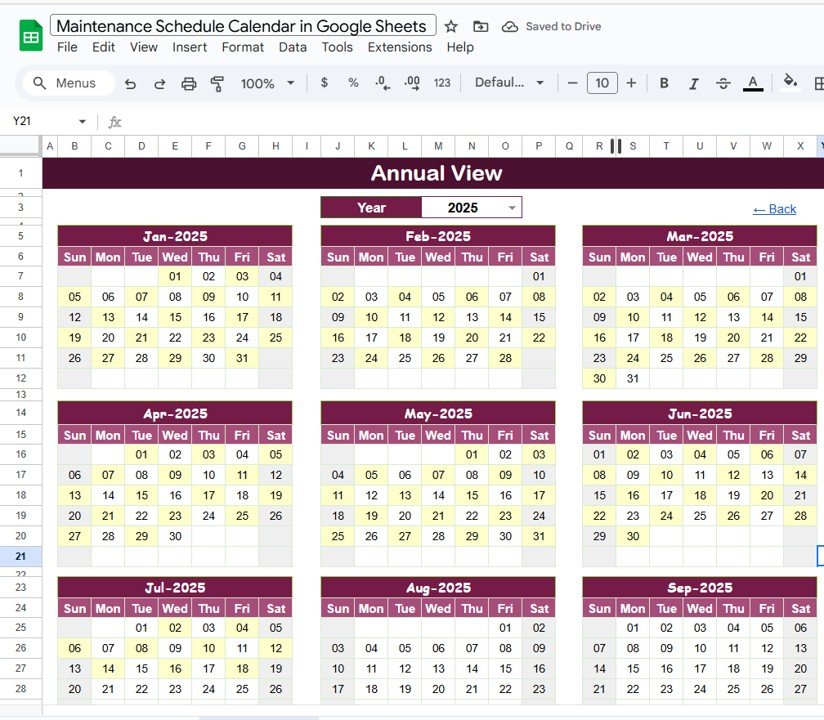
📅 Annual View Sheet Tab – Long-Term Planning
Full 12-month calendar view
Select Year, Start Month, and Start Day of Week
Ideal for creating a long-term maintenance plan and visualizing annual activities at a glance
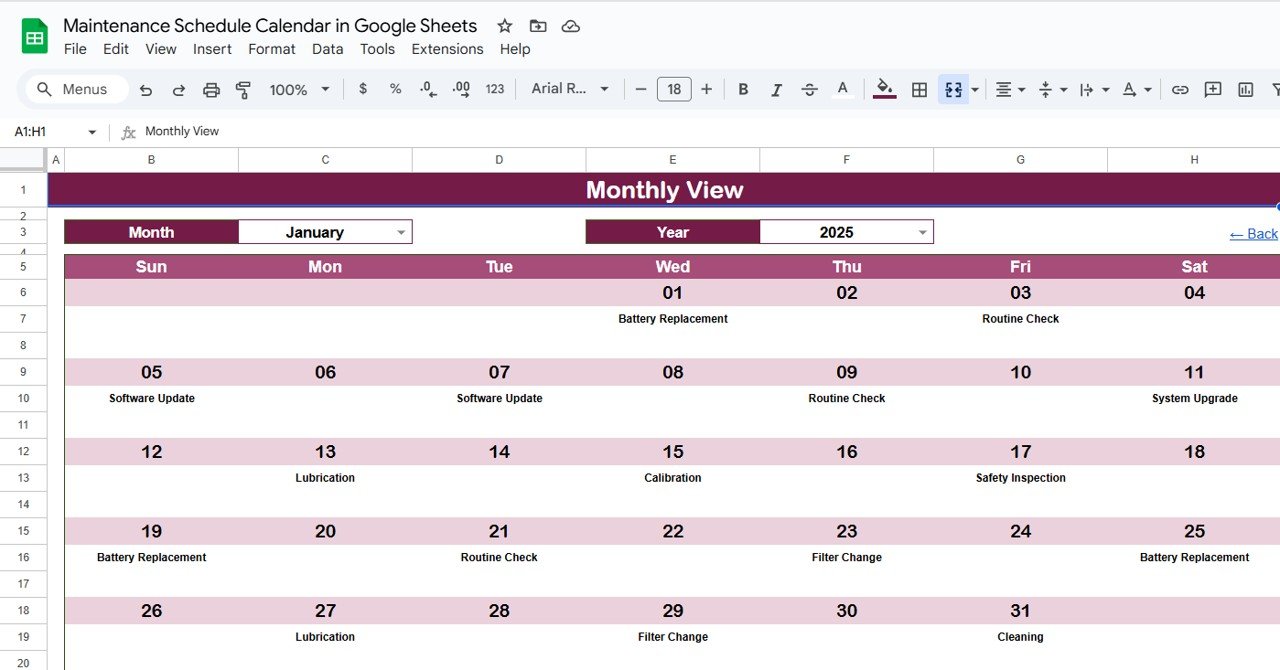
🗓️ Monthly View Sheet Tab – Monthly Activity Tracking
View scheduled maintenance by month and year
Automatically displays “more than 1…” when multiple events occur on the same day
Helps you organize and prioritize tasks for a specific month
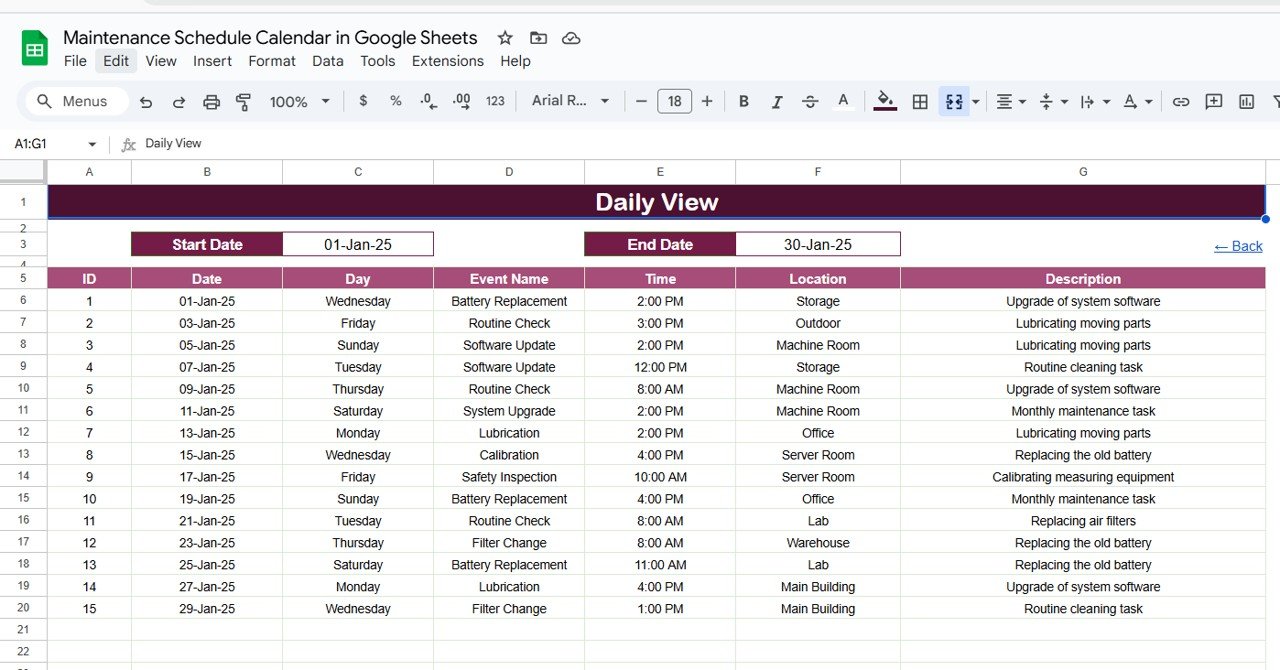
📆 Daily View Sheet Tab – Detailed Task Management
Enter a Start Date and End Date and instantly see all scheduled maintenance tasks in that range
Displays event name, time, location, and description for each task
Keeps daily workflows focused and clear
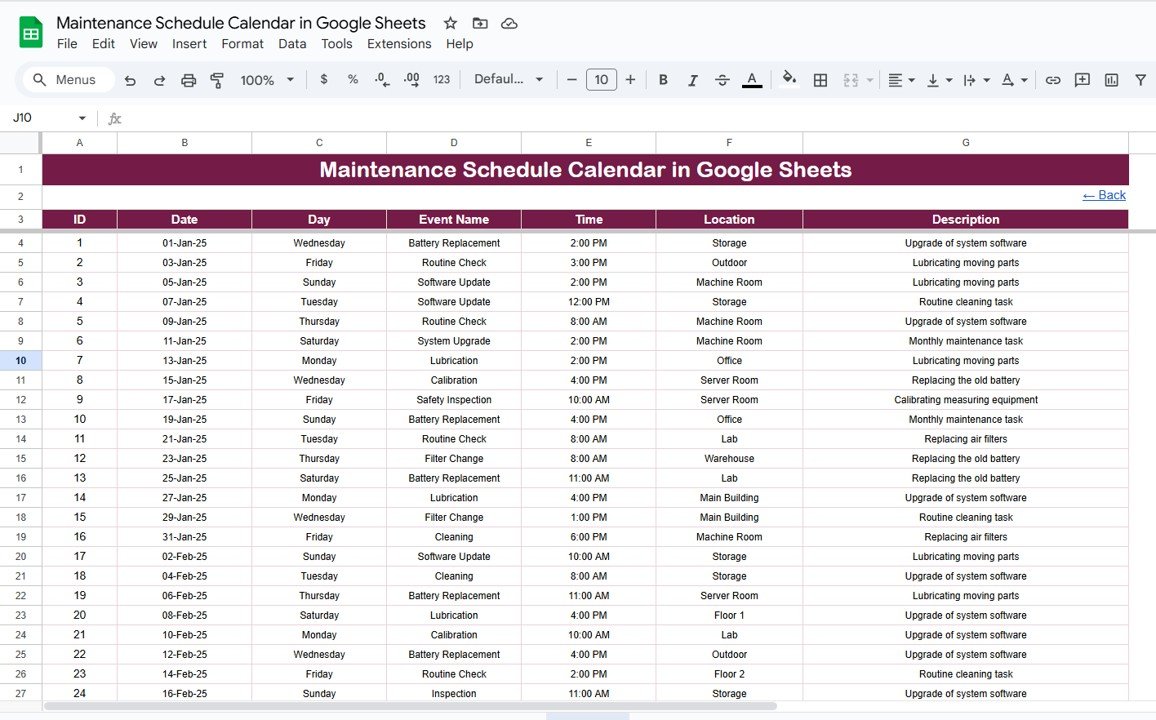
📋 Events Sheet Tab – Centralized Maintenance Database
Capture all task details including:
ID
Date
Day
Event Name
Time
Location
Description
All calendar views update automatically based on the data entered here
📦 What’s Inside the Maintenance Schedule Calendar?
✅ Home Tab – One-click access to all calendar views
✅ Annual View – Full-year maintenance planning
✅ Monthly View – Month-by-month task tracking
✅ Daily View – Date-range task breakdown
✅ Events Sheet – Structured maintenance database
✅ Pre-filled Sample Data – See how it works instantly
✅ Fully Customizable Format – Add new fields, colors, or categories with ease
🧠 How to Use the Maintenance Schedule Calendar
Make a Copy in your Google Drive
Enter Each Maintenance Task in the Events Sheet
Use the Home Tab to access Annual, Monthly, or Daily views
Review Annual & Monthly Views to optimize planning
Track Tasks Daily using the Daily View sheet
Update regularly to keep schedules accurate and up to date
👥 Who Can Benefit from This Calendar?
🛠 Facility Managers – Stay on top of inspections and repairs
🏢 Operations Teams – Plan regular equipment servicing
🧰 Maintenance Technicians – Manage daily workload efficiently
🏭 Manufacturing Plants – Reduce downtime through scheduled maintenance
🏨 Hospitality & Real Estate – Track maintenance across multiple locations
🔗 Click here to read the Detailed blog post
Watch the step-by-step video Demo:






























Reviews
There are no reviews yet.