


Keeping up with social media posting across multiple platforms can quickly turn into chaos. Missed deadlines, lost content ideas, or team miscommunications can cost you traffic, engagement—and growth.Social Media Posting Checklist in Google Sheets
But not anymore.
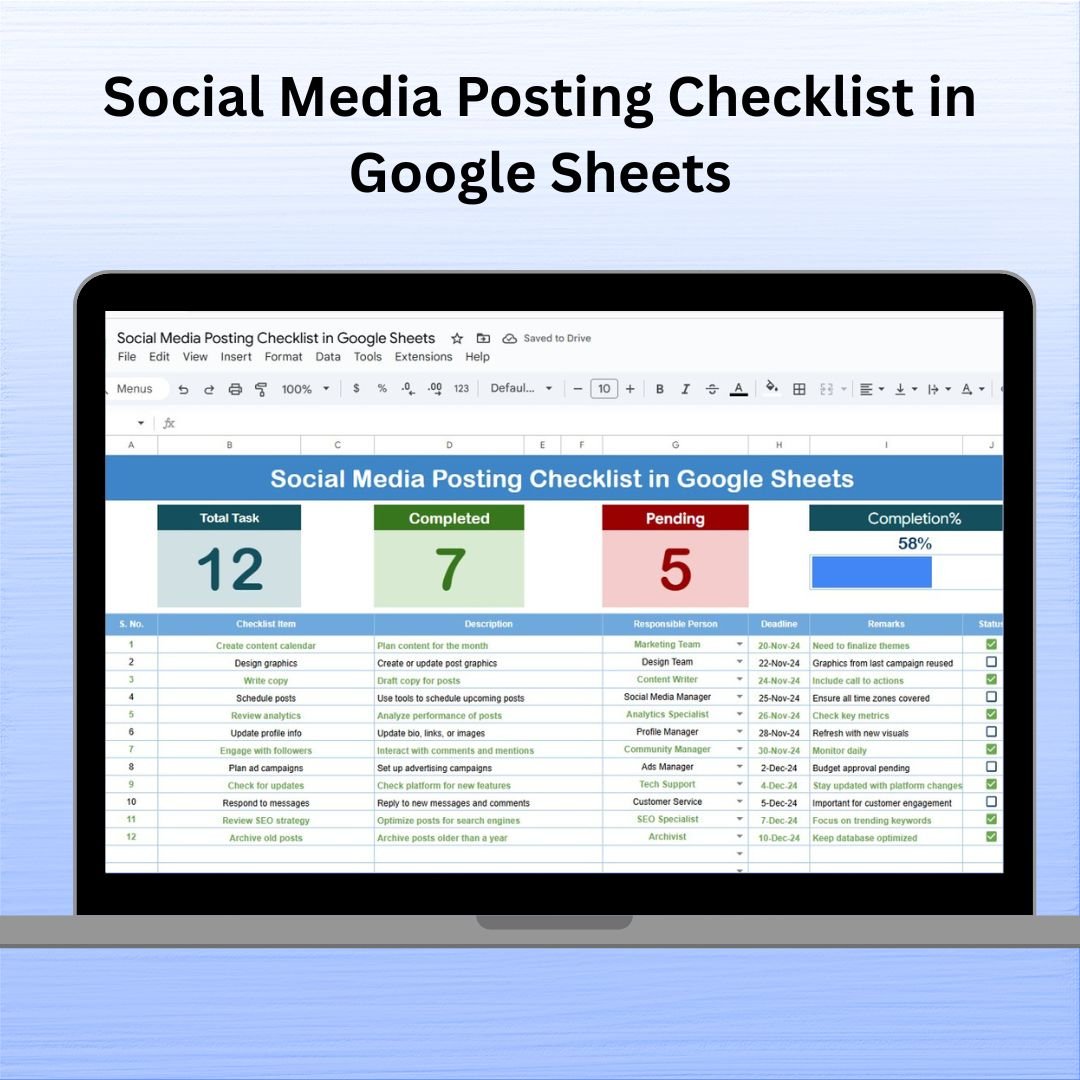
Introducing the Social Media Posting Checklist in Google Sheets—a clean, collaborative, and fully customizable checklist that helps you plan, track, and manage every post, every platform, and every team member—all in one place.
No more post-it notes. No more confusion. Just clarity, consistency, and results.Social Media Posting Checklist in Google Sheets
✨ Key Features of the Social Media Posting Checklist
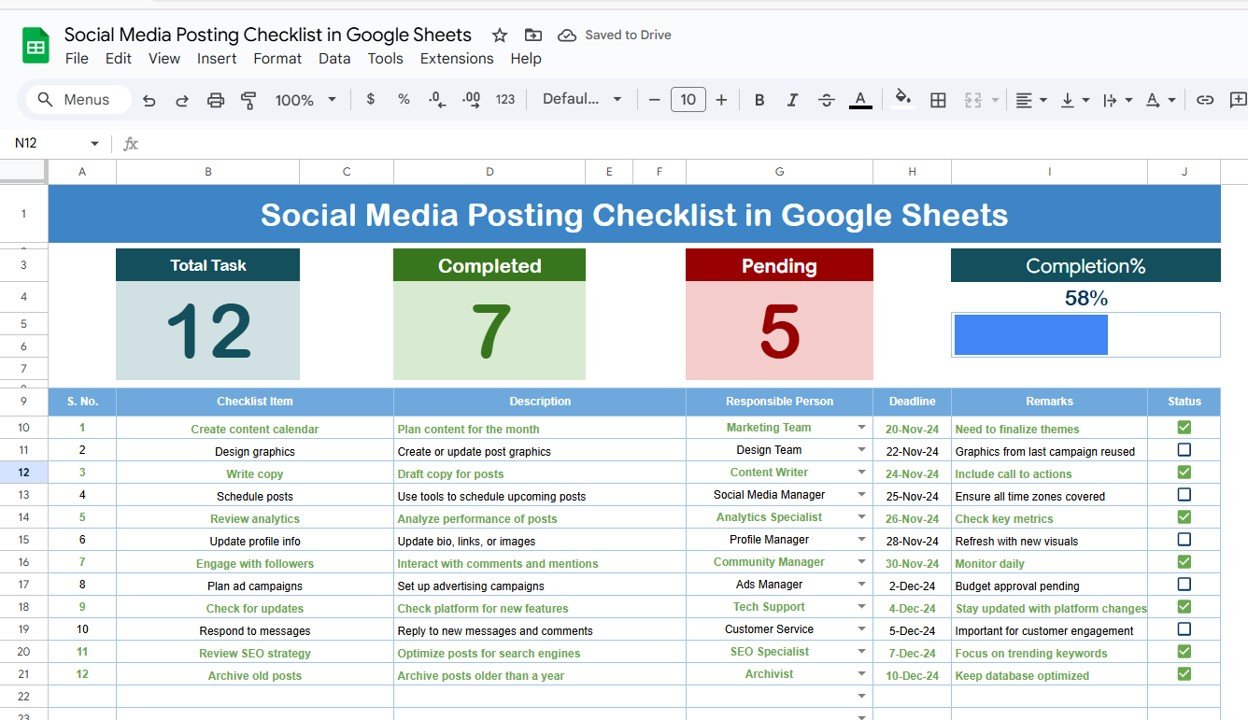
📌 Real-Time Progress Summary
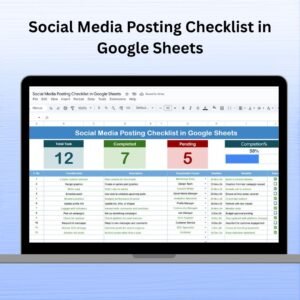
See your total tasks, completed posts (✔), pending items (✘), and overall status in one glance with a dynamic progress bar.
✅ Interactive Checklist Table
Track every post, deadline, assigned person, and status with columns for:
Serial No.
Post/Task Description
Responsible Person (with dropdown list)
Deadline
Remarks
Status (✔ or ✘)
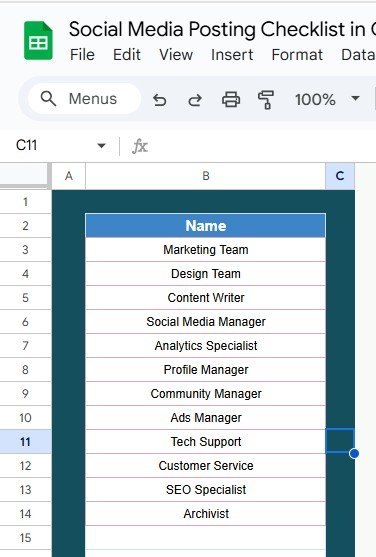
👥 Assigned Person Dropdown via List Sheet
Avoid spelling errors and miscommunication. The checklist uses a linked sheet for team members, letting you assign tasks using a clean dropdown.
📊 Auto-Updating Summary Cards
As you mark tasks ✔ or ✘, the dashboard updates automatically—no formulas to adjust.
🧩 Editable & Expandable Layout
Want to add a column for platform, campaign name, or priority? Go for it! This template grows with your needs.
🌐 Google Sheets-Based
No installation. No software cost. Access your checklist from anywhere with internet.
📦 What’s Inside the Checklist Template?
The Social Media Posting Checklist comes with two organized tabs:
Main Checklist Sheet
Your full workflow tracker with automatic progress summary at the top and editable task table below.List Sheet
Manage your team’s names here. This auto-populates the dropdown list in the main sheet for assigning responsibilities consistently.
🚀 How to Use the Social Media Posting Checklist
📝 Step 1: Fill in each row with social media tasks—description, deadline, responsible person, etc.
✔️ Step 2: Use the status column to mark completed (✔) or pending (✘)
📊 Step 3: Watch the progress bar update in real time
👥 Step 4: Edit the List Sheet to update your team members
🔁 Step 5: Duplicate the sheet monthly or use filters for campaign-specific views
👤 Who Can Benefit from This Checklist?
📱 Social Media Managers – Stay organized across platforms
📈 Digital Marketing Teams – Assign tasks and track team contributions
📸 Content Creators – Manage your posting workflow without extra tools
📝 Freelancers – Deliver social content to clients on time
📊 Agencies – Coordinate with clients and scale delivery
🚀 Startups & SMBs – Keep your online presence sharp and consistent
If you’re planning posts for Facebook, Instagram, LinkedIn, YouTube, or any platform—this checklist will save your time and sanity.
💡 Why You’ll Love This Template
✔ Visual Progress Bar – Instantly see how much you’ve completed
✔ Live Team Collaboration – Perfect for hybrid and remote teams
✔ Zero Learning Curve – If you know Google Sheets, you’re ready
✔ Editable Anytime – Add platform tags, campaign columns, or comments
✔ Free to Use and Share – No paid apps required
✔ Color Code Rows – Add urgency and highlight overdue posts
🔗 Click here to read the Detailed blog post
Click here to read the Detailed blog post
Watch the step-by-step video Demo:
🎥 Visit our YouTube channel to learn step-by-step video tutorials
Youtube.com/@NeotechNavigators
Compatibility and Requirements
- Works in Google Sheets. You need a free Google account and a web browser.
- You assign each post to a team member from a dropdown that reads the names on the List sheet. Google explains dropdowns in Create an in-cell dropdown list.
Frequently Asked Questions
Which sheets are included?
Two sheets: the Main Checklist sheet with the progress summary and the task table, and the List sheet where you keep your team members’ names.
How do I assign a post to someone?
Add the person’s name on the List sheet. The name then appears in the Responsible Person dropdown on the Main Checklist sheet.
How does the progress bar update?
Mark each task as done (✔) or pending (✘) in the Status column. The summary at the top shows total tasks, completed posts, pending items and the progress bar, and it updates as you change the status.
Can I add my own columns?
Yes. The layout is editable, so you can add columns such as platform, campaign name or priority.
Is there an Excel version?
Yes. See the Social Media Posting Checklist Template in Excel.
Related Social Media Templates
- Social Media Posting Checklist Template in Excel: the same checklist in Excel
- Social Media Posting Calendar in Google Sheets: schedule posts by date
- Social Media Management Checklist in Google Sheets: a checklist for wider account management tasks
- Social Media Content Calendar Tracker in Google Sheets: plan and track content ideas
- Marketing and Social Media Analytics Kit: 7 templates for marketing and analytics in one download
Browse all Google Sheets checklists.











Reviews
There are no reviews yet.