


In sales, preparation isn’t just a bonus—it’s the deal maker. Whether you’re presenting to a client, pitching to stakeholders, or demoing in a boardroom, success hinges on having all the right steps covered.
Introducing the Sales Pitch Preparation Checklist in Google Sheets — your ultimate tool to structure, streamline, and execute high-impact sales presentations with precision and professionalism. 🌟
This easy-to-use template transforms your pitch process into a strategic workflow, ensuring no detail is missed and your team stays fully aligned throughout the preparation phase.Sales Pitch Preparation Checklist in Google Sheets
✨ Key Features of the Sales Pitch Preparation Checklist
✅ Real-Time Task Management
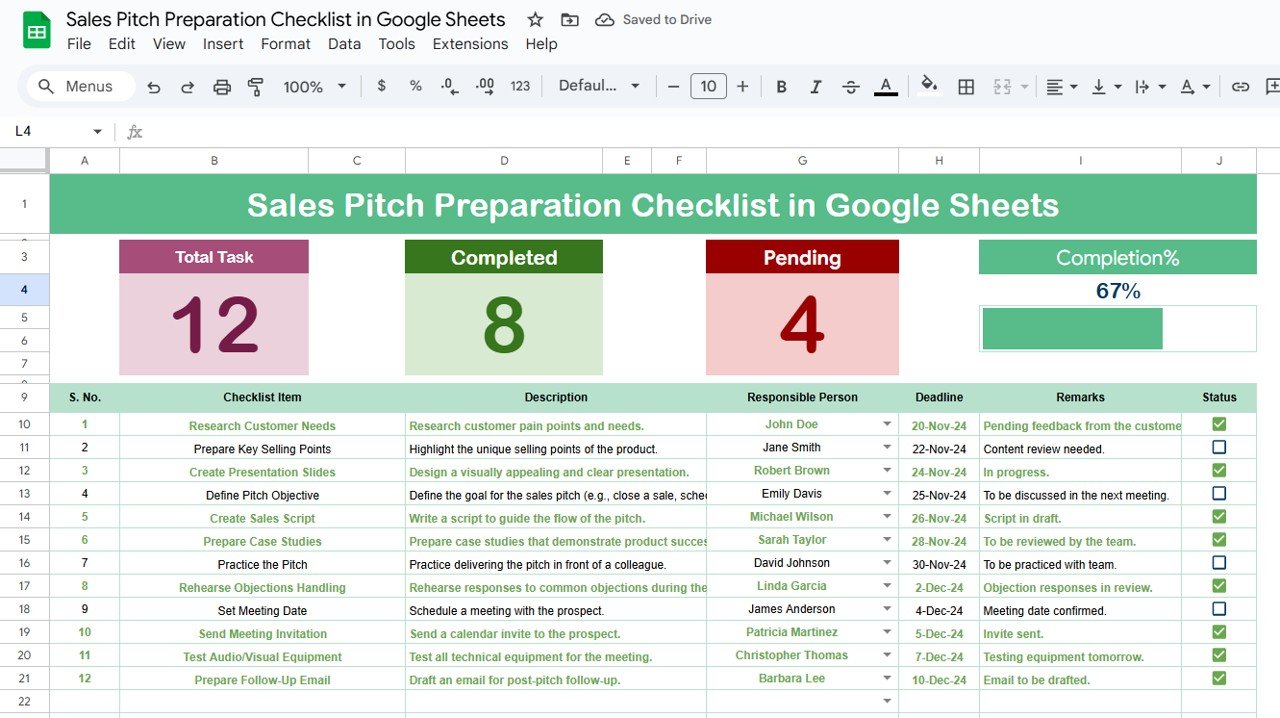
Auto-progress bar updates visually as you check tasks ✔ or ✘
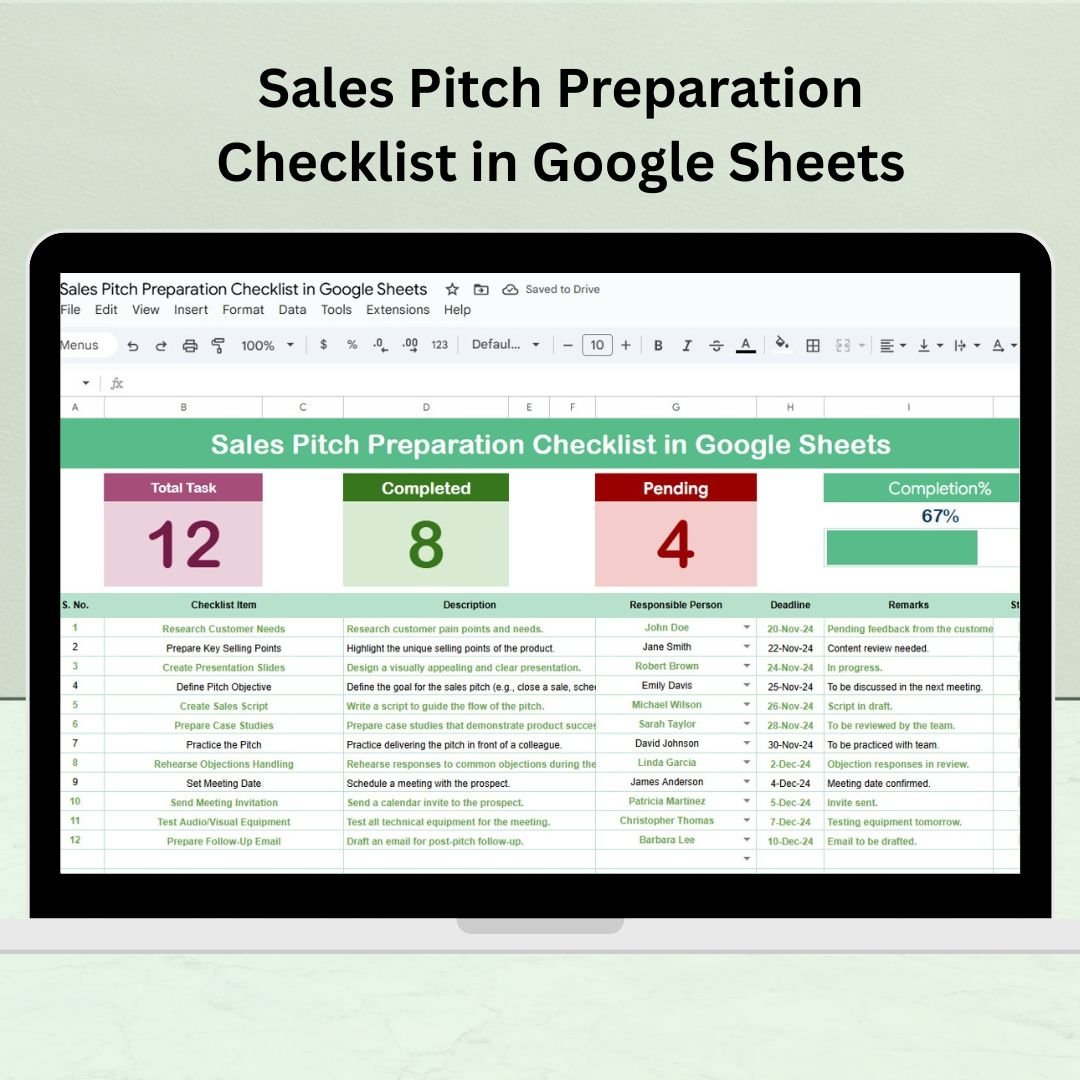
Top dashboard section shows total, completed, and pending task counts
Track status at a glance, motivating you and your team toward full pitch readiness
✅ Smart Checklist Structure
Columns include Checklist Item, Description, Responsible Person, Deadline, Remarks, and Status
Easy dropdowns for assigning tasks from the predefined list
Manual errors eliminated—everything stays consistent and streamlined
✅ Built-In Collaboration
Hosted on Google Sheets, making it accessible to your entire sales team
Enables real-time updates, remote planning, and distributed accountability
📦 What’s Inside the Checklist?
Sales Pitch Preparation Checklist Sheet
📝 A central planner with progress metrics, structured task logging, and status tracking
📊 Visual dashboard to show preparation status at the topList Sheet Tab
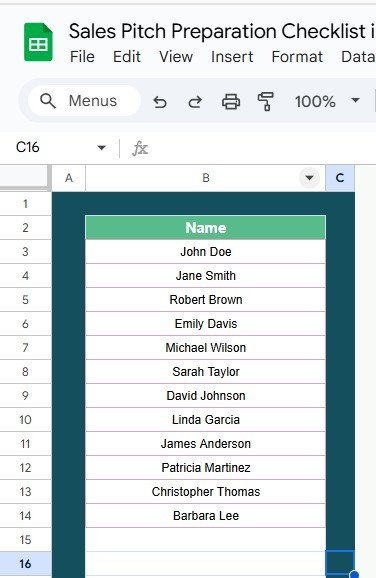
📋 Contains a dropdown-ready list of team members
👥 Ensures consistent task delegation and avoids name-entry errors
📌 How to Use the Checklist
Download or open the Google Sheets template
Go to the main checklist sheet
Input tasks and assign responsibilities from the dropdown
Mark status as ✔ for completed or ✘ for pending
Watch the progress bar and dashboard metrics update automatically
Review task status regularly before the pitch meeting
Duplicate the checklist for each new client or opportunity
No coding, no training—just plug and play your way to polished pitch prep!
👤 Who Can Benefit from This Checklist?
💼 Sales Professionals – Organize every pitch step from research to follow-up
👥 Sales Teams – Collaborate efficiently on high-value presentations
🧑💼 Freelancers & Consultants – Build trust through consistent preparation
🧠 Marketing & Pre-Sales Teams – Align materials and messaging in advance
🔝 Startup Founders – Present to investors with clarity and preparation
🤝 Agencies & Service Providers – Customize pitches for every client seamlessly
🔗 Click here to read the Detailed blog post
Watch the step-by-step video Demo:
🎥 Visit our YouTube channel to learn step-by-step video tutorials
👉 Youtube.com/@NeotechNavigators
Compatibility and Requirements
- Works in Google Sheets. You need a free Google account and a web browser.
- You assign each task to a team member from a dropdown on the checklist sheet. Google explains dropdowns in Create an in-cell dropdown list.
Frequently Asked Questions
Which sheets are included?
Two sheets: the Sales Pitch Preparation Checklist sheet and a List sheet that holds the team members used in the dropdown.
What columns does the checklist have?
Checklist Item, Description, Responsible Person, Deadline, Remarks and Status.
How do I track progress?
Mark each task with a tick for completed or a cross for pending. The progress bar and the total, completed and pending counts at the top update automatically.
How do I assign tasks to people?
Add your team members to the List sheet, then pick the Responsible Person for each task from the dropdown.
Is there an Excel version?
Yes. See the Sales Pitch Preparation Checklist in Excel.
Related Sales Templates
- Sales Pitch Preparation Checklist in Excel: the same checklist for Excel
- Monthly Sales Tracker and Report in Google Sheets: track sales after the pitch
- Daily Sales Report Form in Google Sheets: log daily sales activity
- Sales KPI Dashboard in Google Sheets: review sales KPIs in one view
- Project Management Checklist in Google Sheets: another task checklist in Google Sheets
Browse all Google Sheets checklists or Google Sheets sales and marketing templates.




























Reviews
There are no reviews yet.