

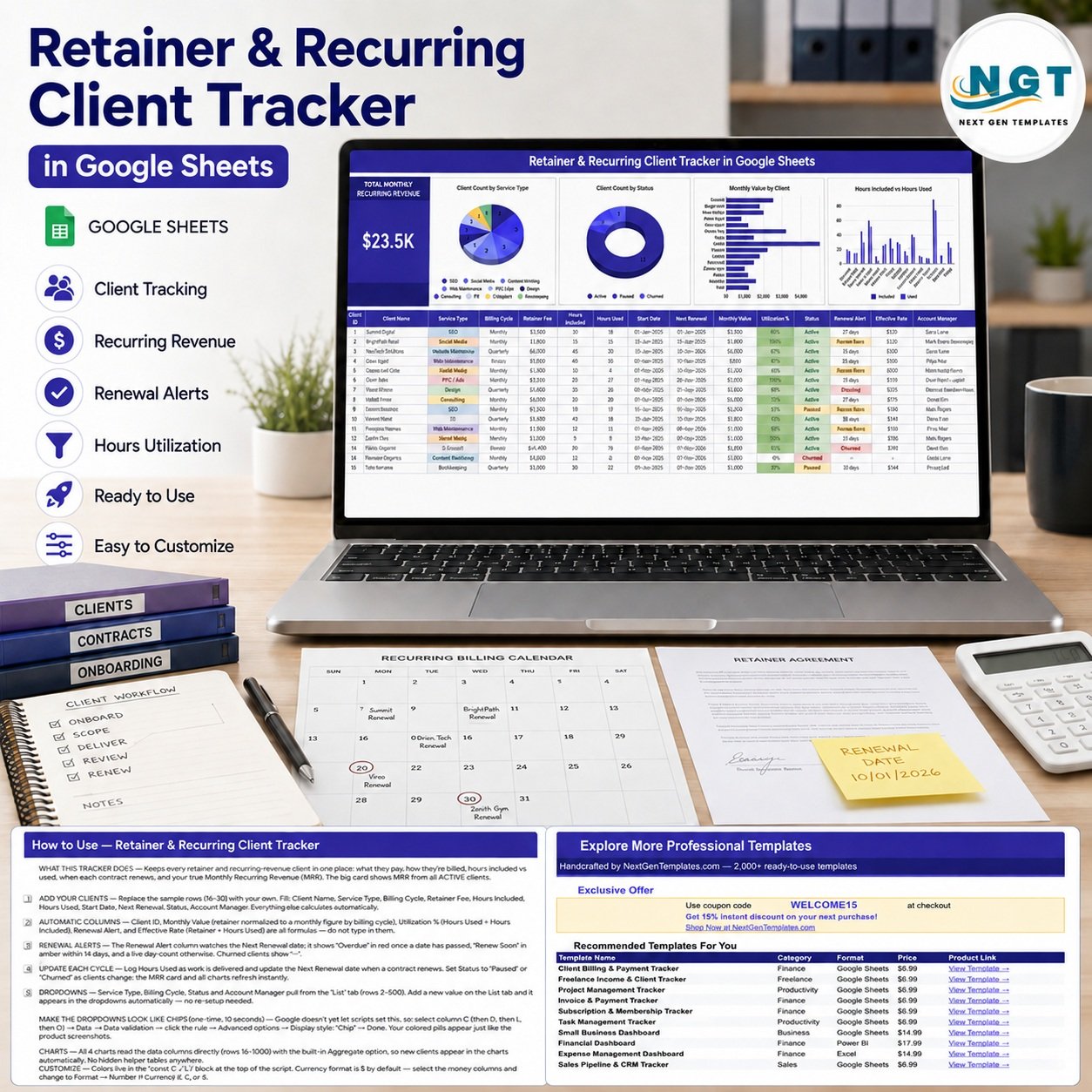

Retainer & Recurring Client Tracker in Google Sheets brings recurring revenue, renewal dates, service usage, and account ownership into one working view. The included sample shows 15 clients, $23.5K in active monthly recurring revenue, 4 charts, and formula-driven renewal alerts. Replace the examples with your own clients and the dashboard updates from the same table. This is a one-time template purchase, not a per-user subscription. It supports commercial tracking and review; it does not create invoices, collect payments, send reminders, or replace signed contracts and accounting records.
Key Features of Recurring Client Tracker in Google Sheets
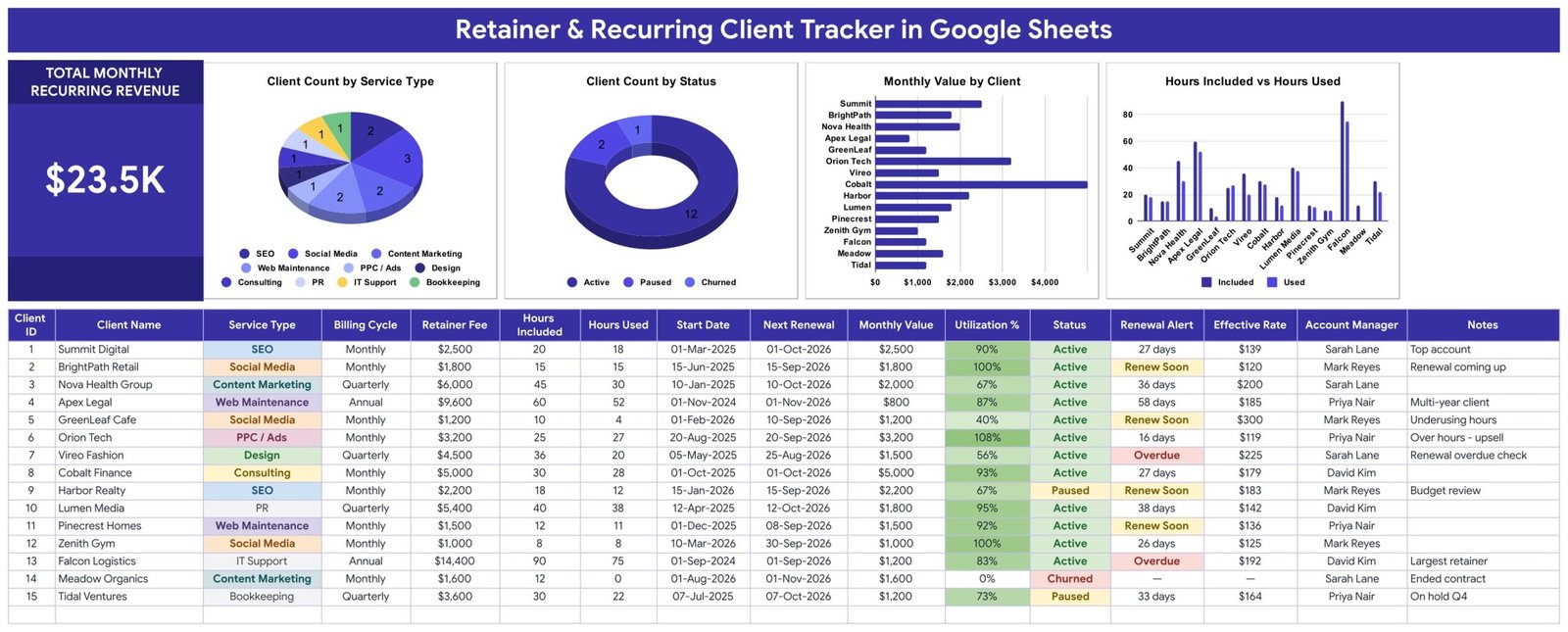
- Monthly recurring revenue card: totals the monthly value of active clients.
- 15-field client register: capture service, billing, fee, hours, dates, status, owner, and notes.
- Four auto-updating charts: compare service mix, client status, monthly value, and included versus used hours.
- Renewal alerts: flag overdue dates and renewals due within 14 days.
- Utilization and effective rate: formulas convert usage into practical review metrics.
- Billing-cycle normalization: monthly, quarterly, and annual retainers are converted to monthly value.
- Editable dropdown lists: manage service type, billing cycle, status, and account manager choices.
What’s Inside This Google Sheets Tracker
Main Tracker and Dashboard
The primary sheet is both the data register and reporting view. It includes Client ID, Client Name, Service Type, Billing Cycle, Retainer Fee, Hours Included, Hours Used, Start Date, Next Renewal, Monthly Value, Utilization %, Status, Renewal Alert, Effective Rate, Account Manager, and Notes. Formula columns should be left intact while input columns are replaced with your own business data.
The four charts read directly from the client rows: Client Count by Service Type, Client Count by Status, Monthly Value by Client, and Hours Included vs Hours Used. New entries added within the prepared range flow into the visual summaries.
How-to-Use Guide
The second sheet explains which columns are inputs, which are calculated, how the 14-day renewal rule works, and how to update the file each billing cycle. It also documents the optional Google Sheets chip display and currency-format changes.

Explore More Templates
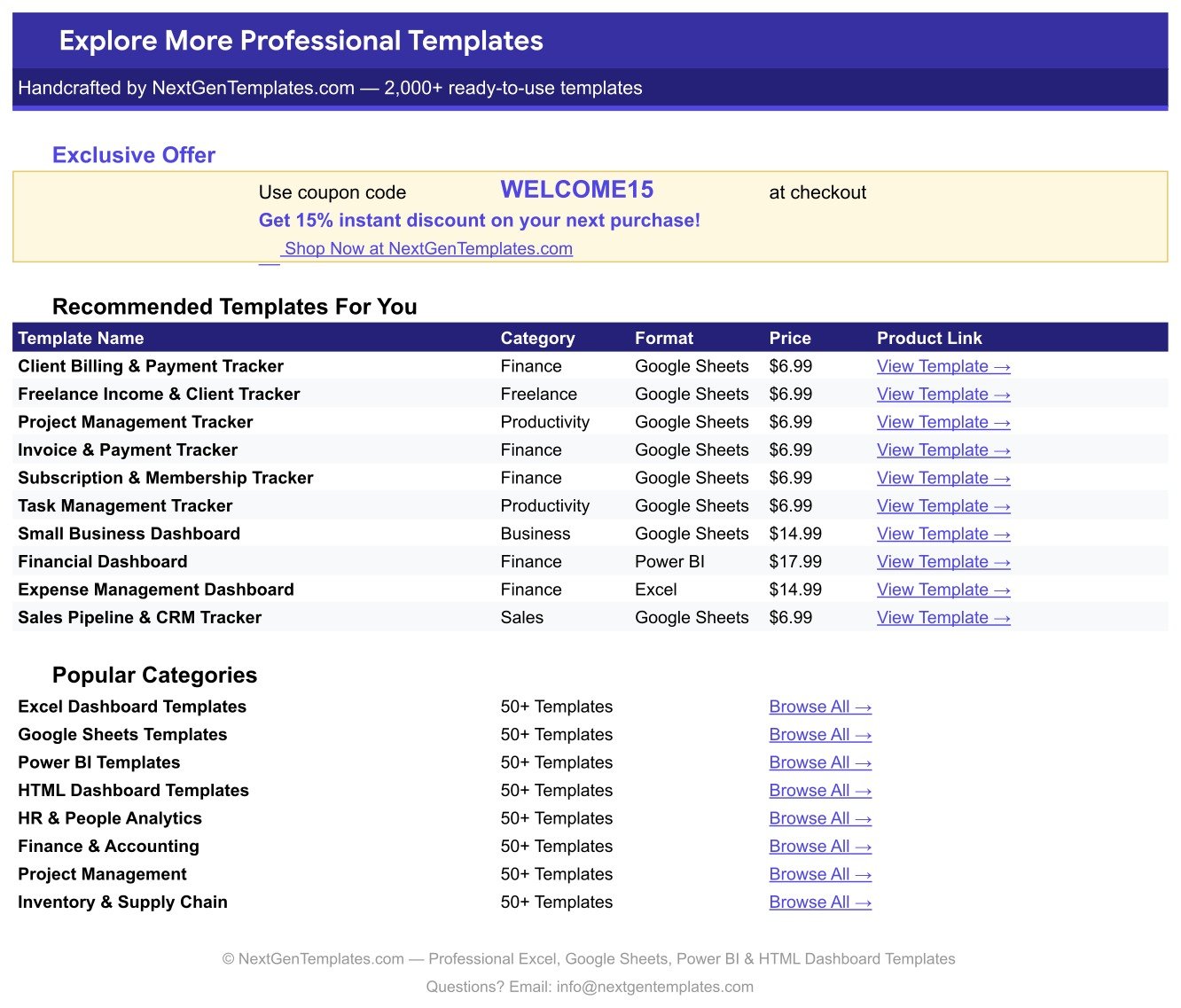
A supporting sheet includes links to related templates and an available customer coupon. It does not affect the calculations in the main tracker.
Google Sheets Tracker vs. Excel vs. Paid CRM – Where This Fits
| Consideration | This Google Sheets tracker | Excel tracker | Paid CRM |
|---|---|---|---|
| Cost | One-time purchase | One-time file | Recurring subscription |
| Collaboration | Real-time sharing | File-based | Usually included |
| Recurring revenue summary | Included | Requires template setup | Plan-dependent |
| Renewal alert display | Formula-based | Possible with formulas | Often automated |
| Email automation | Not included | Not included | Often available |
| Payment processing | Not included | Not included | Integration-dependent |
Who This Template Is For – and Who It’s Not For
It fits consultants, agencies, freelancers, bookkeepers, managed-service teams, and account managers who sell monthly, quarterly, or annual retainers. It is especially useful when a small team needs a shared renewal and utilization review without adopting another application.
It is not a contract-management system, invoice generator, payment processor, time clock, tax record, or full CRM. Businesses needing automated billing, email reminders, signed agreements, permissions by role, or a complete audit trail should use approved specialist systems alongside or instead of this sheet.
How to Use This Recurring Client Tracker
- Download the PDF and open the included Google Sheets copy link.
- Create your private editable copy in Google Drive.
- Replace the sample client rows with your approved account data.
- Update Retainer Fee, Billing Cycle, Hours Included, Hours Used, and Next Renewal.
- Maintain client Status as Active, Paused, or Churned.
- Review renewal alerts, monthly value, utilization, and effective rate each cycle.
- Restrict sharing appropriately and keep contracts and accounting records in their official systems.
Real-World Use Cases
An agency owner can compare hours used with hours included before scope review. A consultant can see which retainers renew within 14 days. An account manager can filter active, paused, and churned clients while reviewing monthly value and notes. A finance assistant can use the MRR summary as a working reconciliation aid, then validate it against the accounting ledger.
A regular review rhythm makes the sheet more useful. Update delivered hours weekly, verify renewal dates after contract changes, and reconcile monthly value at month end. That keeps dashboard signals tied to current inputs rather than stale sample or historical records.
Frequently Asked Questions
Does it calculate monthly recurring revenue?
Yes. It normalizes retainer values by billing cycle and totals active monthly value.
Does it send renewal emails?
No. Renewal Alert is an on-sheet formula display; it does not send notifications.
Can I track hours included and used?
Yes. The sheet calculates utilization and an effective rate from the entered hours.
Can my team edit it together?
Yes, subject to the sharing permissions you configure in Google Drive.
Does it process invoices or payments?
No. Use your billing or accounting platform for invoices, collections, tax, and official books.
Can I change currencies and dropdowns?
Yes. Format the money columns for your currency and edit the supporting list values.
About the Author
Built by PK – Microsoft Certified Professional with 15+ years of Excel, Google Sheets, and Power BI experience. Founder of NextGenTemplates, reaching 300K+ subscribers across YouTube channels. Every template is hand-built and tested before release.
Explore Related Templates
Compare the Freelance Income & Expense Tracker, Subscription & Membership Tracker, Client Billing Dashboard, and Consulting Project & Billing Web App. Browse more Google Sheets trackers. For sharing controls, review Google’s file-sharing guidance.
Turn recurring client reviews into a repeatable process. Copy the tracker, replace the sample data, and review revenue, renewals, and usage from one sheet.
Last updated: September 10, 2026.
Compatibility and Requirements
- Works in Google Sheets. You need a free Google account and a web browser.
- The download is a PDF with a link to make your own editable copy in Google Drive.
- Service type, billing cycle, status and account manager are dropdown lists you can edit. Google explains dropdowns in Create an in-cell dropdown list.


























Reviews
There are no reviews yet.