



The Project Management Review Checklist in Excel is an essential tool for project managers, team leaders, and organizations aiming to streamline project reviews and ensure successful project delivery. This Excel-based checklist provides a structured format to evaluate the progress of projects at various stages, from initiation to completion. With its user-friendly interface, this checklist helps track key performance indicators (KPIs), milestones, risks, and resource allocation, enabling teams to assess performance and identify areas for improvement.
By incorporating this checklist into your project management workflow, you can ensure that all aspects of your project are reviewed systematically. Whether it’s a small project or a large-scale initiative, this tool allows for consistent monitoring and ensures that every aspect of the project is on track, helping to mitigate risks and keep the project within scope.
Key Features of the Project Management Review Checklist in Excel
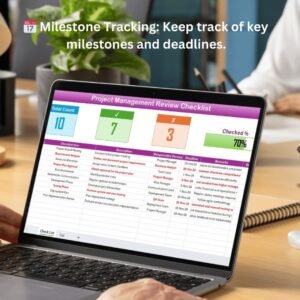
📅 Project Milestone Tracking
Track critical project milestones and ensure that deliverables are met according to the project timeline. Easily view project milestones and deadlines to keep the project on track.
📊 Task Completion & Progress Monitoring
Monitor the completion status of each task within the project. This feature helps to assess the overall progress of the project and identify areas that may require attention.
📈 Risk & Issue Management
Track and manage risks, issues, and challenges that arise during the project. The checklist allows you to document and assess risk severity, impact, and mitigation strategies.
🔑 Resource Allocation Review
Evaluate how resources (time, manpower, and budget) are allocated across the project. Identify any resource gaps or inefficiencies that may affect project completion.
📝 Action Items & Follow-Up
Create action items based on the review, assign responsibilities, and set deadlines for follow-up. This ensures that necessary steps are taken to resolve issues and keep the project moving forward.
📉 Time-Based Performance Tracking
Analyze project performance over time. The checklist provides time-based tracking for key metrics, allowing you to measure the progress and assess project success at various stages.
⚙️ Customizable Fields & Templates
Customize the checklist to meet the specific needs of your project. Modify sections, add additional columns, and update the checklist to reflect the project’s unique characteristics.
Why You’ll Love the Project Management Review Checklist in Excel

✅ Streamline Project Reviews
Keep track of all important project details in one organized checklist. Review milestones, tasks, resources, and risks efficiently.
✅ Ensure Timely Delivery
Track milestones and deadlines to ensure timely delivery of project components. Avoid delays and missed deadlines by keeping the project on track.
✅ Identify & Address Risks Early
Document and evaluate risks and issues, allowing you to address them early in the project lifecycle and avoid costly delays.
✅ Boost Team Accountability
Assign action items and deadlines to team members, ensuring that everyone is accountable for their part in the project’s success.
✅ Data-Driven Project Decision Making
Use the insights from the checklist to make informed decisions that help improve resource allocation, task prioritization, and overall project performance.
What’s Inside the Project Management Review Checklist in Excel?
Milestone Tracking: Track project milestones and key deliverables.
Task Completion Monitoring: Monitor task progress and completion status.
Risk & Issue Management: Identify and manage project risks and issues.
Resource Allocation Review: Assess the use of resources across the project.
Action Items & Follow-Up: Create action items, assign responsibilities, and set deadlines.
Time-Based Performance Analysis: Track project progress over time.
Customizable Sections: Tailor the checklist to your specific project needs.
How to Use the Project Management Review Checklist in Excel
1️⃣ Download the Template: Access the Project Management Review Checklist in Excel instantly.
2️⃣ Input Project Milestones: Document key project milestones and deadlines.
3️⃣ Track Task Completion: Monitor the completion status of individual tasks and milestones.
4️⃣ Evaluate Risks & Issues: Identify risks, document issues, and assess potential impacts.
5️⃣ Assign Action Items: Create action items and assign tasks with deadlines for follow-up.
6️⃣ Monitor Progress: Analyze project performance over time and adjust strategies as needed.
Who Can Benefit from the Project Management Review Checklist in Excel?
🔹 Project Managers & Team Leaders
🔹 Business Owners & Executives
🔹 HR & Resource Management Teams
🔹 Risk & Compliance Teams
🔹 Small & Medium Enterprises (SMBs)
🔹 Large Enterprises with Complex Projects
🔹 Consultants & Contractors
Ensure successful project completion with the Project Management Review Checklist in Excel. Stay on top of milestones, monitor risks, and manage resources efficiently to deliver projects on time and within budget.
Click here to read the Detailed blog post
Visit our YouTube channel to learn step-by-step video tutorials
Youtube.com/@PKAnExcelExpert
Compatibility and Requirements
- Works in Microsoft Excel desktop (Excel 2016 or later, or Microsoft 365).
- New to Excel? Microsoft’s Excel for Windows training covers the basics.
Frequently Asked Questions
What does the checklist cover?
It covers milestones and deliverables, task completion, risks and issues, resource allocation, action items with owners and deadlines, and project progress over time.
How do I run a review with it?
Enter the project milestones and deadlines, update task status, record risks and issues, then assign action items with deadlines for follow-up.
Can I assign follow-up actions?
Yes. You can create action items, assign responsibilities and set deadlines.
Can I adapt it to my project?
Yes. The sections are customizable, so you can tailor the checklist to your project.
Is there a Google Sheets version?
Yes. The Project Management Checklist in Google Sheets covers the same project checks on that platform.
Related Project Management Templates
- Project Management Monitoring Checklist in Excel: monitor projects as they run
- Project Management Documentation Checklist in Excel: check project documents
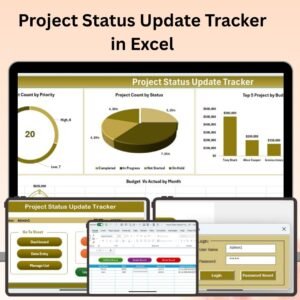
- Project Status Update Tracker in Excel: log status updates
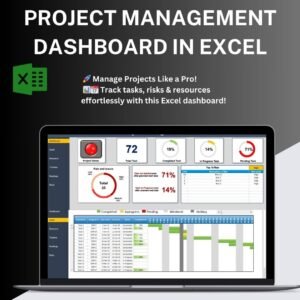
- Project Management Dashboard in Excel: see all project data on one dashboard
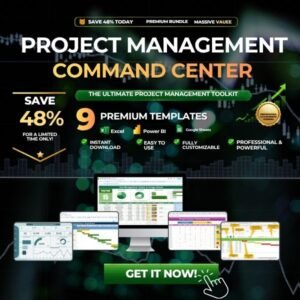
- Project Management Pro Bundle: 9 project management templates in one download
Browse all Excel checklists or the Excel project management templates.

















Reviews
There are no reviews yet.