



In the world of business, legal compliance isn’t just another task — it’s a critical safeguard for your company’s future. 🛡️ Whether you’re a startup, SME, or large enterprise, the Legal Compliance Preparation Guide Checklist in Excel is your ultimate solution to staying organized, on track, and protected from costly legal missteps.
This ready-to-use Excel template helps you simplify your compliance process, manage legal obligations, and promote accountability across your team — all in one centralized and intuitive system.
✅ Key Features of Legal Compliance Preparation Guide Checklist
🧾 Prebuilt Compliance Tracker – Record, assign, and monitor tasks in an organized checklist.
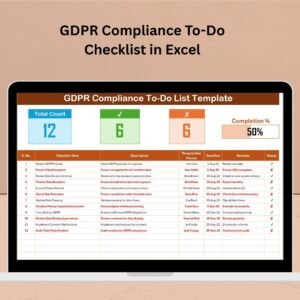
📊 Live Progress Bar – Instantly see how much of your legal prep is done.
🧑💼 Responsibility Assignment – Assign tasks with a dropdown menu for clarity and accountability.
📅 Deadline Tracking – Set due dates to ensure nothing gets delayed.
🔁 Two-Sheet Structure – One for tasks, one for your team list, keeping it clean and efficient.
📈 Automatic Counters – Total Count, Checked Count, Crossed Count all update live.
✔️ Status-Based Management – Use ✅ or ❌ to control what’s done or pending.
⚙️ Fully Customizable – Add new tasks, change deadlines, update responsible persons with ease.
📦 What’s Inside the Legal Compliance Checklist Template
This Excel tool comes with two streamlined worksheet tabs:
📝 Legal Compliance Preparation Guide Checklist Sheet

This is your main working area. It includes:
Checklist Items: List out each compliance task.
Responsible Person: Assign tasks using a dropdown linked to the list sheet.
Deadline & Remarks: Stay aware of timelines and relevant notes.
Status Column: Mark items as complete or not using checkmarks or crosses.
Progress Tracking: Visual progress bar updates based on completed tasks.
📋 List Sheet Tab
Capture the names of responsible persons or departments. This feeds into the main sheet’s dropdown, allowing easy assignment and future updates.
🛠️ How to Use the Legal Compliance Preparation Guide Checklist
Open the Template in Excel – no special tools required!
Customize Your Checklist – Add tasks relevant to your legal, financial, or industry-specific regulations.
Populate the List Sheet – Input team members or departments for task assignment.
Assign Tasks using the dropdown in the main checklist.
Set Deadlines & Update Status regularly. Use checkmarks for completed tasks.
Track Your Progress via the live progress bar and count fields.
Review & Share – Keep the file updated and shared with your compliance team.
👥 Who Can Benefit from This Checklist
🏢 Business Owners & Founders – Keep your legal obligations under control.
🧑💼 Compliance Managers – Systematize your tracking and avoid errors.
📁 HR & Admin Staff – Assign onboarding and regulatory tasks with ease.
🏛️ Legal Departments – Maintain documentation and deadlines efficiently.
📊 Small to Medium Enterprises (SMEs) – A cost-effective compliance tool.
💼 Startups – Lay a strong legal foundation from the start.
No matter your industry, if legal compliance is part of your job — this template is your new best friend. 🧠💼
🔗 Click here to read the Detailed blog post
🔗 Visit our YouTube channel to learn step-by-step video tutorials
Watch the step-by-step video tutorial:
Compatibility and Requirements
- Works in Microsoft Excel desktop (Excel 2016 or later, or Microsoft 365).
- The Responsible Person column is a drop-down list fed by the List sheet. Microsoft’s guide Create a drop-down list shows how to edit it.
Frequently Asked Questions
What sheets are in the Legal Compliance Preparation Guide Checklist?
Two sheets: the main checklist, where you list tasks, owners, deadlines, remarks and status, and a List sheet that holds the names of responsible people or departments.
How does the progress bar work?
It fills as you mark tasks complete. The Total Count, Checked Count and Crossed Count fields update at the same time.
How do I assign a task?
Add your team members or departments to the List sheet, then pick a name from the dropdown in the Responsible Person column.
Can I add my own compliance tasks?
Yes. You can add tasks for your own legal, financial or industry rules, change deadlines and update the responsible person at any time.
Related Legal Compliance Templates
- Legal Compliance Checklist in Google Sheets: a legal compliance checklist in Google Sheets
- Legal Compliance Calendar in Excel: plan compliance deadlines on a calendar
- Legal Compliance Dashboard in Excel: report compliance results in a dashboard
- Legal Compliance Tracker in Google Sheets: track compliance items in Google Sheets
- Checklist & SOP Pack: 12 checklist and SOP templates in one bundle
Browse all Excel checklists or the Google Sheets checklists.
























Reviews
There are no reviews yet.