

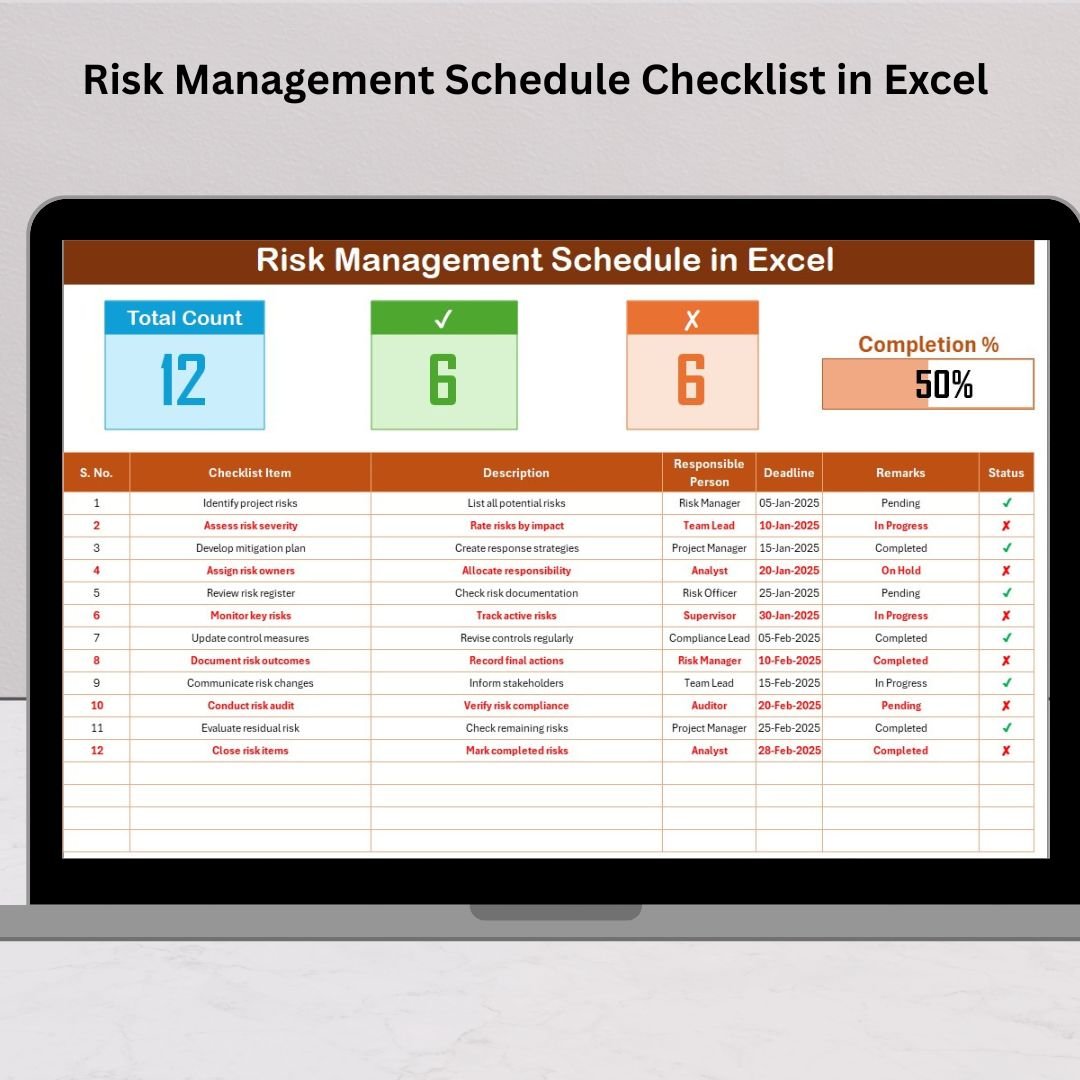

In today’s unpredictable business world, every organization faces risks — from compliance failures to operational delays. Managing these effectively can make the difference between stability and chaos. That’s where the Risk Management Schedule Checklist in Excel comes in — your ready-to-use, smart, and structured solution to identify, assess, and monitor business risks in one place.
This Excel template helps you create a proactive risk management framework where every activity is tracked, every responsibility is assigned, and every progress is visible through real-time visuals. Whether you’re an auditor, project manager, or team lead, this tool ensures your risk control process stays transparent and organized.Risk Management Schedule Checklist in Excel .
⚙️ Key Features of Risk Management Schedule Checklist in Excel
✨ Smart Dashboard Cards
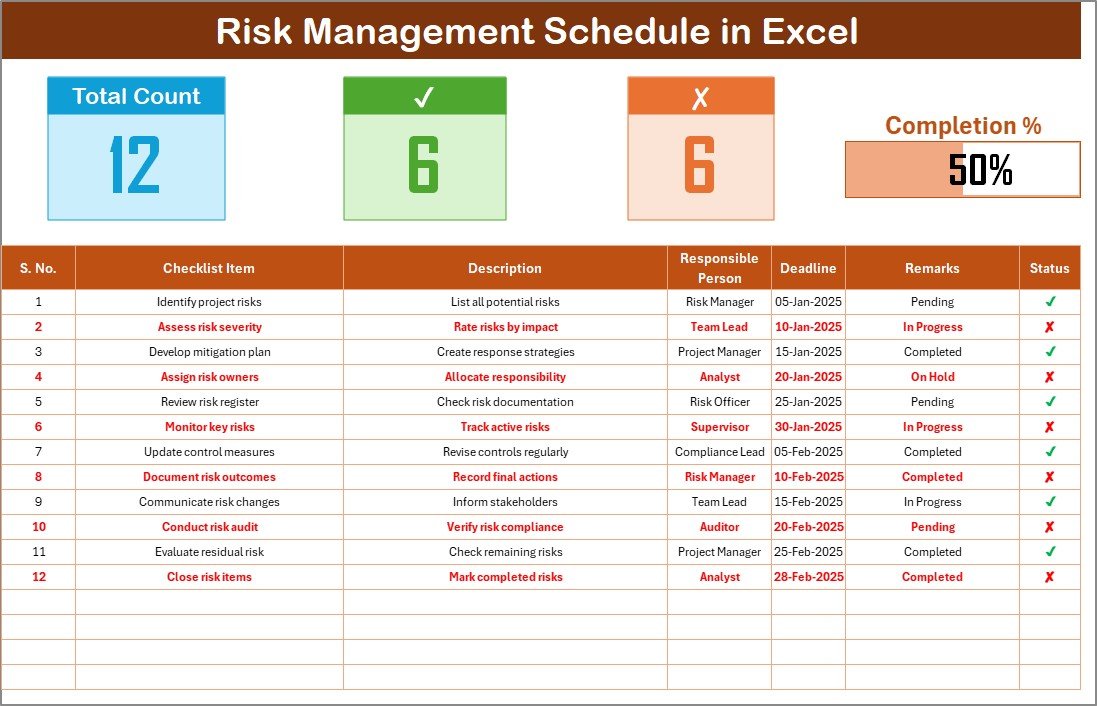
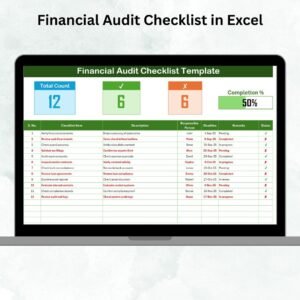
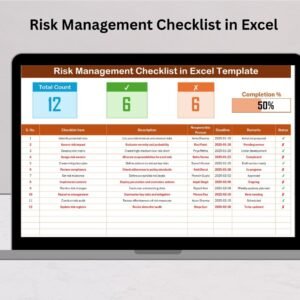
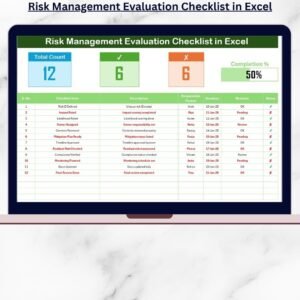
Get a quick summary of your performance with dynamic cards showing Total Count, Completed Count, Pending Count, and a visual Progress Bar — all updating automatically.
📋 Interactive Checklist Table
Track every risk management activity through a clean, structured table. Easily mark tasks as ✔ (Done) or ✘ (Pending) and watch your progress update instantly.
📂 Dynamic Drop-Down Lists
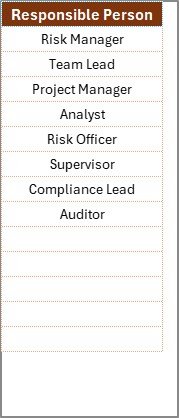
Assign responsibilities with ease using a built-in Responsible Person list that ensures data consistency and error-free reporting.
🎨 Fully Customizable Layout
Add or modify columns, apply conditional formatting, or create your own filters — tailor it to perfectly fit your organization’s workflow.
📊 Automation & Visualization
Leverage Excel formulas to auto-calculate completion rates, and add charts or graphs to monitor trends.
🖨️ Print-Friendly Format
Easily print or export the checklist as a PDF for audits, meetings, or compliance reporting.
📁 What’s Inside the Risk Management Schedule Checklist in Excel
This professional Excel template includes:
1️⃣ Main Checklist Sheet – The operational core of your template. Track all activities, deadlines, and remarks while viewing instant progress updates.
2️⃣ List Sheet – Maintain a unique list of responsible persons or departments, linked dynamically to drop-downs in your main sheet for consistent data entry.
Together, these sheets offer a complete solution for monitoring, assigning, and reporting all risk-related activities.
🧠 How to Use the Risk Management Schedule Checklist in Excel
🪜 Step 1: Download and open the ready-to-use Excel file.
🪜 Step 2: Update the “Responsible Person” list in the List Sheet with your team members.
🪜 Step 3: Add your checklist details — including task descriptions, deadlines, and remarks — in the Main Sheet.
🪜 Step 4: Track progress by marking each task ✔ or ✘ to update the dashboard cards and progress bar automatically.
🪜 Step 5: Review overall progress, identify bottlenecks, and ensure risk actions are completed on time.
No coding, no complexity — just pure Excel power simplified for professionals.
👩💼 Who Can Benefit from This Risk Management Schedule Checklist
🏢 Corporate Governance Teams: Ensure compliance and audit readiness.
🧾 Finance Departments: Track internal controls and fraud-prevention tasks.
💻 IT & Cybersecurity Teams: Manage vulnerabilities and system updates.
🏗️ Project Managers: Identify potential risks and track mitigation plans.
⚙️ Manufacturing & Healthcare Units: Monitor safety standards and regulatory requirements.
🧍♀️ HR & Admin Teams: Keep track of employee safety, welfare, and internal policy updates.
No matter your industry, this checklist brings clarity, accountability, and visibility to your risk control process.
🧩 Why Choose This Template
Fully editable and printable
Auto-updating progress bar
Real-time task tracking
User-friendly and visually appealing
No need for complex software
Turn your risk management from reactive to proactive — all inside a simple Excel file!
Click here to read the Detailed blog post
Watch the step-by-step video tutorial:
Visit our YouTube channel to learn step-by-step video tutorials YouTube.com/@PKAnExcelExpert
Compatibility and Requirements
- Works in Microsoft Excel desktop (Excel 2016 or later, or Microsoft 365).
- You pick the responsible person from a dropdown on the Main Checklist sheet. Microsoft explains dropdowns in Create a drop-down list.
Frequently Asked Questions
Which sheets are included?
Two sheets: the Main Checklist sheet and the List sheet. The Main sheet holds the tasks, deadlines and remarks. The List sheet holds the responsible persons.
How do I assign a task to someone?
Add the names of your team members to the List sheet. Then choose a name from the Responsible Person dropdown on the Main sheet.
How does the progress bar update?
Mark each task with a tick or a cross. The Total Count, Completed Count, Pending Count and the progress bar update from those marks.
Can I add my own columns or filters?
Yes. The layout is editable, so you can add columns, apply conditional formatting or create your own filters.
Can I print the checklist?
Yes. The layout is print-friendly, and you can also export it as a PDF for audits or meetings.
Is there a Google Sheets or dashboard version?
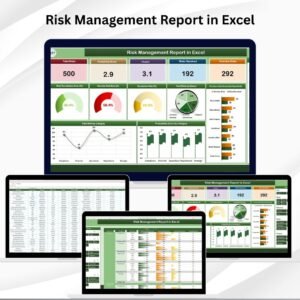
For risk work on other platforms, see the Risk Assessment Checklist in Google Sheets and the Risk Management Dashboard in Excel.
Related Risk and Checklist Templates
- Vendor Risk Assessment Schedule Checklist in Excel: a scheduled checklist for vendor risks
- Risk Assessment Checklist Template in Excel: a checklist for assessing risks
- Internal Audit Schedule Checklist in Excel: a schedule checklist for audits
- Risk Management Dashboard in Excel: a dashboard view of your risks
- Risk Assessment Checklist in Google Sheets: the Google Sheets option
Browse all Excel checklist templates.




























Reviews
There are no reviews yet.