


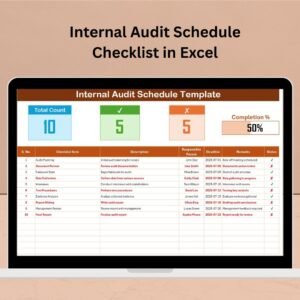
Internal audits are critical to ensuring that your organization complies with standards, detects inefficiencies, and improves operations. But managing those audits without a structured process can lead to missed deadlines, unclear responsibilities, and gaps in documentation. That’s where our Internal Audit Schedule Checklist in Excel comes to the rescue. ✅
Built for flexibility, accountability, and ease of use, this ready-to-use template streamlines the audit planning and tracking process—making sure every step is covered, every deadline is met, and every team member knows what’s expected of them.
✨ Key Features of Internal Audit Schedule Checklist in Excel
📑 Organized Task Table with Built-in Status Tracking

Easily manage and monitor each audit task with a clear table that includes:
Serial No.
Checklist Item
Description
Responsible Person (Dropdown)
Deadline
Remarks
Status Column (✔ / ✘)
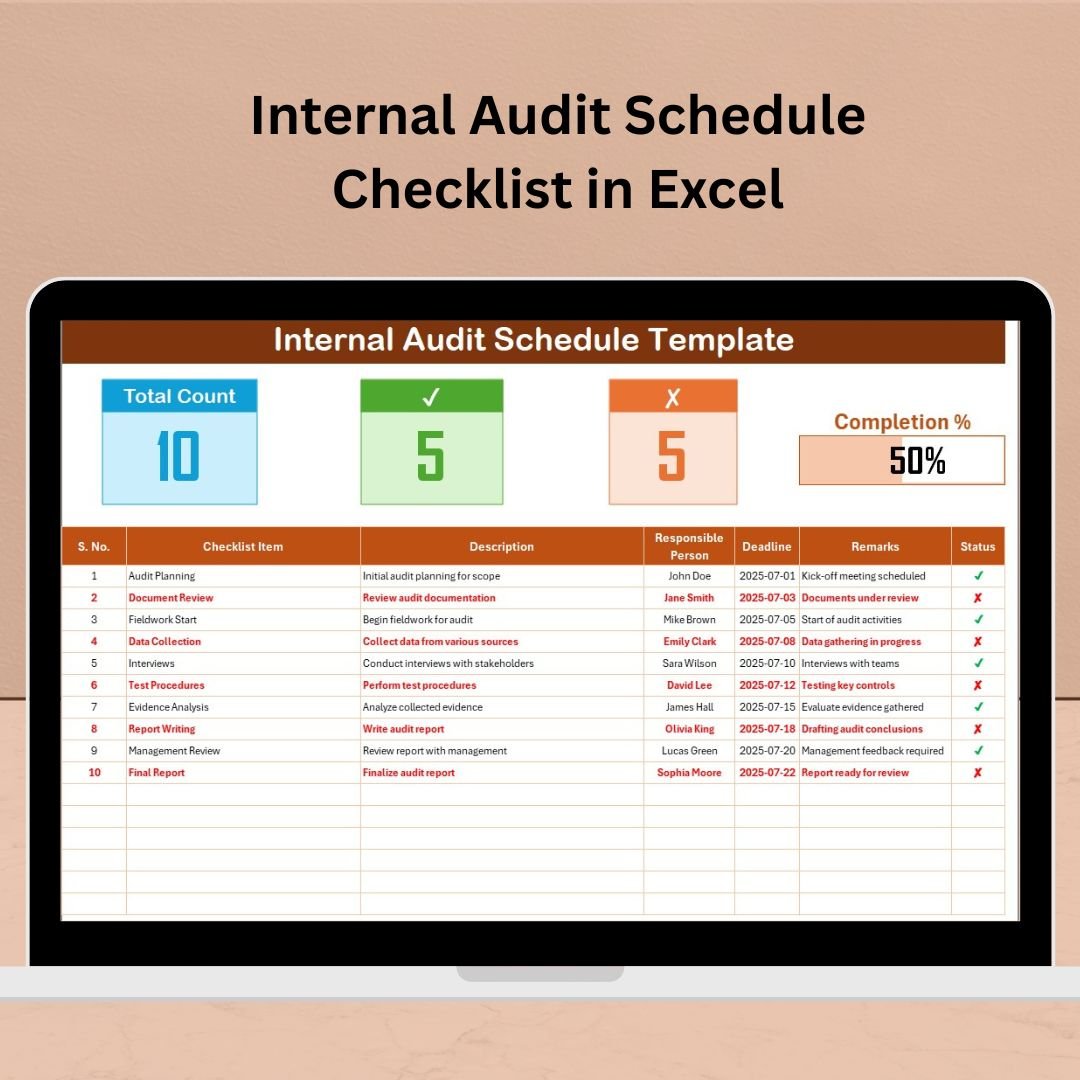
✅ Automatic progress bar and summary stats at the top give you instant insight into audit progress.
🧾 What’s Inside the Template
You get 2 worksheet tabs crafted to simplify your audit scheduling:
1️⃣ Internal Audit Schedule Checklist Sheet
This is your main interface. It tracks every audit task and its status.
🔹 Progress Metrics:
Total Count of tasks
Checked Count (✔)
Crossed Count (✘)
Visual Progress Bar
🔹 Status Tracker:
Mark tasks as complete (✔) or incomplete (✘) and instantly see your progress.
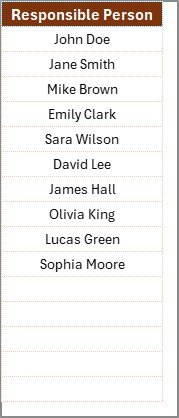
2️⃣ List Sheet
A master list of responsible persons.
🔸 Powers the dropdown for assigning tasks
🔸 Minimizes manual input errors
🔸 Ensures consistent assignment across the checklist
🛠️ How to Use the Internal Audit Schedule Checklist
🎯 Enter Your Audit Tasks
Fill in each row with your checklist item, who’s responsible, the deadline, and any notes.📅 Assign via Dropdown
Choose the responsible person from the preloaded dropdown list for accurate assignment.✅ Update Statuses
Use ✔ for completed, ✘ for missed/incomplete—your progress bar updates automatically!📈 Track Progress
Use the visual bar and top stats to monitor audit health at a glance.🔁 Review Weekly
Update statuses and deadlines regularly to ensure nothing is delayed.
👥 Who Can Benefit from This Checklist?
🎯 Compliance Officers
📋 Internal Auditors
🏢 Department Managers
🧑💼 Operations & Quality Teams
🛠 Risk & Governance Professionals
Whether you manage small audits or company-wide programs, this Excel-based checklist simplifies everything.
💡 Why Excel?
💰 No Subscription Cost
🔄 Fully Customizable
🌐 Easy to Share
📊 Automation & Conditional Formatting
🔐 Offline Access Anytime
Excel makes it easy to edit, update, share, and analyze—without expensive software.
✅ Best Practices for Effective Use
📌 Set Clear Deadlines — Ensure every task is time-bound.
📌 Define Responsibilities Clearly — Use dropdowns to assign tasks consistently.
📌 Use Detailed Descriptions — Avoid confusion with concise instructions.
📌 Update Frequently — Keep your checklist current and useful.
📌 Leverage the Progress Bar — Monitor status visually at a glance.
📌 Review Regularly — Weekly checks ensure nothing slips through the cracks.
🔗 Click here to read the detailed blog post
📺 Visit our YouTube channel to learn step-by-step video tutorials
Watch the step-by-step video tutorial:
Compatibility and Requirements
- Works in Microsoft Excel desktop (Excel 2016 or later, or Microsoft 365).
- The Responsible Person column is a drop-down fed by the List sheet. Microsoft explains drop-downs in Create a drop-down list.
Frequently Asked Questions
What columns does the checklist have?
Serial No., Checklist Item, Description, Responsible Person, Deadline, Remarks and a Status column for ✔ or ✘.
How does the progress bar work?
Mark each task ✔ or ✘. The top of the sheet counts total, checked and crossed tasks and the progress bar updates on its own.
How do I add people to the Responsible Person list?
Add names to the List sheet. They then appear in the Responsible Person drop-down on the checklist.
How many sheets are in the file?
Two: the Internal Audit Schedule Checklist sheet and the List sheet.
Related Audit Templates
- Internal Audit Compliance Checklist in Excel: check compliance items during the audit.
- Audit Schedule Calendar in Excel: plan audit dates on a calendar.
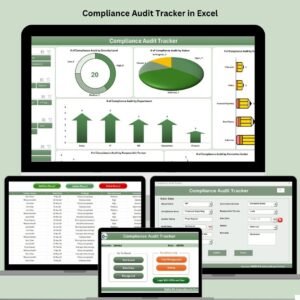
- Compliance Audit Tracker in Excel: track findings and follow-ups.
- Compliance Audit Tracker in Google Sheets: the same tracker in the browser.
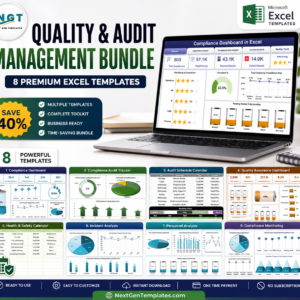
- Quality & Audit Management Bundle: 8 quality and audit templates in Excel.
Browse all Excel checklist templates or the Excel quality control templates.





























Reviews
There are no reviews yet.