

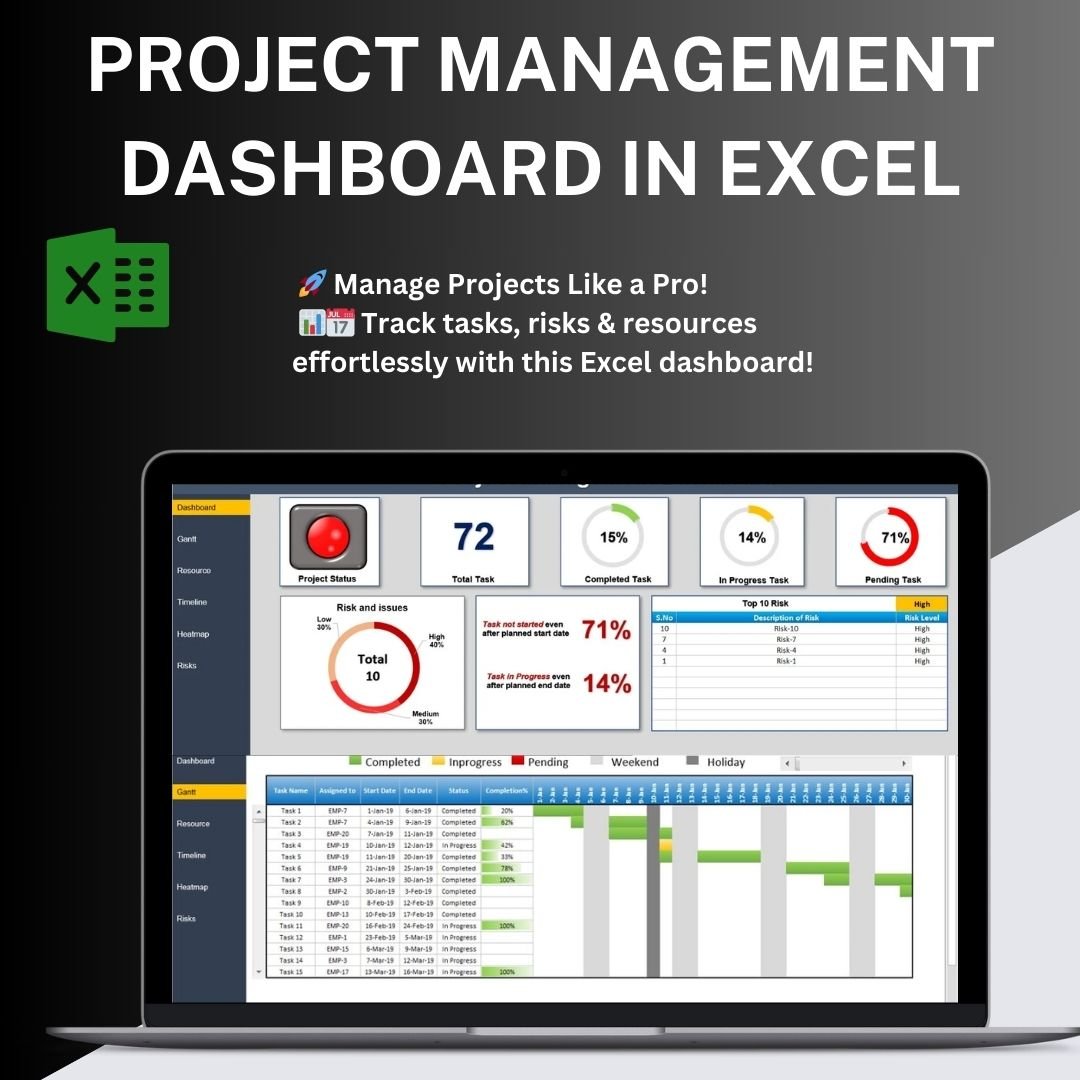

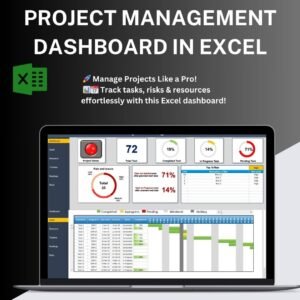
The Project Management Dashboard in Excel combines task status summaries, Gantt scheduling, resource workload views and risk records. Enter project tasks, dates and assigned resources to review progress and responsibilities together, with risk severity and ownership available for follow-up.
Key Features of the Project Management Dashboard
📊 Comprehensive Project Overview
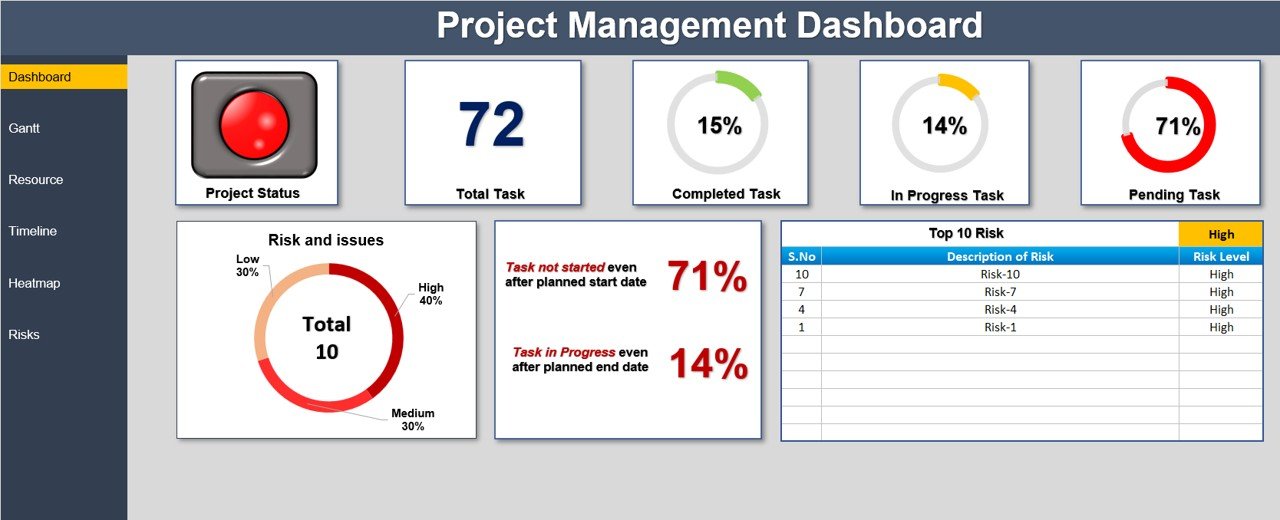
- Get a high-level summary of project performance with key metrics such as total tasks, completed tasks, tasks in progress, and pending tasks.
- Instantly visualize task distribution with a percentage breakdown to identify bottlenecks and take corrective actions.
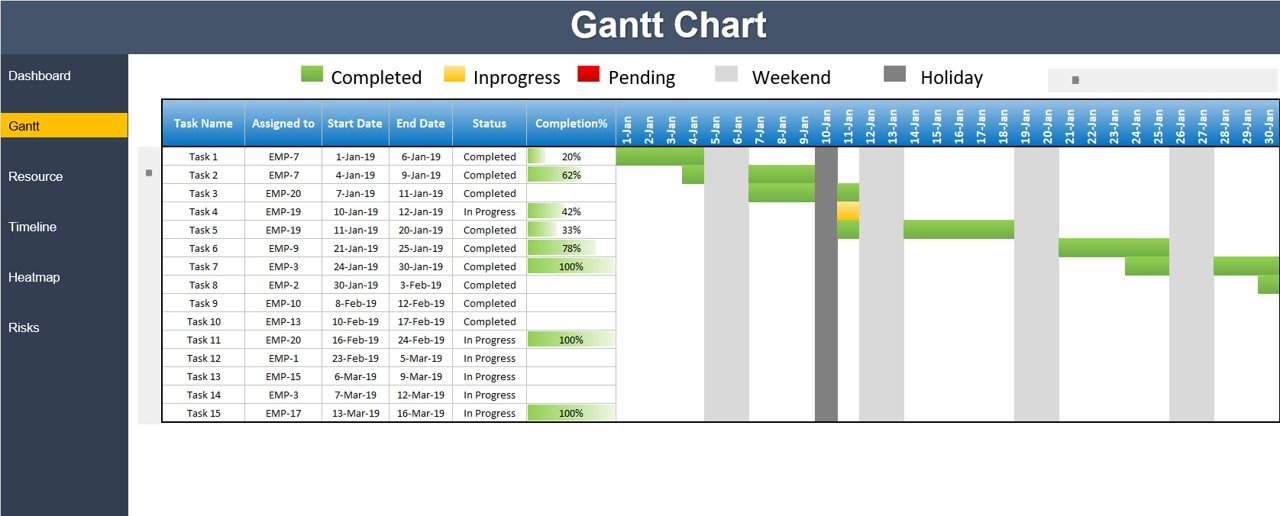
🗂 Gantt Chart for Task Scheduling
- Track task progress efficiently with an interactive Gantt Chart that provides a timeline view of project tasks.
- Highlight completed, in-progress, and pending tasks using color-coded indicators.
- Identify task dependencies and ensure project deadlines are met.
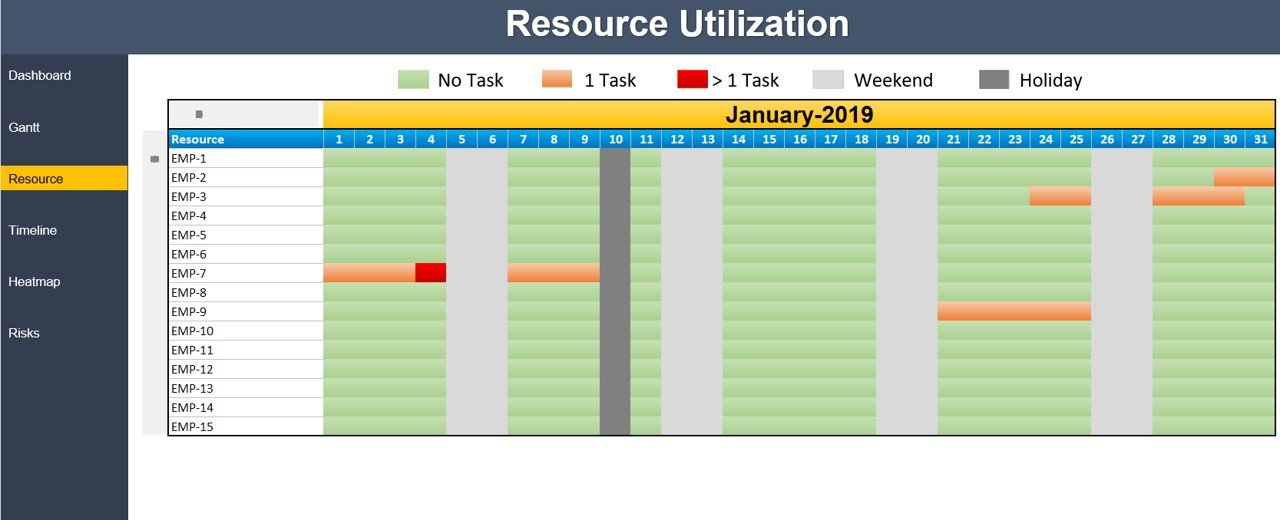
🔥 Resource Utilization & Workload Management
- Monitor resource allocation and ensure balanced workload distribution across team members.
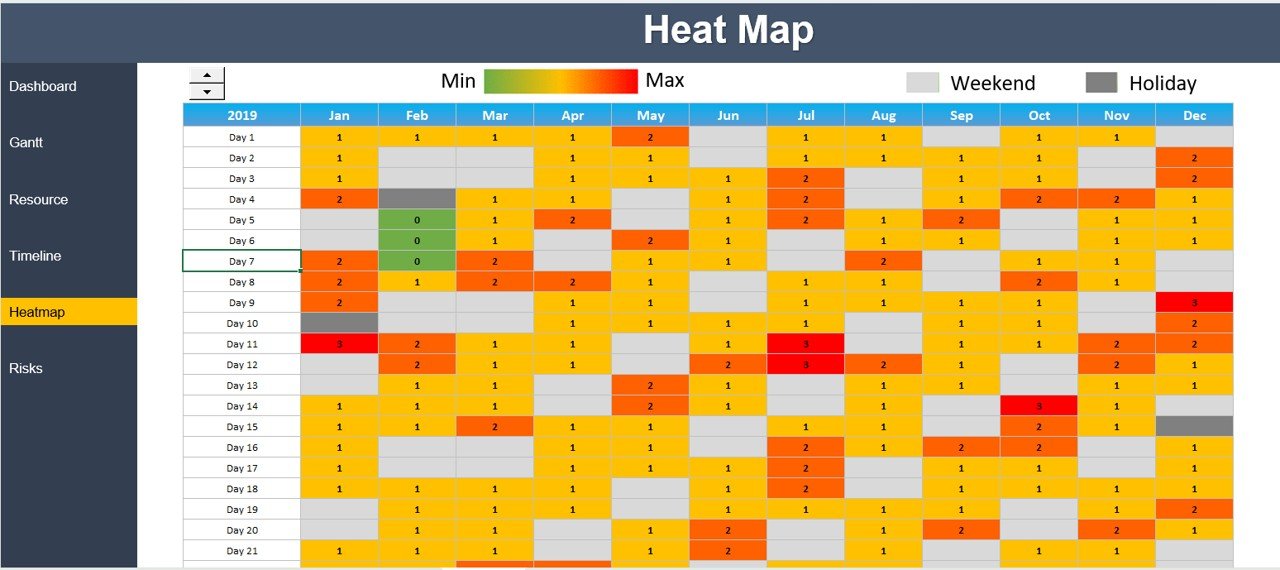
- Track employee engagement with a heat map, highlighting work intensity and availability.
- Optimize staffing and project assignments by identifying underutilized or overburdened resources.
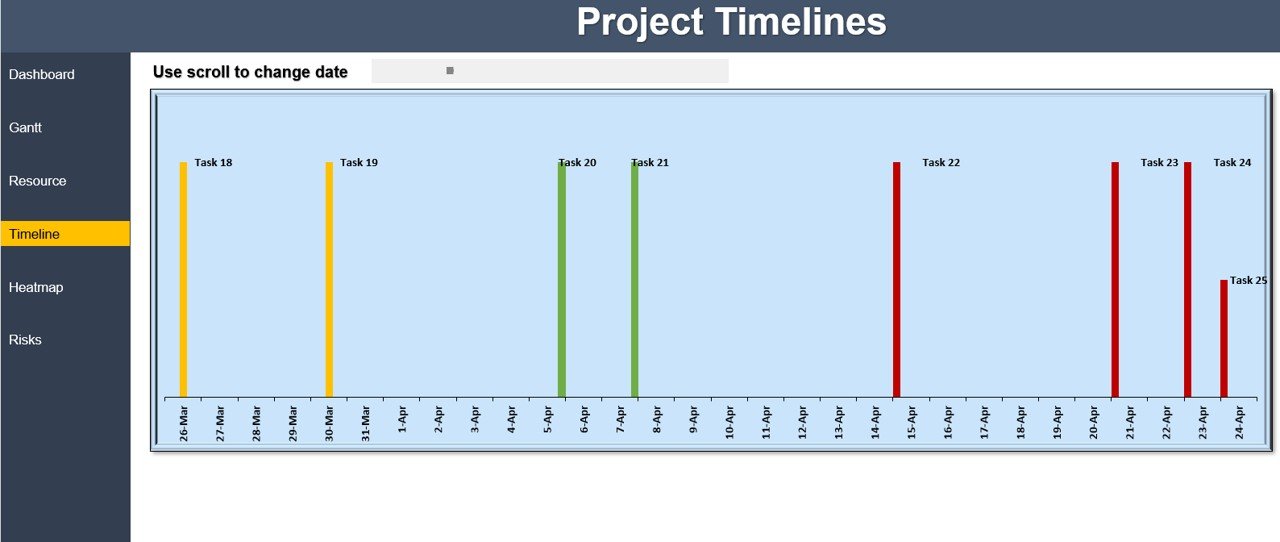
📅 Project Timeline & Milestone Tracking
- Visualize project progress with an interactive timeline to track key milestones.
- Use scrollable date adjustments to navigate across different phases of the project.
- Plan effectively and ensure that all deadlines are met without delays.
⚠ Risk Management & Issue Tracking
- Keep track of potential risks and issues that may impact the project.
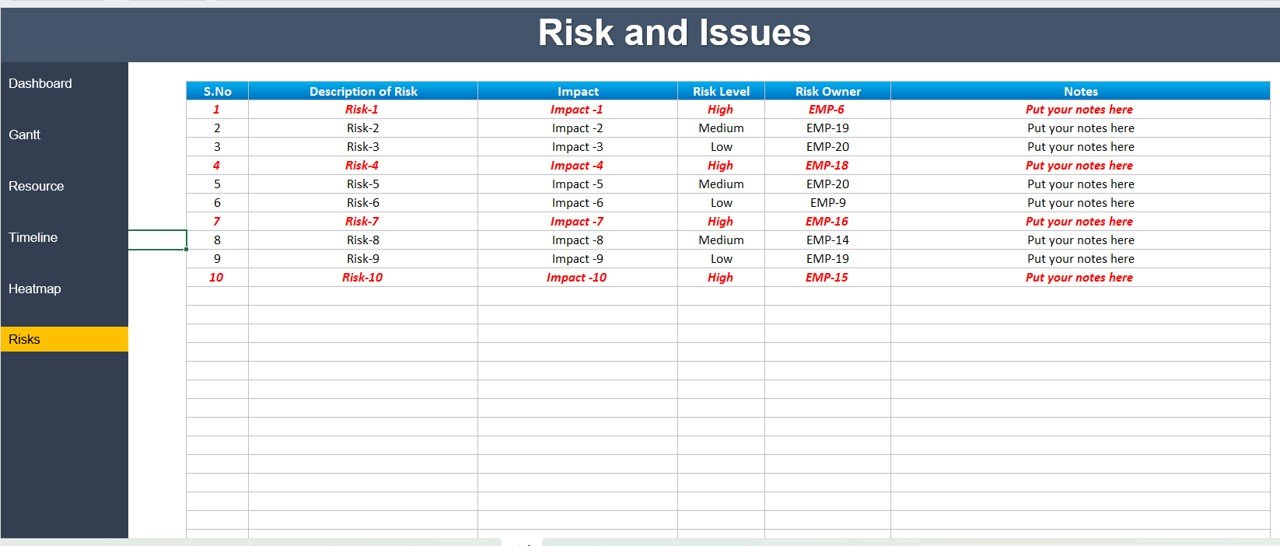
- Categorize risks based on severity (low, medium, high) for prioritization.
- Assign risk owners and maintain detailed notes for mitigation strategies.
📈 Performance & KPI Monitoring
- Analyze task completion trends with real-time updates.
- Gain insights into project efficiency and team performance.
- Monitor delays and inefficiencies to improve overall project execution.
✅ User-Friendly & Automated Reports
- Pre-built formulas and automated calculations save time on data entry.
- Easily extract reports for stakeholders, managers, and team meetings.
- Fully customizable to adapt to your project’s specific needs.
Why Use This Project Management Dashboard?
✅ Saves Time – Automates calculations and provides instant project updates.
✅ Enhances Decision Making – Data-driven insights help improve project outcomes.
✅ Improves Team Collaboration – Everyone stays aligned on goals and deadlines.
✅ Eliminates Manual Errors – Reduces the risk of mismanagement and oversight.
✅ Customizable & Scalable – Suitable for small teams, large enterprises, and freelancers.
Who Can Benefit from This Dashboard?
👨💻 Project Managers – Stay in control of deadlines, team productivity, and risks.
📊 Business Analysts – Gain deeper insights into project KPIs and performance trends.
🚀 Startups & Entrepreneurs – Plan and execute projects efficiently without costly software.
🏢 Corporate Teams – Ensure smooth collaboration between departments and stakeholders.
🎯 Freelancers & Consultants – Keep track of client projects and deliverables seamlessly.
How to Use This Dashboard?
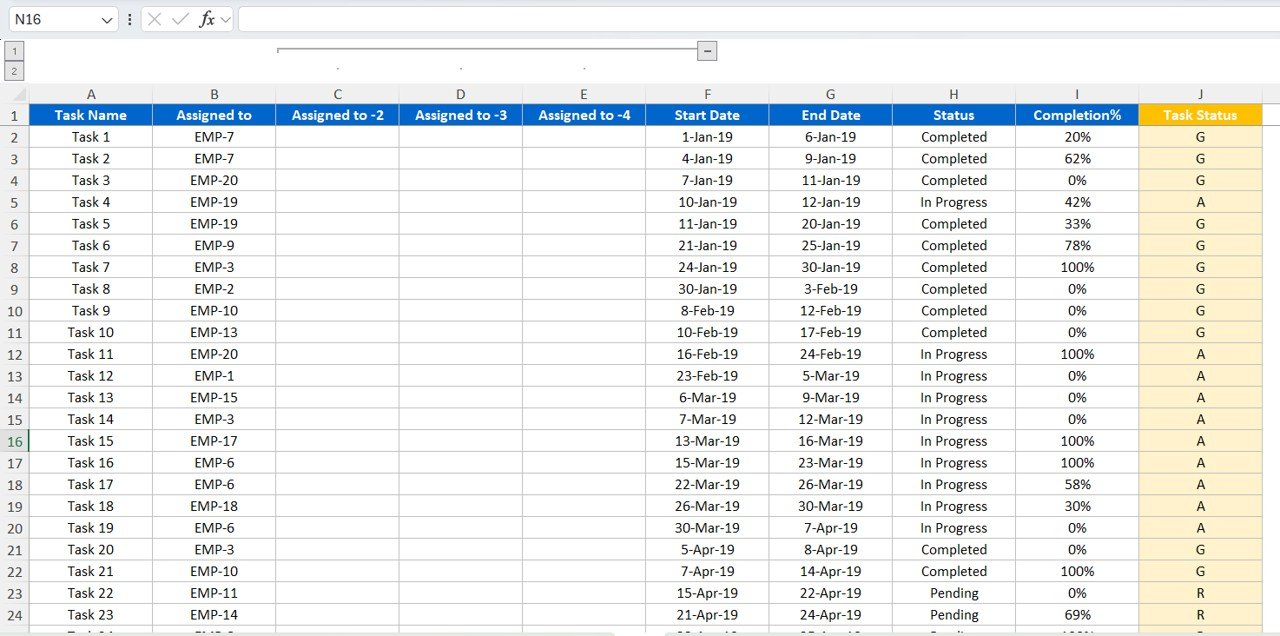
1️⃣ Enter your project tasks, start & end dates, and assigned resources.
2️⃣ Monitor progress with the Gantt Chart and project timeline.
3️⃣ Track workload distribution and adjust resource allocation.
4️⃣ Identify risks and take proactive measures to mitigate them.
5️⃣ Generate reports for decision-making and stakeholder presentations.
Download & Get Started Today!
🚀 Boost your project efficiency with this Excel Dashboard! Say goodbye to scattered spreadsheets and experience seamless project tracking like never before!
👉 Download Now & Start Managing Projects Smarter!
Click here to read the detailed blog post:
Watch the step-by-step video tutorial:
Also check our Quality checklist template in Excel
Questions about this template
What should I enter before reviewing the project dashboard?
Start with project tasks, start and end dates and assigned resources. Maintain task progress and risk records as the project changes, then review the Gantt timeline and workload views.
Does the dashboard include a Gantt chart?
Yes. An interactive Gantt chart shows each task on a timeline, with color-coded completed, in-progress and pending tasks.
How does it show team workload?
A heat map shows work intensity and availability for each team member, so you can spot overloaded or underused resources.
Can I record project risks?
Yes. Risks are rated low, medium or high, and each one has an owner and notes for the mitigation plan.
Are the calculations automatic?
Yes. Pre-built formulas calculate the task summaries and metrics from the tasks and dates you enter.
Compatibility and Requirements
- Works in Microsoft Excel desktop (Excel 2016 or later, or Microsoft 365).
- Microsoft explains Excel charts in Create a chart from start to finish.
Related Project Management Templates
- Project Management KPI Dashboard in Excel: track project KPIs month by month
- Project Status Update Tracker in Excel: log status updates for each project
- Project Management Issue Tracker Form: record and resolve project issues
- Multiple Project Management Dashboard in Google Sheets: a Google Sheets view of several projects
- Project Management Pro Bundle: 9 project templates in one download
Browse all Excel project management templates or the Excel dashboards.































Reviews
There are no reviews yet.