



In today’s fast-paced world, keeping up with daily tasks can feel overwhelming. Whether you’re a student juggling assignments, a professional managing work deadlines, or a team leader coordinating multiple responsibilities, it’s easy to lose track of what matters most. That’s why we’ve designed the Daily Routine Outline Checklist in Excel—a powerful, ready-to-use template that helps you plan, track, and complete your daily activities with ease.
This template transforms Excel from a simple spreadsheet into a dynamic productivity tool. With built-in checklists, progress tracking, and smart features like drop-down lists and automated progress bars, it ensures you stay on top of your goals without the need for complex software or expensive subscriptions.
✅ Key Features of Daily Routine Outline Checklist in Excel
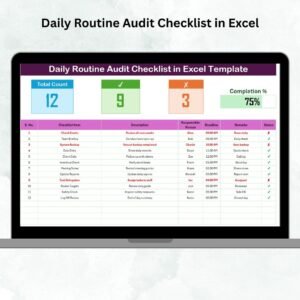
✨ Simple Task Tracking – Add your daily activities with serial numbers, deadlines, and responsible persons. Mark them ✔ or ✘ to update instantly.
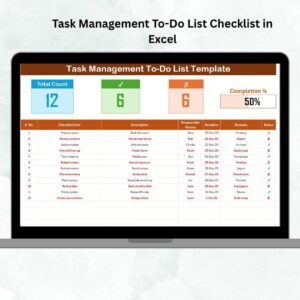
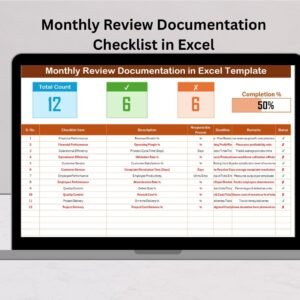
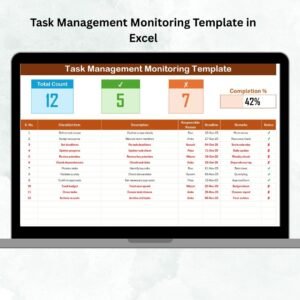
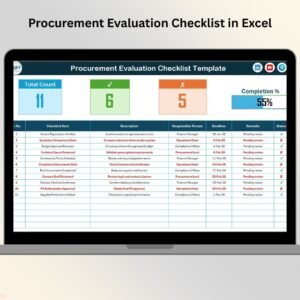
📊 Visual Progress Monitoring – Track total, completed, and pending tasks with progress cards and a dynamic progress bar.
🔽 Drop-Down Menus – Assign tasks quickly using drop-down lists powered by the List Sheet, reducing errors and saving time.
📅 Deadline Management – Enter deadlines to avoid overdue tasks and keep your schedule on track.
🎨 Customizable Layout – Add or modify fields to match your personal or professional needs.
💻 Beginner-Friendly – No advanced Excel knowledge needed—perfect for anyone looking to get organized.

📦 What’s Inside the Daily Routine Outline Checklist in Excel
This ready-to-use template comes with two structured sheets:
Checklist Sheet – The main sheet where you capture tasks. Includes:
Serial No.
Checklist Item
Description
Responsible Person (drop-down)
Deadline
Remarks
Status (✔ or ✘)
List Sheet – A supporting sheet where you can manage the unique list of responsible persons. This ensures consistent names and faster task assignment.
Together, these sheets provide a complete system for daily productivity.
🛠️ How to Use the Daily Routine Outline Checklist in Excel
Using this template is simple and quick:
1️⃣ Open the Template – Download and open the Excel file.
2️⃣ Add Responsible Persons – Enter names in the List Sheet for drop-down options.
3️⃣ Fill in Tasks – Record activities in the Checklist Sheet with details and deadlines.
4️⃣ Track Progress – Update the status column (✔ or ✘) and watch the progress bar adjust automatically.
5️⃣ Customize If Needed – Add conditional formatting to highlight overdue tasks or color-code priorities.
6️⃣ Update Daily – Review and update your checklist at the end of each day for accurate tracking.
In just minutes, you’ll have a clear picture of your progress and stay organized without stress.
👥 Who Can Benefit from This Daily Routine Outline Checklist
🎓 Students – Organize study schedules, homework, and assignments.
👨💻 Professionals – Stay on top of daily deliverables, emails, and reports.
📈 Managers – Assign responsibilities and monitor team performance.
🏡 Families – Manage household chores, shopping lists, and family schedules.
📊 Small Businesses – Track daily operations and staff responsibilities.
If you need a reliable system to boost accountability, time management, and productivity, this checklist is perfect for you.
🔗 Click here to read the Detailed blog post
Watch the step-by-step video tutorial:
Visit our YouTube channel to learn step-by-step video tutorials.
Compatibility and Requirements
- Works in Microsoft Excel desktop (Excel 2016 or later, or Microsoft 365).
- The Responsible Person column uses a drop-down list fed by the List Sheet. Microsoft explains these lists in Create a drop-down list.
Frequently Asked Questions
What sheets are in the template?
There are two: the Checklist Sheet where you record tasks, and the List Sheet where you keep the names of responsible persons.
What fields does each task have?
Each row has a serial number, checklist item, description, responsible person, deadline, remarks and status.
How do I mark a task done?
Set the status to a check mark or a cross. The progress cards for total, completed and pending tasks and the progress bar update on their own.
Can I add my own fields?
Yes. The layout is customizable, so you can add or change fields to suit personal or work routines.
Related Daily Routine Checklists
- Daily Routine Checklist in Excel: a simple daily routine list
- Daily Routine Tracking Checklist in Excel: track routine tasks day by day
- Daily Routine Planner Checklist in Excel: plan the day before it starts
- Daily Routine Action Plan Checklist in Google Sheets: a routine checklist for Google Sheets
- Checklist and SOP Pack: a bundle of Excel and Google Sheets checklists
Browse all Excel checklists or the Google Sheets checklists.





















Reviews
There are no reviews yet.