

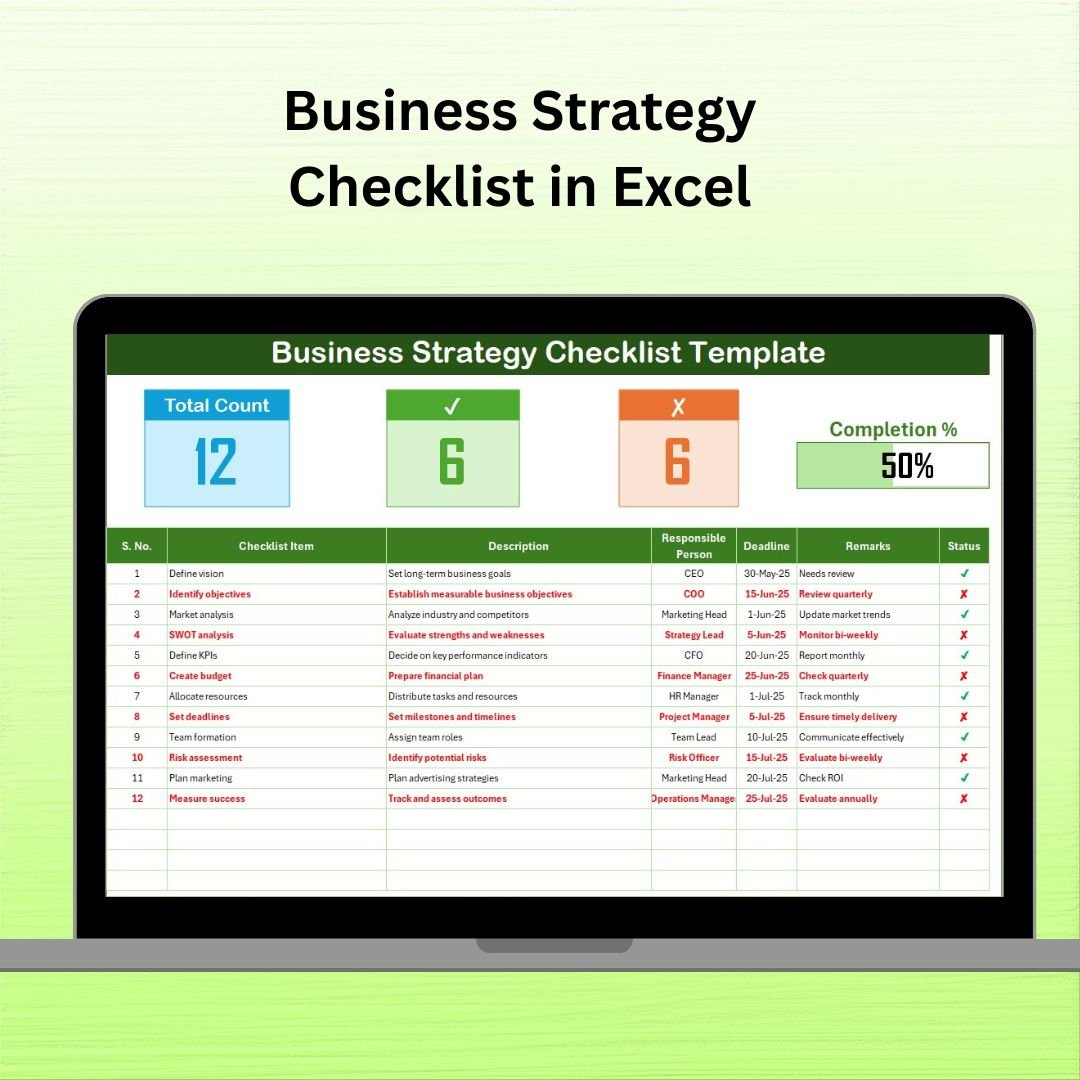

Strategic planning doesn’t have to be overwhelming. With the Business Strategy Checklist in Excel, you can turn your long-term business goals into actionable, trackable tasks. This easy-to-use, fully customizable template helps you organize strategy execution with crystal clarity—ensuring deadlines are met, responsibilities are clear, and progress is measurable.
Whether you’re a solo entrepreneur or managing a corporate team, this checklist offers the structured system you need to keep your strategy on course from start to finish.
⚙️ Key Features of the Business Strategy Checklist in Excel
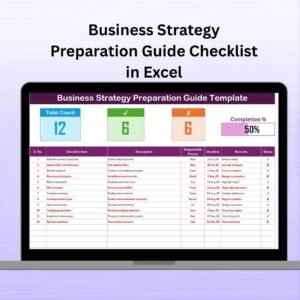
📋 Main Sheet Tab – Strategy Checklist Tracker
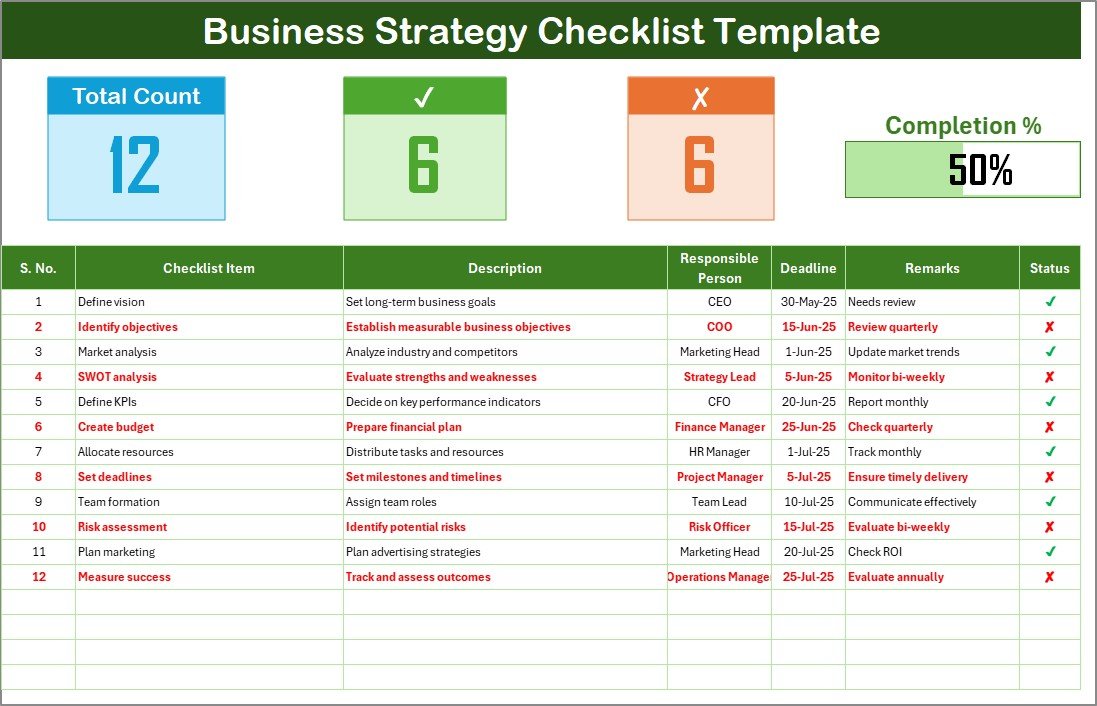
This is the core sheet where your strategy takes shape—organized, simplified, and visualized.
Top Section Features:
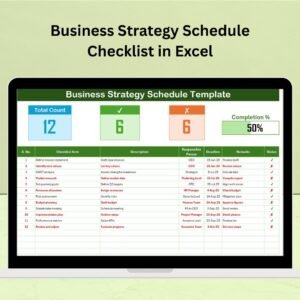
📊 Total Count – Number of strategy items listed
✅ Checked Count – Completed tasks
❌ Crossed Count – Abandoned or skipped actions
🚦 Progress Bar – Real-time visual progress indicator
Checklist Table Includes:
🔢 Serial No. – Easy reference for each task
🧩 Checklist Item – Strategic tasks or goals
📝 Description – More details about the task
👤 Responsible Person – Assigned team member
📅 Deadline – Task due date
💬 Remarks – Notes, risks, or updates
☑️ Status – ✔ for completed, ✘ for pending/incomplete
📂 List Sheet Tab – Assign with Ease
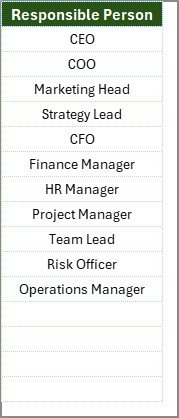
Maintain a dropdown list of responsible persons so you can quickly assign tasks and ensure accountability across the team.
📁 What’s Inside the Business Strategy Checklist Template
This two-sheet template is designed for clarity and usability:
1️⃣ Business Strategy Checklist – All your strategic goals in a structured table
2️⃣ List Tab – Create dropdowns for responsible persons effortlessly
✅ No formulas to build
✅ Visual tracker included
✅ Team-ready, fully editable
✅ Designed for beginners & pros alike
📌 How to Use the Business Strategy Checklist
📥 Step 1: Download the Excel Template
Open in Microsoft Excel for desktop or online access.
📝 Step 2: Fill in Your Strategic Goals
Add tasks, descriptions, team members, and deadlines to get started.
📊 Step 3: Monitor Progress with the Visual Tracker
As tasks get marked ✔ or ✘, the progress bar updates automatically.
👥 Step 4: Assign Ownership
Use the List tab to add team members and assign responsibilities.
🔄 Step 5: Review & Update Regularly
Adjust strategies as your business evolves, keeping your checklist relevant and impactful.
🎯 Who Can Benefit from This Strategy Checklist?
🏢 Business Owners & Founders – Stay focused on high-level goals
📈 Strategic Planners – Break big visions into bite-sized actions
🧑💼 Project Managers – Assign and track strategic work
👥 Department Heads – Coordinate initiatives with accountability
📊 Consultants & Coaches – Provide clients with structured strategy tools
From startups to established enterprises, this checklist fits all business types.
💡 Why Choose This Excel-Based Checklist?
✅ Visually tracks your strategic progress
✅ Ensures clarity and accountability
✅ Works offline—no internet required
✅ Fully customizable for your business goals
✅ Easy to use and team-friendly
No more scattered notes, endless email chains, or forgotten tasks. This checklist turns strategy into results.
🔗 Click here to read the Detailed blog post
🎥 Visit our YouTube channel to learn step-by-step video tutorials
Watch the step-by-step video tutorial:
Compatibility and Requirements
- Works in Microsoft Excel desktop (Excel 2016 or later, or Microsoft 365).
- The List tab holds the names you pick from the Responsible Person dropdown. Microsoft explains dropdowns in Create a drop-down list.
Frequently Asked Questions
How many sheets does the template have?
Two sheets: the Business Strategy Checklist and the List tab.
What does the checklist table record for each task?
Each row has a serial number, the checklist item, a description, the responsible person, a deadline, remarks and a status.
How do I assign a task to someone?
Add the person’s name on the List tab. The name then appears in the Responsible Person dropdown on the checklist.
How does the progress bar work?
Mark a task with a check for completed or a cross for pending or skipped. The top of the sheet shows the total count, checked count and crossed count, and the progress bar updates with them.
Is there a Google Sheets version?
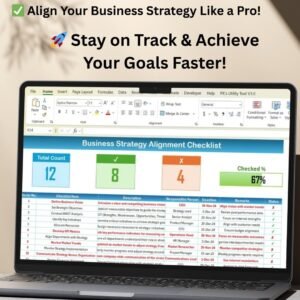
The Business Strategy Alignment Checklist in Google Sheets covers the same topic for Google Sheets users.
Related Business Strategy Templates
- Business Strategy Alignment Checklist in Excel: check that daily work matches your strategy
- Business Strategy Outline Checklist in Excel: outline the main parts of a strategy
- Business Strategy Action Plan Checklist in Excel: turn strategy into action steps
- Business Strategy Evaluation Checklist in Excel: review how the strategy is performing
- Small Business Owner Essentials: 12 templates for owners in one download
Browse all Excel checklists.




























Reviews
There are no reviews yet.