


Every company invests heavily in Employee Offboarding Action Plan Checklist Template in Excel, but offboarding is just as important. When an employee leaves—whether voluntarily or involuntarily—having a structured offboarding plan ensures smooth transitions, protects company assets, and maintains compliance. Without it, organizations risk data breaches, payroll issues, and workflow disruptions.Employee Offboarding Action Plan Checklist Template in Excel
That’s where our Employee Offboarding Action Plan Template in Excel comes in. This ready-to-use checklist streamlines the offboarding process, helps HR and managers stay on track, and ensures that no critical step is missed. With this Excel tool, you can manage offboarding professionally, save time, and create a positive exit experience for employees.Employee Offboarding Action Plan Checklist Template in Excel
✨ Key Features of Employee Offboarding Action Plan Checklist Template in Excel
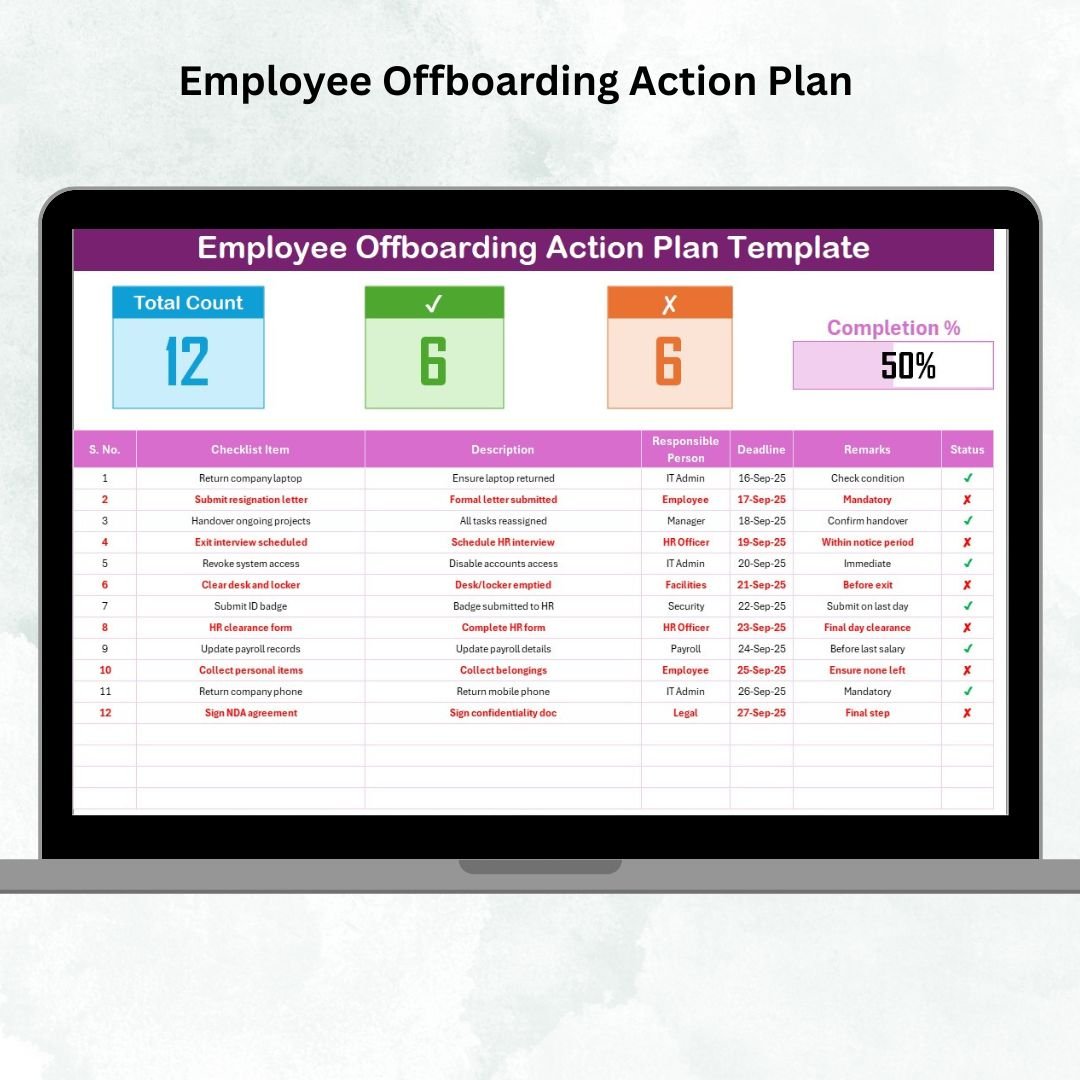
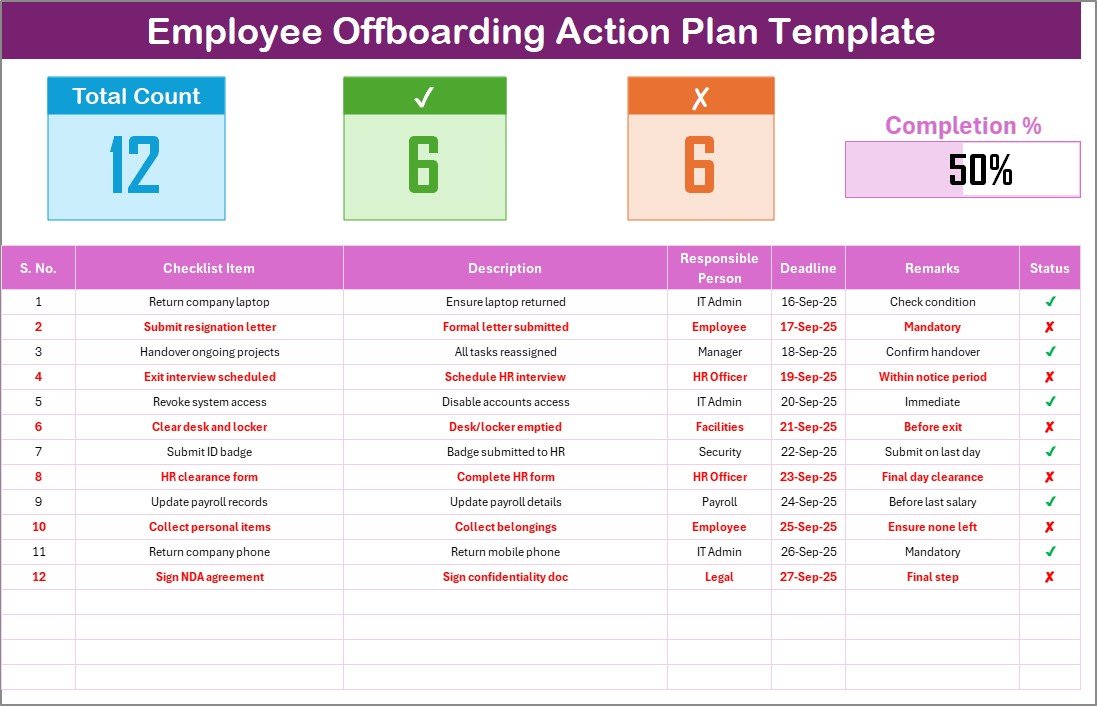
✅ Dashboard Overview – See total tasks, completed tasks, pending items, and overall progress instantly.
✅ Checklist Table – Pre-built columns for task name, description, responsible person, deadline, and status.
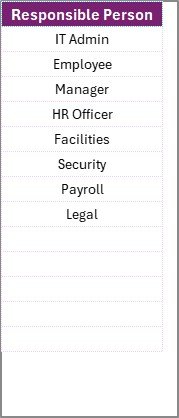
✅ Drop-Down List of Responsible Persons – Assign accountability quickly without retyping names.
✅ Visual Progress Bar – Monitor offboarding completion at a glance.
✅ Error-Free Workflow – Prevents missed steps like unrevoked access or unpaid reimbursements.
✅ Customizable Structure – Add or remove tasks to fit your company’s policies.
✅ Beginner-Friendly – No advanced Excel skills required; easy for HR, IT, and managers to use.
📂 What’s Inside the Employee Offboarding Action Plan Checklist Template in Excel
When you download this template, you’ll get two structured worksheets:
Main Sheet Tab
Top section with task counts and progress bar.
Checklist table with all the details you need: task, description, deadline, status, and remarks.
List Sheet Tab
Store names of responsible persons in one place.
Automatically generate drop-down options in the main sheet for consistency and accuracy.
This dual-sheet setup ensures clarity, accountability, and transparency across your HR and IT teams.
🛠 How to Use the Employee Offboarding Action Plan Template in Excel
Using this template is simple and straightforward:
Download and open the Excel file.
Go to the List Sheet Tab and enter names of responsible team members.
In the Main Sheet Tab, list all offboarding tasks (or use the pre-loaded samples).
Assign tasks using the drop-down menu.
Mark tasks as ✅ completed or ✘ pending.
Track progress through the dashboard counts and progress bar.
Save completed checklists for compliance records.
No complicated setup—just download, use, and ensure nothing is overlooked.
👥 Who Can Benefit from This Employee Offboarding Action Plan Checklist Template in Excel?
This template is perfect for:
🧑💼 HR Teams – Ensure compliance and complete documentation.
💻 IT Departments – Track device returns and access revocations.
🏢 Managers – Oversee smooth handovers and knowledge transfer.
📊 Small & Medium Businesses – Simplify processes without expensive HR tools.
👨💻 Startups – Create structured offboarding without building systems from scratch.
Anyone responsible for employee exits will find this Excel template indispensable.
🔗 Click here to read the Detailed blog post
Watch the step-by-step video Demo:
Visit our YouTube channel to learn step-by-step video tutorials
Compatibility and Requirements
- Works in Microsoft Excel desktop (Excel 2016 or later, or Microsoft 365).
- The Main Sheet assigns each task from a dropdown list of responsible persons. Microsoft explains dropdowns in Create a drop-down list.
Frequently Asked Questions
Which sheets are included?
Two sheets: the Main Sheet Tab with the progress bar and checklist table, and the List Sheet Tab where you store the names of responsible persons.
How do I assign a task to someone?
Enter the names of your team members on the List Sheet Tab. They then appear in a dropdown on the Main Sheet Tab, so you pick the responsible person for each task instead of typing the name.
How do I see how far the offboarding has progressed?
Mark each task as completed or pending. The top section of the Main Sheet shows the task counts and a progress bar that updates with your marks.
Can I change the task list?
Yes. You can use the sample tasks or add and remove tasks to match your company’s offboarding steps.
Is there a Google Sheets version?
Yes. See the Employee Offboarding Checklist in Google Sheets.
Related Offboarding and HR Templates
- Employee Offboarding Checklist Template in Excel: another offboarding checklist in Excel
- Employee Offboarding Tracker in Excel: a tracker layout for exits
- Employee Offboarding Checklist in Google Sheets: the Google Sheets edition
- Employee Onboarding Action Plan Checklist in Excel: the matching checklist for new hires
- HR Director Toolkit: 10 HR templates in one download
Browse all Excel checklist templates or the HR and Payroll templates.






























Reviews
There are no reviews yet.