



Managing legal obligations and regulatory documentation can quickly become overwhelming—but it doesn’t have to be. With the Legal Compliance Documentation Checklist in Excel, you gain a ready-to-use, user-friendly tool designed to help businesses track, organize, and manage every compliance task with precision and ease. ✅📅
Whether you’re a compliance officer, small business owner, or part of a large legal team, this Excel-based solution is perfect for keeping your legal responsibilities in check—without missing a deadline!
✅ Key Features of Legal Compliance Documentation Checklist in Excel
📊 Visual Compliance Tracker
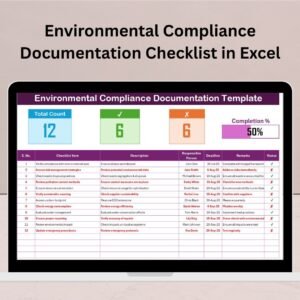
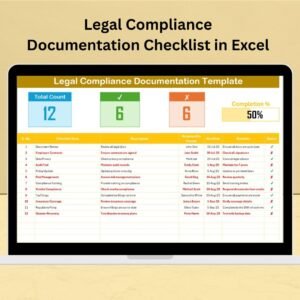
Monitor your progress using a dynamic progress bar that updates based on ✔ or ✘ task status.
📋 Complete Checklist Table
Capture every legal task with structured fields like serial number, description, deadline, responsible person, and status.
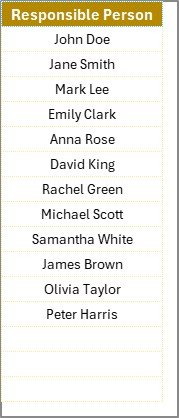
📥 Dropdown for Task Assignment
Assign responsible persons easily with a dropdown powered by a dedicated list tab—no more repetitive typing!
🔍 Real-Time Status Overview
Quickly assess how many tasks are complete, pending, or missed using a built-in summary.
📅 Customizable Deadlines
Stay on top of due dates with clear scheduling columns and status indicators.
🖍️ Conditional Formatting
Easily distinguish completed tasks from pending ones with color-coded formatting for better visibility.
📂 Two-Sheet System
Includes a dedicated checklist sheet for task tracking and a list sheet to manage personnel or departments.
🛠️ Fully Editable Template
Add, remove, or modify checklist items and columns to suit your industry or compliance needs.
📦 What’s Inside the Checklist Template?
The Legal Compliance Documentation Checklist is built on two powerful yet simple worksheet tabs:
✅ Legal Compliance Documentation Checklist Sheet
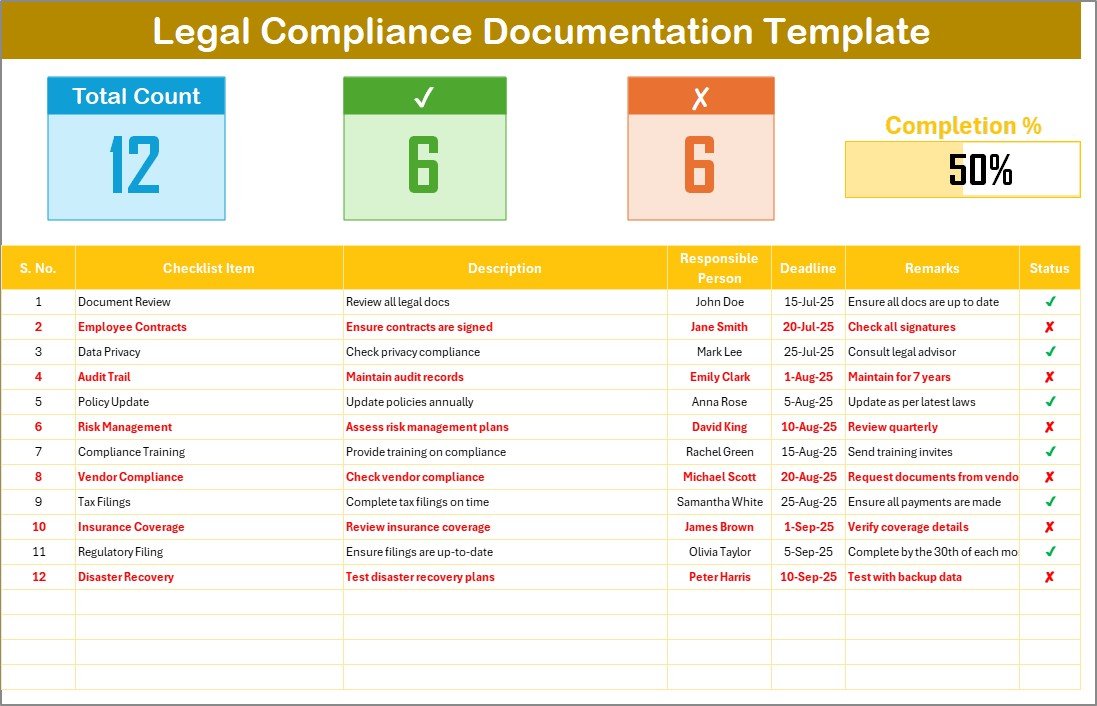
Your main dashboard for tracking legal tasks:
Auto-updating Progress Bar for visual tracking
Columns for Checklist Item, Description, Responsible Person, Deadline, Remarks, and Status (✔ or ✘)
Conditional formatting highlights completed/incomplete tasks
📋 List Sheet
This tab feeds the dropdown in the checklist:
Add your list of responsible persons
Automatically updates the dropdown in the main sheet
Keeps assignment fast, accurate, and consistent
🛠️ How to Use the Checklist Template
📥 Download the Excel template
📂 Open the file and review both tabs
🧑💼 Add responsible persons in the List tab
✍️ Input checklist items in the main sheet
📆 Assign deadlines and track task status (✔ or ✘)
🔄 Watch progress bar update in real-time
🎯 Update regularly to maintain accuracy
No technical expertise needed. If you can use Excel, you can manage compliance like a pro.
👥 Who Can Benefit from This Template?
🏢 Corporate Legal Teams – Stay ahead of internal and external compliance demands
🧑💼 Small Business Owners – Track registrations, tax filings, and license renewals
🏛️ Law Firms – Manage document deadlines for multiple clients
🏫 Educational Institutions – Stay aligned with academic legal policies and requirements
🏥 Healthcare Providers – Track regulatory tasks for HIPAA, audits, and licenses
💼 HR & Admin Teams – Ensure employee documentation and labor law compliance
🔗 ### Click here to read the Detailed blog post
🔗 Visit our YouTube channel to learn step-by-step video tutorials
Watch the step-by-step video tutorial:
Compatibility and Requirements
- Works in Microsoft Excel desktop (Excel 2016 or later, or Microsoft 365).
- You pick each responsible person from a dropdown that reads from the List sheet. Microsoft explains dropdowns in Create a drop-down list.
Frequently Asked Questions
Which sheets does the template have?
Two sheets: the Legal Compliance Documentation Checklist sheet for tracking tasks and the List sheet that holds the names for the dropdown.
What columns does the checklist table have?
Serial number, checklist item, description, responsible person, deadline, remarks and status (a tick or a cross).
How do I assign a task to someone?
Add the person’s name to the List sheet, then choose it from the dropdown in the Responsible Person column on the checklist sheet.
How does the progress bar work?
It updates by itself from the tick or cross you set in the Status column, so you see how much of the list is complete.
Is there a Google Sheets version?
Yes. See the Legal Compliance Checklist in Google Sheets.
Related Legal Compliance Templates
- Legal Compliance Checklist Template in Excel: another general legal compliance checklist
- Legal Compliance Audit Checklist in Excel: a checklist for compliance audits
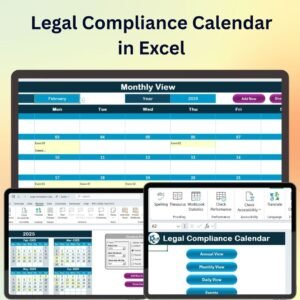
- Legal Compliance Calendar in Excel: a calendar view of compliance dates
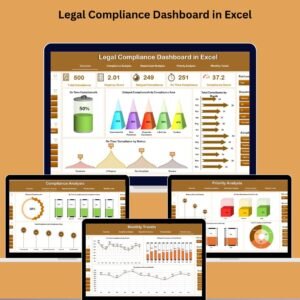
- Legal Compliance Dashboard in Excel: a dashboard to review compliance status
- Legal Compliance Checklist in Google Sheets: a Google Sheets checklist for the same job
Browse all Excel checklist templates.




Reviews
There are no reviews yet.