

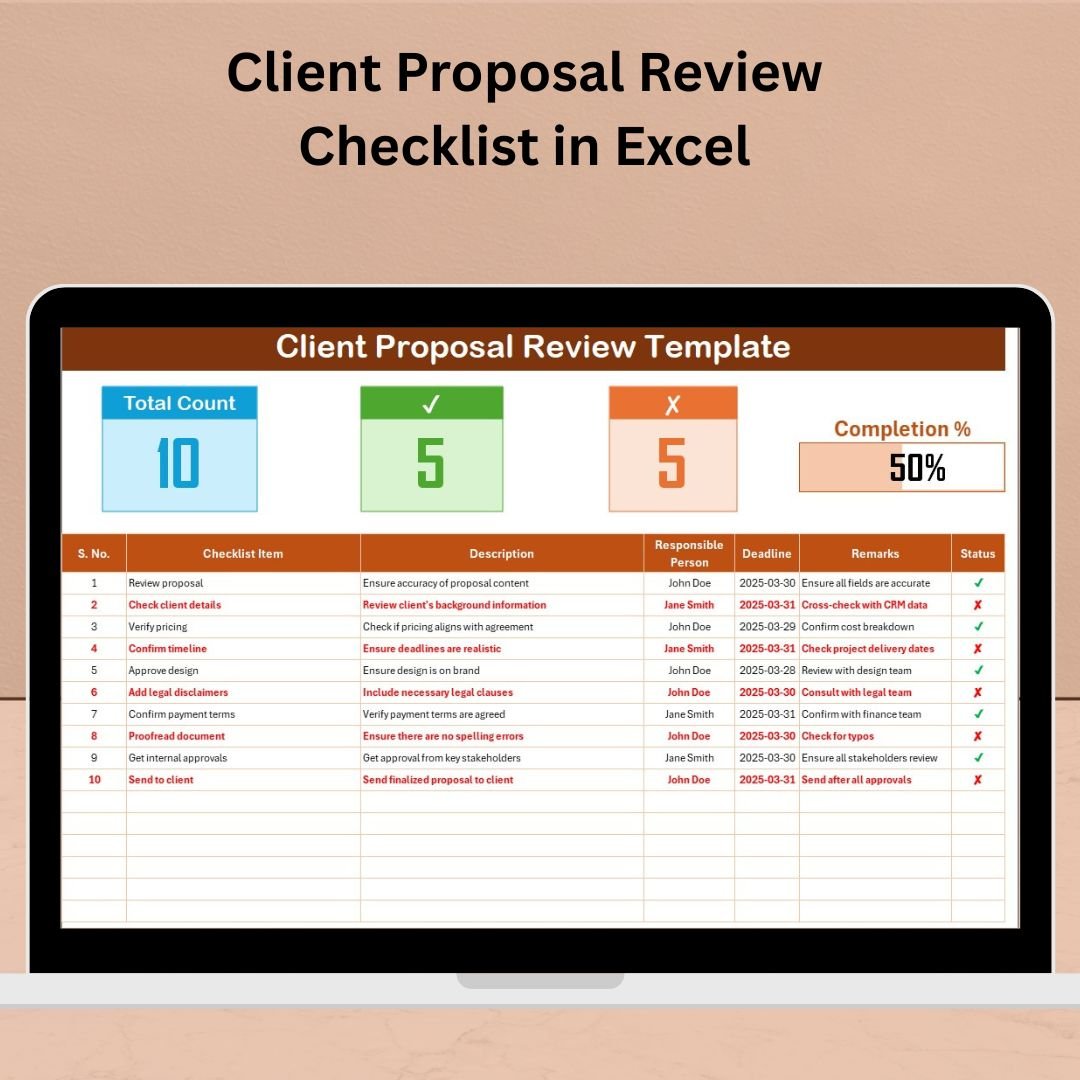


Reviewing client proposals is a critical step that demands accuracy, organization, and accountability. The Client Proposal Review Checklist in Excel is your go-to tool for managing and tracking every part of the proposal review process—without missing a beat. Whether you’re a project manager, business owner, or proposal team lead, this Excel template ensures that all review tasks are completed on time, by the right person, and with complete clarity.
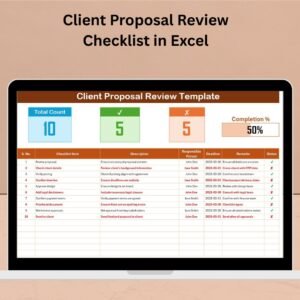
This user-friendly checklist provides automated progress tracking, dropdowns for task assignment, and a visual progress bar to help you review client proposals like a pro—all within the familiar Excel environment.
✨ Key Features of Client Proposal Review Checklist
✅ Smart Checklist Table
Organized into key columns:
✔ Serial No.
✔ Checklist Item
✔ Description
✔ Responsible Person (with dropdown)
✔ Deadline
✔ Remarks
✔ Status (✔ or ✘)
✅ Top Summary Section
Quickly see:
🔢 Total number of checklist items
✔ Count of completed tasks
✘ Count of missed items
📊 Progress bar showing review completion percentage
✅ Dropdown Assignment List
Assign tasks with ease using the dropdown list populated from the List Sheet Tab—no manual typing needed.
✅ List Sheet Tab for Team Management
Maintain a clean, editable list of responsible persons. As your team grows, simply update this tab and your dropdown list updates automatically.
✅ Visual Progress Tracker
Stay on top of proposal reviews with the live progress bar—visually see how much of the proposal is completed and what’s pending.
📂 What’s Inside the Excel Template
🟢 Client Proposal Review Checklist Sheet
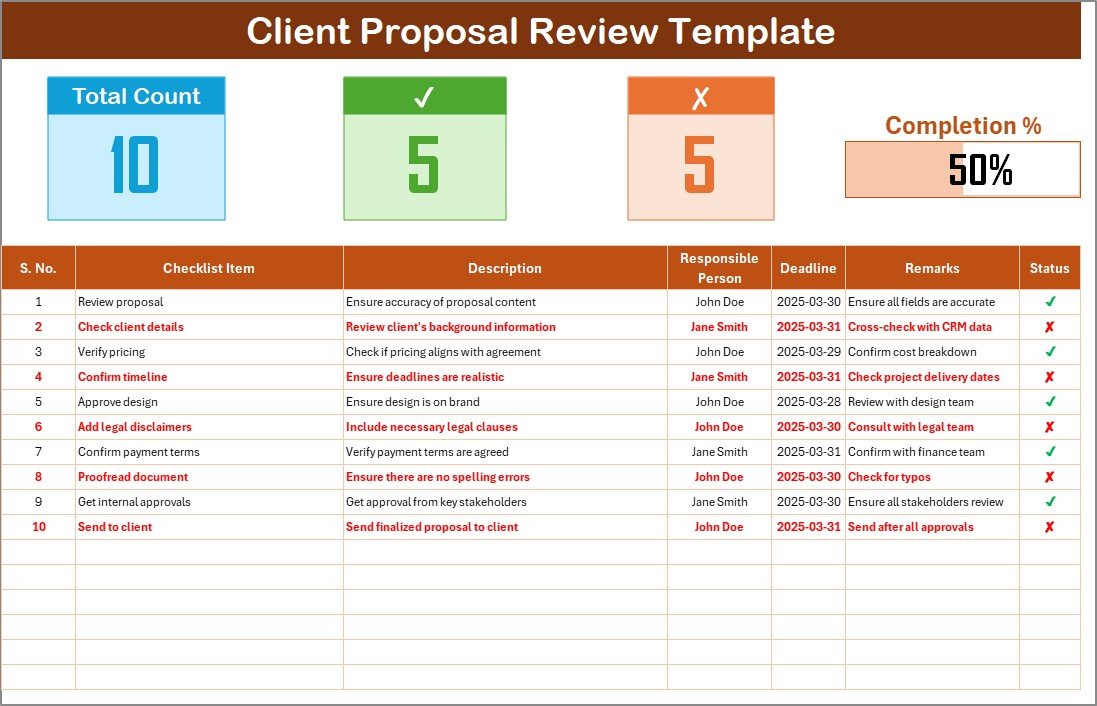
This is your central workspace. Add checklist items, assign responsibilities, set deadlines, and track statuses. The status-driven progress bar gives real-time visual updates.
🟢 List Sheet Tab
Populate your team members here. This list feeds the dropdowns in the main checklist, making task assignment fast and consistent.
🛠️ How to Use the Client Proposal Review Checklist
👉 Step 1: Input Your Proposal Checklist Items
Define each review item clearly for structured progress.
👉 Step 2: Assign Responsible Persons
Use the dropdown to assign reviewers from the list sheet.
👉 Step 3: Set Deadlines & Add Remarks
Make sure each item has a clear due date and space for reviewer comments.
👉 Step 4: Update Status as You Go
Mark ✔ for completed tasks or ✘ for incomplete ones. The progress bar will update instantly!
👉 Step 5: Track Progress Visually
Refer to the summary section at the top to gauge overall progress and adjust resources accordingly.
👥 Who Can Benefit from This Checklist?
📌 Project Managers – Organize and monitor review responsibilities
📌 Sales & Bid Teams – Ensure all proposal components are reviewed before submission
📌 Consultants & Freelancers – Maintain professional standards in client deliverables
📌 Small Business Owners – Keep internal teams accountable and proposals on track
📌 Agencies & Marketing Teams – Use for client pitch decks, campaign reviews, or RFPs
This tool is designed to suit any team or organization that frequently reviews client proposals and needs a structured way to manage the process.
🔧 Customize the Template to Fit Your Needs
🎨 Change colors, fonts, or cell sizes to match your branding
📌 Add extra columns (e.g., Priority, Proposal Type)
🔁 Extend the Responsible Person list as your team expands
🧮 Add custom formulas for more metrics like overdue tasks or average turnaround time
📑 Duplicate the checklist sheet for different proposals or clients
✅ Click here to read the Detailed blog post
🔗 Visit our YouTube channel to learn step-by-step video tutorials
Watch the step-by-step video tutorial:
Compatibility and Requirements
- Works in Microsoft Excel desktop (Excel 2016 or later, or Microsoft 365).
- Reviewers are assigned from a dropdown on the checklist sheet. Microsoft explains dropdowns in Create a drop-down list.
Frequently Asked Questions
Which sheets are included?
Two sheets: the Client Proposal Review Checklist sheet and the List Sheet Tab, which holds the names of your responsible persons.
What columns does the checklist have?
Serial No., Checklist Item, Description, Responsible Person, Deadline, Remarks and Status.
How do I assign a reviewer?
Pick the person from the Responsible Person dropdown. The names come from the List Sheet Tab, so add new team members there and they appear in the dropdown.
How is progress shown?
The summary at the top shows the total number of items, the completed count and the missed count. A progress bar shows the completion percentage and updates when you mark an item with a tick or a cross in the Status column.
Is there a similar checklist for monitoring proposals?
Yes. See the Client Proposal Monitoring Checklist in Excel.
Related Client Proposal Templates
- Client Proposal Checklist Template in Excel: a general checklist for client proposals
- Client Proposal Monitoring Checklist in Excel: follow proposals after they are sent
- Client Proposal Tracking Checklist in Excel: track proposal tasks and status
- Client Proposal Documentation Checklist in Excel: check the documents that go with a proposal
- Monthly Review Checklist in Excel: a recurring review checklist
Browse all Excel checklist templates.































Reviews
There are no reviews yet.