

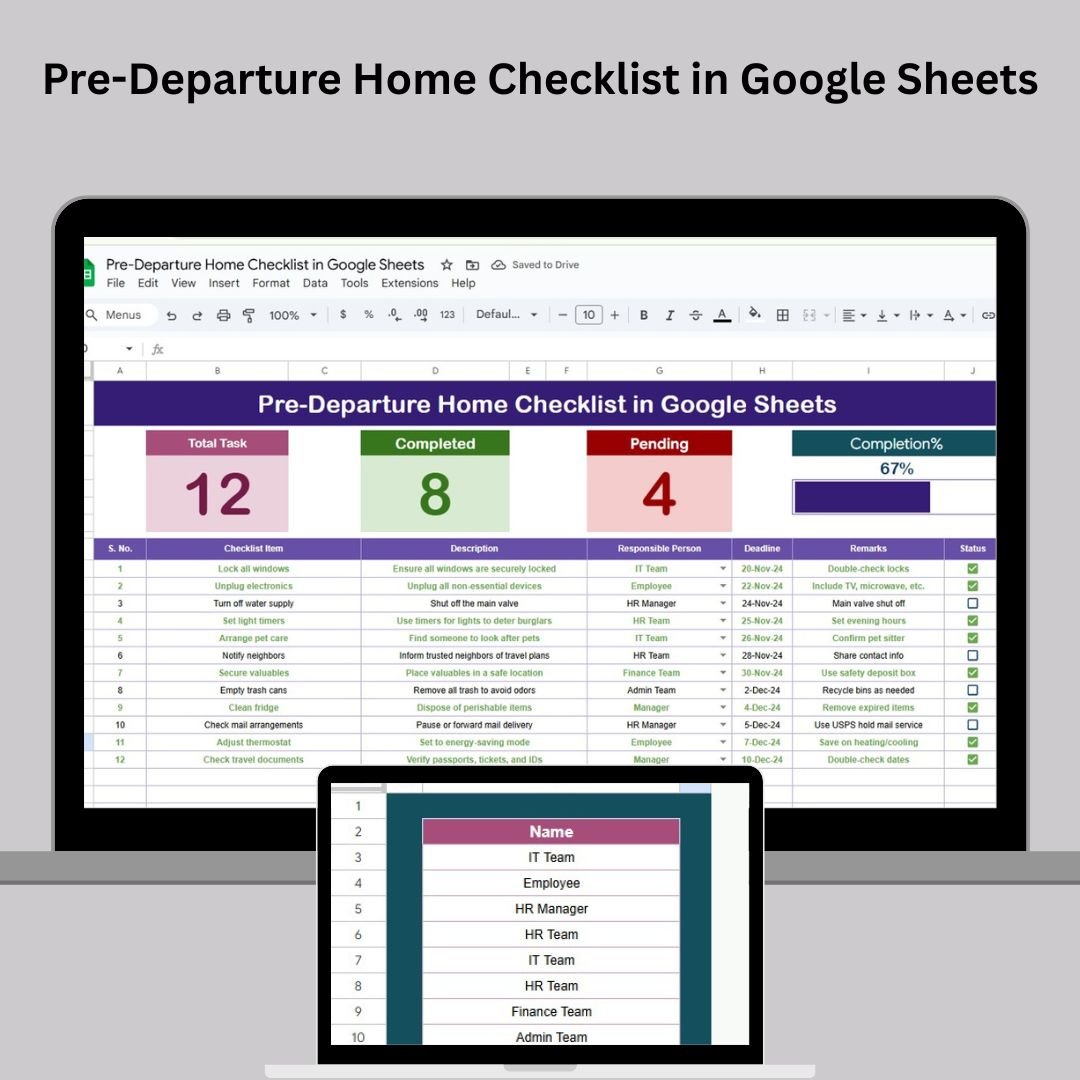

The Pre-Departure Home Checklist in Google Sheets is the perfect tool to help you stay organized and ensure that all your tasks are completed before leaving your home. Whether you’re moving to a new location or just going on a trip, this checklist provides a clear and structured approach to managing essential tasks like packing, notifying utilities, and securing your home. With its user-friendly design and real-time updates, this Google Sheets template will make your departure process much smoother.
🔑 Key Features of the Pre-Departure Home Checklist:
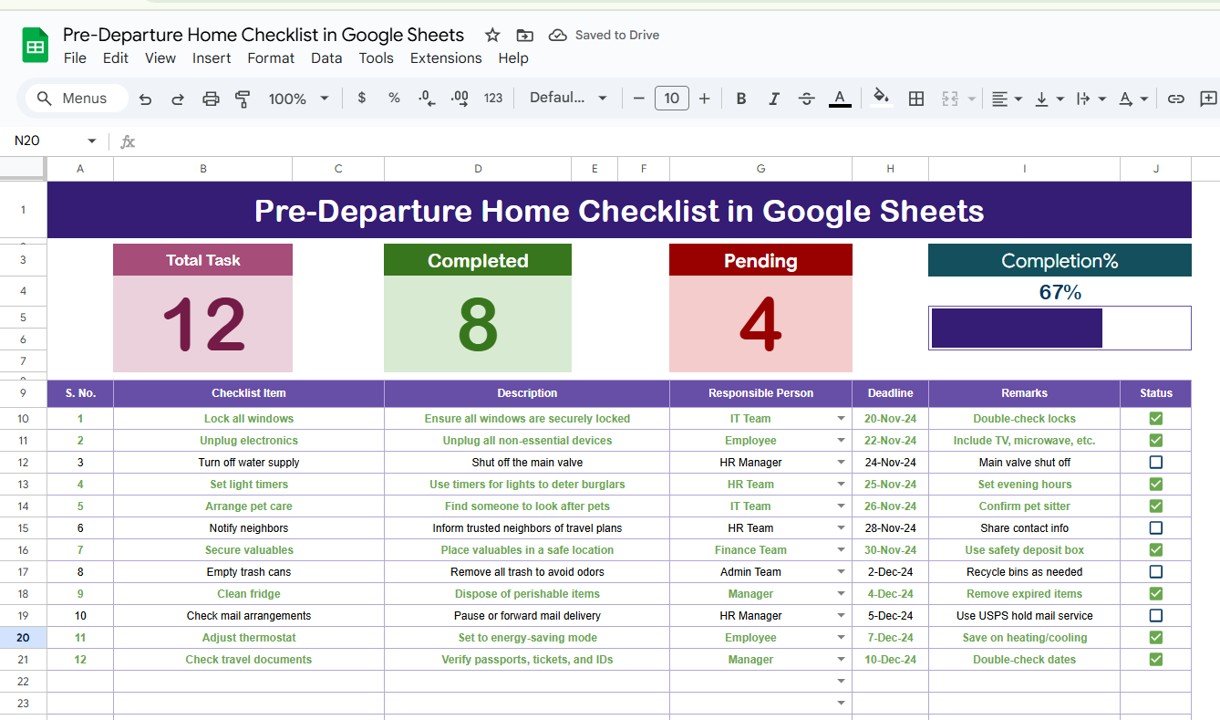
Total, Completed, and Pending Counts: Easily track your progress with automatic counters for tasks that are complete or still pending.
Progress Bar: Get a visual overview of your progress with a dynamic progress bar that updates as tasks are marked as completed.
Task Assignment: Assign tasks to different people, ensuring that everyone knows their responsibilities.
Customizable Columns: Tailor the checklist to suit your specific needs by adding or removing tasks and customizing the responsible person and deadlines.
Real-Time Updates: Edit the checklist from anywhere, on any device, and see updates in real time.
Collaboration-Friendly: Share the checklist with others to easily collaborate on the tasks that need to be completed.
What’s Inside the Pre-Departure Home Checklist Template 📋💼
The Pre-Departure Home Checklist template contains two essential worksheets that will help you keep track of all the tasks you need to complete before leaving:
Pre-Departure Home Checklist Sheet: The main sheet where you’ll list and track all the tasks. It includes:
Total Count: Displays the total number of tasks to be completed.
Completed Count: Displays how many tasks have been marked as completed.
Pending Count: Displays how many tasks are still pending.
Checklist Table: A detailed list of tasks, with columns for task name, description, responsible person, deadline, remarks, and status (✔ for completed, ✘ for pending).
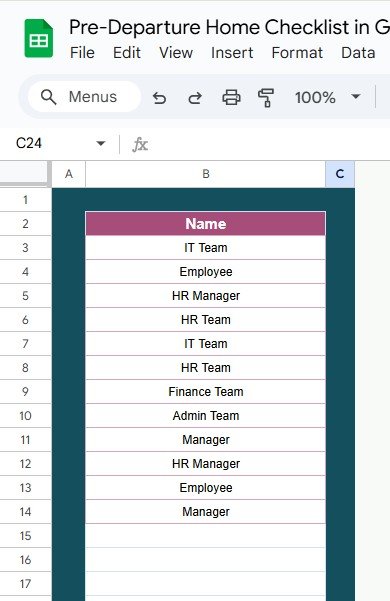
List Sheet: This sheet contains a list of all individuals responsible for completing tasks. You can use this list to create a drop-down menu for assigning tasks in the checklist, ensuring clarity and consistency when assigning responsibilities.
How to Use the Pre-Departure Home Checklist in Google Sheets 📝📅
Using the Pre-Departure Home Checklist is easy and efficient. Here’s how to get started:
Download and Open the Template: Open the template in Google Sheets and start entering your tasks.
Assign Tasks: Assign tasks to the right individuals using the drop-down list in the “Responsible Person” column.
Set Deadlines: Set realistic deadlines for each task to ensure they’re completed on time.
Track Progress: Update the status of tasks regularly as they are completed. The progress bar will update automatically.
Collaborate: Share the checklist with others, allowing your team or family members to update their assigned tasks in real-time.
Who Can Benefit from This Pre-Departure Home Checklist? 🏠🌎
This checklist is ideal for anyone who is preparing to leave their home, whether it’s for a short-term trip or a long-term move. It’s especially useful for:
Homeowners/Apartment Renters: Track your move-out tasks, including cleaning, utility cancellations, and securing the property.
Travelers: Prepare for trips by ensuring you’ve packed everything, notified relevant parties, and secured your home.
Roommates and Family Members: Collaborate on tasks for shared homes, ensuring all responsibilities are covered before departure.
Property Managers: Use the checklist to streamline move-out preparations and ensure nothing is missed when managing properties.
Advantages of Using the Pre-Departure Home Checklist Template 🔑📊
Stay Organized: Keep track of all necessary tasks with a clear list that ensures nothing is overlooked.
Real-Time Updates: Make updates from anywhere and have your progress reflected in real-time.
Easy Task Assignment: Assign tasks to individuals, ensuring that everyone knows their responsibilities.
Visual Progress Tracking: Use the progress bar to visually track how much work has been completed and what’s still pending.
Customizable to Your Needs: Adapt the checklist to suit your specific needs by adding, removing, or modifying tasks.
Collaboration-Friendly: Share the checklist with others for seamless collaboration, making the process more efficient and less stressful.
Click here to read the Detailed Blog Post 📖
Visit our YouTube Channel to Learn Step-by-Step Video Tutorials 🎥
YouTube.com/@NeotechNavigators
Watch the step-by-step video Demo:
Compatibility and Requirements
- Works in Google Sheets. You need a free Google account and a web browser.
- You pick each person in the Responsible Person column from a dropdown that reads from the List sheet. Google explains dropdowns in Create an in-cell dropdown list.
Frequently Asked Questions
Which sheets are included?
Two sheets: the Pre-Departure Home Checklist sheet and the List sheet. The checklist sheet holds the task table, the Total, Completed and Pending counts and the progress bar. The List sheet holds the names of the people who can be assigned tasks.
What columns does the task table have?
Task name, description, responsible person, deadline, remarks and status. The status column uses a tick for completed tasks and a cross for pending ones.
How do I assign a task to someone?
Add the person’s name to the List sheet, then choose it from the dropdown in the Responsible Person column of the task row.
Does the progress bar update by itself?
Yes. When you change a task status, the Completed and Pending counts and the progress bar update automatically.
Is there an Excel version?
Yes. See the Pre-Departure Home Checklist in Excel.
Related Checklist Templates
- Pre-Departure Home Checklist in Excel: the same checklist for Excel
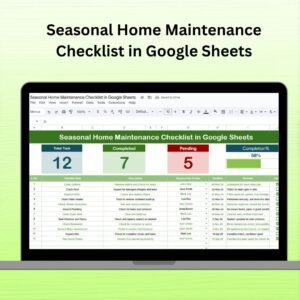
- Seasonal Home Maintenance Checklist in Google Sheets: recurring home tasks by season
- Travel Insurance Checklist in Google Sheets: a checklist for travel insurance
- Project Management Checklist in Google Sheets: the same task-tracking layout for projects
- Home Renovation Budget Tracker in Google Sheets: track costs for home projects
Browse all Google Sheets checklists.
























Reviews
There are no reviews yet.