

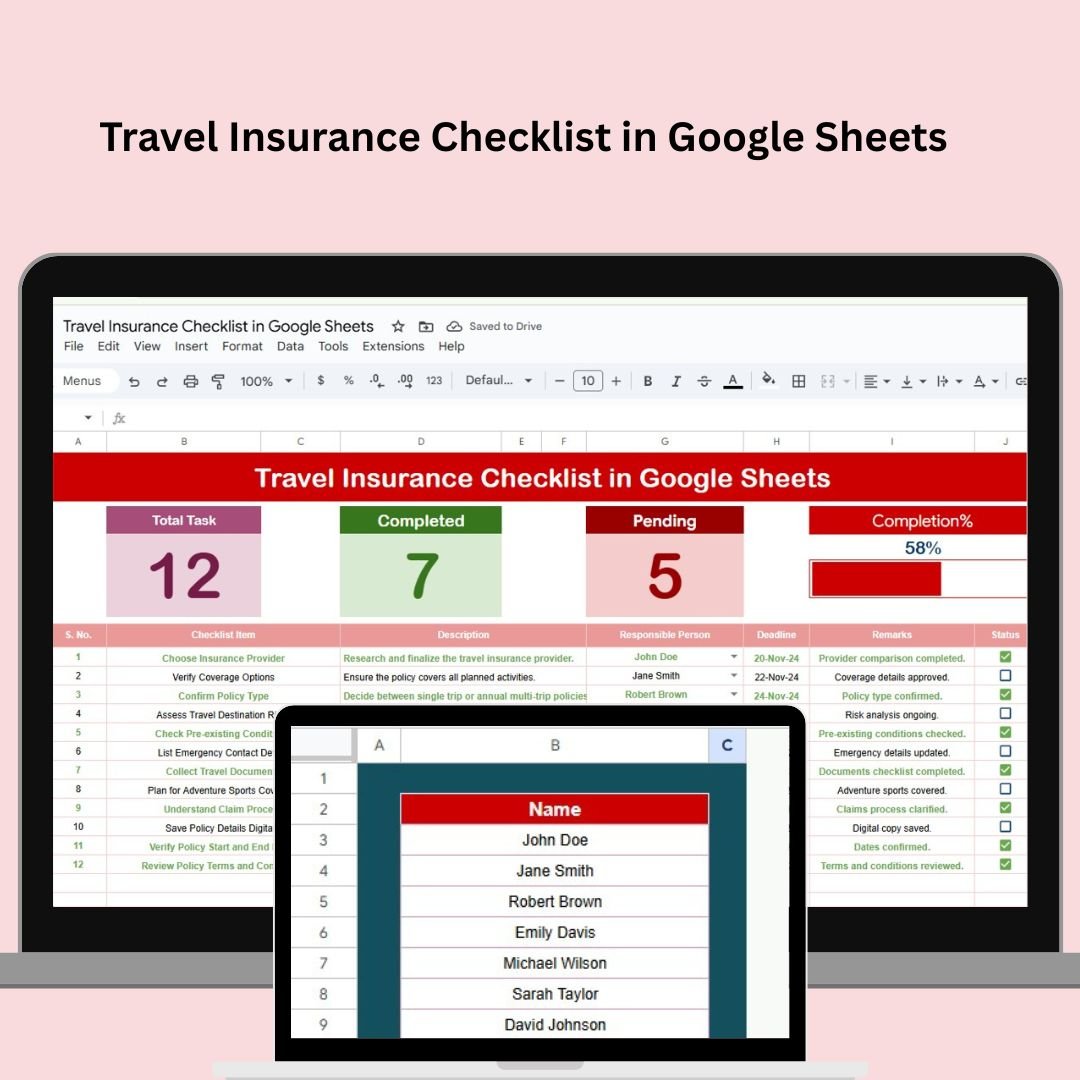

The Travel Insurance Checklist in Google Sheets is an essential tool designed to help travelers stay organized and ensure they secure the right insurance coverage for their trips. Whether you’re preparing for a solo adventure or planning a family vacation, this checklist streamlines the process by keeping track of every essential step, from policy comparisons to document submissions. No task will be left behind with this simple, efficient, and accessible tool.
🔑 Key Features of the Travel Insurance Checklist:
Real-Time Updates: Keep everything up-to-date with automatic updates as tasks are completed.
Progress Bar: Visualize your task completion percentage with a built-in progress bar.
Easy Collaboration: Share with family members or travel teams for real-time updates and collaboration.
Task Tracking: Mark tasks as ✔ (completed) or ✘ (pending) and track your progress.
Customizable: Easily tailor the checklist for different trips or personal insurance needs.
What’s Inside the Travel Insurance Checklist Template 📝📅
Inside this Travel Insurance Checklist Template, you will find two key worksheets to keep you on top of every detail during your insurance process:
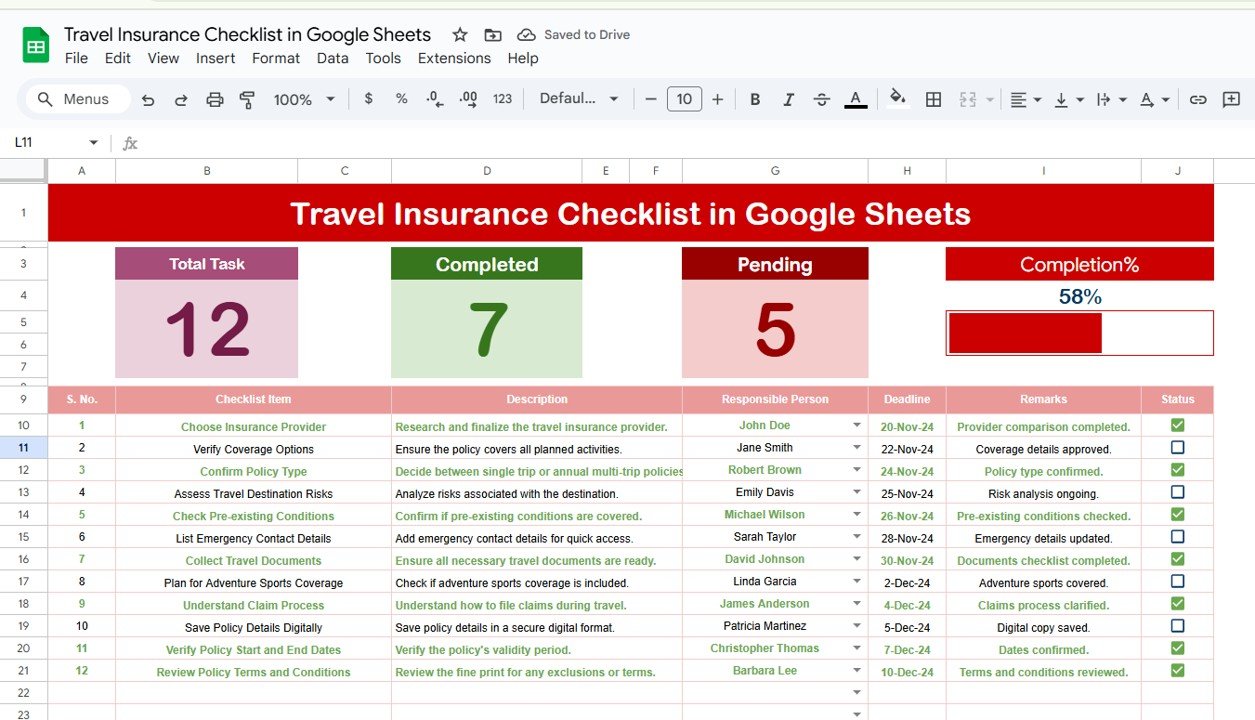
Main Sheet (Travel Insurance Checklist): This is where you manage all the tasks related to your travel insurance. It includes:
Total Count: The total number of tasks listed in the checklist.
Completed and Pending Counts: Easily track tasks that are done and those still pending.
Progress Bar: Visual representation of your progress.
Checklist Table: Record tasks with columns for serial number, task name, description, responsible person, deadline, remarks, and task status (✔ or ✘).
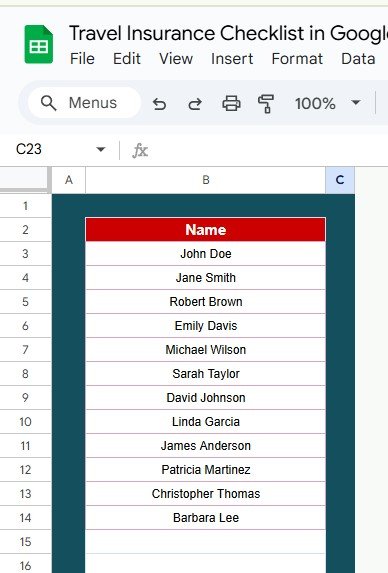
List Sheet: This is where you manage the list of responsible persons for each task. The Responsible Person column in the Main Sheet will display a drop-down list for easy task assignment, ensuring clear accountability.
How to Use the Travel Insurance Checklist in Google Sheets 🧳✅
To make the most of the Travel Insurance Checklist, follow these simple steps:
Download and Open the Template: Open the Google Sheets template to get started.
Update Tasks: Regularly update the status of tasks (✔ or ✘) as you go through the insurance process.
Assign Responsibilities: Use the drop-down list in the checklist to assign tasks to the right individuals.
Set Deadlines: Make sure each task has a deadline to ensure you stay on track and nothing is left until the last minute.
Monitor Progress: Use the Progress Bar to visualize how much of the task list has been completed and how much is still pending.
Who Can Benefit from This Travel Insurance Checklist? 🌍💼
This template is perfect for anyone involved in securing travel insurance, whether it’s for a solo trip, family vacation, or business travel. Travelers, insurance agents, and those handling travel plans for groups or teams will find this checklist invaluable.
Solo Travelers: Ensure all tasks, from policy comparison to document submission, are completed before your trip.
Family Vacation Planners: Track insurance coverage for multiple family members with ease.
Business Travelers: Stay on top of business trip insurance requirements, making sure you’re covered during work-related travel.
Insurance Agents: Use this template to manage clients’ insurance tasks efficiently.
Advantages of Using the Travel Insurance Checklist Template 🌟📋
Improved Task Management: Track every step and ensure that nothing is overlooked, helping you stay organized throughout the entire insurance process.
Collaboration-Friendly: Easily share with team members, family, or travel partners to keep everyone informed and aligned.
Progress Monitoring: The visual progress bar gives you an instant snapshot of how much has been completed and what’s left to do.
Accountability: Clear task assignment ensures that the right people are responsible for completing each task on time.
Customizable: Adapt the checklist for different types of travel or insurance needs.
Click here to read the Detailed Blog Post 📖
Visit our YouTube Channel to Learn Step-by-Step Video Tutorials 🎥
Watch the step-by-step video Demo:
YouTube.com/@NeotechNavigators
Compatibility and Requirements
- Works in Google Sheets. You need a free Google account and a web browser.
- The Responsible Person column on the main sheet uses a dropdown list that is filled from the List sheet. Google explains dropdowns in Create an in-cell dropdown list.
Frequently Asked Questions
Which sheets are included?
Two sheets: the main Travel Insurance Checklist sheet and a List sheet that holds the names of responsible persons.
What columns does the checklist table have?
Serial number, task name, description, responsible person, deadline, remarks and task status.
How do I mark a task as done?
Set the task status to ✔ for completed or ✘ for pending. The total, completed and pending counts and the progress bar update from those marks.
How do I assign a task to someone?
Add the person’s name on the List sheet. It then appears in the Responsible Person dropdown on the main sheet.
Is there an Excel version?
Yes. See the Travel Insurance Checklist Template in Excel.
Related Travel and Insurance Templates
- Travel Insurance Checklist Template in Excel: the same checklist in Excel
- Travel Insurance Request Tracker in Google Sheets: a tracker for insurance requests
- Insurance Coverage Checklist Template in Excel: a checklist for coverage items
- Pre-Travel Documentation Checklist Template in Excel: documents to prepare before a trip
- Google Sheets Starter Pack: 12 Google Sheets templates in one download
Browse all Google Sheets checklists.








Reviews
There are no reviews yet.