

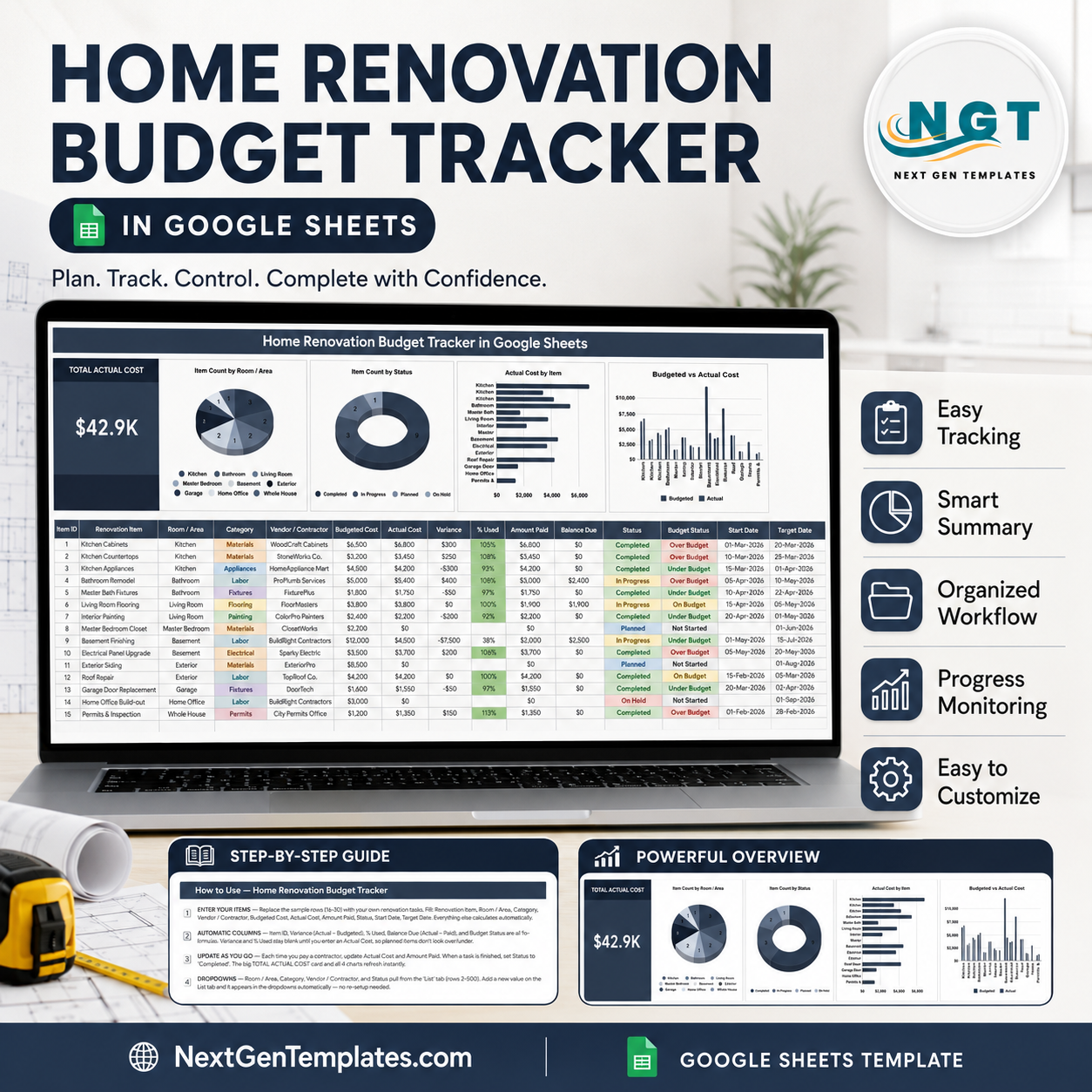
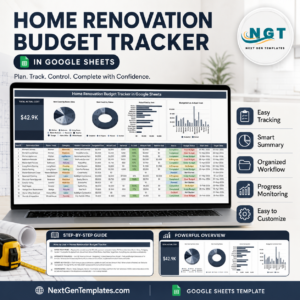
A mid-range major kitchen remodel in the US ran about $27,000 in 2024 and a mid-range bathroom remodel about $12,000, and contractor surveys keep putting a cost overrun on roughly one project in three. The Home Renovation Budget Tracker in Google Sheets is a one-page answer to that problem: 16 columns per renovation item, 5 of them calculated for you, 4 live charts, and a Total Actual Cost card that reads $42.9K on the sample build. It arrives with 15 worked example rows spanning kitchen, bathroom, basement, exterior and permits, so you can see the arithmetic before you type anything. Instant download, works in any free Google account, no add-ons and no subscription. If the layout does not fit your project, email [email protected] and we will help you adapt it.
Key Features of Home Renovation Budget Tracker in Google Sheets
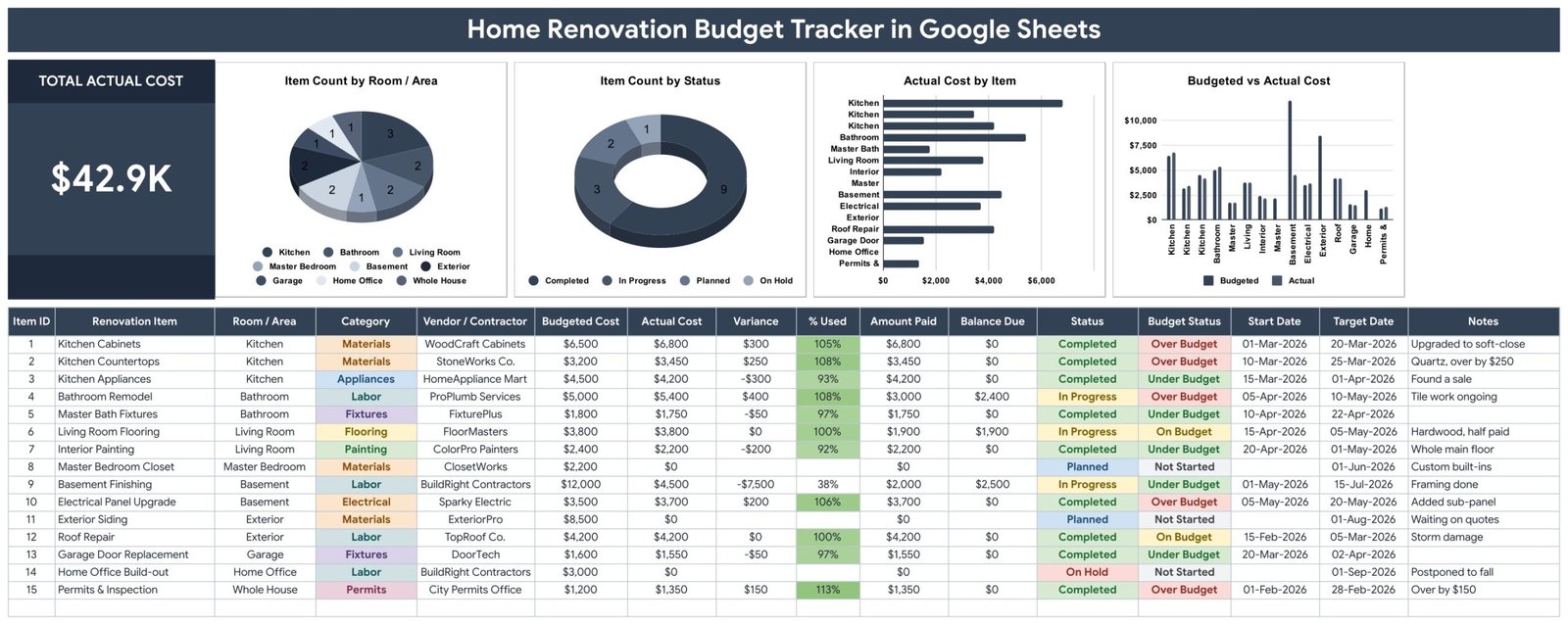
- Total Actual Cost card. One oversized figure at the top left, recalculated the moment any Actual Cost changes, so the running spend is never more than a glance away.
- Budgeted vs Actual Cost chart. A paired column chart per item that shows exactly where the plan and the invoice parted company – the sample build makes the $12,000 basement line obvious at a glance.
- Actual Cost by Item chart. A ranked bar chart so the three or four lines carrying most of the project cost separate themselves from the noise.
- Item Count by Room / Area and Item Count by Status. A pie and a donut that answer “how much of this project is still open, and where is it” without a pivot table.
- Automatic Variance and % Used. Variance is Actual minus Budgeted; % Used is the share of the budget consumed. Both stay blank until an Actual Cost exists, so planned work is not reported as under budget.
- Balance Due per contractor. Actual Cost minus Amount Paid, per line, so a half-paid flooring job shows $1,900 still owed instead of hiding inside a total.
- Budget Status flag. Each row is labelled Over Budget, Under Budget, On Budget or Not Started by formula – no manual colouring.
- Two-date scheduling. Start Date and Target Date per item, so a budget tracker doubles as a light renovation schedule.
- Dropdowns that grow with you. Room / Area, Category, Vendor / Contractor and Status read from the List tab (rows 2-500). Add a new contractor there and it appears in the dropdown immediately.
- Charts that read the data directly. All four use the built-in Aggregate option against rows 16-1000, so new items appear in the charts with no helper tables and nothing to re-point.
What’s Inside the Home Renovation Budget Tracker in Google Sheets
Tracker sheet
The working page. A dark title banner, the Total Actual Cost card, the four charts in a row, then the item table underneath. The table carries Item ID, Renovation Item, Room / Area, Category, Vendor / Contractor, Budgeted Cost, Actual Cost, Variance, % Used, Amount Paid, Balance Due, Status, Budget Status, Start Date, Target Date and Notes. Fifteen sample rows are supplied – Kitchen Cabinets through Permits & Inspection – and the formulas run to row 1000.
List sheet
The lookup tab behind every dropdown. Rooms (Kitchen, Bathroom, Living Room, Master Bedroom, Basement, Exterior, Garage, Home Office, Whole House), categories (Materials, Labor, Appliances, Fixtures, Flooring, Painting, Electrical, Permits), contractors and the four status values. Edit here, not in the data table.
How to Use sheet
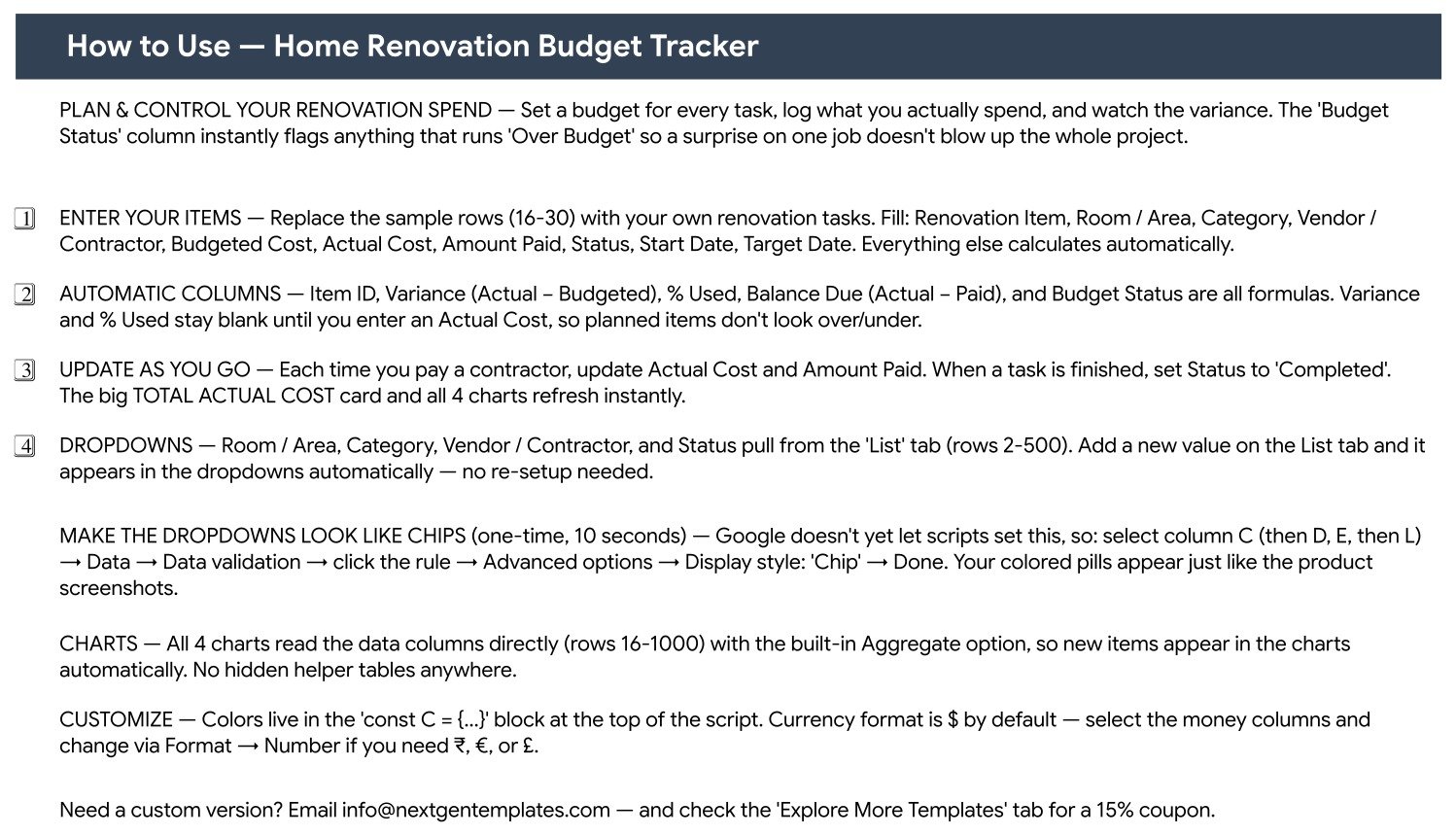
A four-step setup written into the file: enter your items, understand which columns calculate themselves, update as you pay, and extend the dropdowns. It also covers the ten-second step to turn the status dropdowns into coloured chips and where to change the currency format.
Explore More Templates sheet
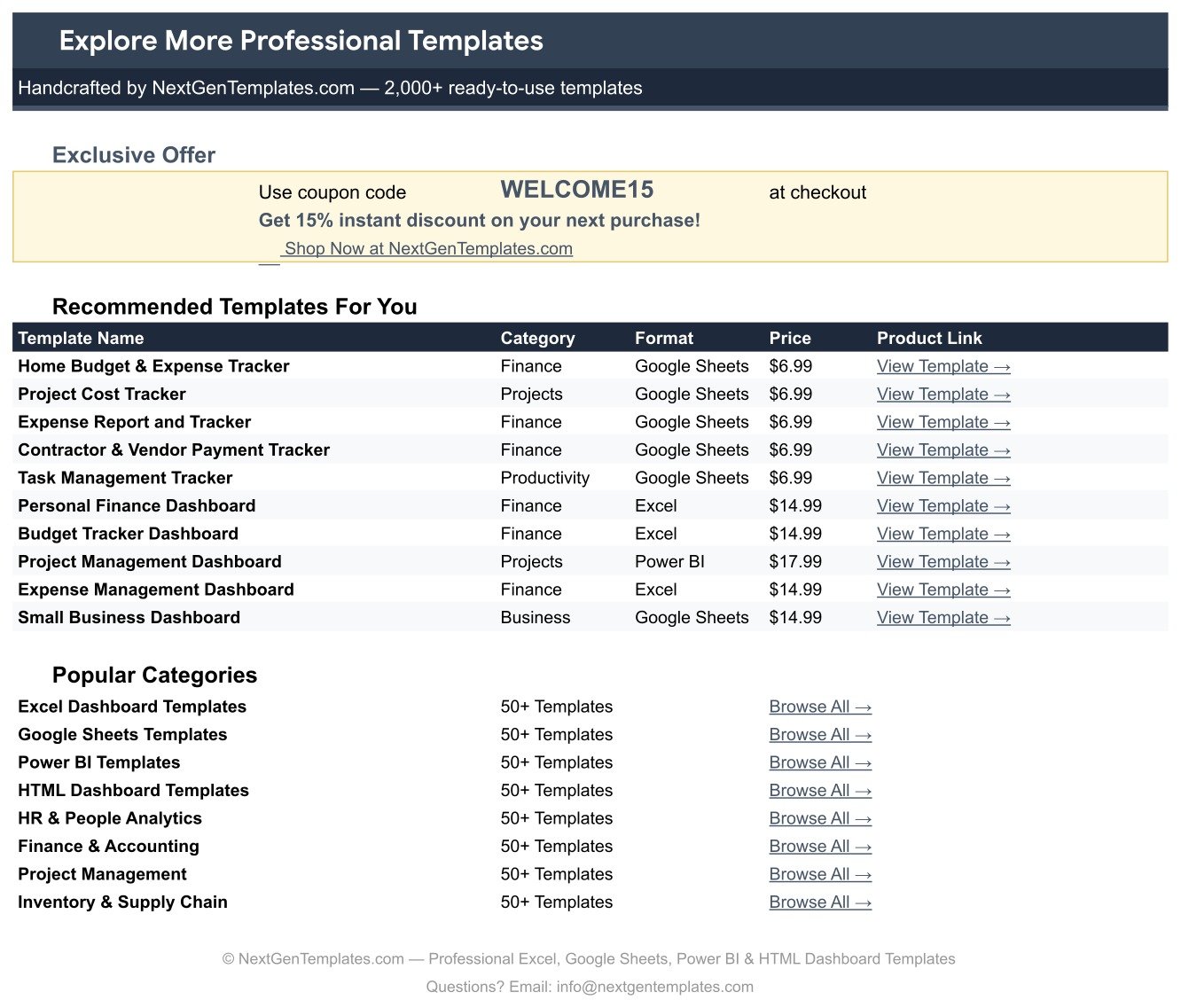
A WELCOME15 coupon for 15% off your next purchase, plus links to related trackers and category pages.
Home Renovation Budget Tracker in Google Sheets vs. Excel vs. Paid Renovation SaaS – Where This Fits
| This template (Google Sheets) | Excel renovation budget file | Paid renovation SaaS | |
|---|---|---|---|
| Cost | $6.99 one time | $6 to $20 one time, plus Office | Typically $85 to $399 per month |
| Platform | Any browser, free Google account | Desktop Excel or Microsoft 365 | Web plus vendor mobile app |
| Setup time | Under 10 minutes from the copy link | 15 to 30 minutes | Onboarding call, often 1 to 2 weeks |
| Real-time collaboration | Yes, native and simultaneous | Only with OneDrive co-authoring | Yes, with seat licences |
| Mobile access | Yes, Google Sheets app | Limited on the Excel app | Yes |
| Customizable fields | Yes, unlocked sheet, edit anything | Yes | Restricted to the vendor’s schema |
| Share with link | Yes, view, comment or edit | File attachment or OneDrive link | Invite by seat |
| Year-1 cost at 5 users | $6.99 | $6 to $20 plus licences | $1,000 and up |
| Vendor and payment tracking | Amount Paid and Balance Due per line | Usually manual | Yes, with invoicing |
| Over-budget flag | Automatic per line | Manual conditional formatting | Yes |
Who This Template Is For – and Who It’s Not For
It fits homeowners running a single renovation of roughly 10 to 200 line items; couples splitting a remodel budget who both need to see the same figures; landlords turning over a unit between tenants; and small contractors who want one shared page per client job rather than a project management subscription.
It does not fit a builder running twenty concurrent jobs with crew scheduling and change orders – that is genuinely SaaS territory. It is not an accounting system: it records what you paid a contractor, not your tax position. And it is not a takeoff or estimating tool, so it will not price materials for you. If you need a fuller project view with milestones and approvals, the Home Renovation Project Management Web App is the step up.
How to Use the Home Renovation Budget Tracker in Google Sheets
- Open the PDF in your download and click the Make a copy link. The tracker lands in your own Google Drive, fully editable.
- Replace the sample rows (16-30) with your own scope. Fill Renovation Item, Room / Area, Category, Vendor / Contractor, Budgeted Cost, Status, Start Date and Target Date.
- Leave the calculated columns alone. Item ID, Variance, % Used, Balance Due and Budget Status fill themselves in.
- Enter Actual Cost and Amount Paid as invoices land. The Total Actual Cost card and all four charts refresh instantly.
- Extend the List tab with your own rooms, categories and contractors. New values appear in the dropdowns straight away.
- Optional, ten seconds: select the Category, Vendor and Status columns, then Data, Data validation, click the rule, Advanced options, Display style: Chip – the coloured pills in the screenshots.
Real-World Use Cases
Dana, first-time renovator, $45K whole-house refresh. Dana enters 15 items at quote stage, then updates Actual Cost as each invoice arrives. When Kitchen Cabinets come back at $6,800 against a $6,500 budget, the Budget Status column flips to Over Budget, and Dana trims $300 from the exterior siding line before ordering.
Marcus, landlord, three-week unit turnover. Marcus keeps one copy per unit. Room / Area splits the work across Kitchen, Bathroom and Whole House, the Item Count by Status donut tells him at a glance that nine of fifteen items are Completed and three are still In Progress, and Balance Due tells him what he still owes his painter.
Priya, small remodelling contractor. Priya shares a view-only link with each client. The Budgeted vs Actual chart replaces the weekly “where are we on money” phone call, and the Notes column carries the reason for every variance, which ends most disputes before they start.
Frequently Asked Questions
Do I need a paid Google account?
No. Any free Google account can open, copy and use the tracker. There is nothing to install and no add-on to authorise.
How many renovation items can I track?
The formulas and chart ranges run to row 1000, which is 985 items after the 15 samples. That is well beyond a single home project.
Can my partner or contractor edit the same copy?
Yes, simultaneously. You can also hand out view-only or comment access so a contractor can follow progress without changing your figures.
Can I change the currency from dollars?
Yes. Select the money columns and use Format, then Number. The dollar sample data is a placeholder only.Home Renovation Budget Tracker in Google Sheets
Why do my dropdowns show plain text instead of coloured chips?
Google does not let a script set the chip display style. Select the column, then Data, Data validation, click the rule, Advanced options, Display style: Chip. It takes about ten seconds per column.Home Renovation Budget Tracker in Google Sheets
What exactly do I download?
A PDF that carries the Make a copy link for the Google Sheet, along with the setup notes. Google Sheets templates are delivered this way so the copy always lands in your own Drive.Home Renovation Budget Tracker in Google Sheets
Will new items appear in the charts automatically?
Yes. All four charts read the data columns directly with the built-in Aggregate option, so anything you add between rows 16 and 1000 is picked up without touching a chart range.Home Renovation Budget Tracker in Google Sheets
About the Author
Built by PK – Microsoft Certified Professional with 15+ years of Excel, Google Sheets, and Power BI experience. Founder of NextGenTemplates, reaching 300K+ subscribers across YouTube channels. Every template is hand-built and tested before release.
Explore Related Templates
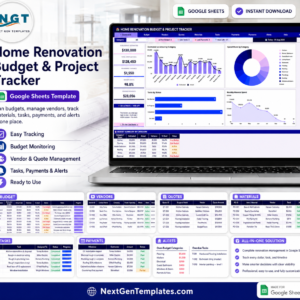
- Home Renovation Budget and Project Tracker in Google Sheets – the larger build, with a project view alongside the money.
- Annual Family Budget Tracker in Google Sheets – for the household budget the renovation is coming out of.
- Utility Bills & Usage Tracker in Google Sheets – useful once new appliances and insulation change your running costs.
- Wedding Budget Tracker in Google Sheets – the same one-page budget pattern for a different big spend.
- Money Lent & Borrowed Tracker in Google Sheets – for the family loan that part-funds the work.
- Browse every Google Sheets tracker or the full Google Sheets template catalogue.
Get the Home Renovation Budget Tracker in Google Sheets now – download the PDF, click the copy link, and have your first ten renovation items budgeted in under ten minutes. Questions or a custom version? Email [email protected].
Watch the step-by-step video Demo:
Last updated: 13 August 2026.
































Reviews
There are no reviews yet.