

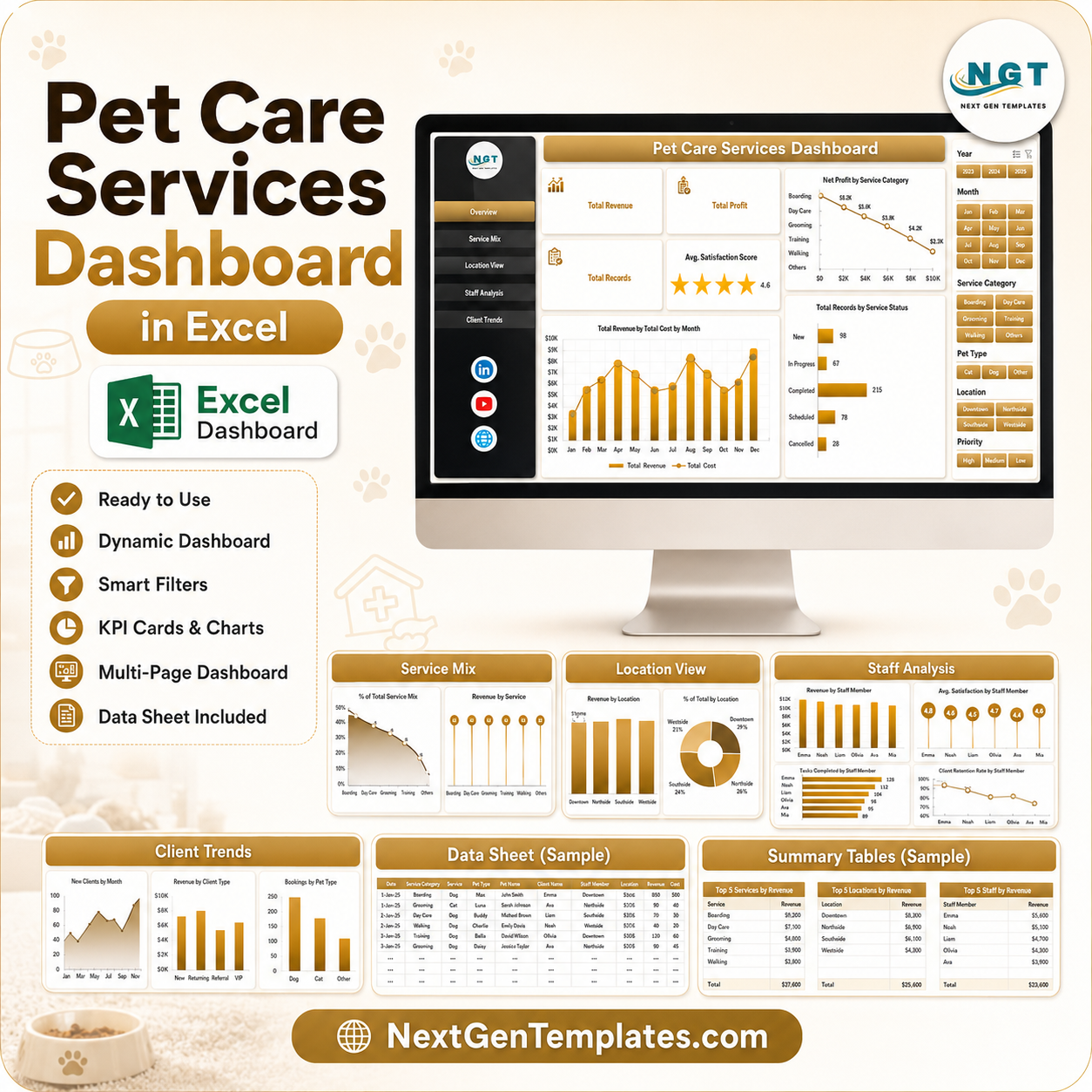



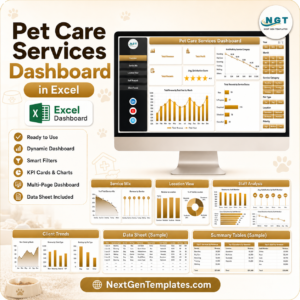
Pet Care Services Dashboard in Excel gives pet grooming salons, daycare centers, boarding facilities, trainers, veterinary support teams, and multi-location pet care businesses a ready-to-use reporting workbook with 7 worksheet tabs, 4 KPI cards, multiple slicers, and 18 focused chart views. Replace the sample data, click Refresh All, and review revenue, net profit, service mix, staff performance, client trends, satisfaction, booking channels, and location results in one Excel file. Built by PK, a Microsoft Certified Professional with 15+ years of spreadsheet experience and 300K+ YouTube subscribers, this is a practical one-time-purchase dashboard for monthly business review.
Key Features of Pet Care Services Dashboard in Excel
- 4 KPI cards: Total Revenue, Net Profit, Total Records, and Avg. Satisfaction Score.
- 18 analysis views: Cover service categories, months, statuses, pet types, staff, revenue bands, locations, booking channels, and repeat clients.
- Interactive slicers: Filter the dashboard quickly without rebuilding pivot charts.
- Staff performance tracking: Compare revenue, cost, satisfaction, follow-ups, and repeat client percentage.
- Location intelligence: Review profit, completion percentage, service hours, and booking revenue by location.
- Refresh-ready pivots: Update the Data Sheet and use Data > Refresh All to refresh the whole dashboard.
What’s Inside the Pet Care Services Dashboard in Excel
The workbook includes Overview, Service Mix, Location View, Staff Analysis, Client Trends, Data Sheet, and Support Sheet tabs. Each page answers a different management question so owners can move from high-level results to service, staff, client, and location detail.
Overview Page
The Overview page shows Total Revenue, Net Profit, Total Records, and Avg. Satisfaction Score. It also includes Net Profit by Service Category, Total Revenue vs. Total Cost by Month, and Total Records by Service Status.
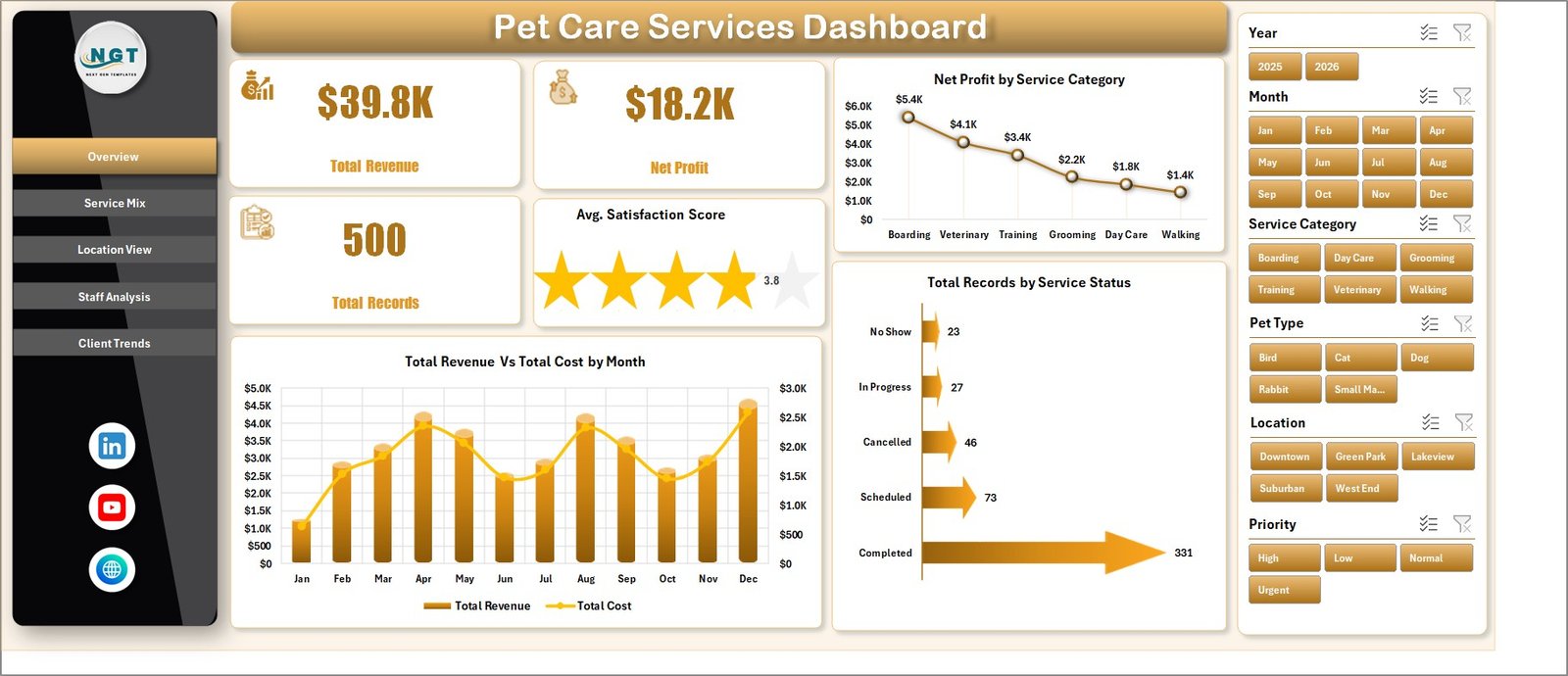
Pet Care Services Dashboard in Excel
Service Mix
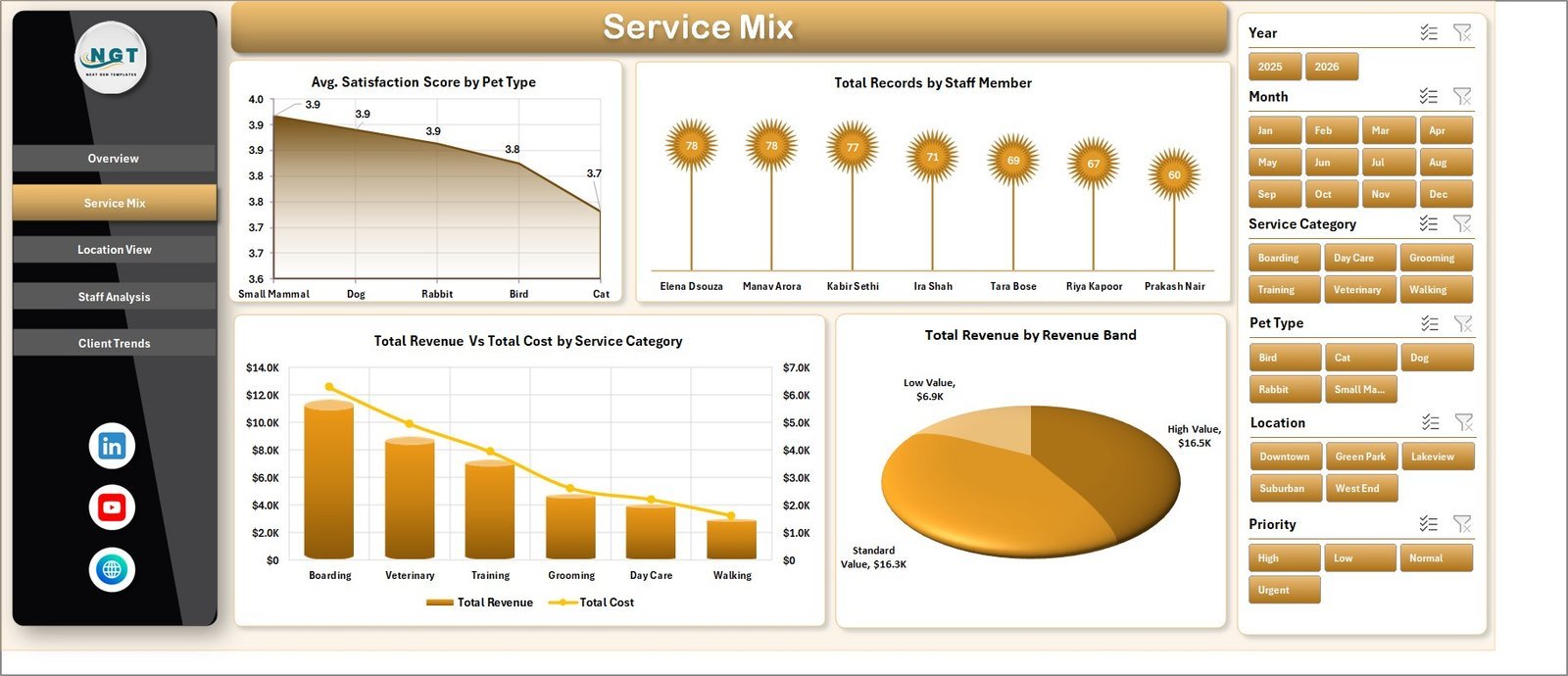
The Service Mix page includes Avg. Satisfaction Score by Pet Type, Total Records by Staff Member, Total Revenue vs. Total Cost by Service Category, and Total Revenue by Revenue Band.
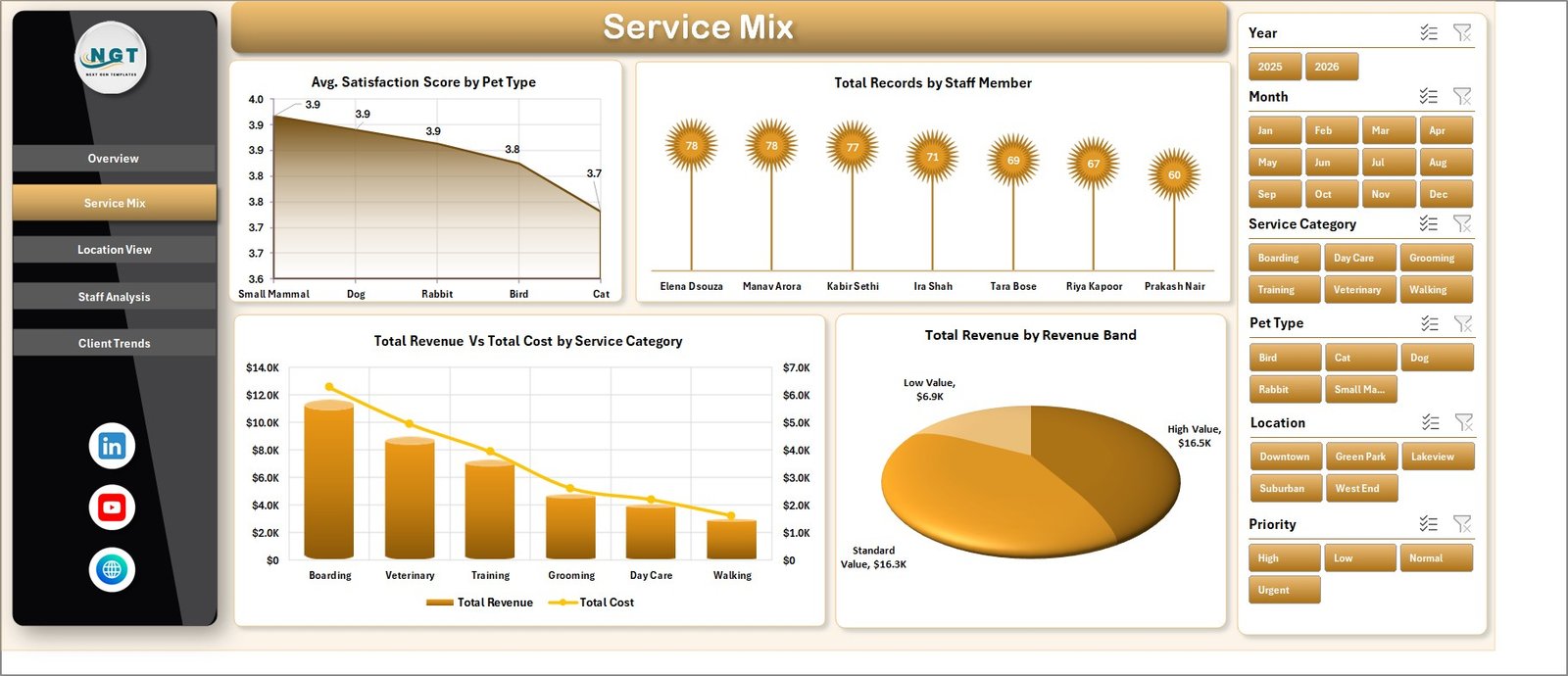
Service Mix
Location View
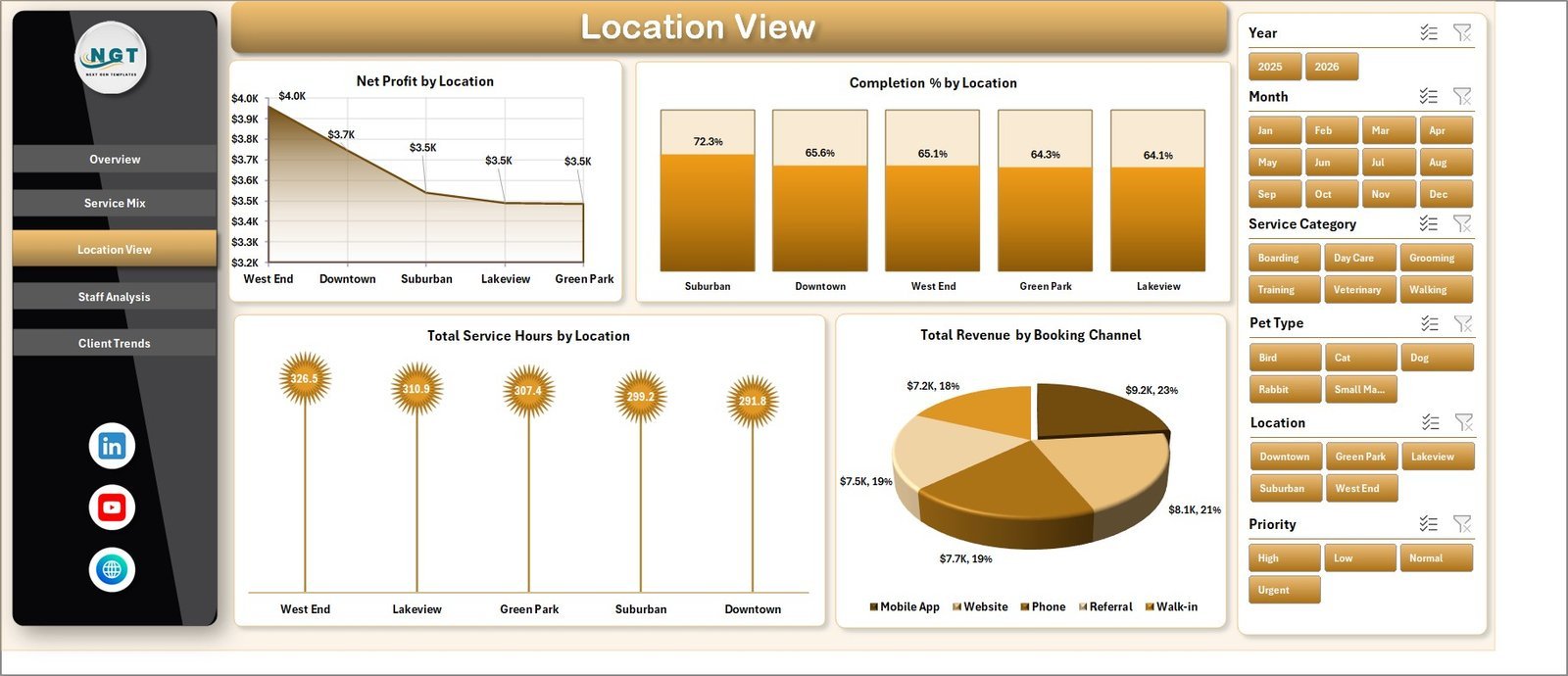
The Location View tab compares Net Profit by Location, Completion % by Location, Total Service Hours by Location, and Total Revenue by Booking Channel.
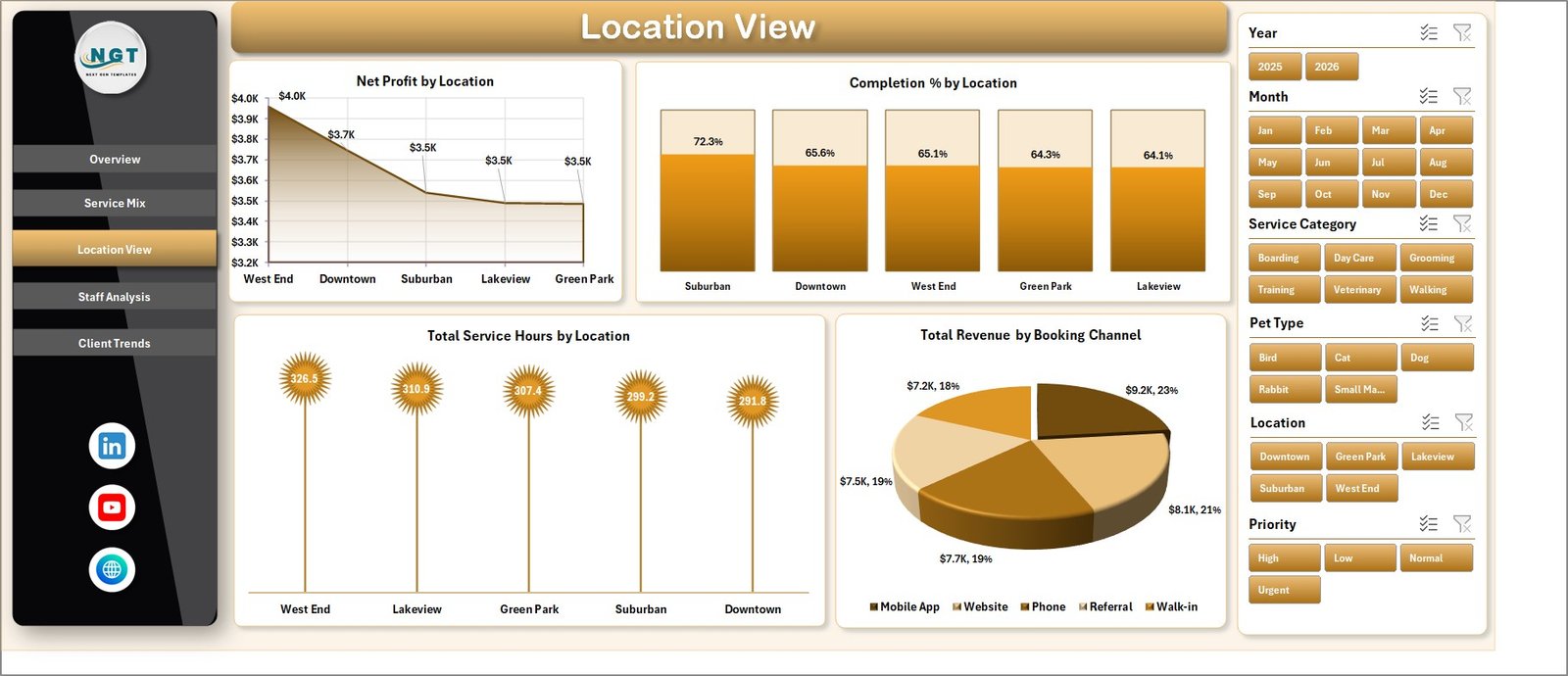
Location View
Staff Analysis
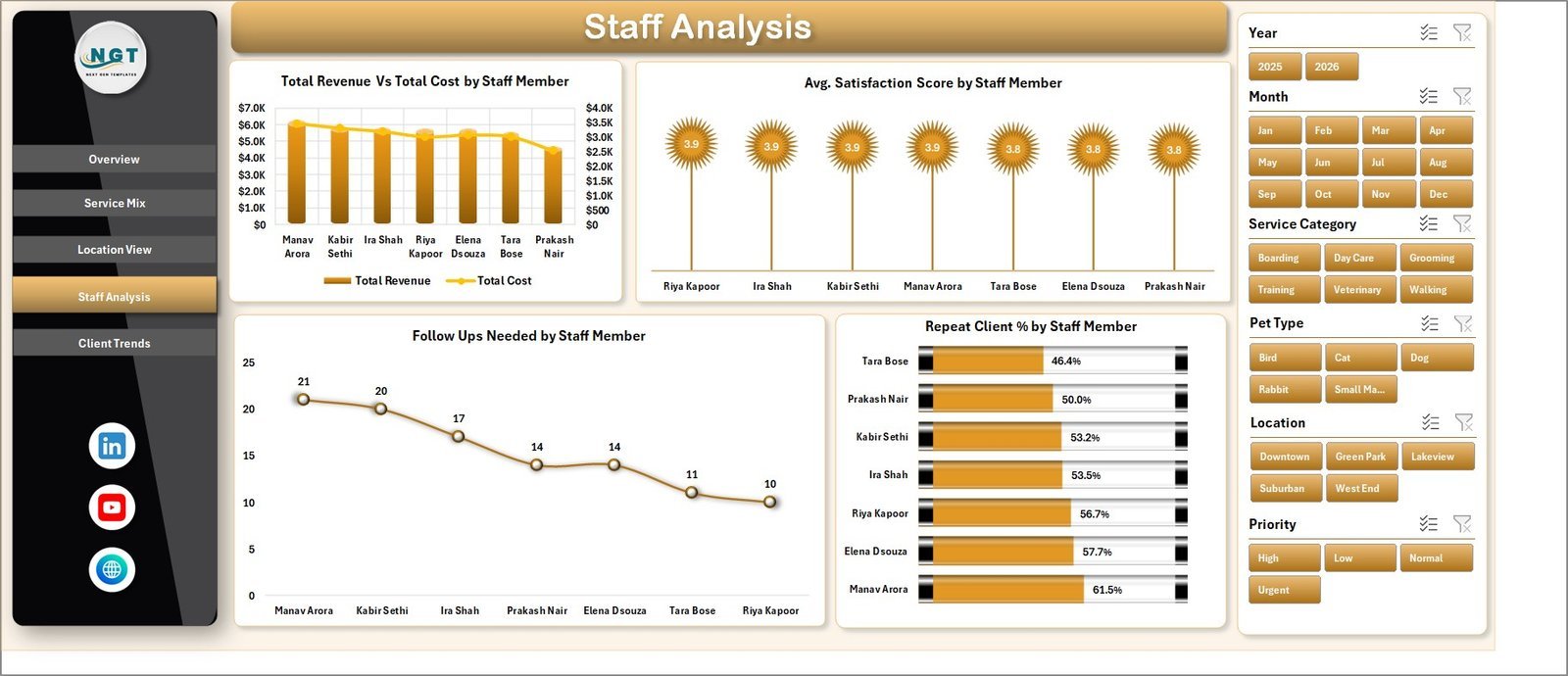
The Staff Analysis tab compares Total Revenue vs. Total Cost by Staff Member, Avg. Satisfaction Score by Staff Member, Follow Ups Needed by Staff Member, and Repeat Client % by Staff Member.
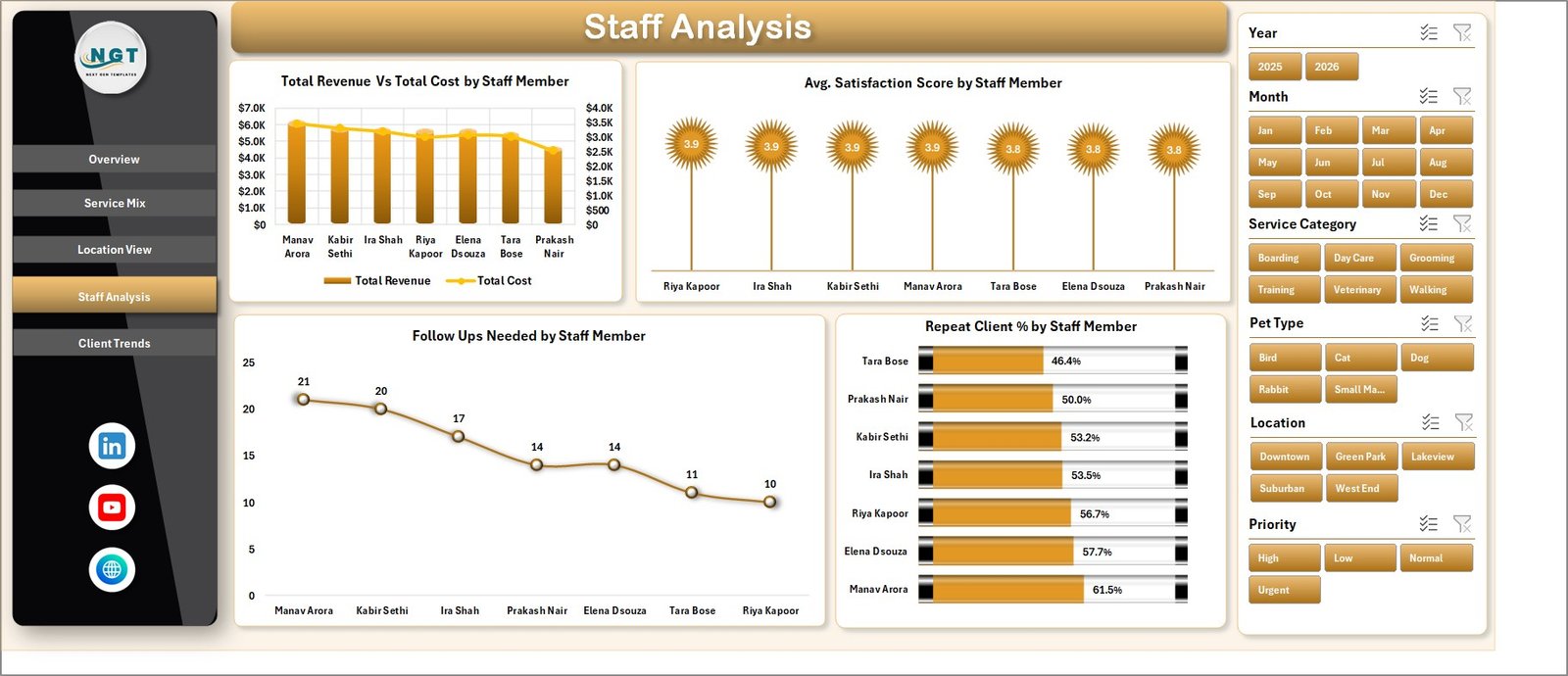
Staff Analysis
Client Trends
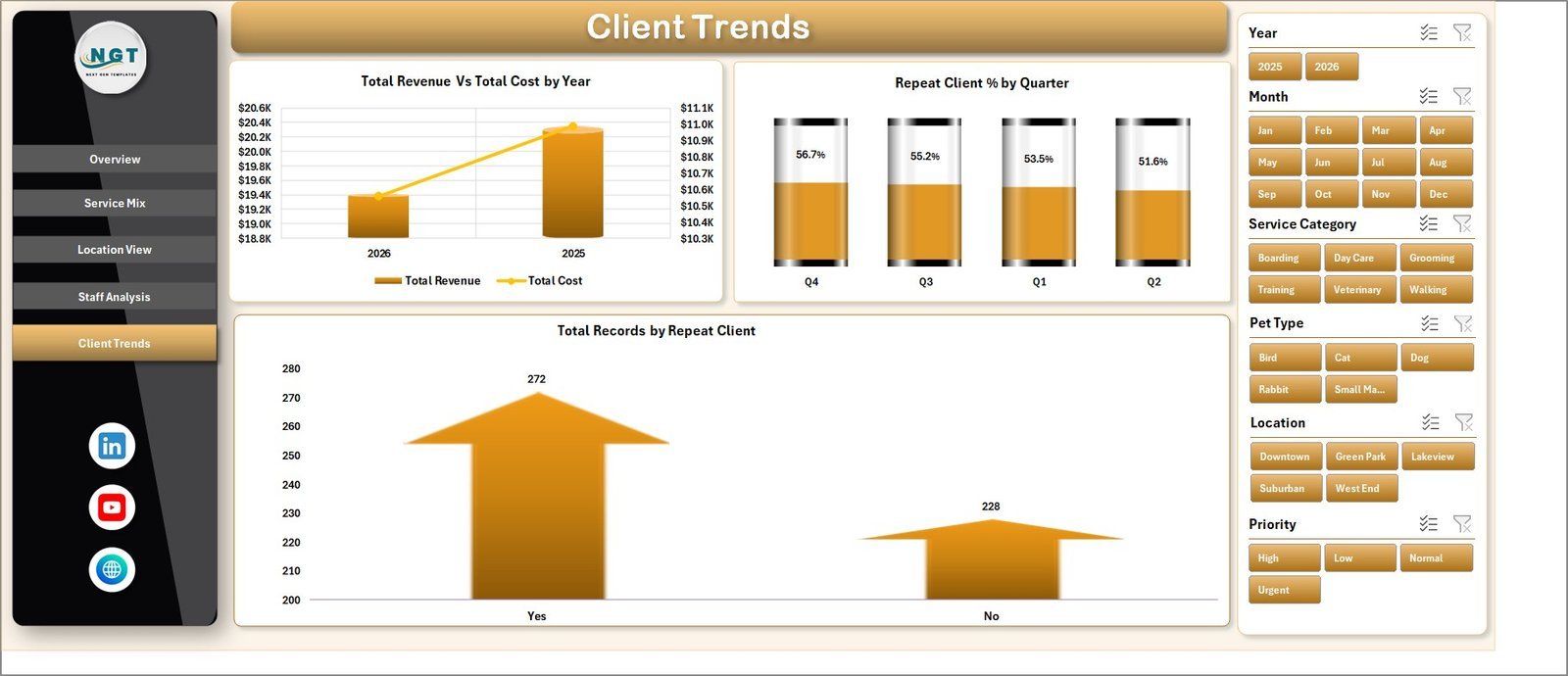
The Client Trends page shows Total Revenue vs. Total Cost by Year, Repeat Client % by Quarter, and Total Records by Repeat Client.
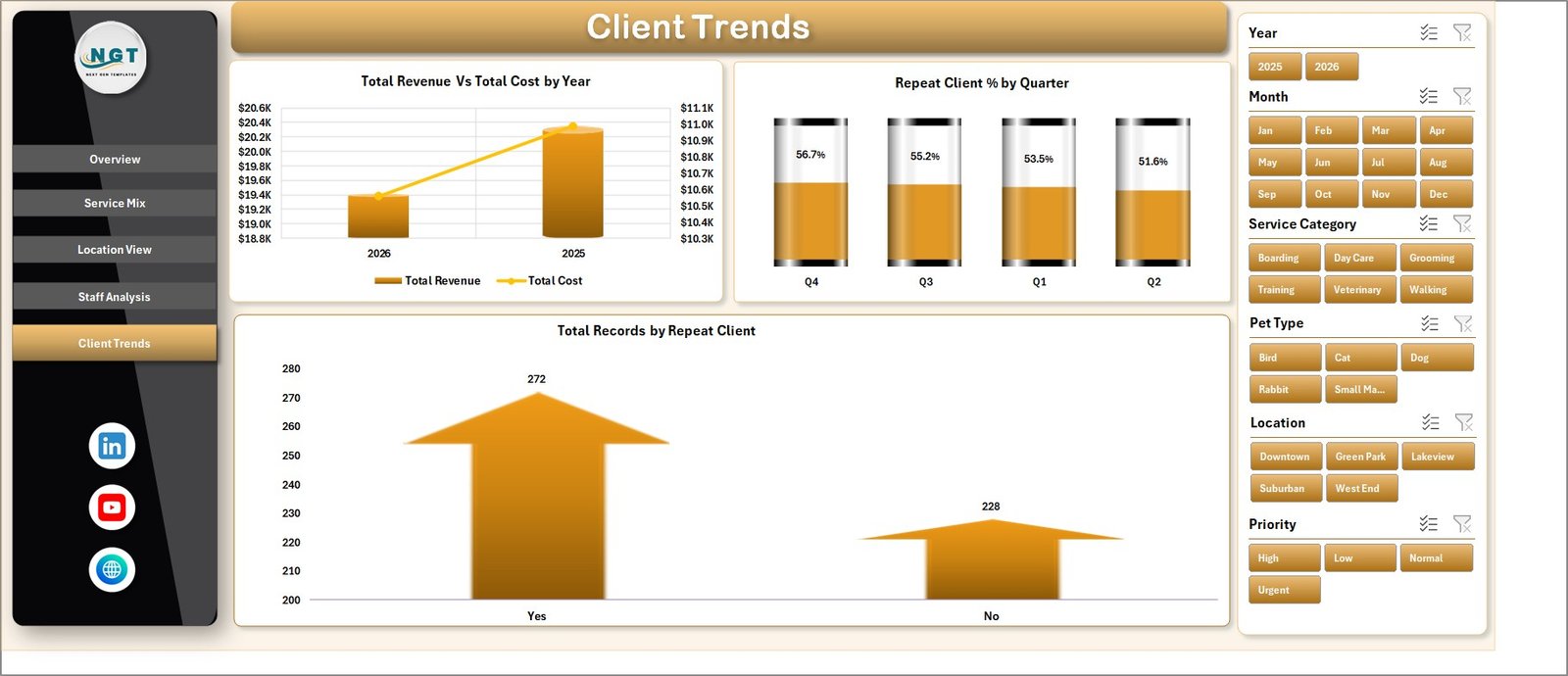
Client Trends
Data Sheet Tab
The Data Sheet is where you add your pet care service records in the same format as the sample data. Keep the structure unchanged so pivots, slicers, and charts remain connected.

Data Sheet tab
Support Sheet Tab
The Support Sheet contains the pivot tables used to create the dashboard dynamically. After updating the Data Sheet, go to the Data tab in Excel and click Refresh All. You can keep this sheet hidden after setup.

Support sheet tab
Pet Care Services Dashboard in Excel vs. Google Sheets vs. Paid CRM/SaaS – Where This Fits
| Feature | This Excel Dashboard | Google Sheets Alternative | Paid Pet Care SaaS |
|---|---|---|---|
| Cost | $17.99 sale price, one-time | Manual to build | Monthly subscription |
| Platform | Microsoft Excel | Browser spreadsheet | Vendor-hosted system |
| Setup time | Replace data and refresh | Build formulas, pivots, and charts | Onboarding required |
| Customizable fields | Editable workbook | Editable but manual | Plan-dependent |
| Year-1 cost at 5 users | Template price plus existing Excel costs | Your build time | Often much higher |
Who This Template Is For – and Who It’s Not For
This template is for pet grooming salons, daycare centers, boarding providers, pet trainers, veterinary support services, franchise managers, and consultants who need structured Excel reporting. It is not a live booking system, POS tool, payment processor, medical records platform, or customer messaging system.
How to Use the Pet Care Services Dashboard in Excel
- Download and unzip the product file.
- Open the workbook in Microsoft Excel.
- Replace sample records in the Data Sheet.
- Keep the same column structure.
- Use Data > Refresh All to refresh pivots and charts.
- Review the dashboard pages and slicers.
Real-World Use Cases
Meera, pet grooming owner: reviews net profit by service category and repeat client percentage each month to decide which services to promote.
James, daycare manager: compares service hours and completion percentage by location to adjust staff coverage.
Priya, pet care consultant: uses the staff analysis page to identify follow-up workload and satisfaction patterns before client review meetings.
Frequently Asked Questions
What does the Pet Care Services Dashboard in Excel track?
It tracks revenue, cost, net profit, records, satisfaction score, service category, status, pet type, staff member, location, booking channel, service hours, repeat clients, and follow-ups.
Can I replace the sample data?
Yes. Add your own rows in the Data Sheet using the same format, then refresh the workbook.
Do I need advanced Excel skills?
No. Basic Excel skills are enough to update data, use slicers, and click Refresh All.
Can I hide the Support Sheet?
Yes. You can hide the Support Sheet after setup, but do not delete it.
Is this a booking or billing system?
No. It is an Excel dashboard template for reporting and analysis.
About the Author
Built by PK – Microsoft Certified Professional with 15+ years of Excel, Google Sheets, and Power BI experience. Founder of NextGenTemplates, reaching 300K+ subscribers across YouTube channels. Every template is hand-built and tested before release.
Explore Related Templates
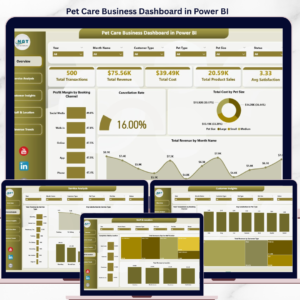
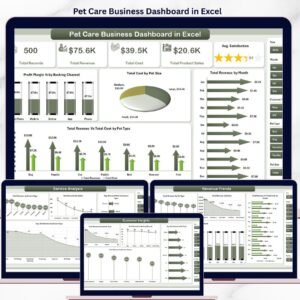
Read the detailed blog post: Pet Care Services Dashboard in Excel. You can also compare Pet Care Business Dashboard in Excel, Pet Care Business Dashboard in Power BI, and Pet Care Services KPI Dashboard in Excel.
Download the Pet Care Services Dashboard in Excel today and turn service records into clear monthly decisions.
Last updated: July 23, 2026.
Watch the demo video:
Compatibility and Requirements
- Works in Microsoft Excel desktop (Excel 2016 or later, or Microsoft 365).
- The dashboard uses pivot tables and slicers. Excel explains how to build them in Use slicers to filter data.
More Questions About This Template
Is there a Power BI version of this dashboard?
Yes. See the Pet Care Services Dashboard in Power BI.
Which sheets should I keep after setup?
Keep the Data Sheet and the Support Sheet. The Support Sheet holds the pivot tables behind the charts, so you can hide it but not delete it.
Can I filter the dashboard by location or staff member?
Yes. The dashboard has slicers, and the Location View and Staff Analysis tabs compare results by location and by staff member.
Related Pet Care Templates
- Pet Care Services Dashboard in Power BI: the same dashboard in Power BI
- Pet Care KPI Dashboard in Excel: a KPI view of pet care results
- Pet Care KPI Scorecard in Excel: a scorecard layout for your metrics
- Pet Care Checklist in Excel: a checklist for daily care tasks
- Pet Care Business Dashboard in Google Sheets: a Google Sheets option
Browse all Excel dashboards.



























Reviews
There are no reviews yet.