



Farm Supply Chains Dashboard in Excel gives farm operators, agri distributors, procurement teams, and food supply analysts a ready Excel view of suppliers, order flow, fulfillment, and product quality. Instead of checking scattered sheets one by one, you can review KPIs, charts, channel performance, category mix, and sample records in one workbook. The template is built for buyers who want a practical Excel reporting file with a one-time price, editable sample data, and no monthly software lock-in.

Key Features of Farm Supply Chains Dashboard in Excel
- Supplier and order KPI cards for quick weekly review.
- Dashboard pages for startup mix, farm supply, fulfillment, and product quality.
- Charts for category, channel, region, quantity, revenue, and product quality analysis.
- Editable Excel source data sheet for replacing the sample farm supply records.
- Clean printable dashboard layout with slicer-style panels and visual navigation.
- ZIP download includes the Excel workbook and Excel Dashboard user manual.
What’s Inside the Farm Supply Chain Excel Dashboard
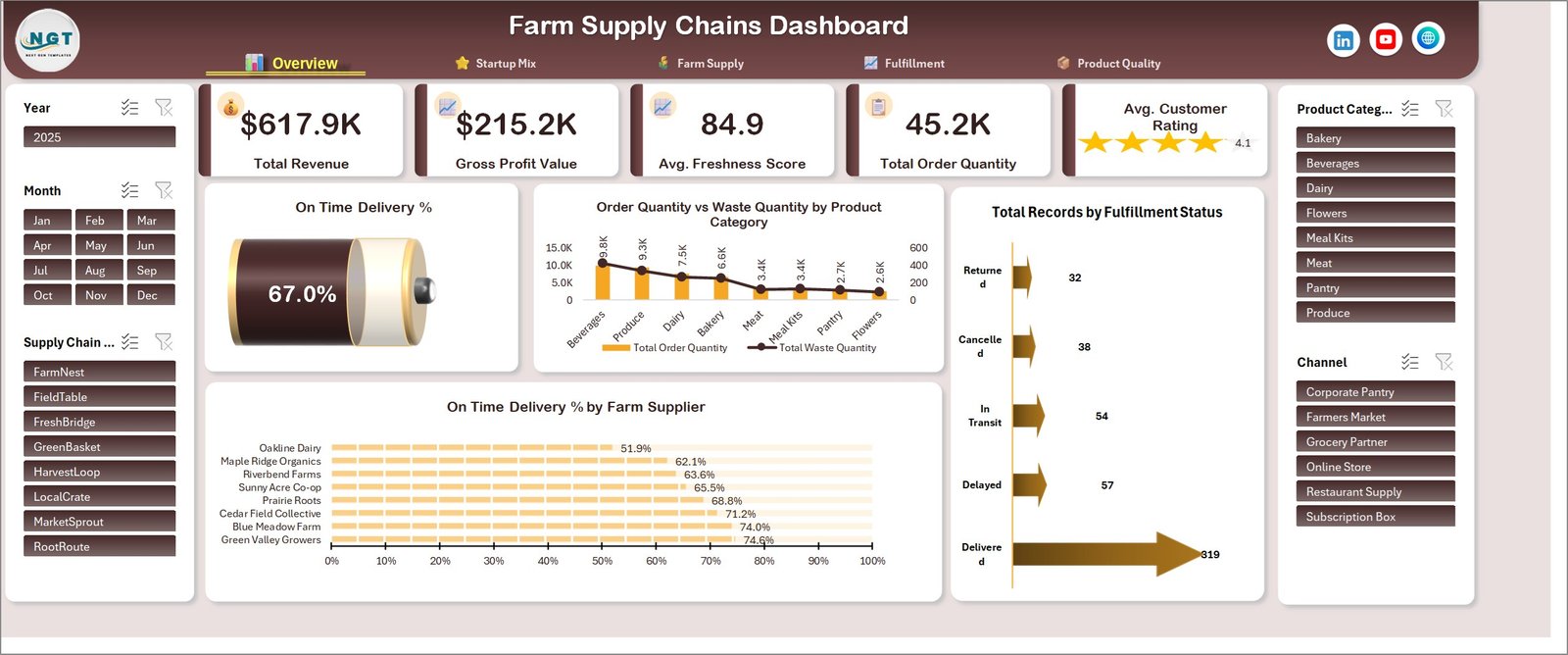
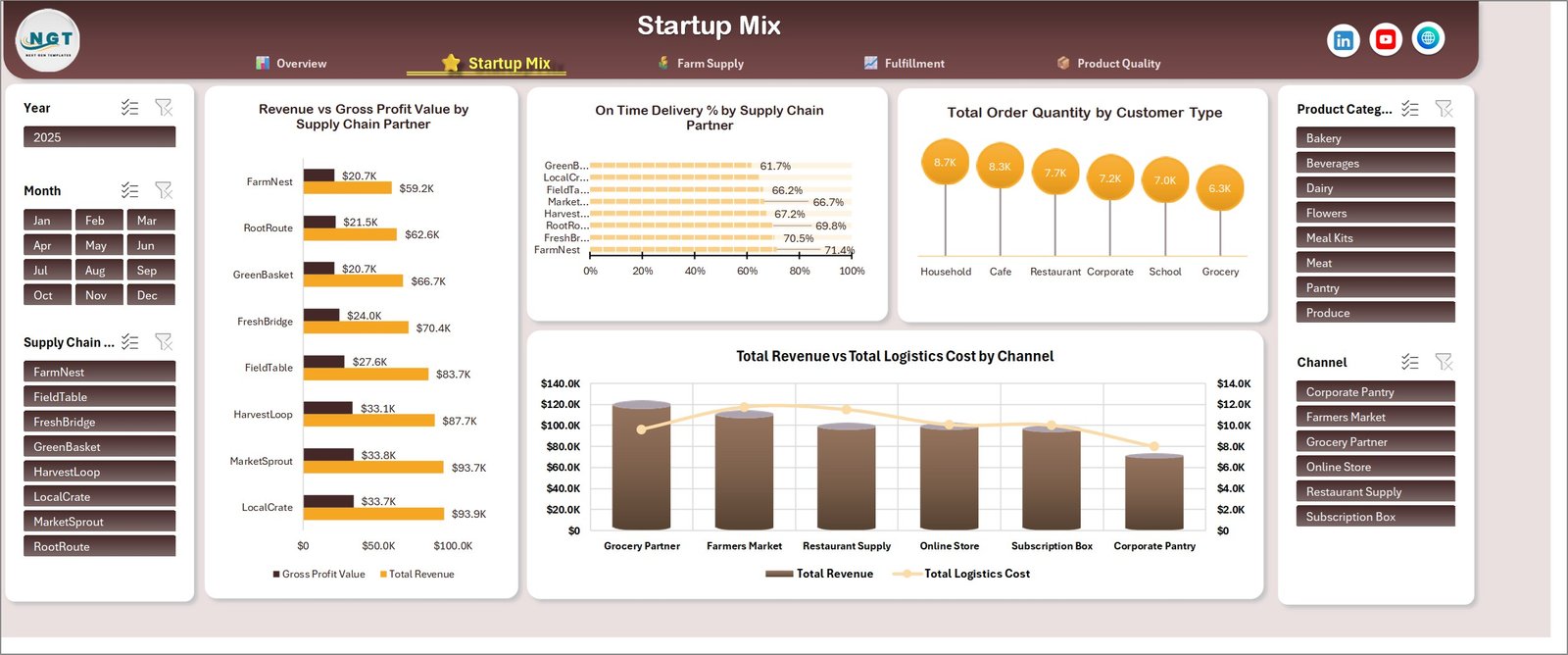
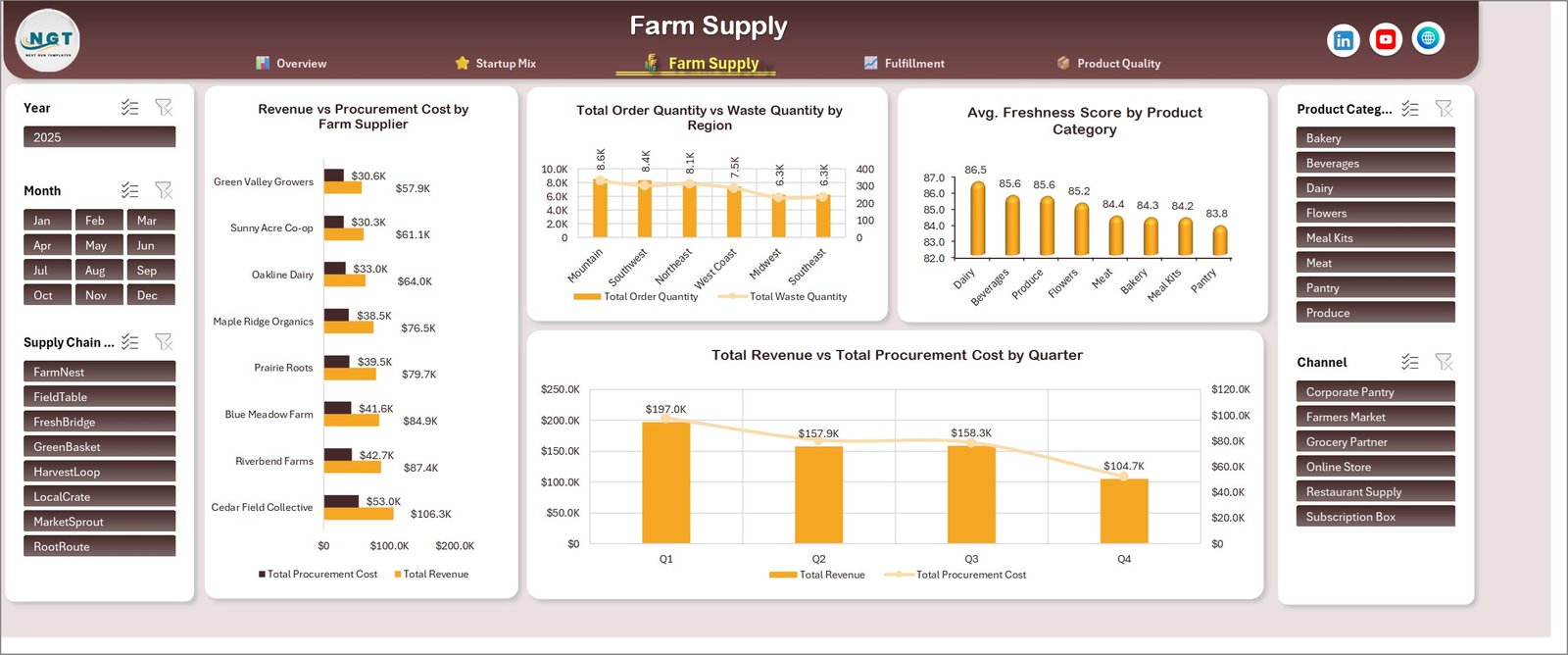
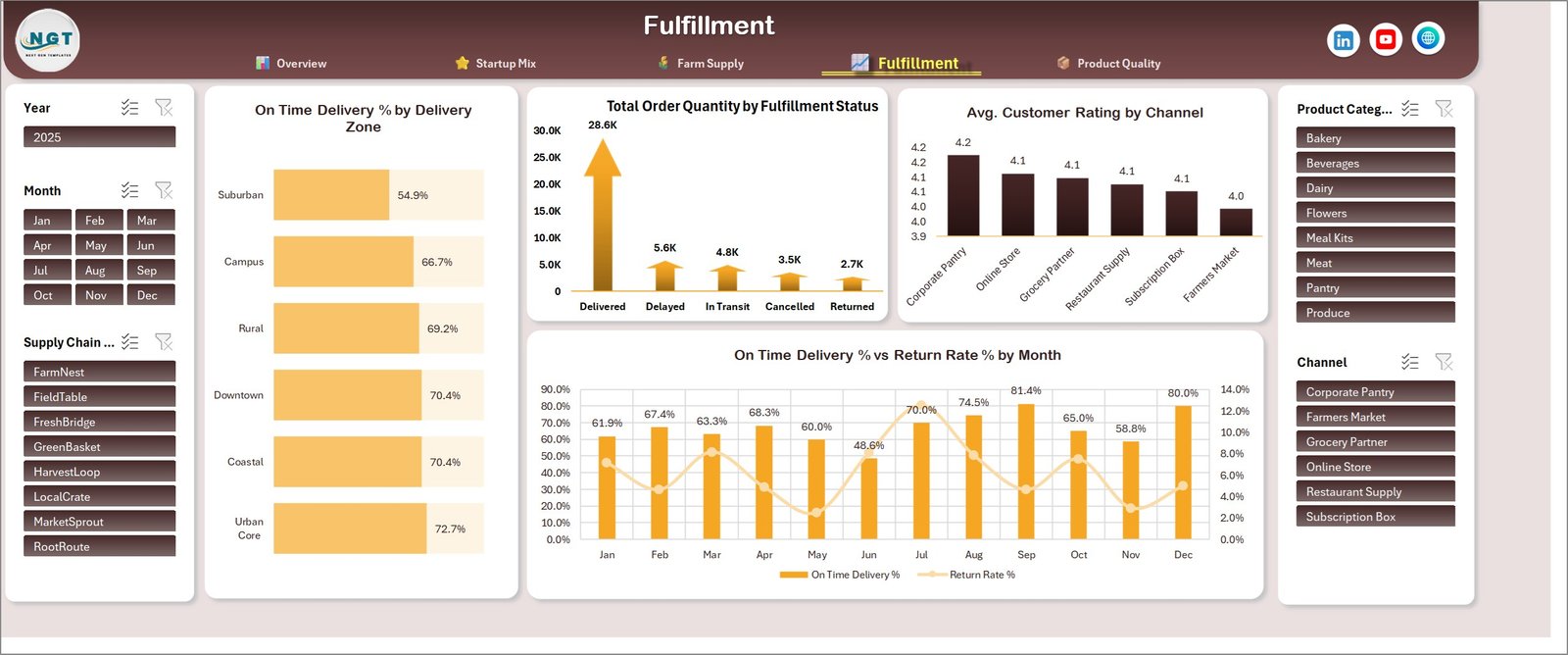
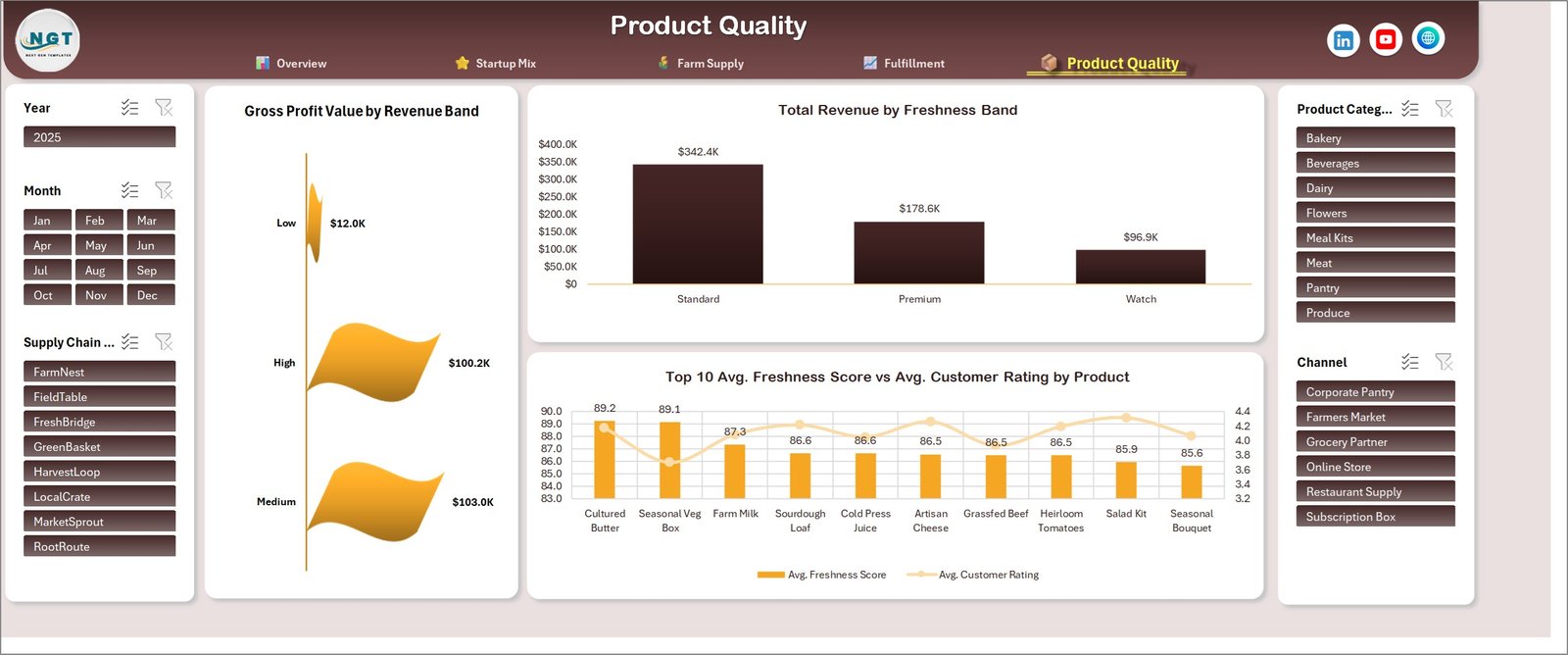

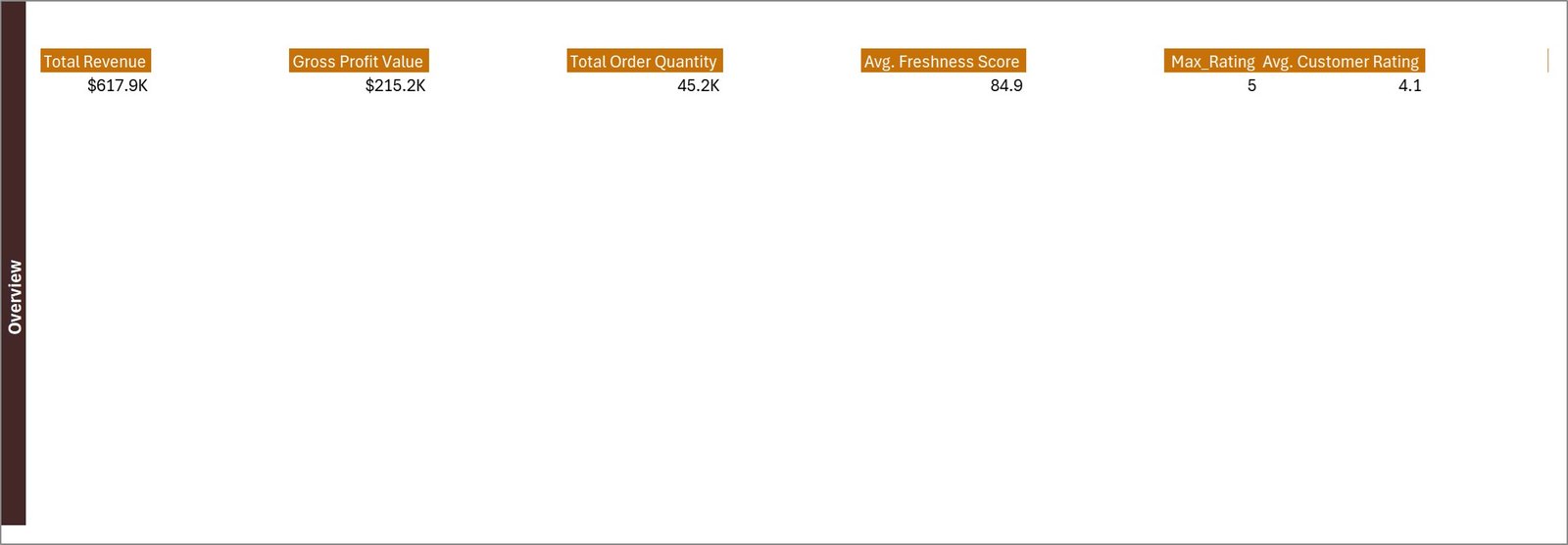
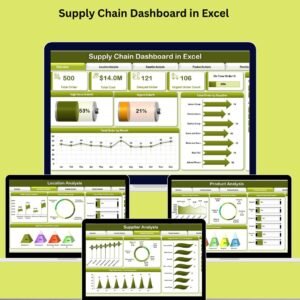
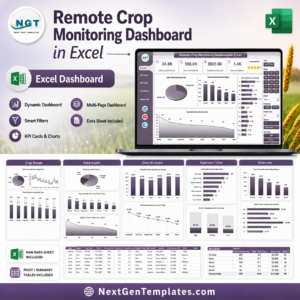
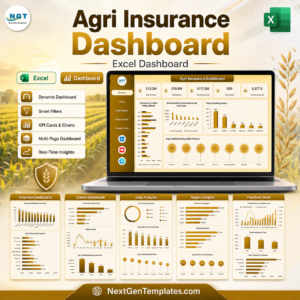
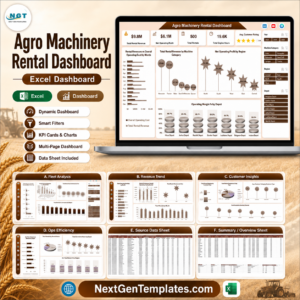
The workbook includes a main dashboard page for total order quantity, total profit, average production quantity, average customer rating, and order status visibility. Supporting pages show startup mix, farm supply movements, fulfillment patterns, product quality, data records, and a compact KPI summary view. The source data page is visible in the screenshots, so buyers can see that this is a transparent Excel file rather than a locked black-box report.
Farm Supply Chain Excel Dashboard vs. Google Sheets vs. Paid ERP/SaaS – Where This Fits
| Need | This Excel dashboard | Google Sheets alternative | Paid ERP or SaaS |
|---|---|---|---|
| Cost | One-time template price | Low cost, online-first | Monthly or annual subscription |
| Best use | Excel reporting, analysis, presentation | Team sharing and light collaboration | Live transactions and process control |
| Setup time | Replace sample data and review charts | Copy a sheet and manage permissions | Implementation, setup, and user training |
| Customization | Editable workbook structure | Editable but web-dependent | Often limited by plan or admin rights |
| Farm supply focus | Suppliers, orders, fulfillment, quality | Possible with custom build | Depends on module coverage |
Who This Template Is For – and Who It’s Not For
Use this dashboard if you manage farm supplies, agri procurement, produce distribution, farm inputs, or supply chain reporting in Excel. It is a good fit for analysts who want sample data, visible formulas, and a dashboard they can adapt. It is not a replacement for inventory scanning, accounting, vendor portals, compliance audits, or live ERP workflows.
How to Use the Farm Supply Chain Excel Dashboard
- Download and unzip the file after purchase.
- Open the Excel workbook in Microsoft Excel desktop.
- Review the sample dashboard pages and data structure.
- Replace the sample farm supply chain records with your own data.
- Refresh or adjust the dashboard views as needed for your reporting cycle.
- Use the included manual when you need orientation on the template layout.
Real-World Use Cases
Agri procurement manager: Compare order quantity, supplier mix, and fulfillment status before a weekly vendor call.
Farm operations analyst: Track product quality, channel trends, and category-level results for a management review.
Food distribution coordinator: Use the dashboard as a presentation-ready Excel summary for internal supply chain meetings.
Farm Supply Chain Excel Dashboard works best when the team needs a repeatable Excel reporting view for farm supply chain meetings. Use the Farm Supply Chain Excel Dashboard during supplier reviews, fulfillment checks, product quality discussions, and weekly management reporting. The Farm Supply Chain Excel Dashboard keeps the reporting scope clear: dashboard analysis in Excel, with editable sample data and visible workbook pages.
Frequently Asked Questions
Is this Farm Supply Chain Excel Dashboard a finished template?
Yes. It is a downloadable Excel dashboard with sample data, dashboard pages, a data sheet, and a user manual inside the ZIP.
Can I replace the sample data?
Yes. Replace the sample records in Excel with your own farm supplier, order, fulfillment, and quality data.
Does it require macros?
No special VBA workflow is required for the dashboard listing. Open it in Microsoft Excel and update the sample data.
Is this an ERP system?
No. It is an Excel reporting template, not a live ERP, warehouse system, or procurement platform.
What pages are included?
The screenshots show the main dashboard, startup mix, farm supply, fulfillment, product quality, data, and summary views.
About the Author
Built by PK – Microsoft Certified Professional with 15+ years of Excel, Google Sheets, and Power BI experience. Founder of NextGenTemplates, reaching 300K+ subscribers across YouTube channels. Every template is hand-built and tested before release.
Explore Related Templates
Browse more Excel templates, Excel dashboards, and supply-chain-friendly dashboards on NextGenTemplates. Related products can be selected during manual review if the store team wants additional cross-sells.
Ready to simplify farm supply chain reporting? Add the Farm Supply Chain Excel Dashboard to your toolkit and start from a tested workbook instead of a blank file.
Watch the demo video:
Compatibility and Requirements
- Works in Microsoft Excel desktop (Excel 2016 or later, or Microsoft 365).
- The dashboard pages show charts and slicer-style panels, and the sample data sits on a visible data sheet. Microsoft explains charts in Create a chart from start to finish.
More Questions About This Template
Which KPIs are on the main dashboard?
The main dashboard shows total order quantity, total profit, average production quantity, average customer rating and order status.
Which analysis pages are included?
Besides the main dashboard, there are pages for startup mix, farm supply, fulfillment and product quality, plus a data page and a compact KPI summary view.
What does the ZIP download contain?
The ZIP has the Excel workbook and the Excel Dashboard user manual.
Is there a Power BI version?
Yes. See the Farm Supply Chains Dashboard in Power BI.
Related Supply Chain Templates
- Farm Supply Chains Dashboard in Power BI: the same topic in Power BI
- Supply Chain Management Dashboard in Excel: a general supply chain view in Excel
- Supply Chain Dashboard in Excel: another Excel dashboard for supply chain tracking
- Supply Chain Report in Excel: a report layout for supply chain data
- Construction Project Intelligence Kit
Browse all Excel dashboards.




























Reviews
There are no reviews yet.