

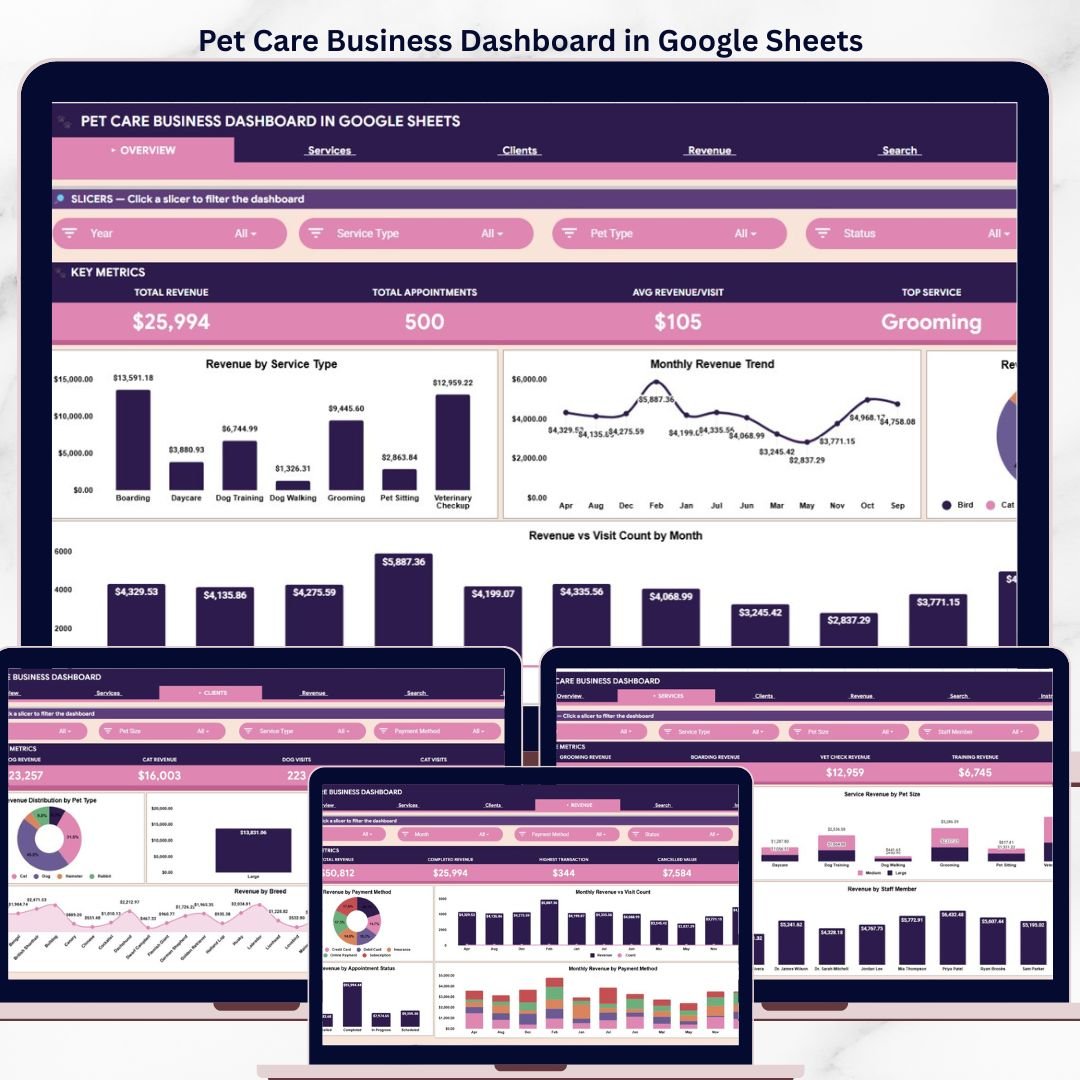
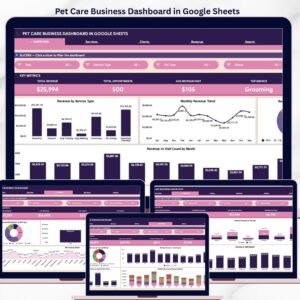
The Pet Care Business Dashboard in Google Sheets tracks 4 KPIs across 6 interactive pages, with 15+ pre-built charts, slicers, and a dedicated search page. Setup takes under 10 minutes — just copy the template to your Google Drive, replace the sample data, and every dashboard page updates automatically.
🌍 Join 8,400+ teams in 40+ countries using NextGenTemplates to replace paid SaaS tools with one-time-purchase Excel, Google Sheets, Power BI, and HTML templates.
✅ Instant download · One-time payment · No subscription · No per-user fees · Lifetime access
🔑 Key Features of Pet Care Business Dashboard in Google Sheets
This Pet Care Business Dashboard in Google Sheets is designed specifically for pet grooming salons, boarding facilities, veterinary-adjacent service businesses, and pet training centers. It tracks 4 core KPIs — Total Revenue, Total Appointments, Avg Revenue/Visit, and Top Service — giving you an instant snapshot of your pet care business health.
The dashboard includes 6 dedicated pages: Overview, Services, Clients, Revenue, Search Sheet, and Data Sheet. The Overview page features interactive slicers for instant filtering across every chart and KPI card. The Services page breaks down revenue across grooming, boarding, vet check, and training categories with staff-level visibility. The Clients page analyzes revenue and visits by pet type, pet size, and breed. The Revenue page tracks payment methods, appointment statuses, and monthly trends.
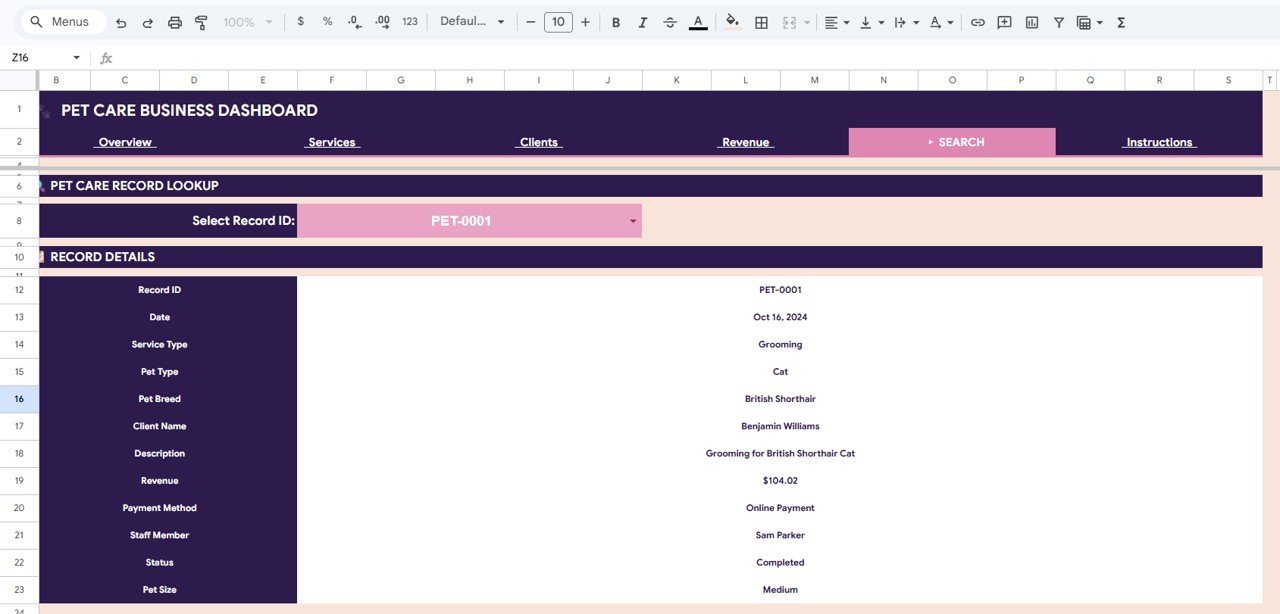
A unique Search Sheet lets you look up any individual record by selecting a Record ID from a dropdown — instantly displaying Date, Service Type, Pet Type, Pet Breed, Client Name, Description, Revenue, Payment Method, Staff Member, Status, and Pet Size. The pre-structured Data Sheet makes data entry effortless.
📦 What’s Inside the Pet Care Business Dashboard in Google Sheets
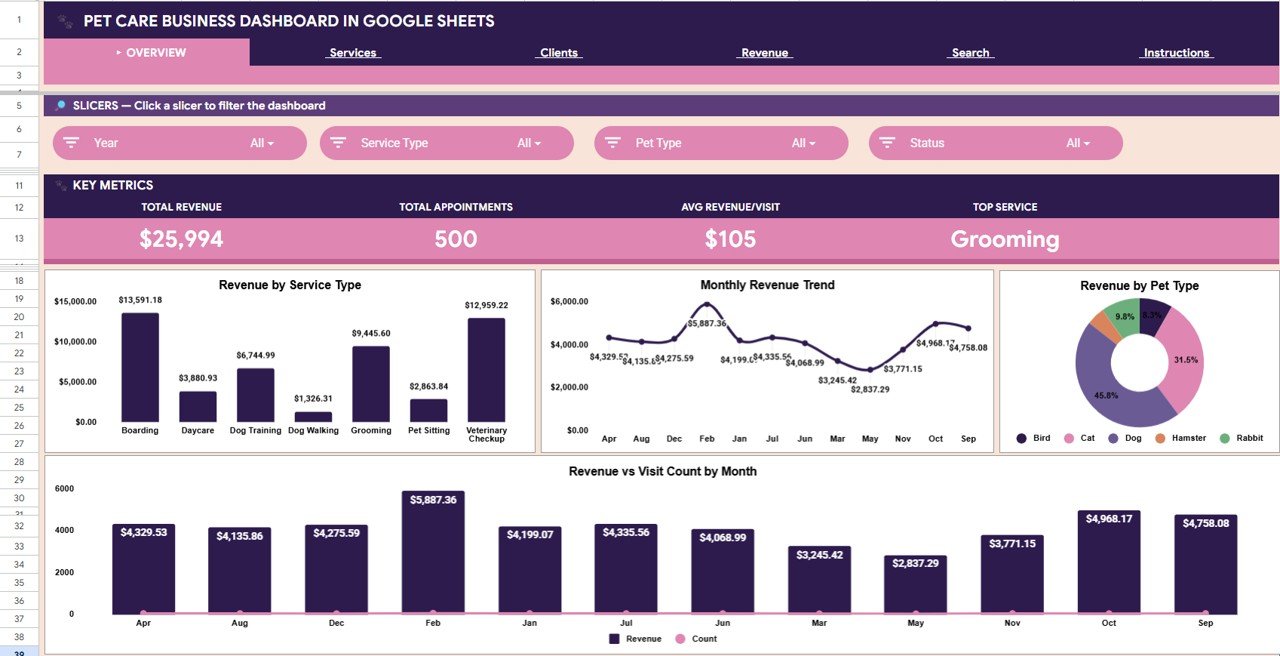
📌 Overview Page: 4 KPI cards (Total Revenue, Total Appointments, Avg Revenue/Visit, Top Service) plus 4 analytical charts — Revenue by Service Type shows which services earn the most, Monthly Revenue Trend tracks income month-over-month, Revenue by Pet Type reveals which animal categories generate the most revenue, and Revenue vs Visit Count by Month compares appointment volume against income.
 Pet Care Business Dashboard in Google Sheets
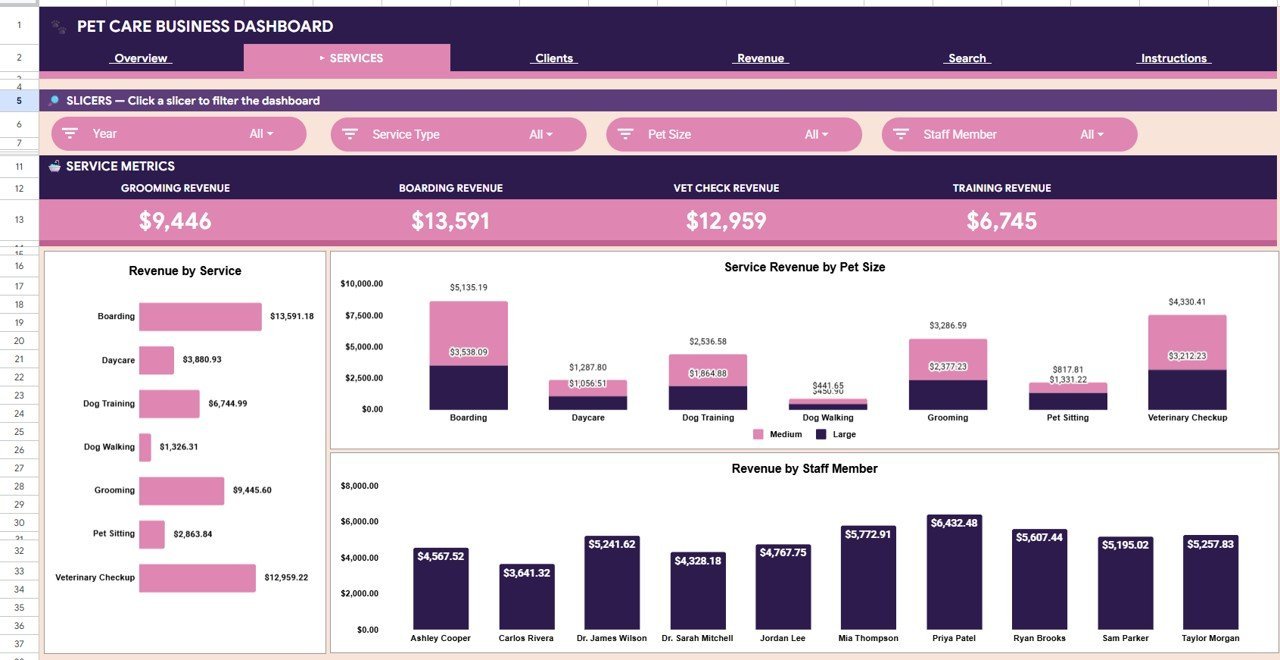
📌 Services Page: 7 analysis views — Grooming Revenue, Boarding Revenue, Vet Check Revenue, and Training Revenue as individual cards, plus Revenue by Service, Service Revenue by Pet Size, and Revenue by Staff Member charts for deep service-level insights.
 Services Page
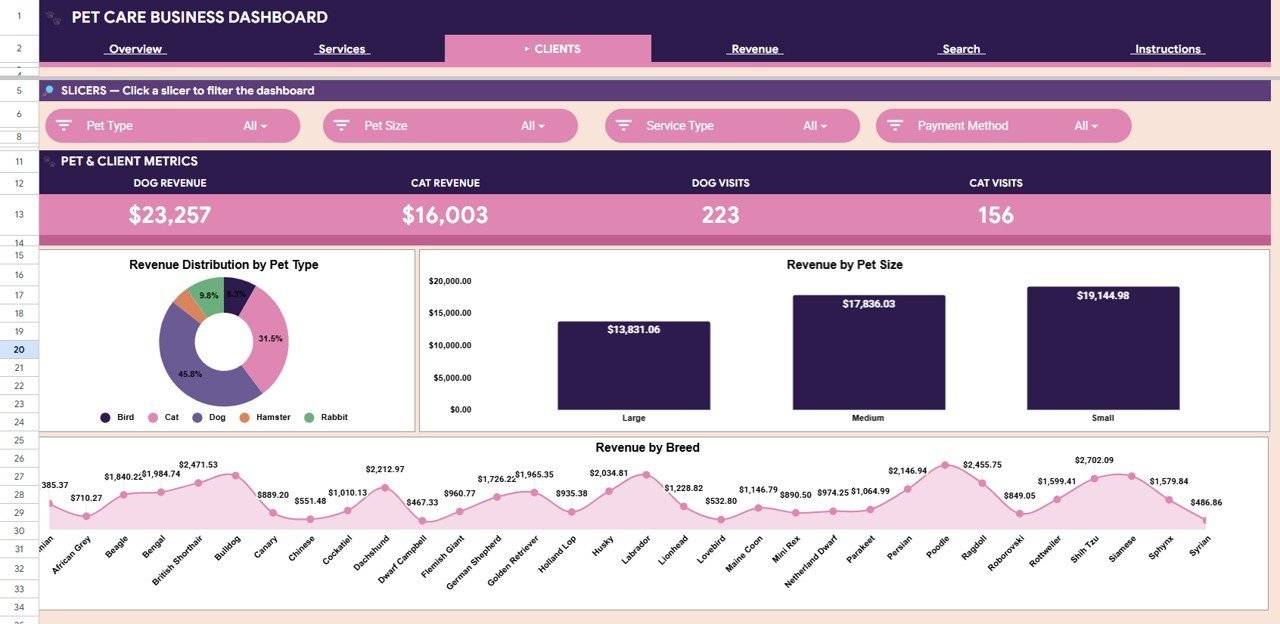
📌 Clients Page: 7 analysis views — Dog Revenue, Cat Revenue, Dog Visits, and Cat Visits as headline cards, plus Revenue Distribution by Pet Type, Revenue by Pet Size, and Revenue by Breed charts for complete client demographics.
 Clients Page
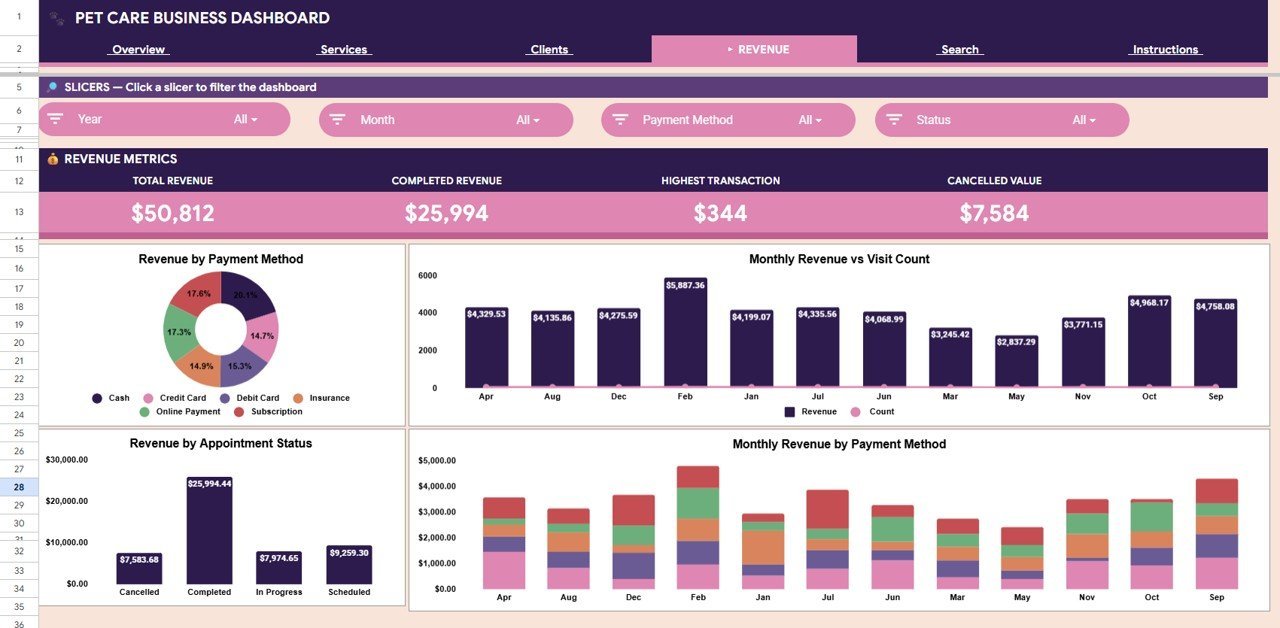
📌 Revenue Page: 8 analysis views — Total Revenue, Completed Revenue, Highest Transaction, and Cancelled Value as KPI cards, plus Revenue by Payment Method, Monthly Revenue vs Visit Count, Revenue by Appointment Status, and Monthly Revenue by Payment Method charts.
 Revenue Page
📌 Search Sheet: Select a Record ID from the dropdown and instantly view the complete record details including Date, Service Type, Pet Type, Pet Breed, Client Name, Description, Revenue, Payment Method, Staff Member, Status, and Pet Size.
 Search Sheet Tab
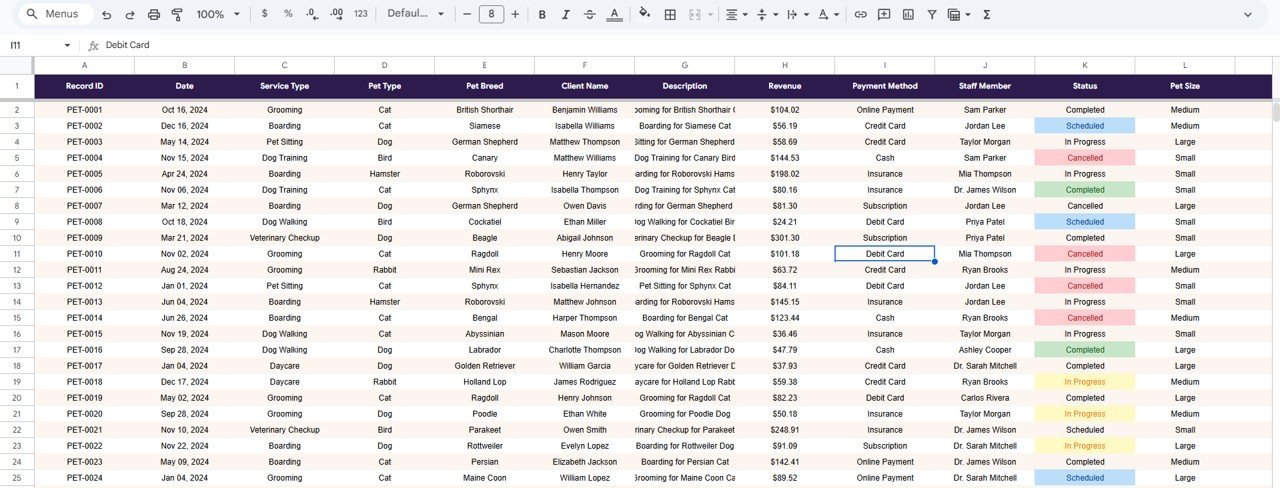
📌 Data Sheet: Enter all your pet care business records in the pre-structured format. All dashboard pages, charts, and KPIs update automatically based on the data you enter here.
 Data Sheet Tab
📊 Pet Care Business Dashboard vs. Microsoft Excel vs. Paid Pet Software — Where This Fits
| Feature | Pet Care Business Dashboard in Google Sheets | Microsoft Excel Dashboard | Paid Pet Software (PetDesk / Gingr) |
|---|---|---|---|
| Cost | $9.99 one-time | Excel license + template ($15-25) | $99-249 / month |
| Platform | Google Sheets (cloud) | Desktop application | Cloud SaaS |
| Setup Time | Under 10 minutes | 15-30 minutes | 1-2 weeks onboarding |
| Real-Time Collaboration | ✅ Built-in | Limited (OneDrive) | ✅ Yes |
| Mobile Access | ✅ Any browser | ❌ Desktop only | ✅ App required |
| Customizable Fields | ✅ Full control | ✅ Full control | ❌ Vendor-locked |
| Share with Link | ✅ One click | ❌ Email attachment | ✅ Yes |
| Year-1 Cost (5 users) | $9.99 total | $15-25 total | $1,188-2,988 |
| Record Lookup Search | ✅ Built-in | Manual VLOOKUP | ✅ Yes |
For pet care businesses that want analytics without monthly SaaS bills, the Pet Care Business Dashboard in Google Sheets sits in the sweet spot.
👥 Who This Template Is For — and Who It’s Not For
✅ This template is built for:
- Pet grooming salons and mobile groomers tracking services, revenue, and client patterns
- Dog and cat boarding facilities monitoring occupancy, income, and staff performance
- Small pet care businesses with 1-20 staff members who need clean analytics without SaaS costs
- Pet trainers and daycare operators who want revenue visibility by service type
❌ This template is NOT for:
- Large veterinary hospital chains needing EMR/EHR integration and HIPAA compliance
- Pet retail stores needing inventory and POS management (use a retail dashboard instead)
- Businesses needing automated appointment booking — this is analytics-focused, not scheduling
⚙️ How to Use the Pet Care Business Dashboard in Google Sheets
- Open the PDF guide included in your download and click the Google Sheets copy link to create your own editable copy in Google Drive.
- Navigate to the Data Sheet tab and replace the sample data with your pet care business records in the same column format.
- Switch to the Overview page — all 4 KPI cards and charts update automatically based on your data.
- Use the interactive slicers on the Overview page to filter by service type, pet type, staff member, or time period.
- Explore the Services, Clients, and Revenue pages for detailed breakdowns of your business performance.
- Use the Search Sheet to look up any individual record by selecting a Record ID from the dropdown.
💼 Real-World Use Cases
Maria runs a mobile pet grooming business with 3 groomers. She uses the Pet Care Business Dashboard in Google Sheets to compare grooming revenue by staff member, track which pet sizes generate the most income, and spot seasonal dips in booking volume — without paying $150/month for Gingr or PetDesk.
James operates a dog boarding and daycare facility. He replaced a paper logbook with this dashboard to monitor boarding vs. training revenue, track client breed demographics, and present monthly revenue reports to his business partner — all from his phone via Google Sheets.
Priya manages a pet care center offering grooming, boarding, and basic vet checks. She uses the Revenue page to compare payment methods, track cancelled appointments, and identify the highest-value transactions each month for cash flow planning.
❓ Frequently Asked Questions
What KPIs does the Pet Care Business Dashboard in Google Sheets track?
The Pet Care Business Dashboard in Google Sheets tracks 4 key performance indicators: Total Revenue, Total Appointments, Avg Revenue/Visit, and Top Service. These KPIs display on the Overview page and update automatically when you enter your data.
Do I need advanced Google Sheets skills to use this dashboard?
No. Simply replace the sample data in the Data Sheet tab with your pet care records. All charts, KPIs, and filters update automatically. No formulas or scripts to configure.
Can I filter the dashboard by service type or pet type?
Yes. The Overview page includes interactive slicers that let you filter the entire dashboard by service type, pet type, staff member, and other criteria for instant analysis.
How does this compare to paid pet management software like PetDesk?
The Pet Care Business Dashboard in Google Sheets costs $9.99 one-time vs. PetDesk’s $99-249/month subscription. It covers analytics and reporting; PetDesk adds scheduling and client communication. For businesses that just need data visibility, this dashboard saves thousands annually.
Can I look up a specific client or appointment record?
Yes. The dedicated Search Sheet lets you select any Record ID from a dropdown to instantly view all record details including Date, Service Type, Pet Type, Client Name, Revenue, Payment Method, Staff Member, and Status.
Is there an Excel or Power BI version of a pet care dashboard?
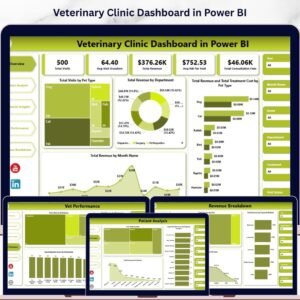
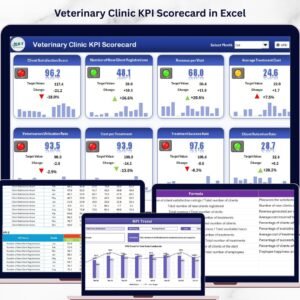
Yes! NextGenTemplates offers a Pet Care KPI Scorecard in Excel and related Veterinary Clinic Dashboard in Excel and Veterinary Clinic Dashboard in Power BI.
What data columns are needed in the Data Sheet?
The Data Sheet requires columns for Record ID, Date, Service Type, Pet Type, Pet Breed, Client Name, Description, Revenue, Payment Method, Staff Member, Status, and Pet Size. Sample data is pre-filled for reference.
👤 About the Author
Built by PK — Microsoft Certified Professional with 15+ years of Excel, Google Sheets, and Power BI experience. Founder of NextGenTemplates, reaching 300K+ subscribers across YouTube channels (@PK-AnExcelExpert, @NextGenTemplates, @NeoTechNavigators). Every template is hand-built and tested before release.
🔗 Explore Related Templates
🔹 Veterinary Clinic Dashboard in Google Sheets — Full clinic analytics with patient, financial, and service analysis pages.
🔹 Pet Care KPI Scorecard in Excel — Monthly and yearly KPI tracking with traffic light indicators.
🔹 Veterinary Clinic Dashboard in HTML — Browser-based interactive dashboard for vet clinics.
🔹 Browse all Google Sheets Dashboard Templates
📖 Click here to read the Detailed Blog Post
Watch the step-by-step video tutorial:
🎥 Visit our YouTube channel for step-by-step video tutorials
👉 YouTube.com/@NextGenTemplates






























Reviews
There are no reviews yet.