

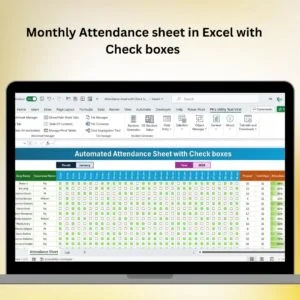
The Monthly Attendance Sheet in Excel with Check Boxes is a ready-to-use HR tracking template that lets you record daily attendance for up to 30 employees (or students) using simple click-to-mark checkboxes — no formulas to write, no macros to enable. Drop in names, pick the month, and the sheet automatically calculates present days, absent days, leave days, attendance percentage, and a full monthly summary that is ready to hand over to payroll or HR leadership.
This free Excel template is perfect for small businesses, schools, NGOs, construction sites, retail shops, and any team lead who needs an accurate, audit-ready attendance record without investing in a biometric system or paid HR software. It works offline, opens in Microsoft Excel 2016, 2019, 2021, Microsoft 365, and Excel for Mac, and downloads in under 10 seconds.
🚀 Want More Power? Upgrade to our premium Attendance Management System – Lite ($19.99) — a VBA-powered system with auto-reports, multi-department tracking, login forms, and advanced analytics. Or get the complete HR & Workforce Analytics Bundle — 10 premium templates across Excel, Google Sheets, and Power BI.
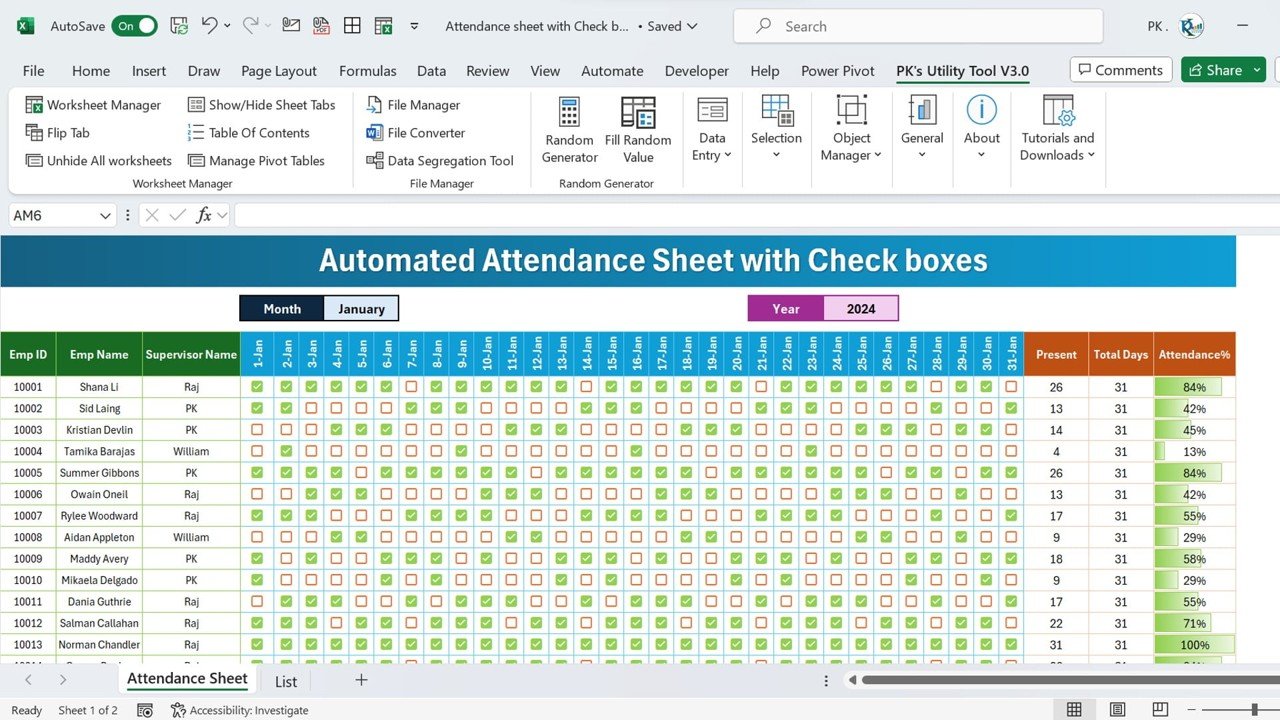
How the Monthly Attendance Sheet Works
The template is built on a single, clean Excel sheet so there is no learning curve. Everything the HR admin needs sits on one screen — the employee list, a 31-day checkbox grid, shift/leave codes, and the live summary column. Here is exactly what happens when you open the file.
1. Enter Employees and Pick the Month
Type employee names (or student roll numbers) into the left column. Change the Month cell at the top and the day-of-week headers update automatically, weekends shade in a different colour, and the calendar adjusts for 28, 30, or 31 days. Replace the sample 15 names with your own list — the sheet supports up to 30 rows out of the box and can be extended further by copying the last row.
2. Mark Attendance with One Click
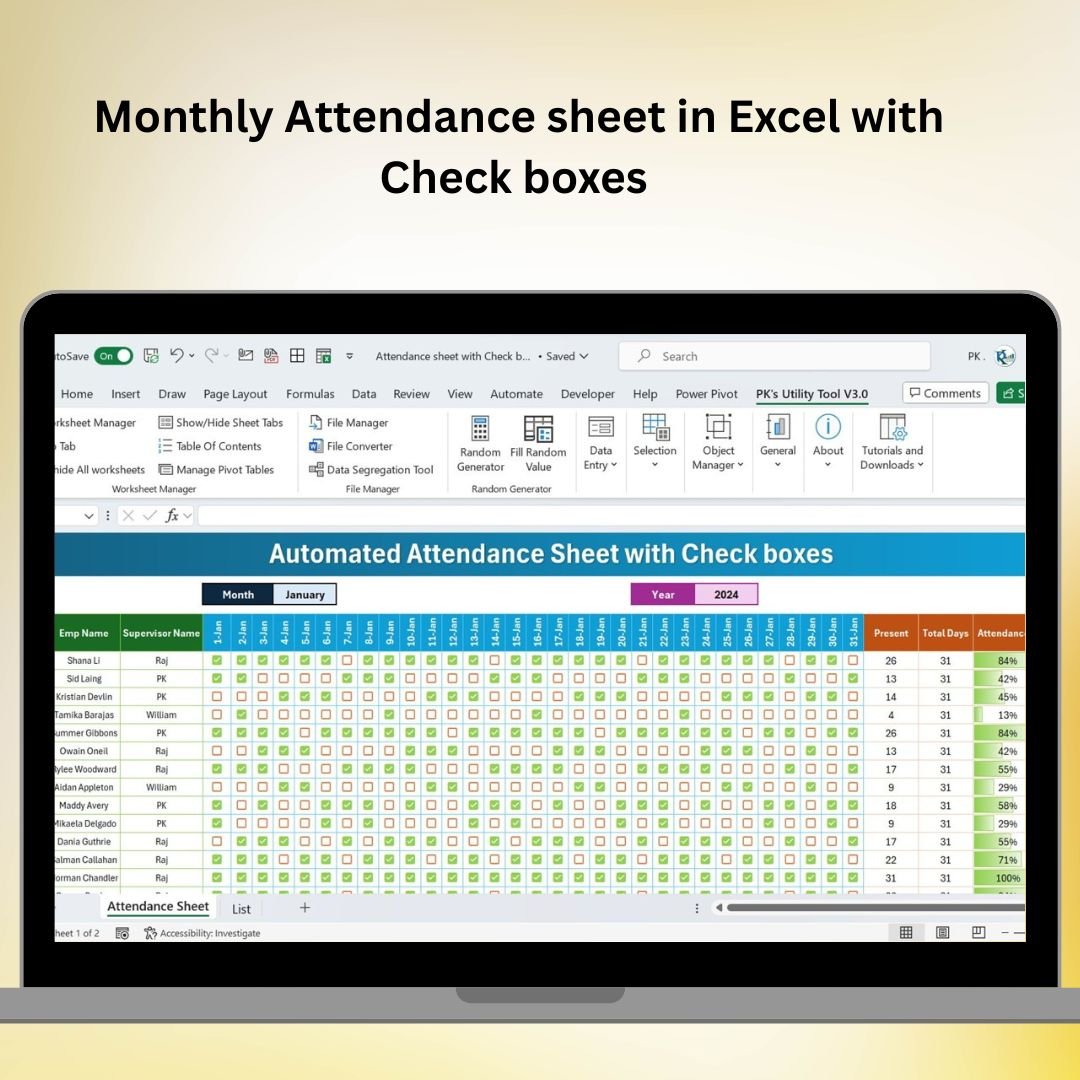
Each day has a form-control checkbox linked to a hidden cell. Tick the box for Present, leave it blank for Absent. There is no typing, no dropdowns, and no risk of entering an invalid code. Supervisors can finish a full day’s attendance for 30 people in under a minute. This is the same click-to-mark approach used in high-traffic HR templates like our Stylish Attendance Tracker with Symbols and Attendance Tracker in Excel.
3. Track Leave Types Alongside Attendance
A separate column lets you log leave codes — Sick Leave (SL), Casual Leave (CL), Paid Leave (PL), Earned Leave (EL), Unpaid Leave (UL), Public Holiday (PH), and Week Off (WO). These feed into the monthly summary so HR can see exactly how each person used their leave balance, which is essential for end-of-month payroll processing and statutory leave compliance.
4. Automatic Monthly Summary
As you mark each day, the summary block on the right updates live. It shows total present days, total absent days, leave days by type, attendance percentage, and working-days denominator. Attendance percentage is calculated as Present ÷ (Working Days – Approved Leave), which matches the formula used by most HRMS platforms and makes the output payroll-ready without any manual reconciliation.
5. One-Click Print & PDF Export
The print area is pre-configured. Ctrl+P gives you a clean A4 landscape attendance register — no gridlines, no extra columns — that is signable and ready to file. Export to PDF for audit trails or for sharing with finance and payroll.
Who This Attendance Sheet Is For
This template has been downloaded over 1,800 times by:
- HR executives and payroll admins at small businesses (5–50 employees) who need a zero-cost alternative to biometric machines and paid HRMS software.
- Teachers and school administrators tracking daily student attendance for primary, secondary, and coaching classes — the checkbox format works equally well for roll call.
- Site supervisors and construction managers logging daily labour attendance for wage calculation and compliance records.
- NGO coordinators and training institutes tracking participant attendance for funded programmes, workshops, and certifications.
- Retail and F&B shift managers recording week-off rotations, shift attendance, and overtime flags.
Key Features of the Monthly Attendance Sheet in Excel with Check Boxes
📅 Monthly Attendance Tracking — Track daily attendance for up to 30 employees or students with per-day checkboxes that make marking present/absent fast and error-free.
✅ Checkboxes for Simplicity — Form-control checkboxes (not data-validation ticks) mean one click per cell, clean visual output, and no typing mistakes. Works on Windows and Mac.
🖋 Customisable Leave Codes — Track Sick Leave, Casual Leave, Paid Leave, Earned Leave, Unpaid Leave, Public Holidays, and Week Offs alongside regular attendance so your payroll data is complete in one file.
🔢 Automated Calculations — Present days, absent days, leave days by type, working days, and attendance percentage are all calculated automatically — no formulas for you to build or maintain.
📈 Clear Monthly Overview — Weekend shading, holiday highlighting, and a summary panel on the right make it easy to spot absenteeism patterns, chronic late marks, and employees with zero leave balance.
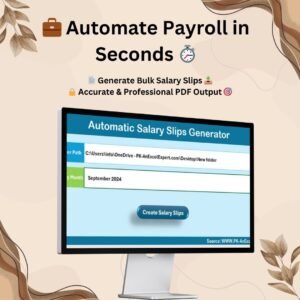
📊 Payroll-Ready Summary — Export the monthly summary directly into your payroll sheet or salary slip generator. Pairs perfectly with our Automatic Bulk Salary Slips Generator.
🖨 Print-Ready Register — Pre-set A4 landscape print area with clean formatting for physical filing and audit submissions.
🪶 Lightweight and No-Macro — Pure Excel, no VBA, no macros to enable — opens instantly in any version of Excel from 2016 onward, including Microsoft 365 and Excel for Mac.
Prefer a Different Platform or a More Powerful System?
This free checkbox sheet is a great starting point, but if your team has grown past 30 employees, needs multi-month history, or has to handle approval workflows and reports, we publish purpose-built upgrades in every major platform:
Excel — Paid Upgrades
- Attendance Management System – Lite — VBA-powered, login-based, auto-reports ($19.99)
- Smart Attendance Manager in Excel VBA — Form-driven entry, employee master, auto-emails ($6.99)
- Automated Attendance Sheet in Excel — Formula-based, multi-employee, charts ($6.99)
- Attendance & Overtime Dashboard — Visual dashboard with overtime analytics ($17.99)
- Dynamic Attendance Sheet using Power Pivot — Power Pivot data model, pivot-driven reports ($6.99)
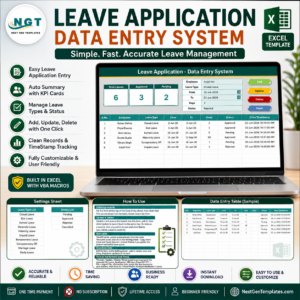
- Leave Management System — Approval workflow, leave balance tracking ($6.99)
Google Sheets — Cloud-First Alternatives
- Attendance Sheet Template in Google Sheets — Real-time collaboration, share with managers ($6.99)
- Attendance Tracker in Google Sheets — Auto-calculated, mobile-friendly ($6.99)
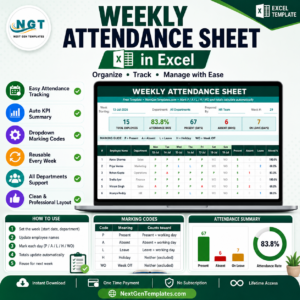
- Weekly Attendance Sheet in Google Sheets — Week-wise rotation tracking ($6.99)
- Employee Attendance Dashboard (Google Sheets) — Charts, trends, absenteeism view ($6.99)
Power BI — Enterprise Analytics
- Employee Leave Dashboard in Power BI — DAX-powered leave analytics, drill-through reports ($17.99)
Save More with the HR Bundle
💎 HR & Workforce Analytics Bundle — 10 Premium Templates — attendance, leave, performance, turnover, grievance, and productivity templates across Excel, Google Sheets, and Power BI in one pack ($89.99). Best value for growing HR teams.
Related Category Hubs
Browse more related templates: HR & Payroll Templates · All Tracker Templates · Excel Dashboard Templates
Why You’ll Love This Monthly Attendance Sheet
✅ Simplify Attendance Tracking — Mark a full month of attendance for 30 people in minutes using one-click checkboxes.
✅ Reduce Manual Errors — Auto-calculated totals remove the risk of wrong attendance percentage, missed absences, or double-counted leave days.
✅ Save Time on Payroll — Monthly summary feeds directly into salary slip generation and statutory compliance reports.
✅ Audit-Ready Records — Printable A4 register with signatures lane, ideal for PF, ESI, labour compliance, and internal audits.
✅ Works Everywhere — Excel 2016+, Microsoft 365, Excel for Mac — no cloud account, no subscription, no internet needed.
✅ Zero Cost, Zero Macros — Free download, no VBA, no security prompts, no IT approvals required.
Frequently Asked Questions
How do I add check boxes to an attendance sheet in Excel?
You don’t have to — this template already has 30 rows × 31 days of form-control checkboxes pre-built and linked to hidden cells. If you need to extend the grid, copy any existing checkbox row and paste it to new rows; Excel automatically re-links the checkboxes to the correct cells. For building checkboxes from scratch, see our detailed step-by-step blog tutorial.
Can I use this template for more than 30 employees?
Yes. Select the last employee row (including its row of checkboxes), copy it, and paste it below. The checkboxes will auto-link to the new linked cells. For teams of 50+ employees, we recommend the VBA-powered Attendance Management System – Lite which handles unlimited employees with a login-based entry form.
Does this attendance sheet work on Excel for Mac?
Yes. The template uses standard form-control checkboxes and native Excel formulas — no VBA, no ActiveX, no Windows-only controls. It opens and works identically on Excel 2016/2019/2021 for Mac and Microsoft 365 for Mac.
Can I track sick leave, casual leave, and holidays separately?
Yes. Each employee row has a leave code column supporting SL (Sick Leave), CL (Casual Leave), PL (Paid Leave), EL (Earned Leave), UL (Unpaid Leave), PH (Public Holiday), and WO (Week Off). The monthly summary breaks down leave days by each type, so you can hand the file directly to payroll. For a full leave approval workflow, upgrade to our Leave Management System.
How is attendance percentage calculated?
Attendance percentage is calculated as Present Days ÷ (Total Working Days − Approved Leave) × 100. This matches the formula used by most HRMS platforms and gives you a payroll-ready percentage that already excludes approved leave from the denominator.
Is there a Google Sheets version of this attendance template?
Yes. Our Attendance Sheet Template in Google Sheets uses the same checkbox approach but runs in the cloud, supports real-time collaboration with supervisors, and works on mobile. It’s $6.99 and ideal for distributed teams.
Can I use this sheet for student attendance in a school or coaching class?
Absolutely. Replace the “Employee Name” column header with “Student Name” or “Roll Number”, customise the leave codes to your school’s terms (P for Present, A for Absent, L for Late, etc.), and you have a working class attendance register. Many teachers use it for daily roll call, tuition centres, and certification programmes.
Do I need to enable macros?
No. This is a pure-formula Excel file with form-control checkboxes only — there is no VBA and no macros. You will not see the “Enable Content” security banner when you open it.
Free Download — What You Get
🎁 Free .xlsx file — ready-to-use monthly attendance sheet with 30 employee rows, 31-day checkbox grid, leave codes, and auto-summary.
📧 No signup required — direct download link after checkout.
🔄 Lifetime access — re-download anytime from your account.
📺 Video walkthrough — on our YouTube channel (link below).











Reviews
There are no reviews yet.