



The Employee Productivity Tracking KPI Dashboard is an essential tool for organizations aiming to monitor and optimize their employees’ performance. This Excel-based dashboard allows HR managers, team leaders, and business owners to track key performance indicators (KPIs) related to employee productivity. It’s designed to help you assess individual and team productivity, identify areas for improvement, and make data-driven decisions to enhance workplace efficiency.
With the ability to track various metrics such as task completion rates, time management, and performance trends, this dashboard provides a comprehensive view of your workforce’s productivity. This tool will empower you to focus on areas where improvements can be made and recognize high performers who contribute significantly to the success of the organization.
Key Features of the Employee Productivity Tracking KPI Dashboard
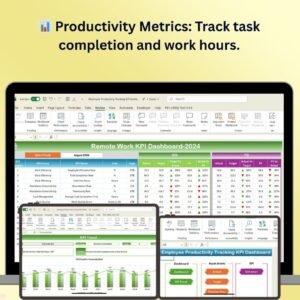
📊 Comprehensive Productivity Metrics
Track essential productivity metrics such as tasks completed, work hours logged, and overall task efficiency. This will help you understand each employee’s contribution and the effectiveness of their work.
⏱ Time Management Monitoring
Monitor how well employees manage their time, including time spent on tasks, breaks, and overall working hours. Identify time management issues and optimize workflows for better results.
📈 Performance Trends Analysis
Analyze employee performance trends over time. Track progress, highlight improvements, and spot any areas where performance may be declining, allowing for timely interventions.
📊 Team Performance Tracking
Not only track individual performance but also assess how well teams are collaborating and achieving collective goals. This enables managers to optimize team structures and workflows for improved outcomes.
💡 Customizable KPIs
Customize the dashboard to include the KPIs that matter most to your business. Whether it’s sales performance, project completion, or other measurable outcomes, the dashboard can be tailored to suit your organization’s needs.
⚙️ Real-Time Data Integration
With real-time data tracking, ensure that you are monitoring up-to-date productivity levels. Data-driven insights allow you to make quicker and more informed decisions.
Why You’ll Love the Employee Productivity Tracking KPI Dashboard

✅ Track Employee Performance with Ease
Keep track of how employees are performing against their set tasks and deadlines. Understand which team members are meeting expectations and who may need additional support.
✅ Optimize Workflow & Efficiency
By analyzing time management and task completion rates, you can identify inefficiencies in workflows and take action to improve them. Streamline operations and reduce wasted time.
✅ Make Data-Driven Decisions
Leverage the data from the dashboard to make informed decisions that improve employee productivity. Adjust goals, workloads, and schedules based on real performance insights.
✅ Boost Employee Engagement & Morale
By tracking performance, you can provide recognition to top performers and support those who may be struggling. This helps maintain high levels of employee engagement and motivation.
✅ Customizable & Scalable
The dashboard is highly customizable to meet the needs of your business. It can scale from small teams to large organizations with multiple departments or workgroups.
What’s Inside the Employee Productivity Tracking KPI Dashboard?
Comprehensive Productivity Metrics: Track task completion, work hours, and efficiency.
Time Management Monitoring: Monitor how employees are using their time during work hours.
Performance Trends Analysis: Analyze performance over time to identify areas for improvement.
Team Performance Tracking: Track how well teams are collaborating and meeting goals.
Customizable KPIs: Adjust the dashboard to reflect your unique performance metrics.
Real-Time Data Integration: Ensure you are always working with up-to-date data for accurate decision-making.
How to Use the Employee Productivity Tracking KPI Dashboard
1️⃣ Download the Template: Get instant access to the Employee Productivity Tracking KPI Dashboard.
2️⃣ Input Employee Data: Enter employee details such as task completion, hours worked, and performance data.
3️⃣ Track Productivity: Monitor individual and team productivity based on KPIs and real-time data.
4️⃣ Analyze Performance Trends: Use the data analysis features to track trends over time and make adjustments.
5️⃣ Optimize Processes: Leverage insights from the dashboard to streamline operations and increase overall productivity.
Who Can Benefit from the Employee Productivity Tracking KPI Dashboard?
🔹 HR Managers & Supervisors
🔹 Team Leaders & Department Heads
🔹 Business Owners & Entrepreneurs
🔹 Operations Managers
🔹 Small & Medium Enterprises (SMBs)
🔹 Large Corporations
🔹 Freelancers & Consultants
Increase employee productivity and streamline workflows with the Employee Productivity Tracking KPI Dashboard. This Excel-based tool provides real-time insights into employee performance and task management, allowing for data-driven decisions that improve overall workplace efficiency.
Click here to read the Detailed blog post
Visit our YouTube channel to learn step-by-step video tutorials
Youtube.com/@PKAnExcelExpert
Compatibility and Requirements
- Works in Microsoft Excel desktop (Excel 2016 or later, or Microsoft 365).
- Trends are shown in charts. Microsoft explains Excel charts in Create a chart from start to finish.
Frequently Asked Questions
Which productivity KPIs does it track?
Tasks completed, work hours logged, task efficiency, time management and performance trends over time.
Can I track teams as well as individuals?
Yes. It tracks individual performance and how well teams meet their collective goals.
What data do I enter?
You enter employee details such as task completion, hours worked and performance data.
Can I add my own KPIs?
Yes. You can add KPIs such as sales performance or project completion.
Is there a Google Sheets version?
Yes. The Employee Productivity Tracking KPI Dashboard in Google Sheets covers the same KPIs.
Related Employee Productivity Templates
- Employee Productivity Tracking KPI Dashboard in Google Sheets: the same KPIs in Google Sheets
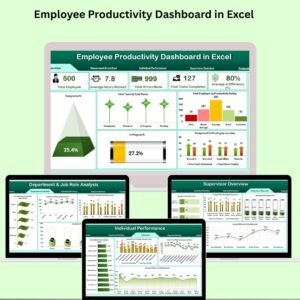
- Employee Productivity Dashboard in Excel: a full productivity dashboard
- Employee Productivity Report in Excel: a printable productivity report
- Employee Productivity Dashboard in Google Sheets: productivity reporting online
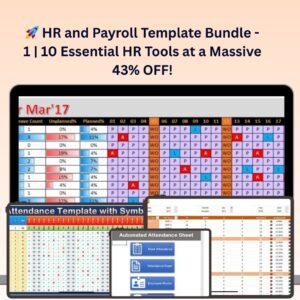
- HR & Workforce Analytics Bundle: 10 HR templates in one download
Browse all Excel HR and payroll templates or the Excel KPI dashboards.















Reviews
There are no reviews yet.