



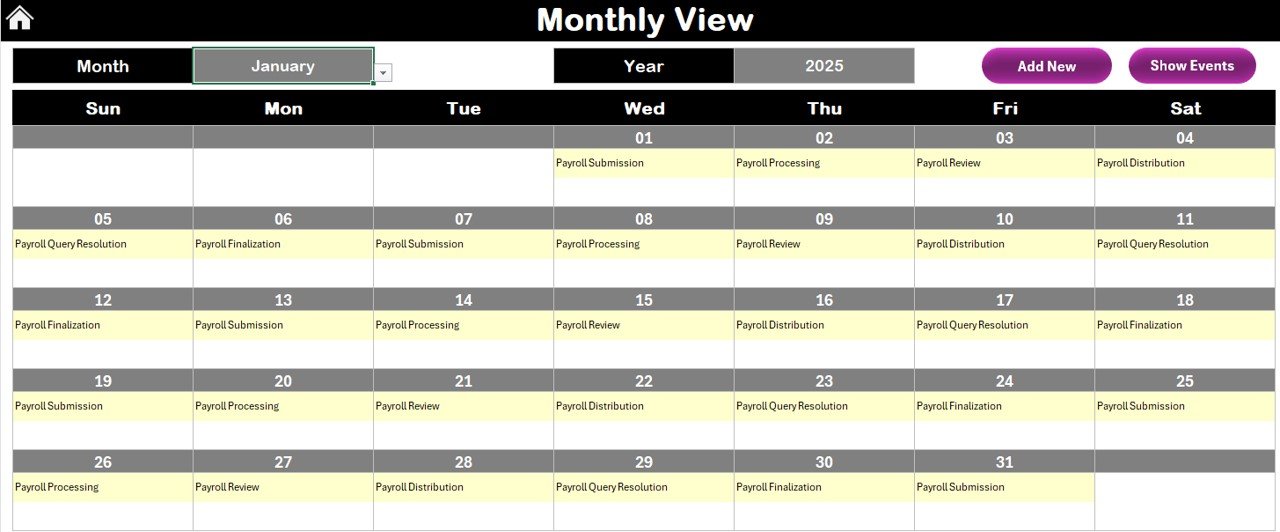


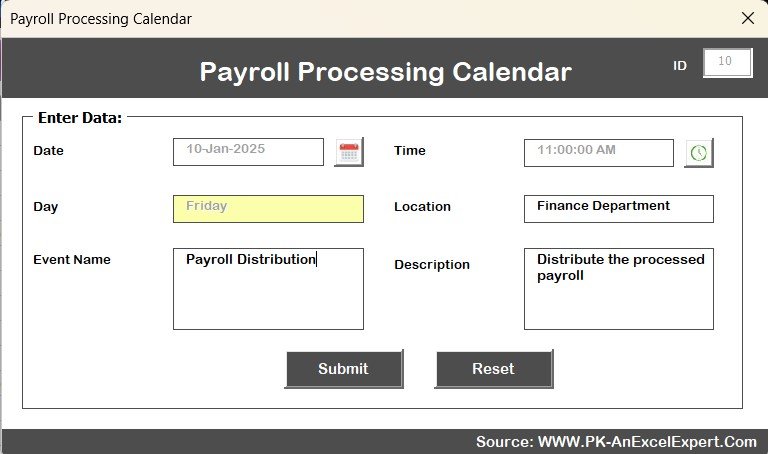

The Payroll Processing Calendar in Excel is a streamlined, easy-to-use tool designed to help HR departments, payroll managers, and business owners effectively manage and track their payroll schedule. This Excel-based calendar ensures that all payroll-related activities, such as tax calculations, deductions, and pay dates, are accurately recorded and processed on time.
This calendar provides a clear, organized overview of payroll activities, ensuring that all payroll deadlines are met, and payroll processes run smoothly without missing any important tasks. Whether you are a small business or a large organization, this tool is customizable to meet your payroll processing needs, making it easier to track important milestones and ensure compliance with regulatory requirements.
Key Features of the Payroll Processing Calendar in Excel
📅 Comprehensive Payroll Scheduling
Organize payroll dates, pay periods, and deadlines in one simple calendar. Track the pay dates, tax deadlines, and other important milestones to ensure timely payroll processing.
📝 Deductions & Contributions Tracking
Track tax deductions, employee benefits, and contributions (like retirement funds, health insurance, etc.). This ensures that all necessary deductions are calculated correctly, avoiding any compliance issues.
📊 Payroll Data & History
Keep a record of each payroll cycle, including details of payments made, tax calculations, and any adjustments. This makes it easier to access past payroll information for audits and reports.
⏱ Automated Alerts & Notifications
Set up reminders and automated notifications for important payroll tasks such as payment processing, tax filing, and employee reimbursements, ensuring no deadline is missed.
⚙️ Customizable & Scalable
Tailor the calendar to fit your company’s payroll structure. Add custom pay periods, different types of deductions, or adjust the calendar for multiple locations or departments.
📈 Reporting & Analytics
Generate payroll-related reports for better financial management. Analyze trends in payroll expenses, tax withholdings, and other payroll metrics to improve budget planning.
Why You’ll Love the Payroll Processing Calendar in Excel

✅ Simplifies Payroll Management
Easily track payroll dates, deductions, and tax deadlines all in one place. The calendar keeps everything organized, so you never miss a deadline.
✅ Accurate & Timely Payroll Processing
Track every payroll-related task and ensure that all deadlines are met on time, reducing the risk of errors and compliance issues.
✅ Seamless Deductions & Benefits Management
Track all necessary employee benefits and deductions such as retirement contributions, health insurance, and other benefits with ease.
✅ Customizable for Any Organization
Adapt the calendar to your payroll processing needs, whether you run a small business or a large corporation with complex payroll structures.
✅ Enhanced Reporting & Compliance
Generate detailed payroll reports for audits, budget planning, or financial analysis. Stay compliant with tax and reporting regulations by keeping accurate records.
What’s Inside the Payroll Processing Calendar in Excel?
Payroll Scheduling: Track pay dates, pay periods, and tax deadlines.
Deductions & Contributions Tracking: Monitor tax deductions, insurance premiums, and other employee benefits.
Payroll History & Recordkeeping: Keep a log of each payroll cycle for reporting and compliance purposes.
Automated Alerts & Notifications: Get reminders for important payroll tasks and deadlines.
Customizable Features: Adjust the calendar for different payroll structures and business needs.
Reporting & Analytics: Generate detailed reports and analyze payroll data for better financial planning.
How to Use the Payroll Processing Calendar in Excel
1️⃣ Download the Template: Access the Payroll Processing Calendar in Excel instantly.
2️⃣ Input Payroll Data: Enter payroll dates, tax deadlines, and employee deduction information.
3️⃣ Track Deadlines & Deductions: Monitor payroll deadlines and calculate employee deductions with ease.
4️⃣ Set Up Alerts & Reminders: Automate notifications for important payroll events.
5️⃣ Generate Reports & Track Trends: Use the reporting tools to generate payroll reports and analyze data trends.
Who Can Benefit from the Payroll Processing Calendar in Excel?
🔹 Payroll Managers & HR Departments
🔹 Business Owners & Finance Teams
🔹 Small & Medium Enterprises (SMBs)
🔹 Large Corporations with Complex Payroll Structures
🔹 Accountants & Financial Analysts
🔹 Tax Professionals & Auditors
Ensure a seamless and efficient payroll process with the Payroll Processing Calendar in Excel. Stay on top of deadlines, track deductions, and maintain compliance—all in one simple tool.
Click here to read the Detailed blog post
Visit our YouTube channel to learn step-by-step video tutorials
Youtube.com/@PKAnExcelExpert
Compatibility and Requirements
- Works in Microsoft Excel desktop (Excel 2016 or later, or Microsoft 365).
Frequently Asked Questions
What can I plan with the payroll calendar?
Pay dates, pay periods, tax deadlines and other payroll milestones, all in one calendar.
Does it track deductions and benefits?
Yes. You can track tax deductions, employee benefits and contributions such as retirement funds and health insurance.
Can I keep a history of past payroll cycles?
Yes. The calendar keeps a record of each payroll cycle, including payments, tax calculations and adjustments.
Can I add my own pay periods?
Yes. You can add custom pay periods and deduction types, or adjust the calendar for several locations or departments.
Related Payroll and HR Templates
- Payroll Processing Calendar in Google Sheets: the same calendar for Google Sheets users
- Payroll Calculator and Payslip Generator in Excel: works out pay and prints payslips
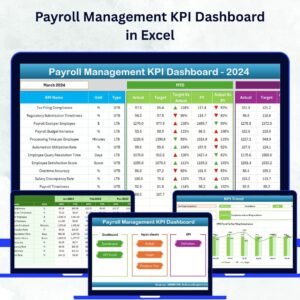
- Payroll Management KPI Dashboard in Excel: tracks payroll KPIs over time
- HR Compliance and Audit Calendar in Excel: plans HR compliance dates
- Calendar and Planner Pack: 12 calendar and planner templates in one bundle
Browse all Excel calendar templates or the Excel HR and payroll templates.





























Reviews
There are no reviews yet.