

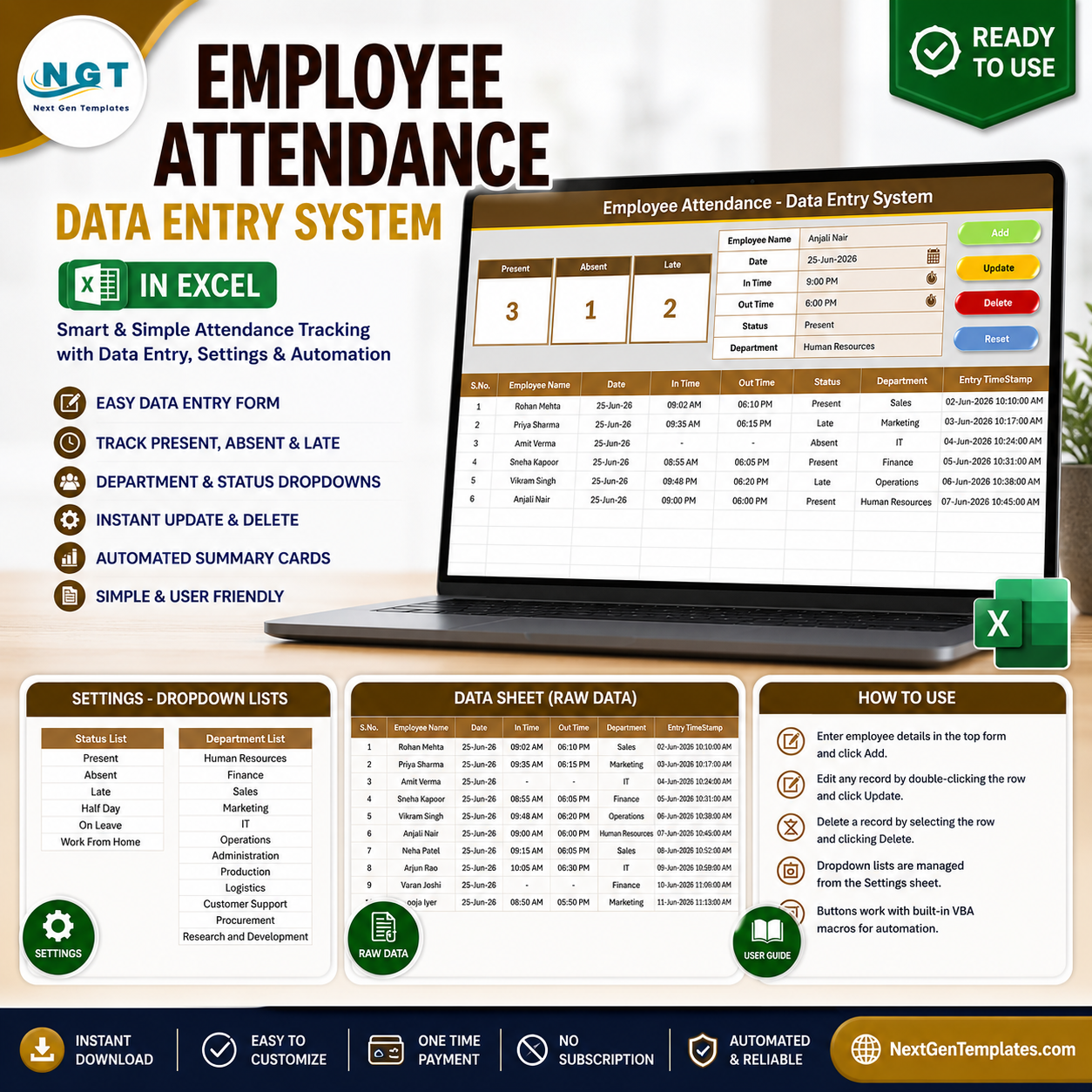
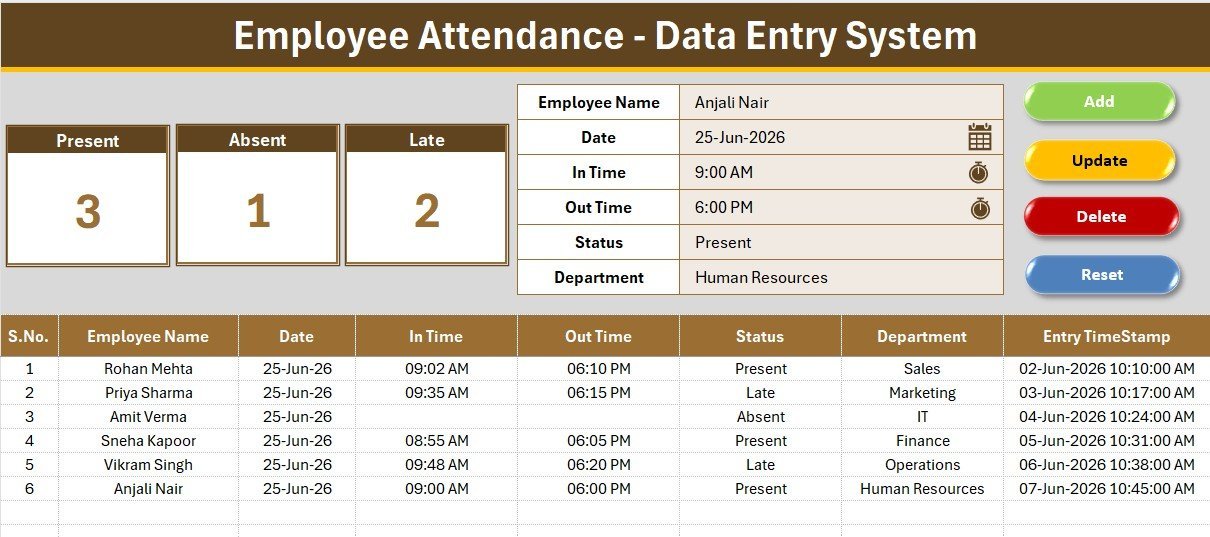
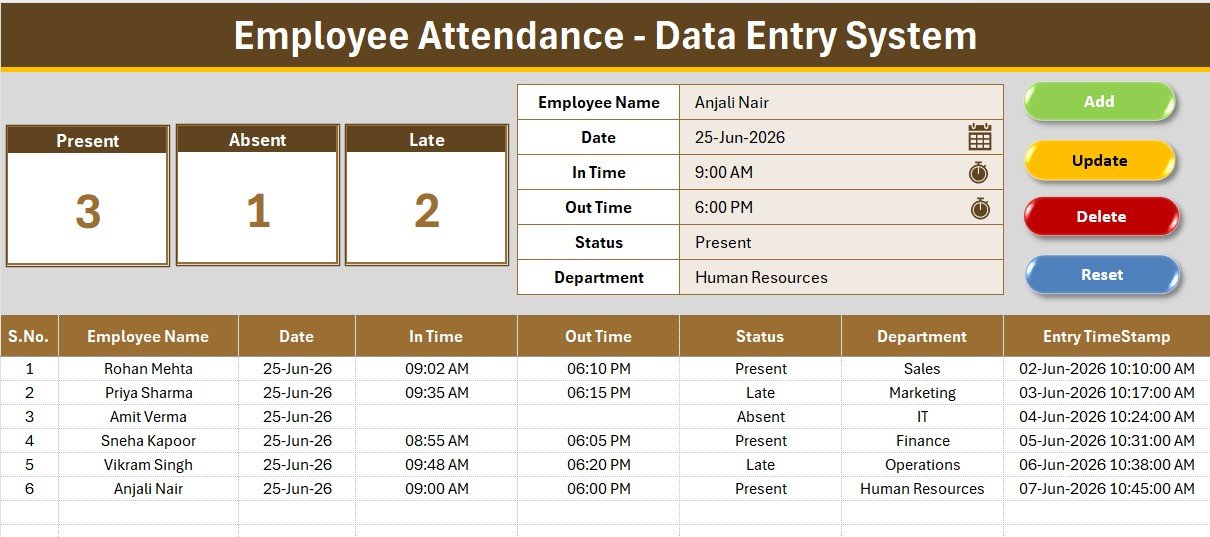
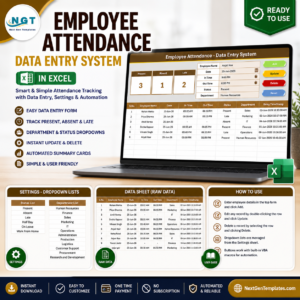
The Employee Attendance Data Entry System in Excel captures 6 fields per record — Employee Name, Date, In Time, Out Time, Status and Department — and rolls them into 3 live KPI cards: Present, Absent and Late. Type into the form, click Add, and every count updates instantly. Setup takes under 5 minutes.
🌍 Join 8,400+ teams in 40+ countries using NextGenTemplates to replace paid SaaS tools with one-time-purchase Excel, Google Sheets, Power BI and HTML templates.
✅ Instant download · One-time payment · No subscription · No per-user fees · Lifetime access
🔑 Key Features of the Employee Attendance Data Entry System in Excel
This system records daily attendance through a single guided form rather than loose typing into a grid, so every row stays consistent. The form writes Employee Name, Date, In Time, Out Time, Status and Department straight into a structured records table.
- 📊 Three live KPI cards – Present, Absent and Late are calculated with COUNTIF on the Status column and refresh the moment a record is added, updated or deleted.
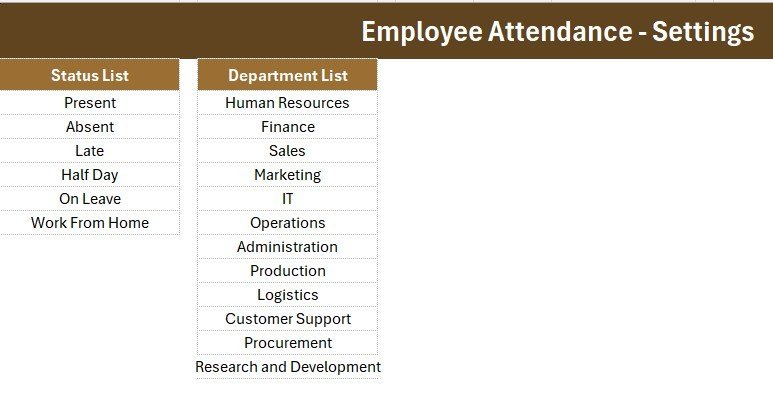
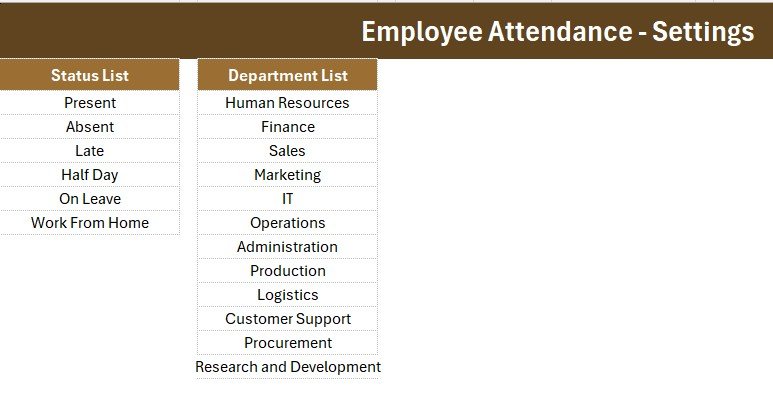
- 📝 Two managed dropdown lists – Status offers Present, Absent, Late, Half Day, On Leave and Work From Home; Department ships with 12 entries you can rename on the Setting sheet without touching a formula.
- ⚙️ Four VBA macro buttons – Add, Update, Delete and Reset handle the full record lifecycle, including clearing the form after each save.
- 🔢 Self-maintaining records table – serial numbers renumber automatically, dates stay formatted, and an Entry TimeStamp column logs exactly when each row was saved.
- 📂 Four organised sheets – Data Entry, Setting, Instructions and Get More Templates keep the workbook tidy and easy to hand to a new user.
📦 What’s Inside the Employee Attendance Data Entry System
Page 1: Data Entry Dashboard
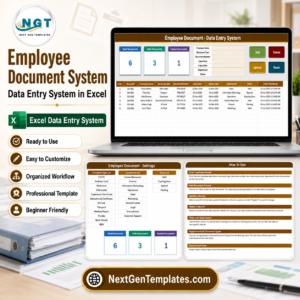
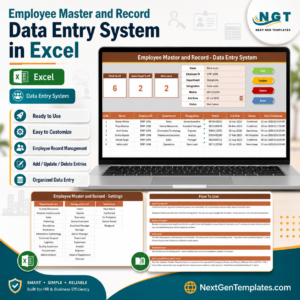
The main screen pairs the Present, Absent and Late KPI cards with the entry form on top and the full attendance records table below, so logging and monitoring happen on one screen.
Page 2: Entry Form and Dropdown Lists
The form captures Employee Name, Date, In Time, Out Time, Status and Department, with Status and Department wired to validated dropdowns so attendance is never mistyped.
Page 3: Records Table and Settings
Saved entries sit in a clean records table with auto serial numbers and timestamps, while the Setting sheet holds the editable Status and Department source lists.
📊 Employee Attendance Data Entry System vs. Google Sheets vs. Paid HR SaaS — Where This Fits
| Feature | Employee Attendance Data Entry System (Excel) | Google Sheets equivalent | BambooHR / Keka / Zoho People |
|---|---|---|---|
| Cost | $5.99 one-time | $0–low, manual build | $3–$8 / user / month |
| Platform | Microsoft Excel (offline) | Browser + Google account | Cloud only |
| Setup time | Under 5 minutes ✅ | Build from scratch | Hours of onboarding |
| Works offline | Yes ✅ | No | No |
| One-click Add / Update / Delete | Yes, via VBA ✅ | Manual or scripts | Yes |
| Editable fields and lists | Fully editable ✅ | Editable | Limited to plan |
| Per-user fees | None ✅ | None | Charged per employee |
| Year-1 cost at 5 users | $5.99 ✅ | $0 + your time | $180–$480 |
| You own the data file | Yes ✅ | Yes | Vendor-hosted |
For small teams that want quick, accurate attendance logging without paying per employee every month, the Employee Attendance Data Entry System in Excel sits in the sweet spot.
👥 Who This Template Is For — and Who It’s Not For
✅ This template is built for:
- Small business owners and office managers tracking attendance for 5–100 staff.
- HR coordinators who want a tidy daily log without a cloud subscription.
- Supervisors, clinics, shops and schools that record In/Out times and statuses by hand.
❌ This template is NOT for:
- Enterprises needing biometric or RFID hardware integration and SSO.
- Teams that require automatic geofenced clock-in from a mobile app.
⚙️ How to Use the Employee Attendance Data Entry System
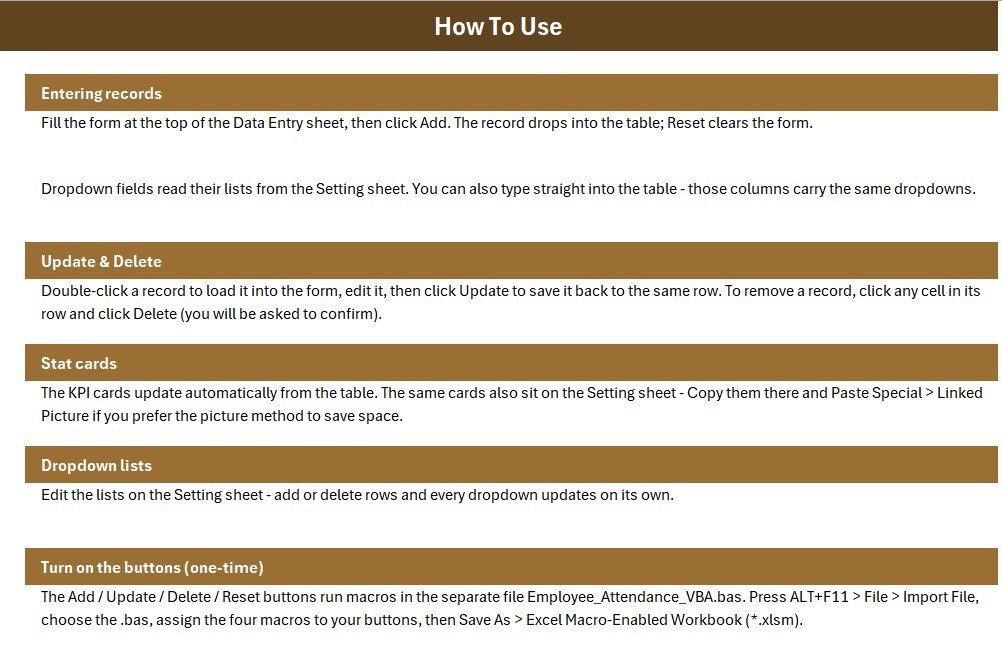
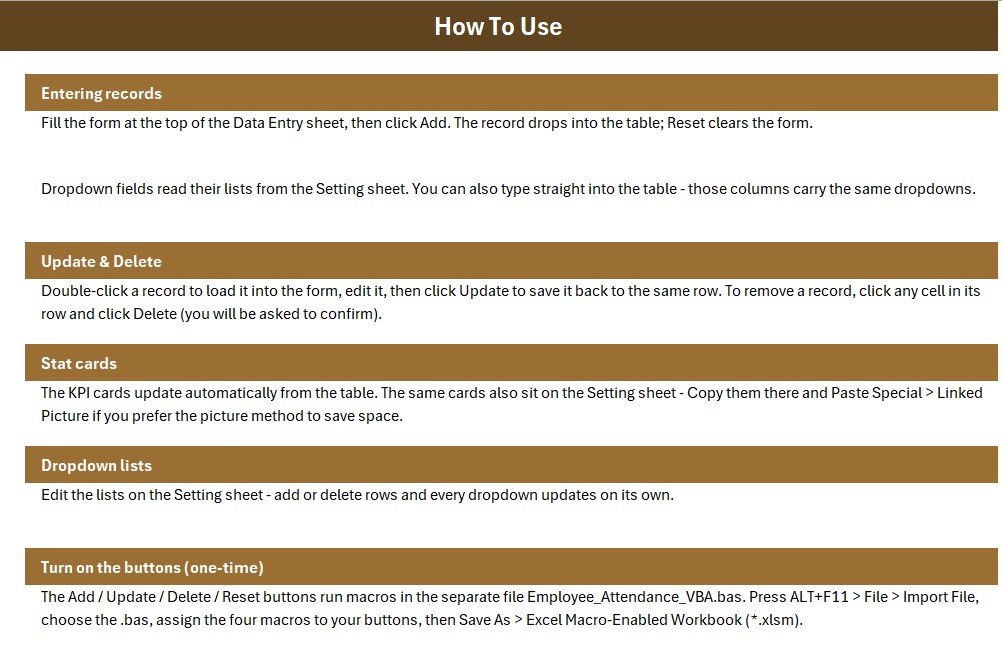
- Open the workbook, press ALT+F11 and import the included .bas module, then save as a macro-enabled .xlsm file.
- Add four Form Control buttons over the Add, Update, Delete and Reset cells and assign the matching macros.
- Open the Setting sheet and edit the Status and Department lists to match your organisation.
- Fill the form on the Data Entry sheet and click Add to save each attendance record.
- Watch the Present, Absent and Late KPI cards update automatically as records grow.
💼 Real-World Use Cases
Neha manages a 28-person design studio. She logs daily attendance through the form, glances at the Present and Late cards each morning, and exports the records table for payroll at month-end — without paying per-seat for cloud HR software.
Dr. Rao runs a small clinic with 9 staff. Reception records In Time and Out Time for each shift, marks On Leave or Half Day from the dropdown, and keeps a timestamped history that lives entirely in one Excel file.
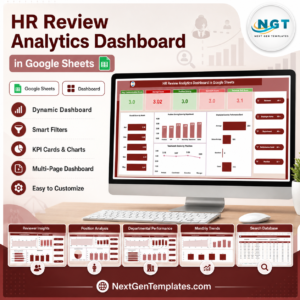
Need analytics on top of the log? Pair it with the HR Analytics Dashboard in Excel from our HR & Payroll Templates collection.
❓ Frequently Asked Questions
What does the Employee Attendance Data Entry System in Excel track?
The Employee Attendance Data Entry System in Excel tracks Employee Name, Date, In Time, Out Time, Status and Department for each record, and summarises them into Present, Absent and Late KPI counts that refresh automatically.
Do I need to enable macros?
Yes. The Employee Attendance Data Entry System uses VBA for its Add, Update, Delete and Reset buttons, so you import the included .bas module, save as .xlsm and enable macros when Excel prompts you.
How long does setup take?
Most users finish in under five minutes — import the macro module, attach the four buttons, edit the Status and Department lists on the Setting sheet, and start entering attendance.
Can I change the departments and statuses?
Absolutely. The Setting sheet holds both source lists, so you can rename, add or remove Department and Status options and the dropdowns and KPIs update with them.
How does this compare to BambooHR or Zoho People?
Paid HR platforms charge per employee every month. The Employee Attendance Data Entry System in Excel is a one-time $5.99 file you fully own, works offline, and has no per-user fees — ideal for small teams.
Is this the same as a web app version?
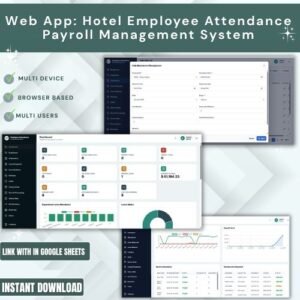
This is the Excel edition. If you need multi-user login and a browser interface, see the Employee Attendance Payroll Management System Web App.
👤 About the Author
Built by PK — Microsoft Certified Professional with 15+ years of Excel, Google Sheets and Power BI experience. Founder of NextGenTemplates, reaching 300K+ subscribers across YouTube channels (@PK-AnExcelExpert, @NextGenTemplates, @NeoTechNavigators). Every template is hand-built and tested before release.
🔗 Explore Related Templates
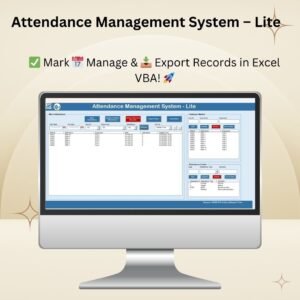
- Student Attendance Data Entry System in Excel – the same form-based system tuned for classrooms.
- Employee Satisfaction Survey Tracker in Excel – capture staff feedback alongside attendance.
- HR Analytics Dashboard in Excel – turn your HR records into visual insights.
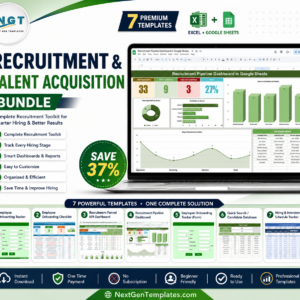
💎 Save more with the Recruitment & Talent Acquisition Bundle — 7 premium HR templates in one pack.
📖 Click here to read the Detailed Blog Post
🎥 Visit our YouTube channel for step-by-step video tutorials
👉 YouTube.com/@NextGenTemplates
📅 Last updated: June 2026










Reviews
There are no reviews yet.