

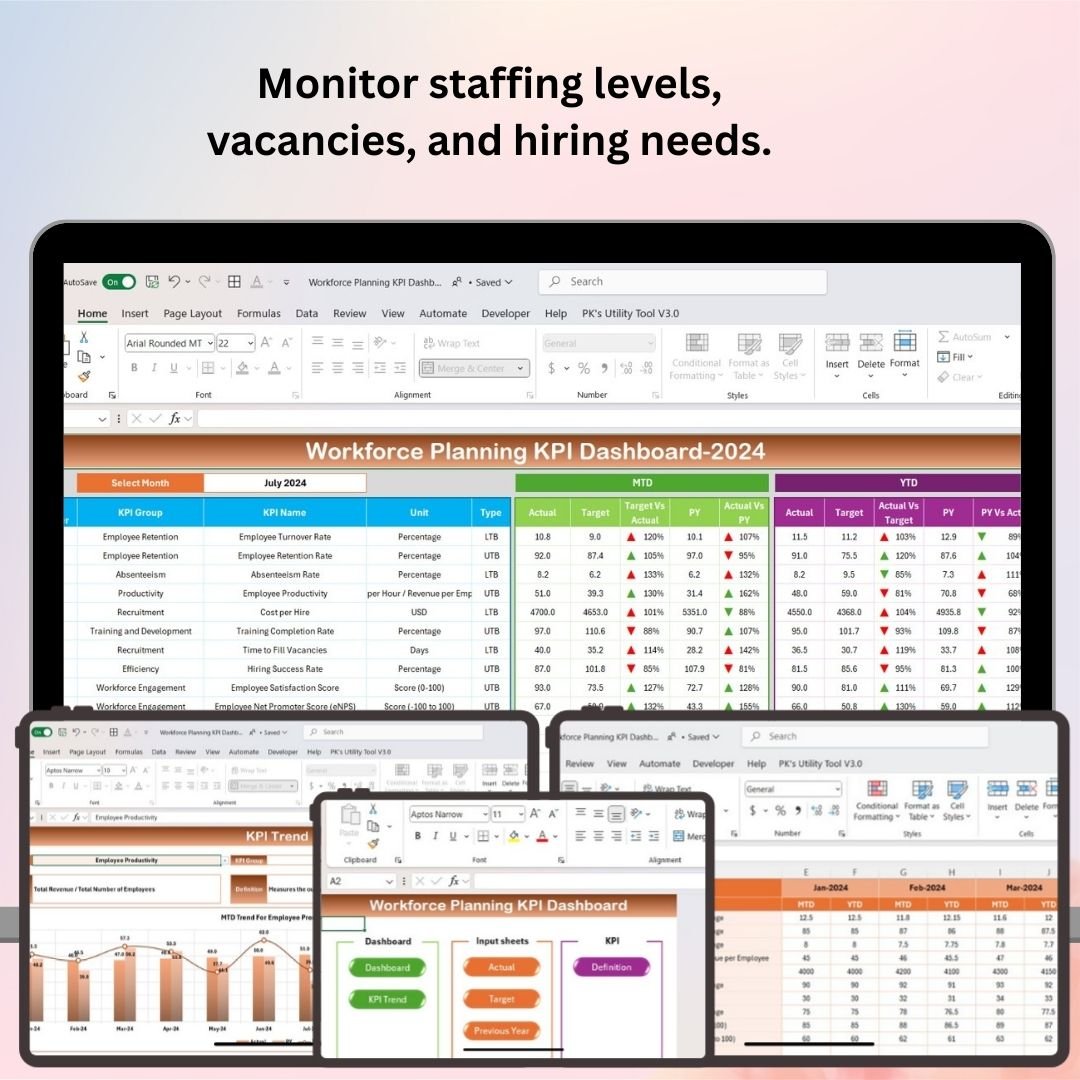
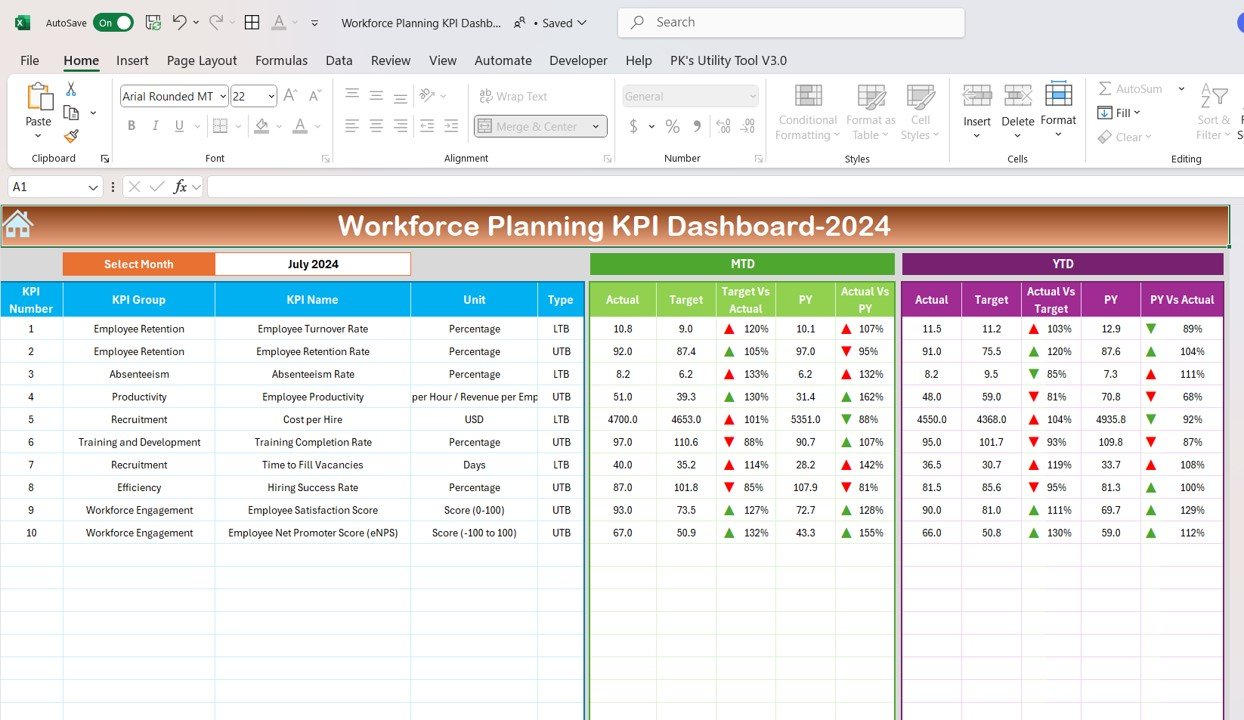
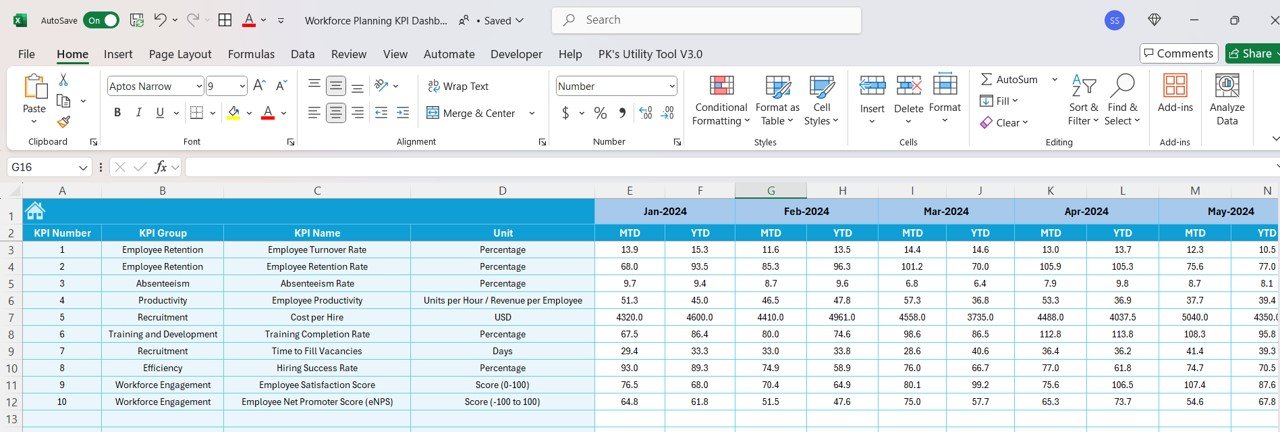
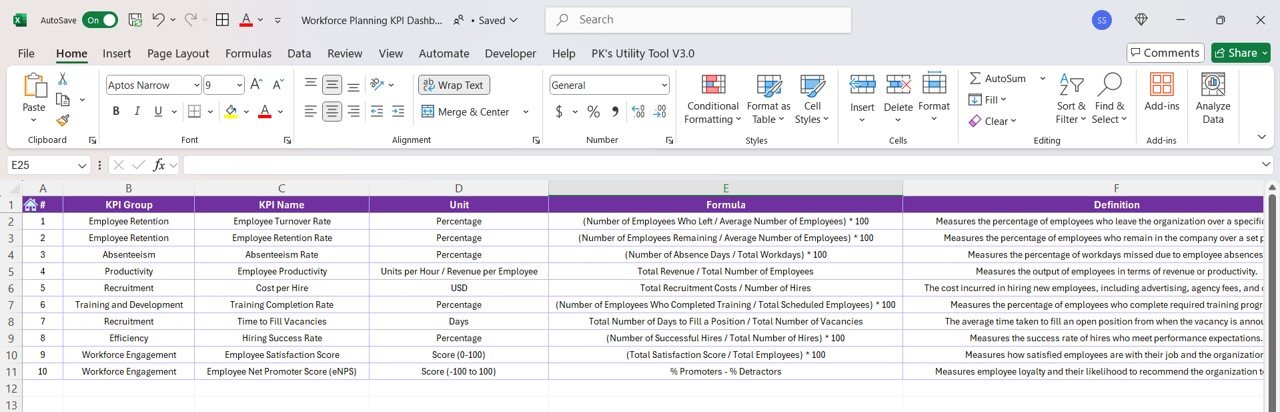

The Workforce Planning KPI Dashboard in Excel is a comprehensive tool designed for HR managers, workforce planners, and business leaders to effectively track and manage workforce metrics. This Excel-based dashboard allows you to monitor key performance indicators (KPIs) related to your workforce, such as staffing levels, turnover rates, employee productivity, and workforce costs, enabling you to make data-driven decisions to optimize your workforce strategy.
With real-time tracking, customizable charts, and a user-friendly interface, this dashboard ensures that you can manage your workforce efficiently, plan for future hiring needs, and maintain a balanced and effective workforce to meet organizational goals.
Key Features of the Workforce Planning KPI Dashboard in Excel:
📊 Staffing Level Monitoring
Track current staffing levels, monitor vacant positions, and plan for future hiring to ensure your team is adequately staffed to meet business needs.
💼 Employee Turnover and Retention Tracking
Monitor turnover rates, analyze retention trends, and identify areas for improvement in employee satisfaction and retention strategies.
📈 Employee Productivity Metrics
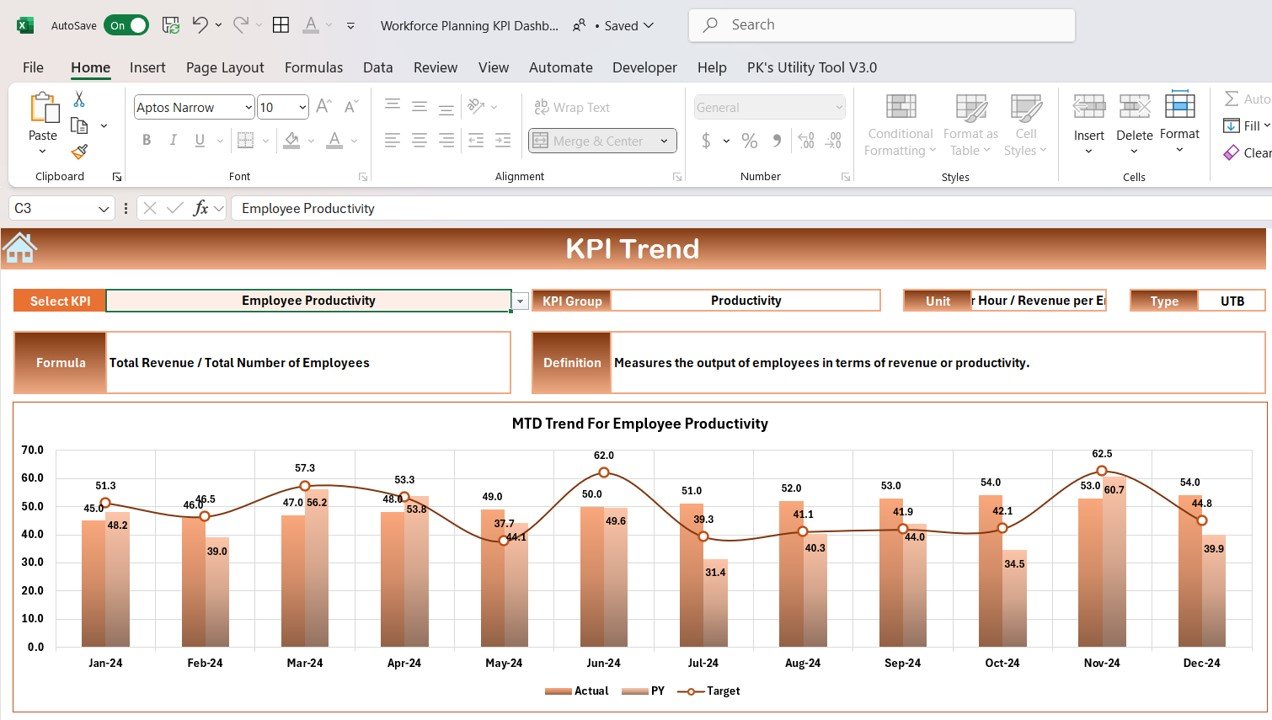
Track employee performance and productivity levels, identifying high performers and areas where additional support or training may be required.
💸 Workforce Cost Analysis
Monitor workforce-related costs, including salaries, benefits, and training expenses, to ensure your workforce remains cost-effective while meeting business objectives.
📅 Workforce Capacity Planning
Track workforce capacity and availability, ensuring that staffing levels match demand and prevent understaffing or overstaffing situations.
🚀 Why You’ll Love the Workforce Planning KPI Dashboard in Excel:

✅ Optimize Workforce Strategy – Track staffing levels, turnover, productivity, and costs to ensure that your workforce strategy is aligned with your business goals.
✅ Improve Retention – Monitor employee turnover and retention rates to identify issues and improve employee engagement and satisfaction.
✅ Enhance Productivity – Use performance data to identify high performers and areas for improvement, helping you drive workforce productivity.
✅ Track Workforce Costs – Monitor and control workforce-related expenses, ensuring that your organization remains financially efficient.
✅ Customizable and User-Friendly – Fully customizable to meet your workforce planning needs, with an easy-to-use interface that allows for quick data input and analysis.
✅ Data-Driven Decision Making – Make informed decisions about hiring, training, and retention strategies by analyzing workforce data and trends.
What’s Inside the Workforce Planning KPI Dashboard in Excel:
Staffing Level Monitoring: Track the number of employees in each department and the number of open positions to ensure you have the right staffing levels.
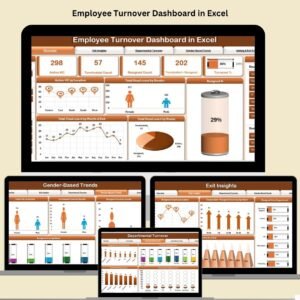
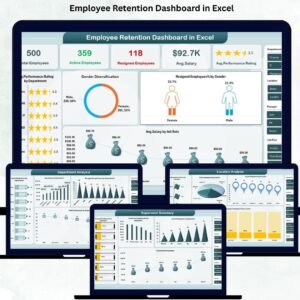
Turnover and Retention: Monitor employee turnover rates, identify reasons for departure, and implement strategies to improve employee retention.
Employee Productivity Tracking: Track productivity metrics for employees, including performance reviews, target achievements, and key performance outcomes.
Workforce Costs: Track workforce-related costs, including compensation, benefits, training, and recruitment expenses, to ensure financial efficiency.
Capacity Planning: Track workforce capacity and availability, ensuring that staffing levels match business demand, minimizing risks related to understaffing or overstaffing.
Custom Reports: Generate detailed, customizable reports to provide insights into workforce performance and trends for senior management.
How to Use the Workforce Planning KPI Dashboard in Excel:
1️⃣ Download the Template – Instantly access your Excel file upon purchase.
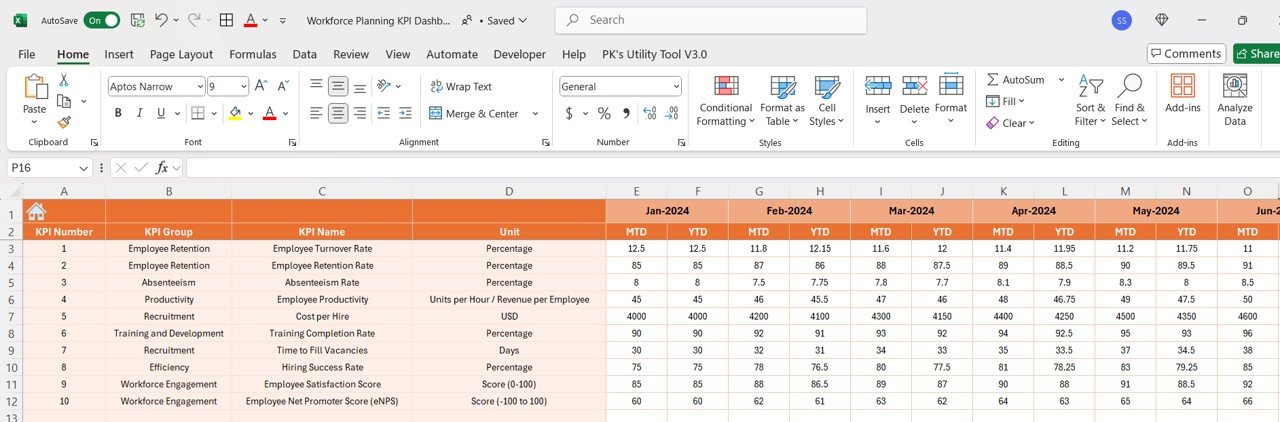
2️⃣ Input Workforce Data – Add details about current staffing levels, turnover, employee performance, and costs.
3️⃣ Monitor KPIs – Track key performance indicators such as staffing levels, turnover rates, productivity, and workforce costs.
4️⃣ Analyze Workforce Data – Use the dashboard to analyze trends in employee turnover, retention, and productivity, and identify areas for improvement.
5️⃣ Generate Reports – Create detailed reports summarizing workforce metrics, allowing management to make informed decisions on workforce planning and strategy.
Who Can Benefit from the Workforce Planning KPI Dashboard in Excel:
HR Managers
Workforce Planners
Operations Managers
Business Executives
Recruitment Teams
Finance and Budgeting Teams
Small and Medium Businesses (SMBs)
Large Enterprises with Complex Workforce Needs
The Workforce Planning KPI Dashboard in Excel is an essential tool for organizations looking to optimize their workforce planning process. By tracking key workforce metrics, you can ensure that your organization is fully staffed, cost-effective, and ready to meet business objectives.
Click here to read the Detailed blog post
https://www.pk-anexcelexpert.com/workforce-planning-kpi-dashboard-in-excel/
Visit our YouTube channel to learn step-by-step video tutorials
Youtube.com/@PKAnExcelExpert
Compatibility and Requirements
- Works in Microsoft Excel desktop (Excel 2016 or later, or Microsoft 365).
- Charts and reports are built into the workbook.
- New to Excel charts? See Create a chart from start to finish on Microsoft Support.
Frequently Asked Questions
Which workforce KPIs does it track?
Staffing levels and open positions, turnover and retention, employee productivity, workforce costs and workforce capacity.
What costs can I include?
Salaries or compensation, benefits, training and recruitment expenses.
Can I track staffing by department?
Yes. Staffing level monitoring covers the number of employees in each department and the number of open positions.
Is there a Google Sheets version?
Yes. See the Workforce Planning KPI Dashboard in Google Sheets.
Related Workforce and HR Templates
- Workforce Planning KPI Dashboard in Google Sheets: the same KPIs online
- Employee Productivity Tracking KPI Dashboard in Excel: deeper productivity tracking
- Employee Productivity Dashboard in Excel: a full productivity dashboard
- HR & Workforce Analytics Bundle: 10 HR and workforce templates in one download
Browse all Excel HR and payroll templates or the Excel KPI dashboards.












Reviews
There are no reviews yet.