

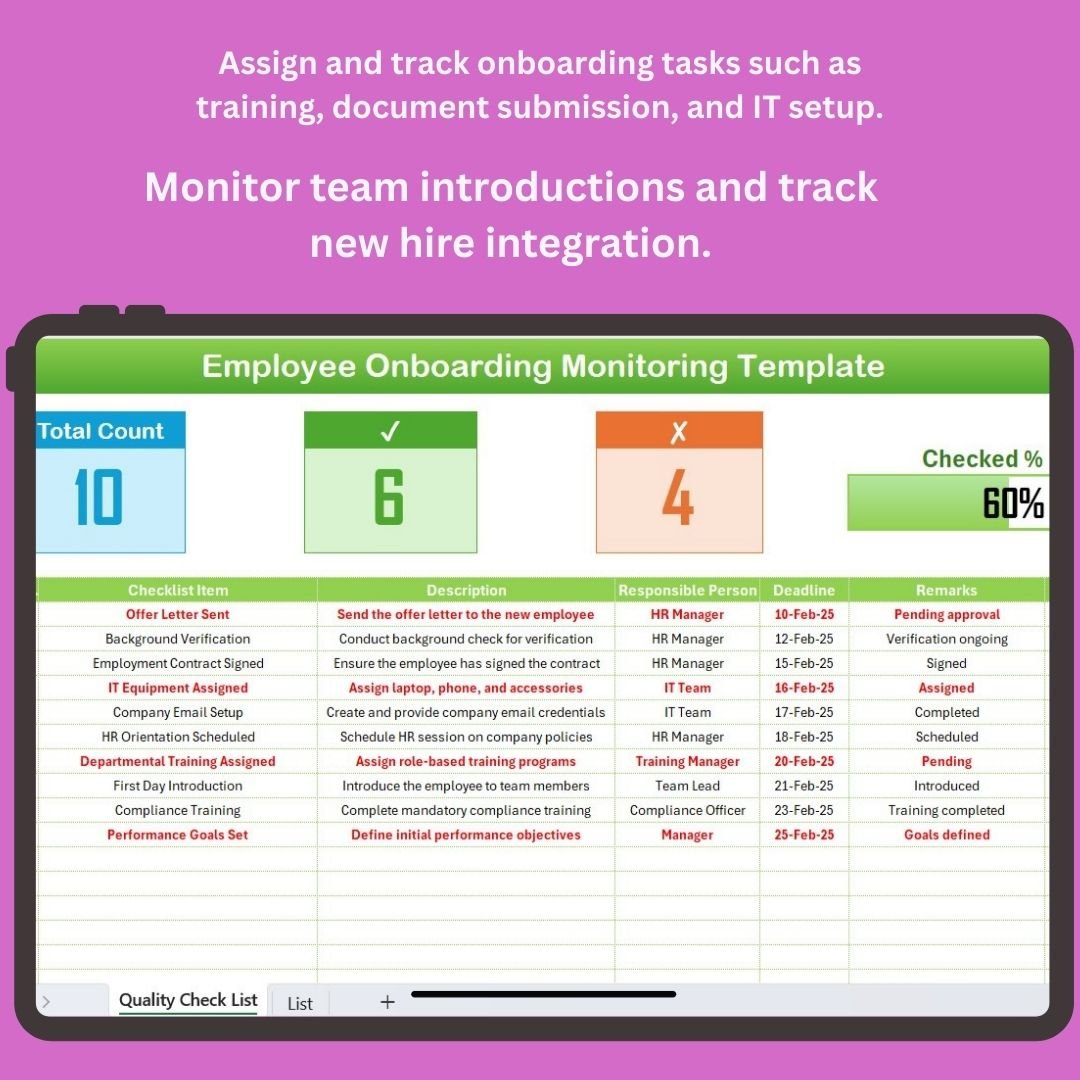

The Employee Onboarding Monitoring in Excel is an all-in-one tool designed to help HR teams, managers, and recruiters effectively manage and monitor the onboarding process. This Excel-based tracker helps you oversee every step of your new hires’ journey, from the first day to the completion of their onboarding tasks and integration into the team.
With an easy-to-use interface, this tool helps track key onboarding activities such as document submission, training progress, equipment setup, and team introductions. It ensures a smooth and organized transition for new employees, promoting their engagement, productivity, and overall success within the company.
Key Features of the Employee Onboarding Monitoring in Excel:
📄 Track Documentation and Compliance
Easily track the collection and verification of essential documents such as IDs, contracts, and tax forms to ensure legal compliance and proper onboarding.
💼 Onboarding Task Assignment and Tracking
Assign and monitor various onboarding tasks, including training schedules, orientation programs, and IT setup to ensure everything is completed on time.
👥 Team Introduction and Integration
Track introductions to team members, managers, and key departments to foster relationships and ensure a smooth cultural and professional integration.
🖥 IT Setup and Equipment Management
Monitor the setup of required equipment, such as computers, email accounts, and software access, ensuring your new hires are ready to start their roles.
📈 Progress Tracking and Milestones
Track the completion of key onboarding milestones, such as initial training, role-specific tasks, and goal-setting sessions to ensure new employees are progressing well.
🚀 Why You’ll Love the Employee Onboarding Monitoring in Excel:

✅ Organized Onboarding Process – Keep all onboarding tasks and milestones organized in one place, ensuring no task is missed and the process stays on track.
✅ Boost New Hire Engagement – Track progress and ensure new hires are introduced to the team, trained, and ready to perform effectively from day one.
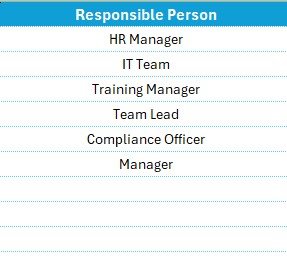
✅ Simplify Task Assignment – Easily assign tasks to responsible team members, ensuring everyone is aligned in supporting the new employee.
✅ Streamline IT and Equipment Setup – Monitor the status of IT setups and equipment provisioning to ensure your new hires have everything they need to succeed.
✅ Customizable and User-Friendly – This Excel tracker is fully customizable to fit your company’s unique onboarding process and is easy to use.
✅ Data-Driven Decisions – Track and analyze onboarding progress to identify bottlenecks and improve the overall onboarding experience for future hires.
What’s Inside the Employee Onboarding Monitoring in Excel:
Task Assignment and Monitoring: Easily assign onboarding tasks such as training, equipment setup, and policy review, and track completion status.
Document Collection and Verification: Track all required documentation from new hires to ensure compliance and a smooth onboarding experience.
Training Schedule and Progress: Monitor training sessions, materials, and progress to ensure new hires receive the knowledge and resources they need.
Team Introduction Tracking: Organize team introductions and ensure that new employees are welcomed and integrated into the company culture.
IT Setup and Resource Allocation: Track the status of IT setups, including software installations, system access, and hardware provisioning.
Progress Milestones: Track key onboarding milestones such as completing training, passing assessments, and setting performance goals.
Custom Reports: Generate reports that summarize onboarding progress, completion status, and employee feedback for stakeholders and HR teams.
How to Use the Employee Onboarding Monitoring in Excel:
1️⃣ Download the Template – Instantly access your Excel file upon purchase.
2️⃣ Input Employee Data – Add new hire details, onboarding tasks, training schedules, and IT setup requirements.
3️⃣ Track Task Completion – Monitor the progress of onboarding tasks and ensure that all requirements are completed on time.
4️⃣ Monitor Employee Integration – Track team introductions, department overviews, and goal-setting sessions to ensure new hires integrate smoothly.
5️⃣ Generate Reports – Create customized reports that summarize onboarding progress and provide insights for HR managers and team leaders.
Who Can Benefit from the Employee Onboarding Monitoring in Excel:
HR Managers
Hiring Managers
Department Heads
IT and Operations Teams
Employee Engagement Teams
Small to Medium Businesses (SMBs)
Large Enterprises with Structured Onboarding Processes
The Employee Onboarding Monitoring in Excel is the perfect solution for organizations looking to streamline and optimize their onboarding process, ensuring that new employees are fully prepared and engaged from the start.
Click here to read the Detailed blog post
https://www.pk-anexcelexpert.com/employee-onboarding-monitoring-in-excel/
Visit our YouTube channel to learn step-by-step video tutorials
Youtube.com/@PKAnExcelExpert
Compatibility and Requirements
- Works in Microsoft Excel desktop (Excel 2016 or later, or Microsoft 365).
- Onboarding tasks, documents, training and IT setup are tracked in the workbook. Microsoft explains how to build charts from your data in Create a chart from start to finish.
Frequently Asked Questions
What can I track with this template?
You can track onboarding tasks, document collection and verification, training schedules and progress, team introductions, IT setup and equipment, and onboarding milestones.
Can I assign onboarding tasks to other people?
Yes. You assign tasks such as training, equipment setup and policy review to the people responsible, then mark each one complete as it is done.
Does it help with new hire paperwork?
Yes. It has document collection and verification tracking for items such as IDs, contracts and tax forms, so you can see what is still missing.
Can I create reports from it?
Yes. It includes custom reports that summarize onboarding progress, completion status and employee feedback for HR teams and stakeholders.
Is there a Google Sheets version?
Yes. See the Employee Onboarding Tracker in Google Sheets.
Related Onboarding Templates
- Employee Onboarding Tracker in Excel: another Excel tracker for new hires
- Employee Onboarding Checklist Template in Excel: a task checklist for each new hire
- Employee Onboarding Documentation Checklist in Excel: a checklist focused on paperwork
- Employee Onboarding Tracker in Google Sheets: the Google Sheets edition
- Employee Onboarding Form Template: a free form for Word and Google Docs
Browse all HR and Payroll templates and Excel checklists.































Reviews
There are no reviews yet.