

Managing employee leave effectively is one of the toughest challenges for HR professionals and business leaders. Without proper visibility into leave patterns, organizations risk productivity drops, increased costs, and workforce disruptions. That’s where the Employee Leave Dashboard in Power BI steps in.
This ready-to-use Power BI solution centralizes all leave data into one interactive, easy-to-read platform. Instead of wasting hours compiling reports in spreadsheets, HR teams can instantly monitor leave trends, track costs, and analyze absence reasons—helping leaders make data-driven decisions faster.
Whether you’re an HR manager, a finance executive, or a business leader, this dashboard gives you the insights you need to improve attendance, productivity, and workforce planning.
✨ Key Features of the Employee Leave Dashboard in Power BI
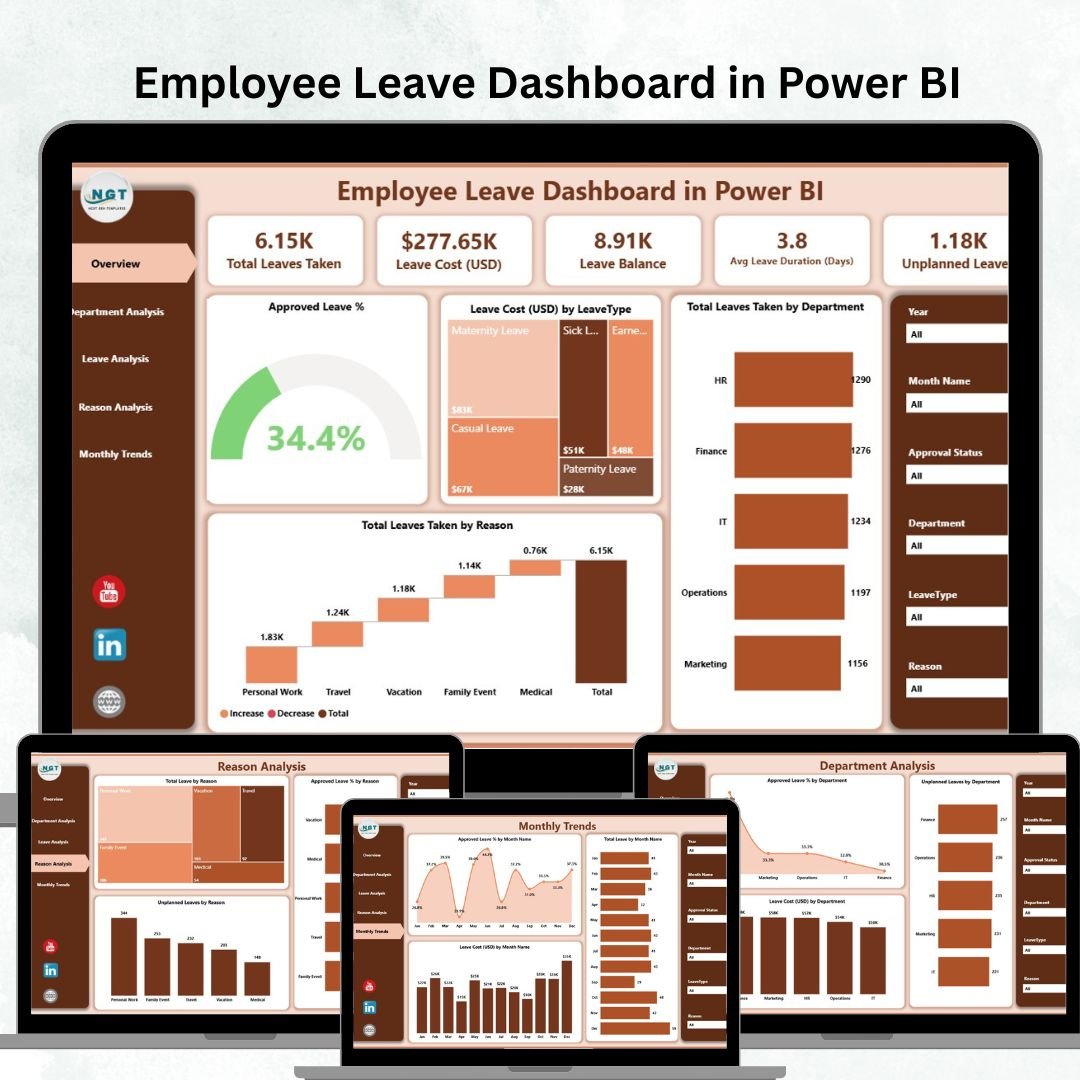
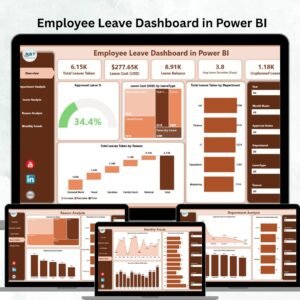
✅ Overview Page – A snapshot of leave performance with:
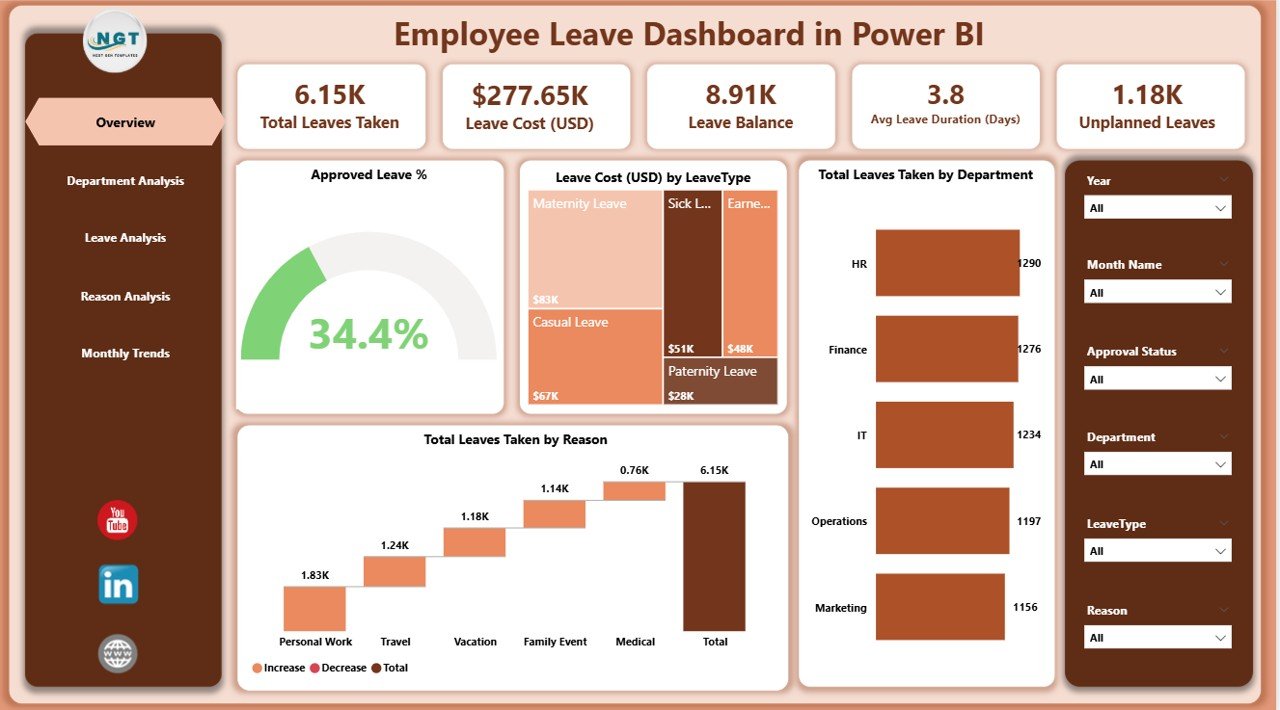
KPI cards (Approved Leave %, Total Leaves, Leave Cost USD).
Charts for Approved Leave %, Department-wise Leave, and Leave Reasons.
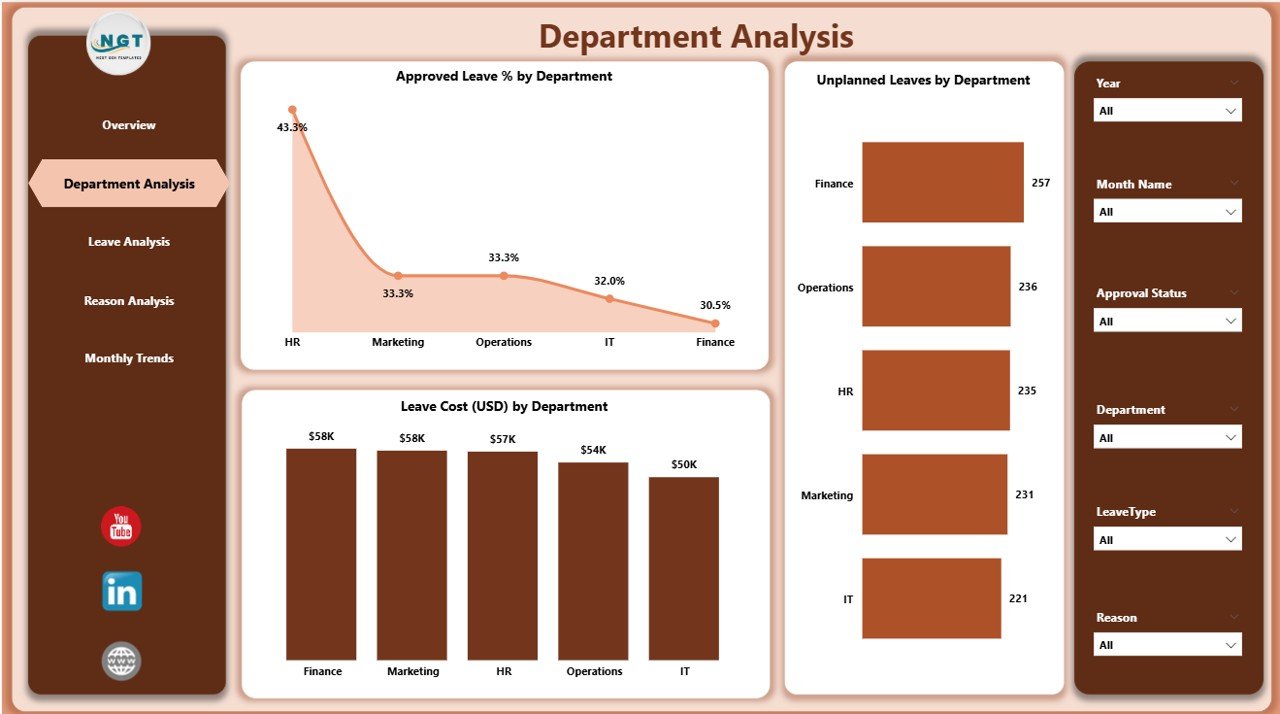
✅ Department Analysis Page – Drill down into departments with:
Approved Leave % by Department.
Unplanned Leaves by Department.
Leave Cost (USD) by Department.
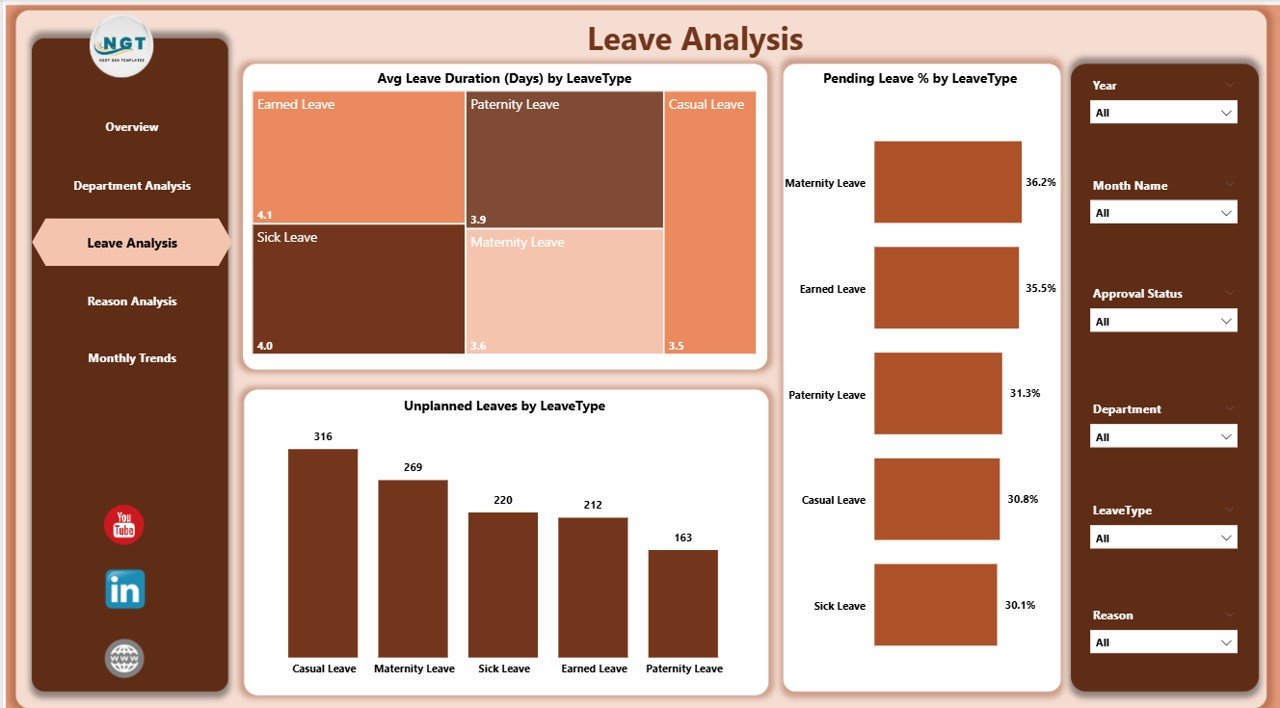
✅ Leave Analysis Page – Focus on leave types with:
Average Leave Duration by Type.
Pending Leave % by Type.
Unplanned Leaves by Type.
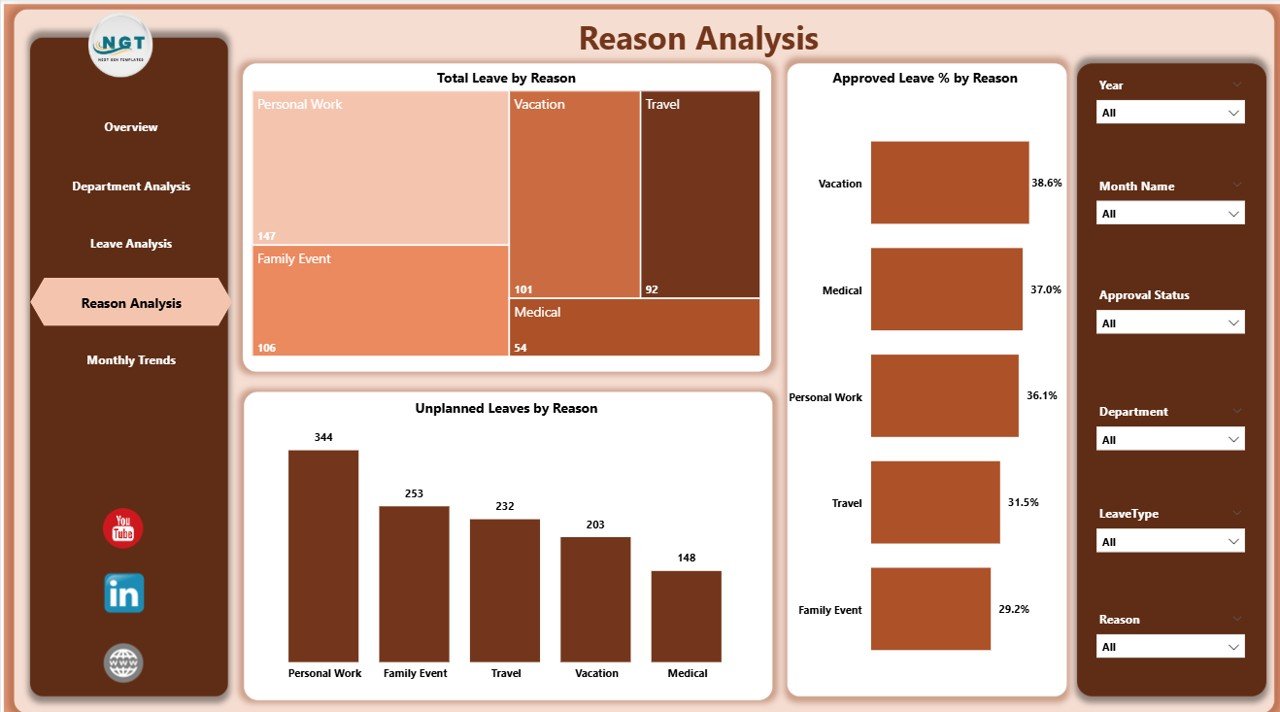
✅ Reason Analysis Page – Discover “why” employees take leave:
Total Leaves by Reason.
Approved Leave % by Reason.
Unplanned Leaves by Reason.
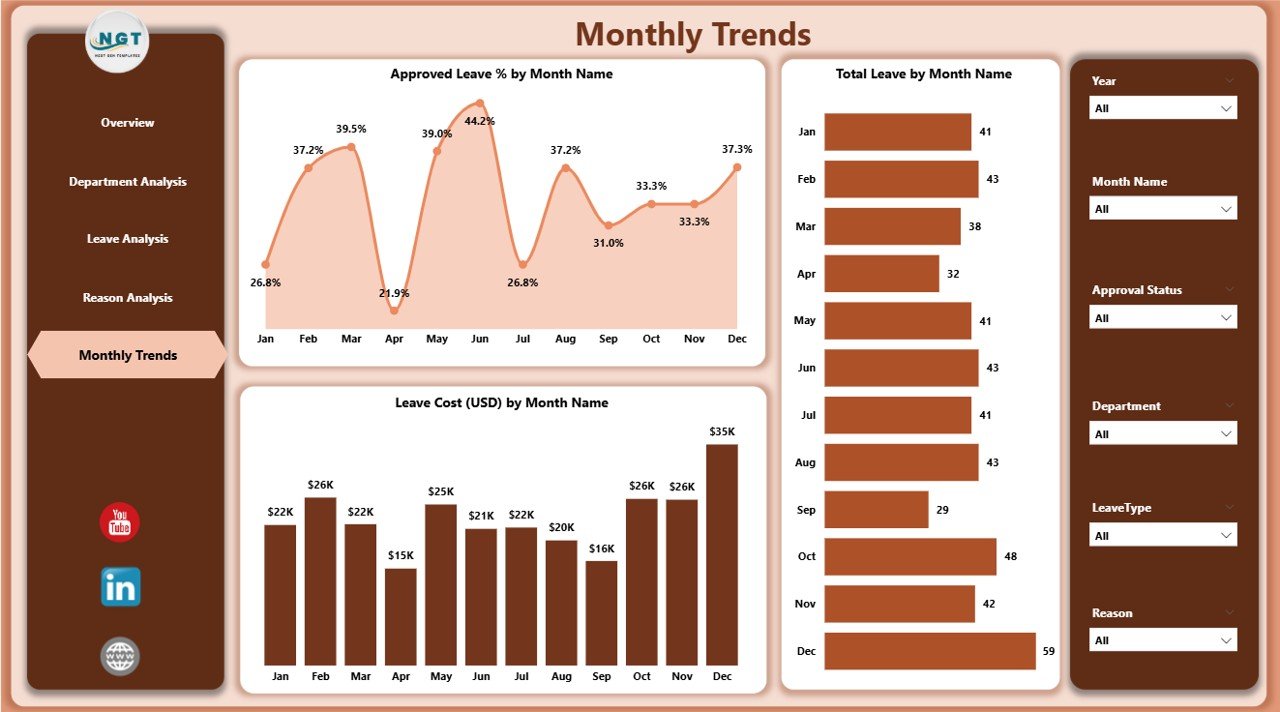
✅ Monthly Trends Page – Spot seasonal trends and patterns:
Approved Leave % by Month.
Total Leave Taken by Month.
Leave Cost (USD) by Month.
📂 What’s Inside the Employee Leave Dashboard in Power BI
When you download this tool, you’ll receive:
Five dashboard pages (Overview, Department, Leave Type, Reasons, Monthly Trends).
Interactive visuals like charts, slicers, and KPIs for faster analysis.
Real-time data refresh capability with Excel/HRMS integration.
Department-level insights for better workforce accountability.
Cost-tracking charts to identify where absenteeism is hitting budgets.
⚡ How to Use the Employee Leave Dashboard
1️⃣ Connect Data Sources – Import from Excel, HRMS, or payroll systems.
2️⃣ Navigate Pages – Use slicers and charts to explore leave insights.
3️⃣ Check Overview – Start with high-level KPIs for quick understanding.
4️⃣ Drill Into Departments – Identify which teams are driving absenteeism.
5️⃣ Analyze Leave Types – Spot long-duration or unplanned leave patterns.
6️⃣ Review Monthly Trends – Forecast staffing and seasonal leave cycles.
7️⃣ Share Reports – Export or publish dashboards for HR and leadership.
🎯 Who Can Benefit from the Employee Leave Dashboard?
👥 HR Managers – Gain visibility into leave balances and problem areas.
💼 Executives – Monitor workforce availability and productivity.
📊 Finance Teams – Track leave costs for budgeting and cost control.
🏢 Department Heads – Manage team-level productivity.
🌍 Small & Large Businesses – Scalable for organizations of all sizes.
✅ Why Choose This Dashboard?
📊 Centralized Reporting – All leave data in one place.
⚡ Real-Time Insights – No more manual updates.
✔ Better Decision-Making – Instantly detect problem areas.
💰 Cost Control – Track and reduce absenteeism costs.
📈 Forecasting Ability – Predict seasonal trends for workforce planning.
🤝 Improved Accountability – Transparent reporting across teams.
🧑🤝🧑 Healthier Work Culture – Take proactive steps with HR insights.
📖 Click here to read the Detailed blog post
📺 Visit our YouTube channel to learn step-by-step video tutorials
Watch the step-by-step video tutorial:
Compatibility and Requirements
- Built for Power BI Desktop, which is free. Microsoft explains how to install it in Get Power BI Desktop.
- Connect your own leave data from Excel, an HRMS or a payroll system, then refresh.
Frequently Asked Questions
Which pages are in the Employee Leave Dashboard?
Five: Overview, Department Analysis, Leave Analysis, Reason Analysis and Monthly Trends.
What do the KPI cards show?
Approved Leave %, Total Leaves and Leave Cost (USD).
Can I see why employees take leave?
Yes. The Reason Analysis page shows total leaves, approved leave % and unplanned leaves by reason.
Can I share the report?
Yes. You can export it or publish it for HR and leadership.
Related Leave and HR Templates
- Employee Leave Dashboard in Excel: the Excel edition
- Employee Leave Dashboard in Google Sheets: the Google Sheets edition
- Leave Management System: record and approve leave in Excel
- Employee Turnover Dashboard in Power BI: track exits and retention
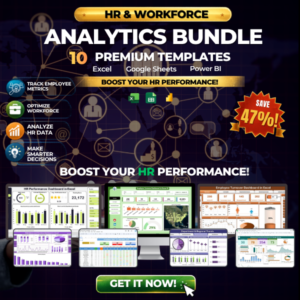
- HR & Workforce Analytics Bundle: 10 HR templates in one bundle
Browse all Power BI dashboards or the Excel HR and payroll templates.













Reviews
There are no reviews yet.