



The Automated Attendance Sheet in Excel is a ready-made, macro-enabled Excel attendance tracker that lets you mark attendance in bulk or for individual employees, store every record in a central database, and see present, absent and leave totals calculated automatically. It is built for HR professionals, small business owners, educational institutions and remote teams who want to replace manual registers with an organised, accurate and payroll-ready attendance system inside Microsoft Excel.
Key Features of the Automated Attendance Sheet
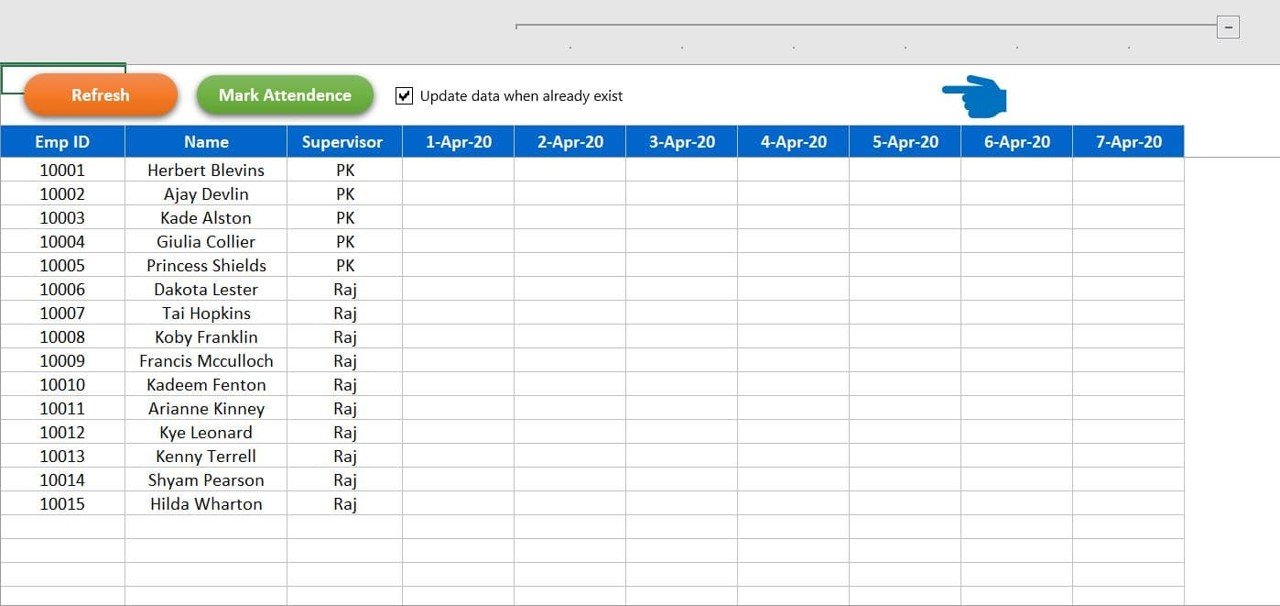
Automated, bulk attendance marking
Mark attendance in bulk or individually through an intuitive interface. Bulk attendance marking saves hours every month:
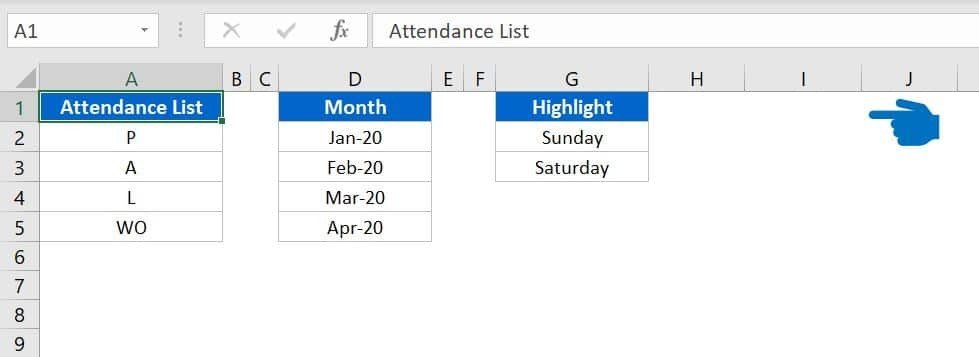
- Drop-down selection for Present (P), Absent (A), Leave (L) and Work-Off (WO).
- Auto-fill options for faster data entry.
- One-click bulk update to mark attendance for multiple employees at once.
Customizable attendance codes and date selection
Every company has its own policies, so the template supports custom attendance codes. You can:
- Define new attendance codes (for example, Half-Day or Remote Work).
- Customize leave categories (for example, Paid Leave, Sick Leave, Unpaid Leave).
- Select a specific date range, making the tracker suitable for monthly, weekly or daily reporting.
Employee management
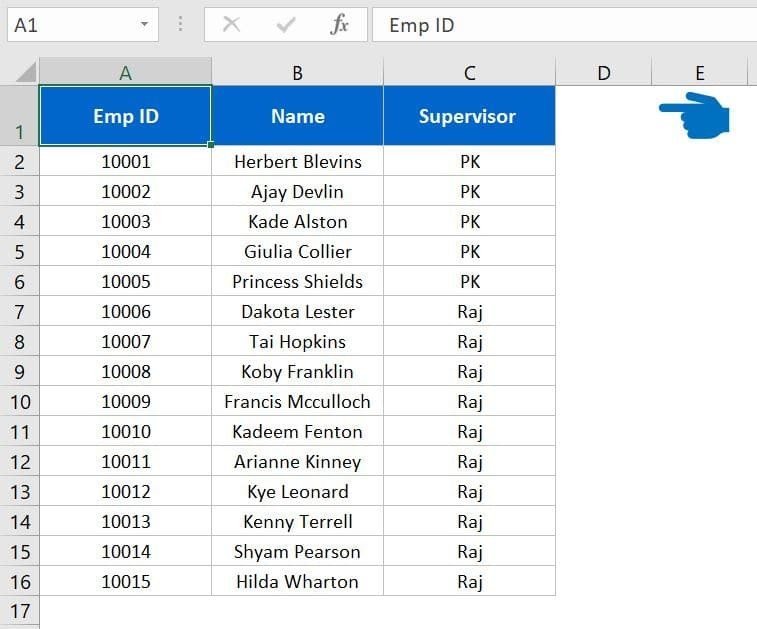
The Employee Master sheet keeps essential details in a structured format, which improves accuracy and helps eliminate duplication or errors in attendance recording.
Centralized database with real-time updates
All attendance records are stored in a dedicated database sheet, giving you real-time updates across all sheets, easy retrieval of historical data and a structured format for exporting to other software such as payroll processing tools.
Attendance summary and insights
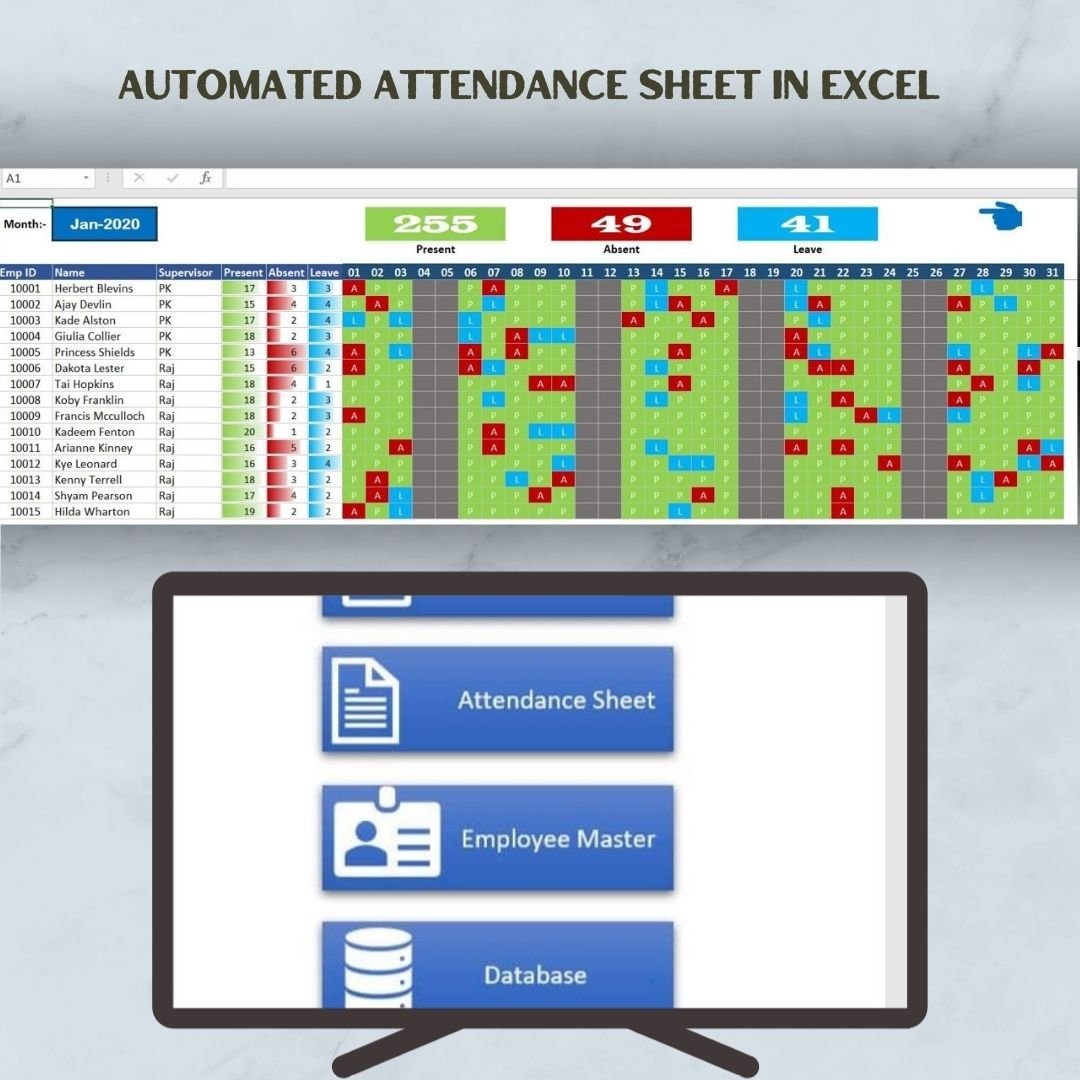
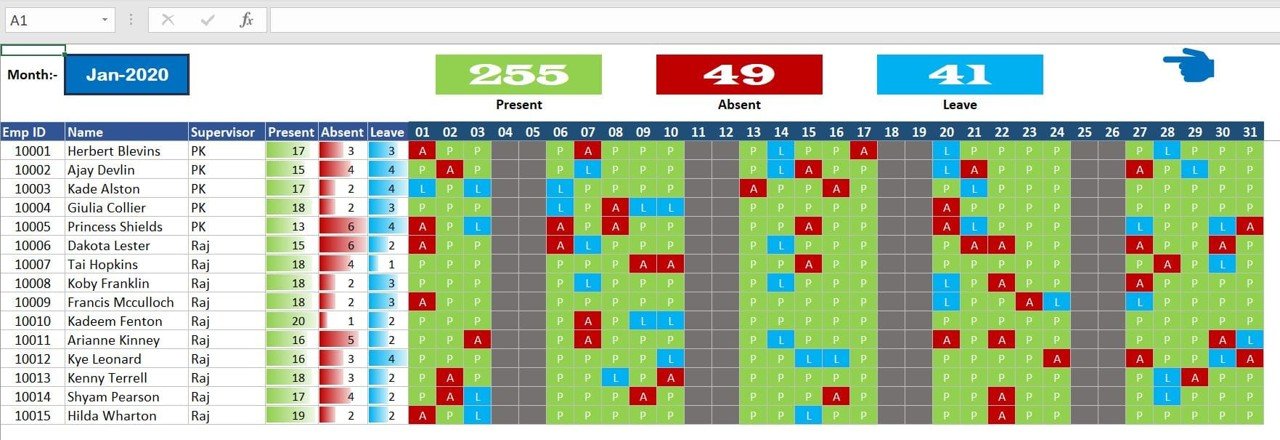
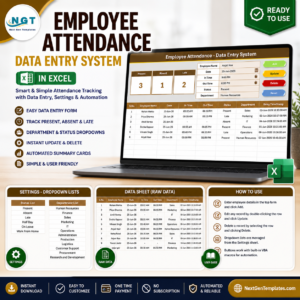
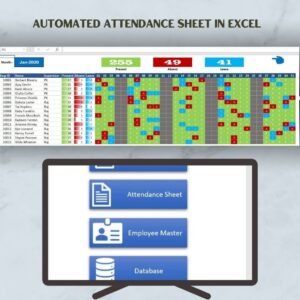
A visual attendance summary at the top of the report shows total present days (green), total absent days (red) and total leave days (blue). HR teams get a quick overview to spot absenteeism trends and monitor employee productivity.
Smart filtering and reporting
Filter attendance records by employee name, department, month and attendance status (Present, Absent, Leave, Work-Off, etc.). Use the built-in filters to generate attendance reports for payroll processing, performance evaluations and compliance tracking.
Export and data backup
- Export data to Excel for further analysis.
- Use records for payroll processing by integrating with salary calculation sheets.
- Back up your data easily to prevent data loss.
What’s Inside: Worksheets in the Template
| Worksheet | Purpose |
|---|---|
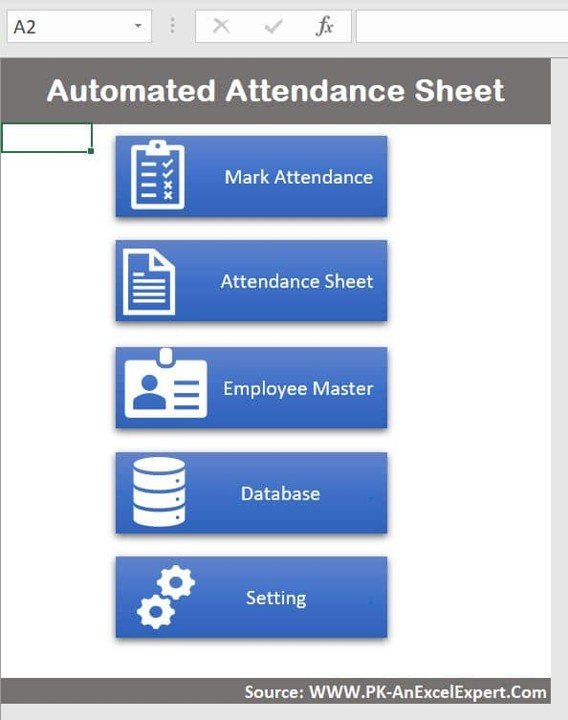
| Mark Attendance | Quick selection and marking of attendance, in bulk or individually. |
| Attendance Sheet | Displays employee attendance records in an easy-to-read format. |
| Employee Master | Stores Employee ID, Name, Supervisor, Department and Designation. |
| Database | Central repository of attendance data for analysis and reporting. |
| Settings | Define attendance codes, set leave policies and modify data entry preferences. |
How It Benefits Your Organization
- Saves time – eliminates manual data entry and reduces administrative work.
- Improves accuracy – automated calculations minimize human errors.
- Enhances productivity – HR teams can focus on strategic tasks instead of manual tracking.
- Easy to use – no complex software installation or coding required; it works within Microsoft Excel.
- Scalable – suitable for small, medium and large enterprises.
Who Is This Excel Attendance Tracker For?
- HR professionals and managers who need efficient employee attendance management.
- Small business owners looking to streamline workforce management.
- Educational institutions recording student or faculty attendance.
- Remote work teams managing remote employee attendance tracking.
How to Use the Template
- Download and unzip the file.
- Enable macros in Excel before use. For step-by-step instructions, see our tutorial: https://www.pk-anexcelexpert.com/4-easy-ways-to-enable-macros-in-excel-vba/
- Open the Settings sheet and define your attendance codes and leave categories.
- Add your staff to the Employee Master sheet.
- Use Mark Attendance to record attendance in bulk or individually for your chosen date.
- Review totals, filter records and export data for payroll from the Attendance Sheet and Database.
Click here to read the detailed blog post on the automated attendance sheet
Watch the step-by-step video tutorial: Automated attendance sheet
Visit our YouTube channel to learn from step-by-step video tutorials: Youtube.com/@PKAnExcelExpert
Frequently Asked Questions
Do I need to enable macros to use this attendance sheet?
Yes. After downloading and unzipping the file, make sure macros are enabled in Excel before use. Our tutorial link above explains how.
Can I mark attendance for many employees at once?
Yes. The template supports bulk attendance marking with a one-click bulk update, as well as individual marking using drop-down selection.
Can I create my own attendance codes?
Yes. In the Settings sheet you can define custom attendance codes such as Half-Day or Remote Work, and customize leave categories such as Paid Leave, Sick Leave and Unpaid Leave.
Does it calculate attendance totals automatically?
Yes. A visual summary shows total present, absent and leave days, colour-coded green, red and blue, and updates in real time across sheets.
Can I use the data for payroll?
Yes. Records are stored in a structured database that can be exported to Excel for analysis and used with salary calculation sheets or other payroll processing tools.
Do I need coding knowledge?
No. The template has a user-friendly interface and requires no coding; it works within Microsoft Excel.
Also check our Download Attachments from Multiple Emails Automatically using VBA
Last updated: October 2026
Compatibility and Requirements
- Needs Microsoft Excel desktop on Windows with macros enabled. It does not run in Excel for the web, Google Sheets or the Excel mobile apps.
- Microsoft explains how to turn macros on in Enable or disable macros in Microsoft 365 files.
Related Attendance Templates
- Smart Attendance Manager in Excel VBA: another macro-based attendance tool
- Attendance and Overtime Dashboard in Excel: analyze attendance and overtime
- Attendance Management System Lite: an Excel attendance system
- Attendance Sheet Template in Google Sheets: attendance tracking in a browser
- HR Director Toolkit: 10 HR templates in one download
Browse all Excel HR and payroll templates or the Excel trackers.



















Reviews
There are no reviews yet.