

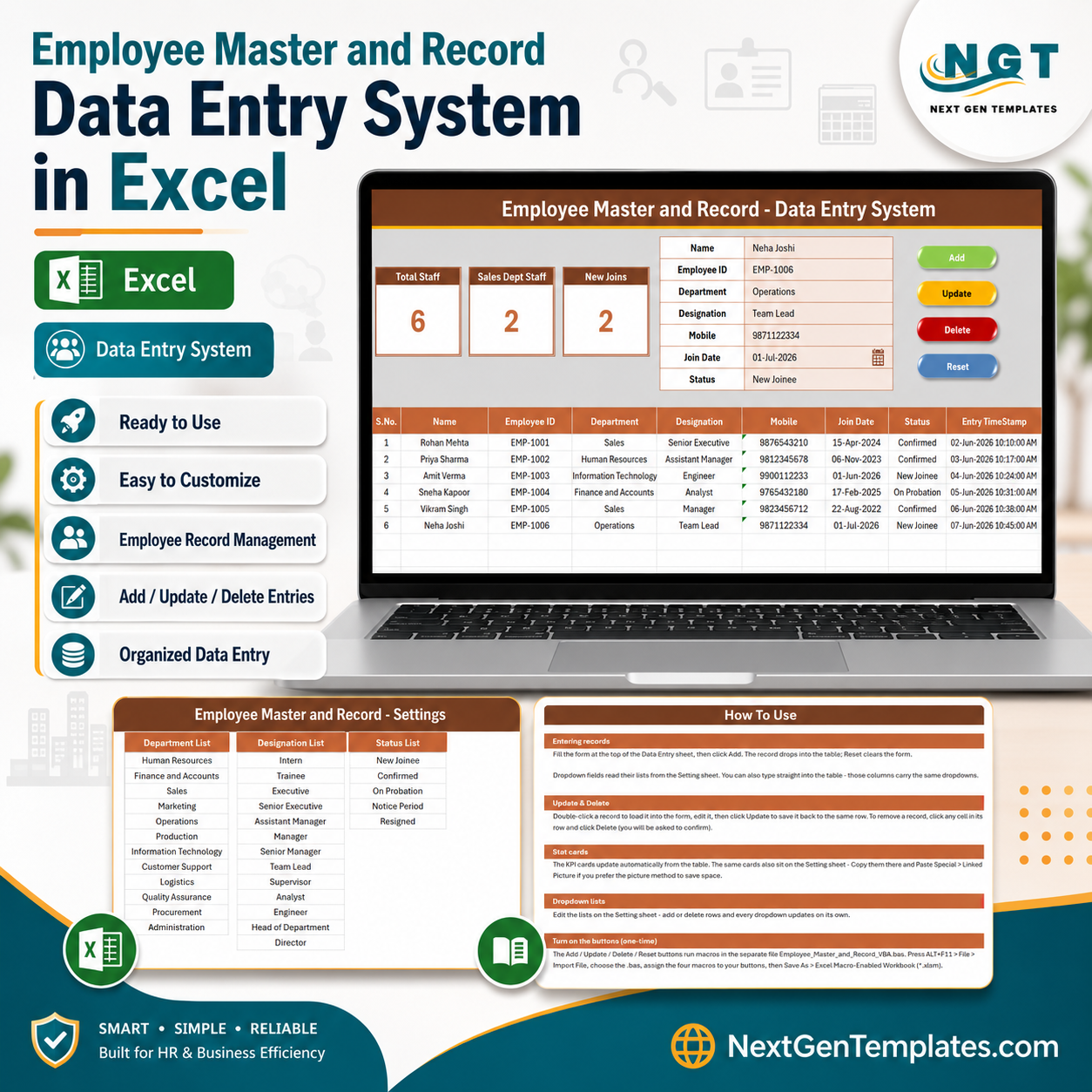

The Employee Master and Record Data Entry System in Excel stores 7 fields per employee — Name, Employee ID, Department, Designation, Mobile, Join Date, and Status — and rolls them into 3 live KPI cards (Total Staff, Sales Dept Staff, New Joins) that recalculate the moment you Add, Update, or Delete a record. 30 ready-made dropdown values across Department, Designation, and Status mean an HR admin can register a new joiner in about 20 seconds without touching a single formula.
🌍 Join 8,400+ teams in 40+ countries using NextGenTemplates to replace paid SaaS tools with one-time-purchase Excel, Google Sheets, Power BI, and HTML templates.
✅ Instant download · One-time payment · No subscription · No per-user fees · Lifetime access
🔑 Key Features of the Employee Master and Record Data Entry System in Excel
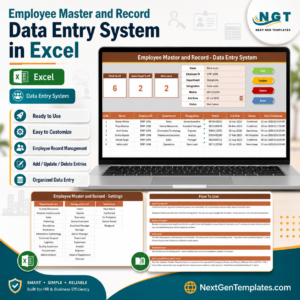
This Excel employee master file is built around a single Data Entry sheet that holds the form, the KPI cards, the four macro buttons, and the running employee register — everything an HR admin needs on one screen, with no navigation between sheets.
- 🔹 7-field employee record – Name, Employee ID, Department, Designation, Mobile, Join Date, and Status. Department, Designation, and Status are driven by editable dropdown lists on the Setting sheet, so every entry stays consistent and spelling mistakes never break your filters or counts.
- 🔹 3 live KPI cards – Total Staff counts every employee record, Sales Dept Staff counts Department = “Sales”, and New Joins counts Status = “New Joinee”. All three formulas recalculate automatically the instant a record is added, edited, or removed.
- 🔹 VBA Add / Update / Delete / Reset – Four macro buttons run the complete employee record lifecycle. Double-click any row in the register to load it straight back into the form, change what you need, and click Update.
- 🔹 30 editable dropdown values – 12 departments (HR, Finance and Accounts, Sales, Marketing, Operations, Production, IT, Customer Support, Logistics, Quality Assurance, Procurement, Administration), 13 designations from Intern to Director, and 5 employment status options. Rename or extend any of them in seconds.
- 🔹 Auto S.No, date formatting, and Entry TimeStamp – Every employee row is numbered automatically, the Join Date is formatted consistently, and an Entry TimeStamp column records when the record was created, giving you a clean audit trail.
- 🔹 Four-sheet workbook – Data Entry, Setting, Instructions, and Get More Templates. The Setting sheet also duplicates the KPI cards so you can paste them as a linked picture into any report.
📦 What’s Inside the Employee Master and Record Data Entry System in Excel
The workbook ships as an .xlsx file with four sheets, plus a separate VBA module you import once and save as .xlsm. Here is what each screen does.
Data Entry Dashboard
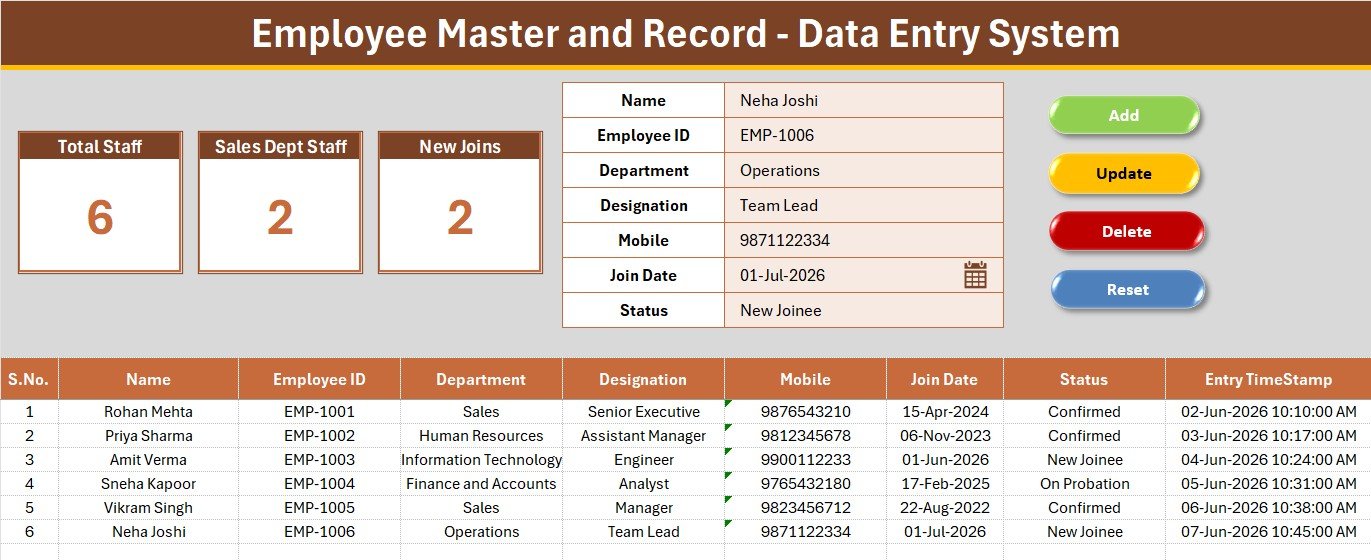
The main screen holds the Total Staff, Sales Dept Staff, and New Joins KPI cards, the 7-field employee form with its three dropdowns, and the four coloured Add / Delete / Update / Reset button cells sitting directly beside the form.
Employee Register & Records Table
Every submitted employee lands in the records table below the form with auto S.No, department, designation, mobile, join date, employment status, and Entry TimeStamp — so you can filter by department or scan new joiners at a glance.
Setting & Instructions Sheets
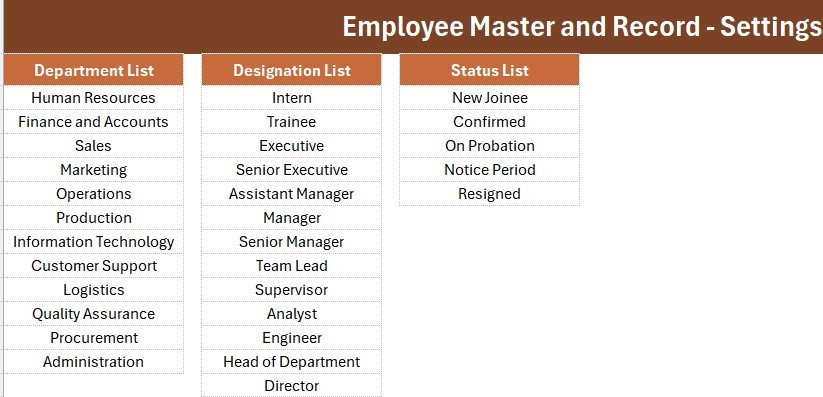
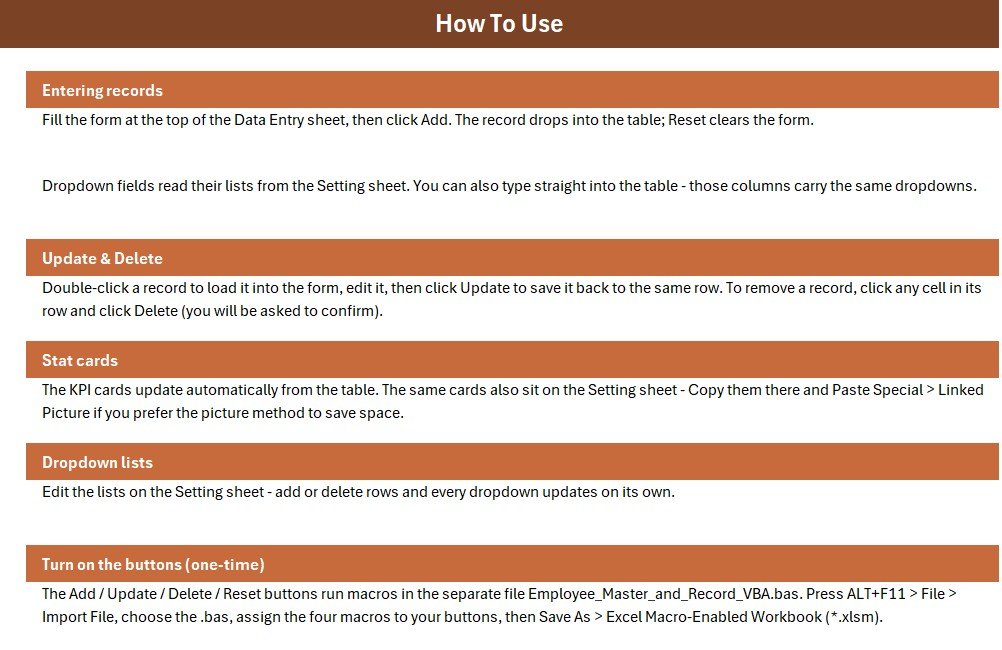
The Setting sheet holds the Department, Designation, and Status dropdown source lists plus duplicated stat cards you can paste as a linked picture, while the Instructions sheet walks you through the one-time VBA activation.
📊 Employee Master and Record Data Entry System vs. Google Sheets vs. Paid HR SaaS — Where This Fits
| Feature | Employee Master and Record Data Entry System | Google Sheets Equivalent | BambooHR / Zoho People |
|---|---|---|---|
| Cost | $5.99 one-time | Free (build it yourself) | $3–12 / employee / month |
| Platform | Microsoft Excel (offline) | Browser + Google account | Cloud only |
| Setup time | Under 10 minutes | Hours to build form + KPIs | Days (onboarding + data import) |
| One-click Add/Update/Delete form | ✅ VBA-powered | Needs Apps Script | ✅ |
| Works offline | ✅ Yes | ❌ Needs internet | ❌ Needs internet |
| Editable departments & designations | ✅ 30 values on Setting sheet | ✅ | Limited by plan |
| Real-time team collaboration | ❌ Single-user file | ✅ | ✅ |
| Per-user fees | None | None | Charged per employee |
| Year-1 cost at 5 users | $5.99 total | $0 + your time | $180–720 |
For small teams that want a clean, offline employee master file without paying per-employee SaaS fees, the Employee Master and Record Data Entry System sits in the sweet spot.
👥 Who This Template Is For — and Who It’s Not For
✅ This template is built for:
- HR coordinators and office admins at 5–200 person companies maintaining a single employee master list
- Small business owners who need department-wise headcount and new-joiner visibility without monthly software
- Consultants, staffing agencies, and factory supervisors keeping employee records offline for a site or shift
- Anyone migrating from a messy free-form spreadsheet to a structured, validated employee database
❌ This template is NOT for:
- Enterprises needing SSO, role-based permissions, document storage, and payroll integration
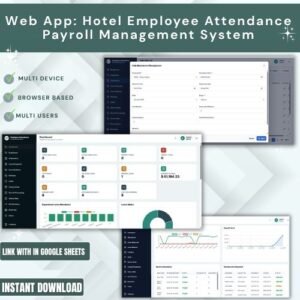
- Distributed teams that need several people editing the same employee register at the same time — use the Employee Attendance & Payroll Management System web app instead
- Teams that want salary processing, tax computation, or payslip generation built in
⚙️ How to Use the Employee Master and Record Data Entry System in Excel
- Open the workbook, press ALT+F11, and use File → Import File to load the included VBA module.
- Add four Form-Control buttons over the coloured cells and assign Add_Record, Delete_Record, Update_Record, and Reset_Form.
- Save the file as an Excel Macro-Enabled Workbook (.xlsm).
- Open the Setting sheet and edit the Department, Designation, and Status lists to match your organisation.
- Fill the form, pick values from the dropdowns, and click Add — the record and all three KPI cards update instantly.
- Double-click any existing employee row to load it into the form, then click Update; click Delete to remove it.
💼 Real-World Use Cases
Meera runs HR at a 60-person manufacturing firm. She keeps every employee’s ID, department, designation, and join date in one file, checks the New Joins card each Monday to see who still needs an induction, and exports the register when auditors ask for a headcount — without paying $6 per employee per month for cloud HR software.
Arjun manages a 25-person staffing agency. He logs each placed candidate with their designation and status, uses the Department dropdown to keep client-site records tidy, and relies on the Entry TimeStamp column as an audit trail when a client queries when someone was onboarded.
Fatima supervises a retail chain with four outlets. She maintains one master employee file per outlet, renames the Department list to match her store sections, and uses the Status column to separate confirmed staff from those still on probation.
❓ Frequently Asked Questions
What fields does the Employee Master and Record Data Entry System track?
The Employee Master and Record Data Entry System tracks 7 fields per employee — Name, Employee ID, Department, Designation, Mobile, Join Date, and Status. Three of those fields use editable dropdown lists, and three KPI cards summarise total staff, department headcount, and new joiners.
Do I need to enable macros?
Yes. The Employee Master and Record Data Entry System uses VBA for the Add, Update, Delete, and Reset buttons, so you must enable macros and save the file as a macro-enabled workbook (.xlsm) for the employee form to work.
Can I change the departments and designations?
Absolutely. The Employee Master and Record Data Entry System keeps all 30 dropdown values on the Setting sheet, so you can rename, add, or remove departments, designations, and status labels to match your organisation structure in seconds.
How does this compare to BambooHR or Zoho People?
The Employee Master and Record Data Entry System is a one-time $5.99 offline Excel tool, while BambooHR and Zoho People charge roughly $3–12 per employee per month. It covers structured employee record keeping and headcount KPIs, but not payroll, SSO, or document workflows.
How long does setup take?
Setup takes under 10 minutes — import the VBA module, attach four buttons to the macros, and save as .xlsm. After that, adding a new employee record takes roughly 20 seconds.
Can more than one person use it at the same time?
The Employee Master and Record Data Entry System is a single-user Excel file, so it is best kept with one owner. For multi-user access with logins and role-based permissions, use the Google Apps Script web app version of our HR systems instead.
👤 About the Author
Built by PK — Microsoft Certified Professional with 15+ years of Excel, Google Sheets, and Power BI experience. Founder of NextGenTemplates, reaching 300K+ subscribers across YouTube channels (@PK-AnExcelExpert, @NextGenTemplates, @NeoTechNavigators). Every template is hand-built and tested before release.
🔗 Explore Related Templates
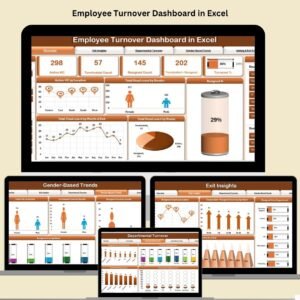
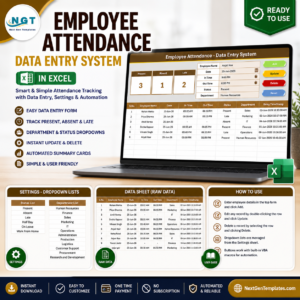
Pair this with the Employee Attendance Data Entry System in Excel to log daily attendance against the same employee list, and the Leave Application Data Entry System in Excel to track approvals. For reporting on the same workforce, the Employee Turnover Dashboard in Excel and the Employee Disciplinary Action Tracker in Excel plug straight into your HR routine. Browse the full HR & Payroll Templates category, or explore more Excel VBA Tools for other data-entry workflows.
💎 Save more — get all 10 HR templates in the HR & Workforce Analytics Bundle →
📖 Click here to read the Detailed Blog Post
🎥 Visit our YouTube channel for step-by-step video tutorials
👉 YouTube.com/@NextGenTemplates
Watch the demo video:
Compatibility and Requirements
- Runs in Excel desktop on Windows with macros enabled. The Add, Update, Delete and Reset buttons use VBA, so the file does not run in Excel for the web, Google Sheets or mobile apps.
- Save the workbook as an Excel Macro-Enabled Workbook (.xlsm) after importing the VBA module. Microsoft explains how to turn macros on in Enable or disable macros in Microsoft 365 files.
- Single-user file: keep it with one owner rather than editing it from several computers at once.
More Questions About This Template
How do I edit an employee who is already in the register?
Double-click the employee’s row in the register. The record loads into the form, you change what you need, and then click Update. Click Delete to remove the record.
What do the three KPI cards show?
Total Staff counts every employee record, Sales Dept Staff counts records where Department is Sales, and New Joins counts records where Status is New Joinee. All three recalculate when you add, update or delete a record.
Which sheets are in the workbook?
Four sheets: Data Entry, Setting, Instructions and Get More Templates. The Data Entry sheet holds the form, the KPI cards, the four buttons and the employee register.
Is there a version with multi-user access and payroll?
The Employee Attendance Payroll Management System is a web app for teams that need several people working in the same system.
Related HR Templates
- Employee Database Tracker in Excel: another Excel employee database, without the VBA form
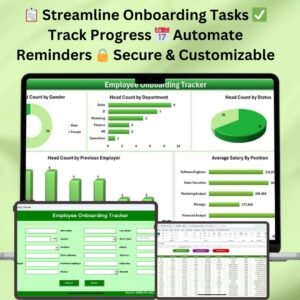
- Employee Onboarding Tracker in Excel: follow new joiners after you add them to the register
- Employee Grievance Tracker in Excel: log employee grievances in a separate file
- Employee Performance Rating Card and Dashboard in Excel: rate the staff you keep in the master list
- HR & Workforce Analytics Bundle: 10 HR templates in one download
Browse all Excel HR and Payroll templates or Excel VBA tools.














Reviews
There are no reviews yet.