

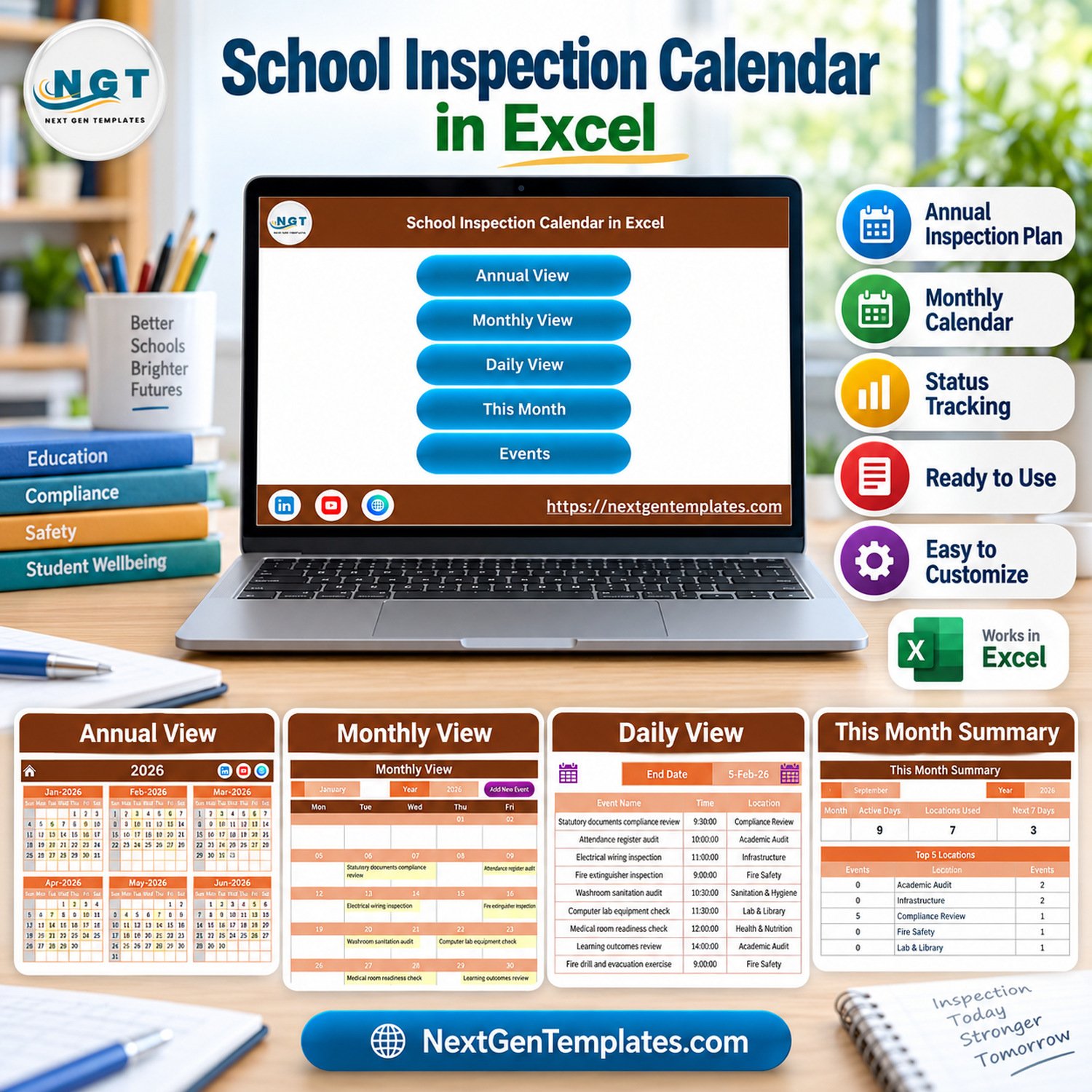
The School Inspection Calendar in Excel plans a full year of school audits, safety checks and official visits in one macro-enabled workbook. It ships with 100 sample inspection events dated 6 January to 28 December 2026, spread over 8 inspection areas and 47 event types, and shows them on five linked pages: Annual View, Monthly View, Daily View, This Month and Events.
🌍 Built by NextGenTemplates, the store behind more than 7,000 Excel, Google Sheets and Power BI templates for small teams that prefer a one-time file to a monthly subscription.
✅ Instant download · One-time payment · No subscription · No per-user fees · Lifetime access
⚠️ Requirements: desktop Microsoft Excel for Windows with macros enabled. The entry form, record buttons and date filters are VBA macros, so Excel for the web, Mac, iPad and phones cannot run them.
🔑 Key Features of the School Inspection Calendar in Excel
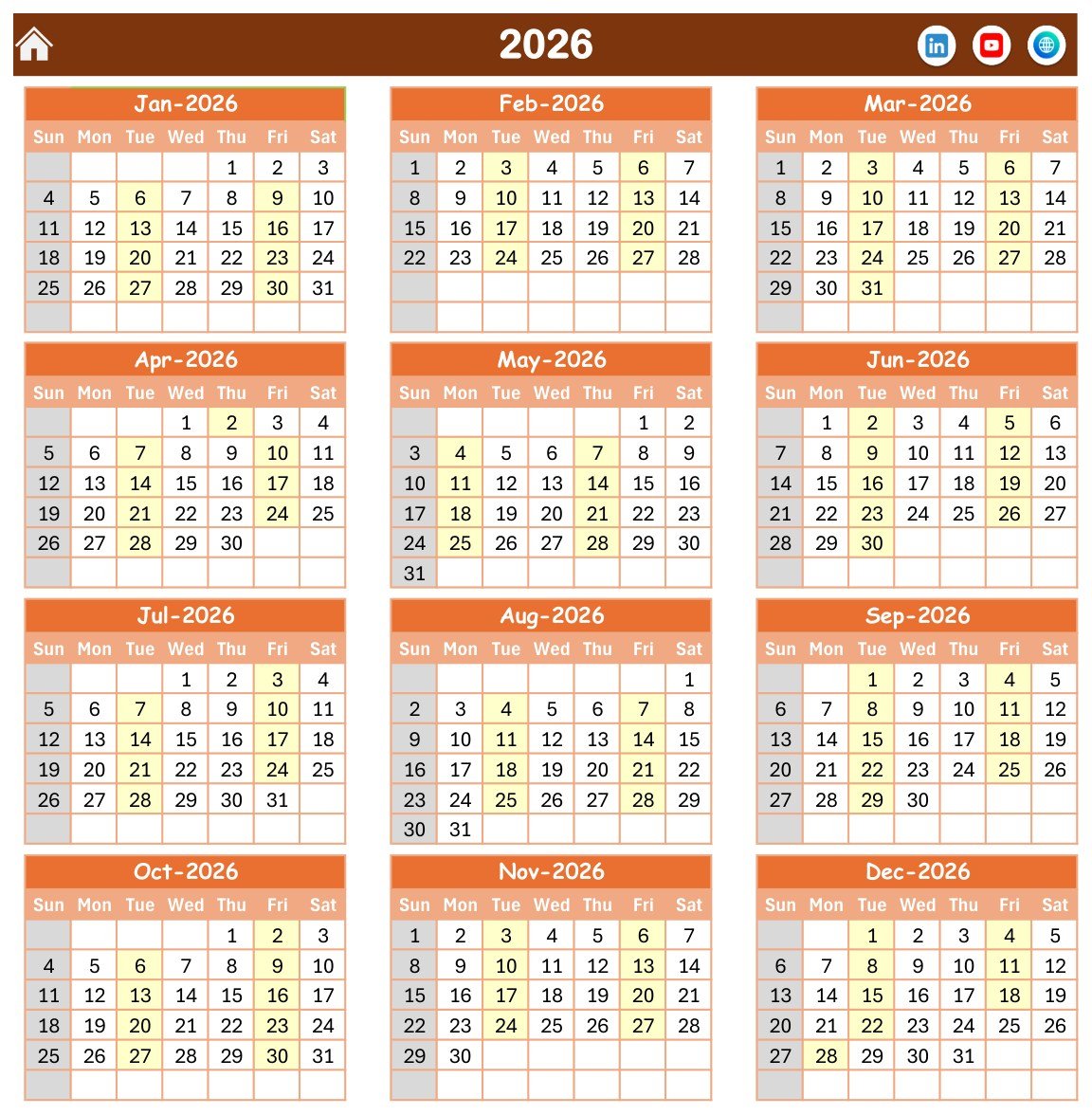
📅 Annual View for the whole year. All twelve months of 2026 sit on one page, with every date that holds an inspection shaded so you can see busy and quiet weeks at a glance. Sunday is greyed out as the non-working day.
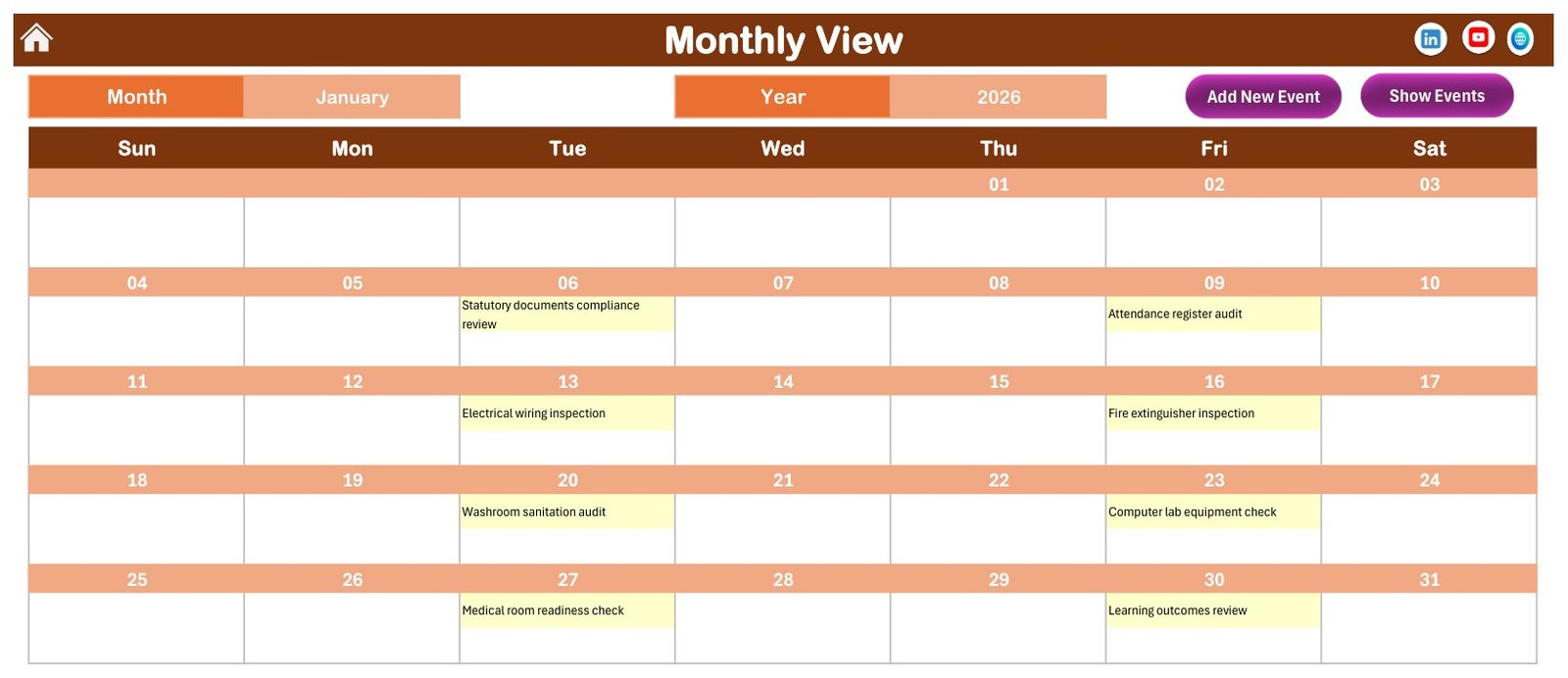
🗓️ Monthly View with the event name in each day. Pick a month and a year from the two selectors and the grid fills in the name of every inspection booked that month, for example Electrical wiring inspection on Tuesday 13 January.
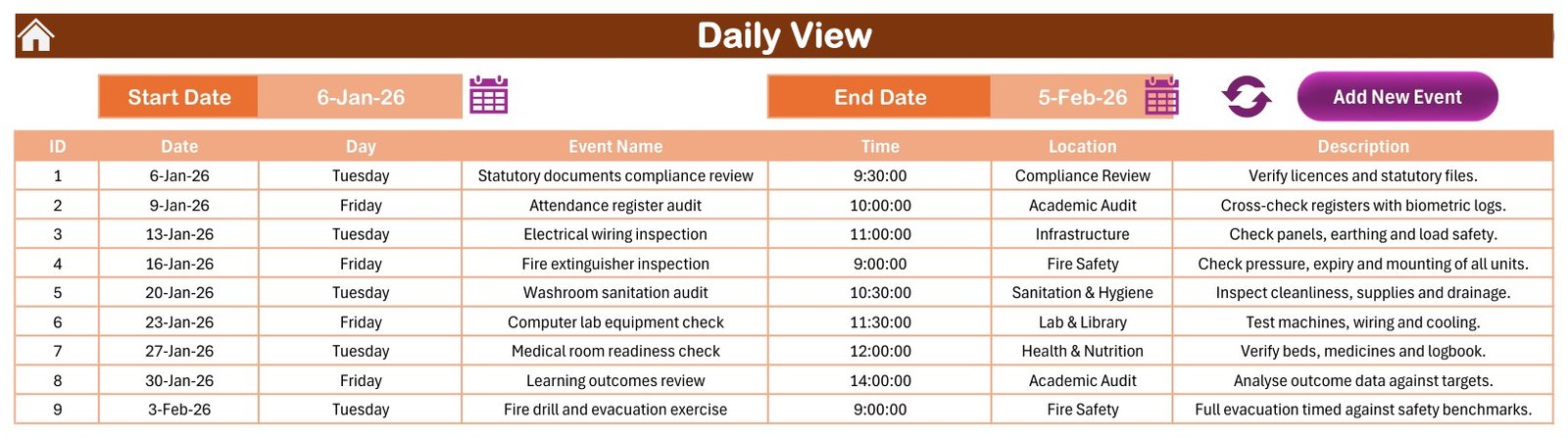
📋 Daily View between any two dates. Choose a Start Date and an End Date and the page lists each event in that window with its ID, date, weekday, event name, time, location and description.
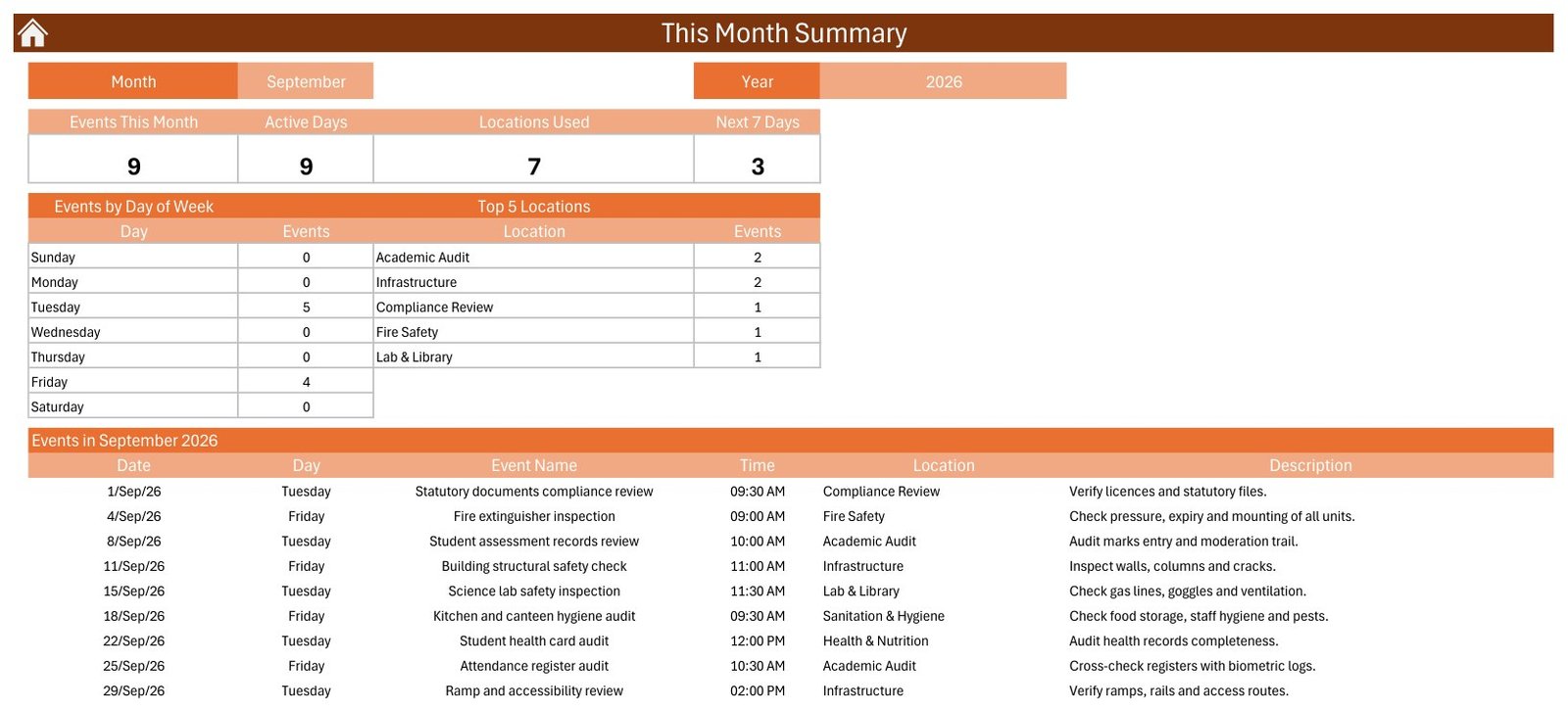
📊 This Month summary. Four counters show Events This Month, Active Days, Locations Used and events in the Next 7 Days, next to an Events by Day of Week table, a Top 5 Locations table and the full list of the month’s inspections.
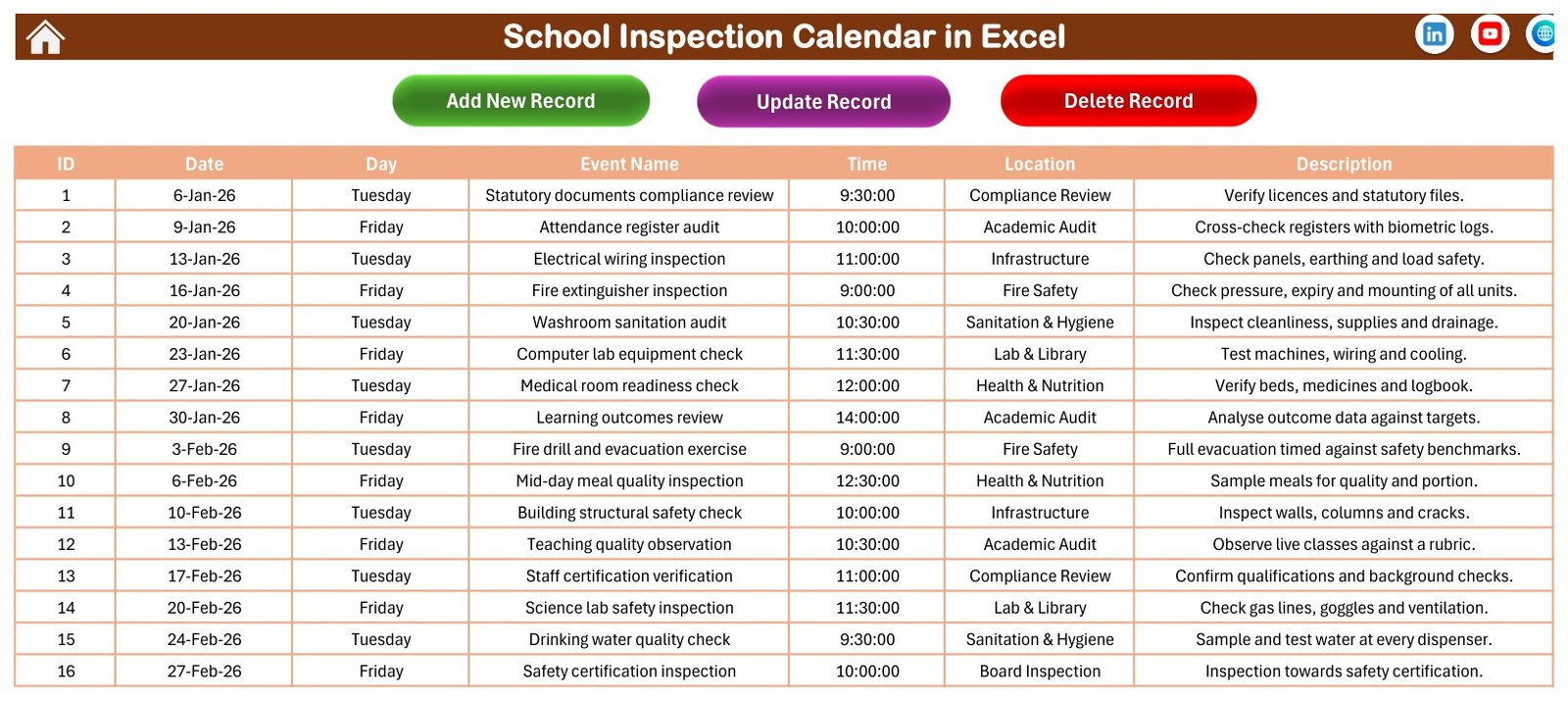
📝 Events sheet with Add, Update and Delete buttons. The master list keeps seven columns, and a data-entry form with a date picker and a time picker fills the weekday for you, so records stay consistent.
🎨 Setting sheet. Change the calendar year, the starting month, the first day of the week, two highlighted weekdays, event highlighting on or off, and one of five colour themes (Default, Blue, Red, Black and Orange).
📦 What’s Inside the Workbook
The download is a ZIP with one macro-enabled workbook (.xlsm) of seven sheets plus the Excel Calendar user manual in PDF. Here is every page you will use.
Page 1: Home
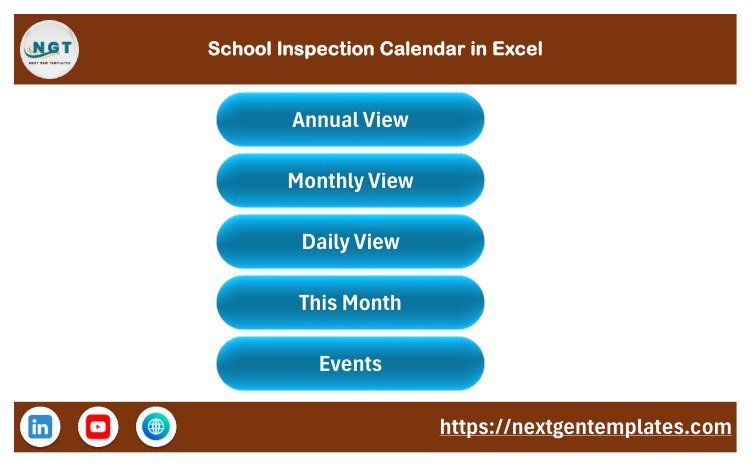
The Home sheet is a simple menu with five buttons that jump to Annual View, Monthly View, Daily View, This Month and Events, plus links to the NextGenTemplates channels.
Page 2: Annual View
Twelve month grids for 2026 in a Sunday-to-Saturday layout. Every date with at least one inspection is highlighted, which makes the regular Tuesday and Friday rhythm of the sample schedule easy to spot.
Page 3: Monthly View
Month and Year selectors drive a full calendar grid that writes the inspection name into each day. The Add New Event and Show Events buttons open the entry form and the event list without leaving the page.
Page 4: Daily View
Set a Start Date and an End Date with the calendar icons, press refresh, and the table lists every inspection in that range: ID, Date, Day, Event Name, Time, Location and Description.
Page 5: This Month Summary
Pick a month and year to see Events This Month, Active Days, Locations Used and Next 7 Days, then Events by Day of Week, Top 5 Locations and the events list. September 2026 in the sample shows 9 events on 9 active days across 7 locations.
Page 6: Events
The master table behind every view, with Add New Record, Update Record and Delete Record buttons. The sample holds 100 events with IDs 1 to 100, and each weekday matches its date.
Page 7: Enter Data Form
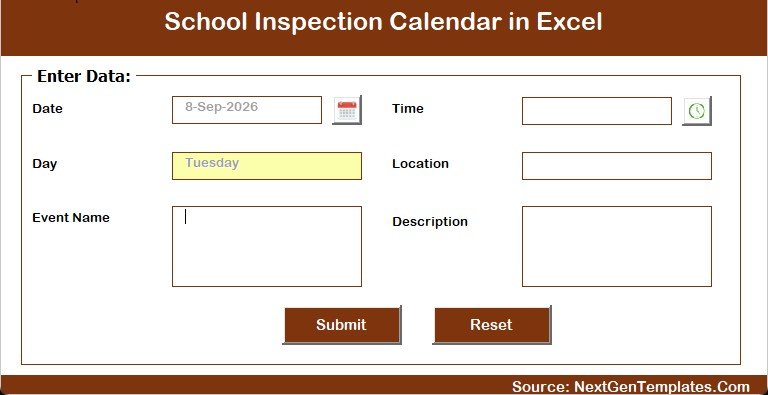
The form asks for Date, Time, Event Name, Location and Description. The date and time pickers reduce typing errors and the Day field fills itself from the date. Submit saves the record and Reset clears the form.
The sample data at a glance: Academic Audit (16 events), Infrastructure (15), Fire Safety (14), Sanitation & Hygiene (13), Compliance Review (12), Lab & Library (12), Health & Nutrition (12) and Board Inspection (6). Times run from 8:30 AM to 2:00 PM, and no two events share a date. Every name and visit in the sample is fictional.
📊 Comparison: This Excel Template vs. a Google Sheets Calendar vs. Paid Inspection Software
| Feature | This Excel inspection calendar | Google Sheets calendar template | Paid inspection or school-management software |
|---|---|---|---|
| Cost | ✅ $4.99 one-time | One-time template price | Recurring subscription, priced per plan or per user |
| Platform | Excel for Windows desktop | Any browser | Web and mobile apps |
| Setup time | ✅ Minutes: replace the sample rows | Minutes | Days to weeks of onboarding |
| Works offline | ✅ Yes | Limited | Varies |
| Real-time team collaboration | No, one file at a time | ✅ Yes | ✅ Yes |
| Mobile access | No (macros need desktop Excel) | ✅ Yes | ✅ Yes |
| Annual, monthly and date-range views | ✅ All three plus a monthly summary | Depends on the template | Usually |
| Reminders and checklists | No | No | ✅ Usually |
| Year-1 cost for 5 staff | ✅ $4.99 | One template price | Several times the template price |
If you want a clear yearly inspection plan without paying for inspection software, this Excel calendar is the low-cost, offline choice.
👥 Who This Template Is For, and Who It’s Not For
✅ This template is built for:
- School administrators and principals who plan internal audits and facility checks for one campus
- Estate, facilities and safety leads scheduling fire, electrical, water and hygiene inspections
- Academic coordinators who plan register, curriculum and teaching-quality reviews across the year
❌ This template is NOT for:
- Schools that need inspection checklists, scores, findings, evidence uploads or corrective-action tracking
- Teams that must edit together in real time, or who work on Mac, the web or phones
- Anyone who needs automatic reminders, recurring events or end times
⚙️ How to Use the Template
- Unzip the download and open the .xlsm file in Excel for Windows. Click Enable Content so the macros can run.
- On the Setting sheet, choose the year, starting month, first day of the week and colour theme.
- Open Events and delete the 100 sample rows, or keep a few as a pattern.
- Click Add New Record and enter each inspection’s date, time, name, area and a short note.
- Review the year on Annual View and each month on Monthly View.
- Use Daily View for a date range, and This Month to brief staff on the month ahead.
💼 Real-World Use Cases
A principal at a 900-student secondary school books the annual cycle of fire drills, electrical wiring checks and science lab safety inspections on alternating Tuesdays and Fridays, then prints the Monthly View for the staff room each month.
A facilities manager uses the Location column for inspection areas such as Fire Safety, Infrastructure and Sanitation & Hygiene, and checks the Top 5 Locations table on This Month to make sure no area is neglected.
An academic coordinator plans register audits, lesson plan reviews and teaching quality observations, then runs Daily View for the fortnight before a board visit to confirm everything is in place.
❓ Frequently Asked Questions
What does the School Inspection Calendar in Excel include?
It includes a Home menu, Annual View, Monthly View, Daily View, This Month summary, an Events sheet with an entry form, and a Setting sheet. It ships with 100 fictional sample inspections for 2026 that you can replace with your own schedule.
Do I need to enable macros?
Yes. The entry form, the Add, Update and Delete buttons and the date-range refresh are VBA macros. Open the file in desktop Excel for Windows and click Enable Content. Microsoft explains the setting in its guide to enabling macros.
Does it work on Mac, Excel for the web or mobile?
No. The workbook is built for desktop Excel for Windows. Excel for the web, iPad and phone apps do not run VBA forms, and the Mac version is not supported, so the buttons and forms will not work there.
Does it send reminders or track inspection results?
No. It is a planning calendar only. It stores date, weekday, event name, time, location and description. There are no reminders, end times, recurring events, inspector assignments, scores, findings or action plans.
Is it an inspection compliance system?
No. It does not follow or certify against any inspection framework, such as Ofsted or a national, state or board standard, and it makes no accreditation or compliance claim. It simply helps you plan and see the dates you set.
How long does setup take?
Most users are ready in a few minutes: set the year on the Setting sheet, clear the sample rows and add inspections through the form. Every view reads from the same Events table, so there is nothing else to link.
How does it compare with paid inspection software?
Paid apps add mobile checklists, reminders and team access for a recurring fee. This calendar costs $4.99 once and works offline, but it is a single-user Excel file for planning dates rather than recording inspection results.
👤 About the Author
Built by PK, a Microsoft Certified Professional with 15+ years of Excel, Google Sheets and Power BI experience and the founder of NextGenTemplates, whose YouTube channels (@PKAnExcelExpert, @NextGenTemplates, @NeoTechNavigators) teach spreadsheet templates. Every template is built and tested before release.
🔗 Explore Related Templates
📅 Plan student transport with the School Bus Route Calendar in Excel, and schedule exam papers and rooms with the Exam Timetable Calendar in Excel.
📝 Record cover lessons in the Teacher Substitution Data Entry System in Excel and log campus visitors in the Gate Pass Register Data Entry System in Excel.
📈 For analysis rather than scheduling, see the Curriculum Development Services Dashboard in Excel.
🗂️ Browse every Excel calendar template or the full Excel education templates collection.
🔧 New to macros? Read Microsoft’s guide to enabling or disabling macros in Microsoft 365 files.
📖 Read the detailed School Inspection Calendar in Excel blog post
🎥 Visit our YouTube channel for step-by-step video tutorials
👉 YouTube.com/@NextGenTemplates
📅 Last updated: September 2026


































Reviews
There are no reviews yet.