

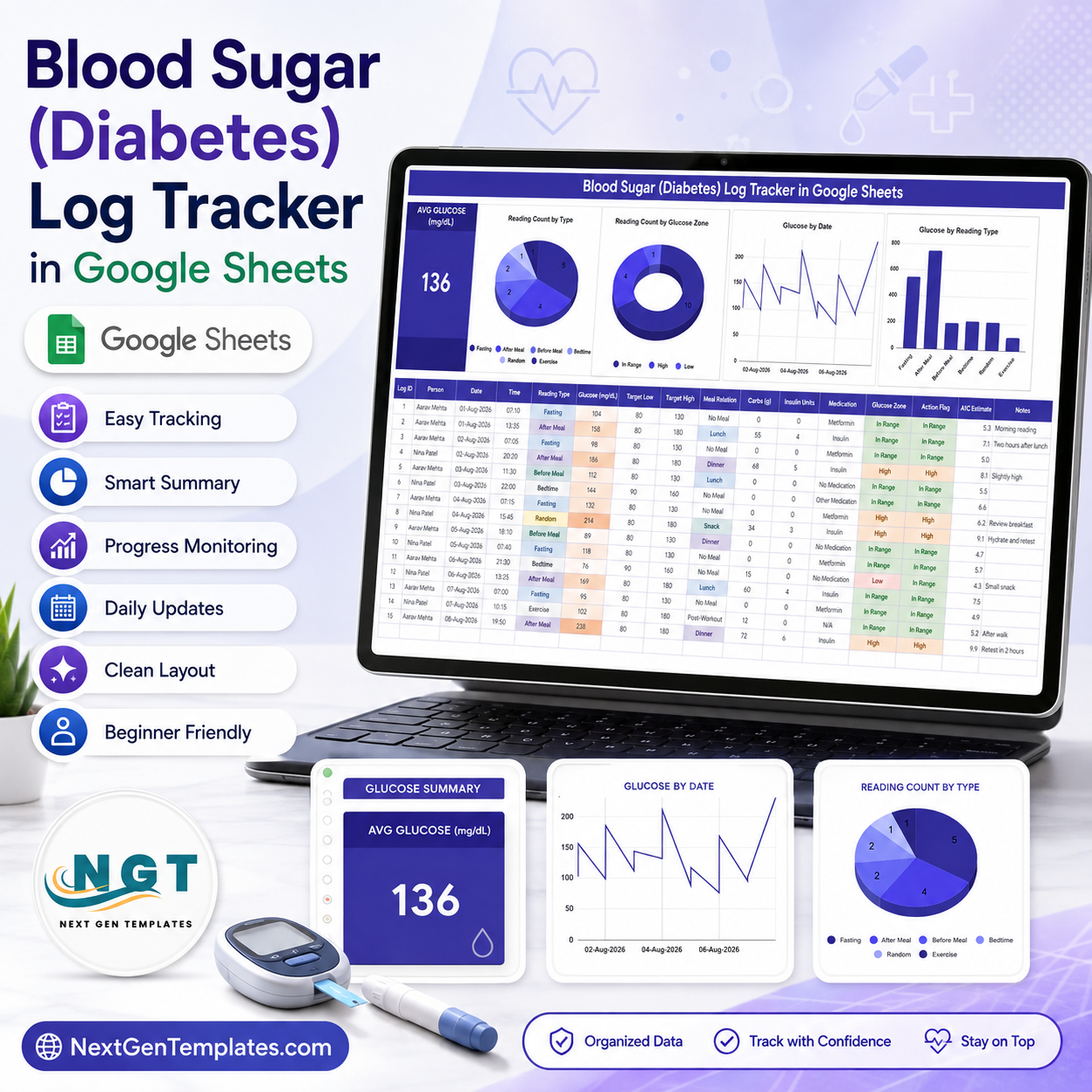
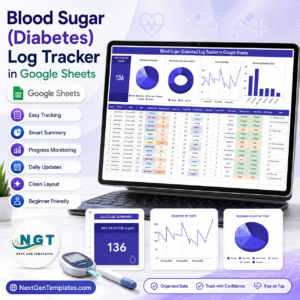
The Blood Sugar (Diabetes) Log Tracker in Google Sheets is a personal readings log built on a single sheet: one summary card, 4 linked charts and a 16-column entry table covering 6 reading types, 5 meal relations and 3 glucose zones. The sample file ships with 15 demo rows for 2 people and shows an average of 136 mg/dL. Setup takes under 10 minutes – make your copy, clear the demo rows, type your own targets, and every card and chart recalculates.
⚠️ Please read first: this is a personal record-keeping spreadsheet, not a medical device, not a diagnostic tool, not a dosing aid and not a clinical record system. It does not manage, treat or control diabetes and it gives no medical advice. The Target Low and Target High values are numbers you type in, and every colour on the sheet is scored against your own entries – they are not clinical guidelines. Discuss your readings, your targets and any change to your routine with your doctor, nurse or diabetes educator.
🌍 Join 8,400+ teams and individuals in 40+ countries using NextGenTemplates to replace subscription tools with one-time-purchase Excel, Google Sheets, Power BI and HTML templates.
✅ Instant download · One-time payment · No subscription · No per-user fees · Lifetime access
🔑 Key Features of the Blood Sugar (Diabetes) Log Tracker in Google Sheets
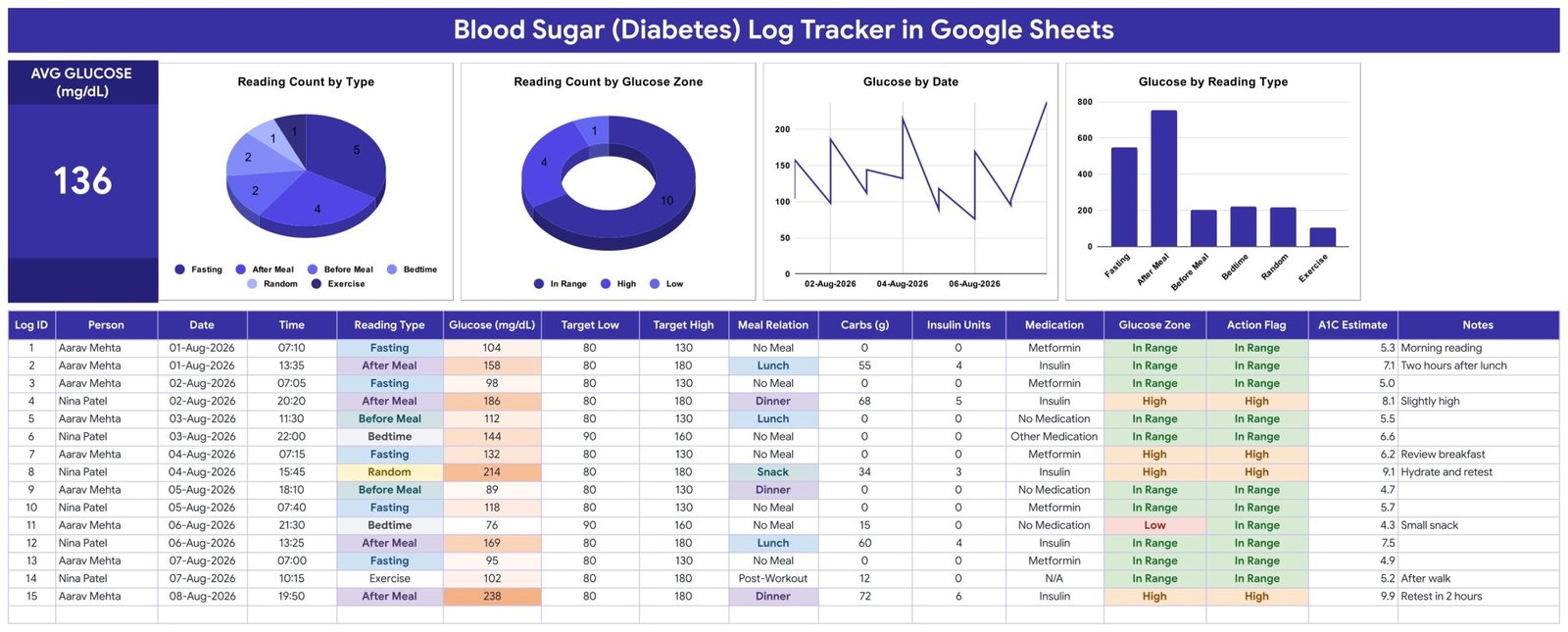
📊 One summary card that never needs a formula edit. The AVG GLUCOSE (mg/dL) card averages every reading currently in the log. In the shipped sample that is 136 mg/dL across 15 rows. Add or delete rows and the number moves on its own – there is nothing to drag down and no pivot table to refresh.
📈 Four charts wired straight to the log columns. Reading Count by Type, Reading Count by Glucose Zone, Glucose by Date and Glucose by Reading Type all read the entry table directly, so a new row appears in all four the moment you type it.
🗂️ A 16-column entry table. Log ID, Person, Date, Time, Reading Type, Glucose (mg/dL), Target Low, Target High, Meal Relation, Carbs (g), Insulin Units, Medication, Glucose Zone, Action Flag, A1C Estimate and Notes. Two people are already set up in the sample so a household or a carer can keep both logs in one file.
🎯 Your targets, per row. Target Low and Target High are ordinary columns, so a fasting row can carry 80-130 while an after-meal row carries 80-180 – whatever numbers your own clinician has given you. The Glucose Zone column then reports In Range, High or Low against that row’s own pair.
🔽 Auto-expanding dropdowns. Reading Type (Fasting, After Meal, Before Meal, Bedtime, Random, Exercise), Meal Relation (No Meal, Lunch, Dinner, Snack, Post-Workout) and Medication (Metformin, Insulin, Other Medication, No Medication, N/A) are driven from a List sheet you can edit, so your own medication names appear in the dropdown.
🧮 An A1C Estimate column, honestly labelled. The column applies the published eAG arithmetic – (mg/dL + 46.7) ÷ 28.7 – to that single reading. It is a conversion of one number, not a laboratory HbA1c, which is a blood test reflecting roughly three months. Treat the column as a rough scale, never as a result.
📱 Google Sheets everywhere. Log a reading on your phone at the kitchen table, review the charts on a laptop later, and share a view-only link with a family member or your clinic. No install, no add-on, no per-user licence.
📦 What’s Inside the Blood Sugar (Diabetes) Log Tracker in Google Sheets
Tracker Sheet: Summary Card, Charts and the Reading Log
The whole tracker is one scrollable sheet. The top band holds the AVG GLUCOSE (mg/dL) card and four charts: Reading Count by Type as a pie, Reading Count by Glucose Zone as a donut, Glucose by Date as a line and Glucose by Reading Type as a column chart. Below them sits the 16-column entry table where every reading is typed – the charts have no helper tables behind them, they aggregate these columns directly.
List Sheet: The Dropdown Source
A second, plain sheet holds the option lists behind Reading Type, Meal Relation and Medication. Add a medication name or a new reading context there and it appears in the dropdown on the next row you fill in – no data-validation dialog to reopen.
📊 Blood Sugar Log Tracker vs. a Microsoft Excel Log vs. a Paid Diabetes App – Where This Fits
| Feature | Blood Sugar (Diabetes) Log Tracker in Google Sheets | Microsoft Excel blood sugar log | Paid diabetes app (mySugr Pro / Glucose Buddy Premium) |
|---|---|---|---|
| Cost | $6.99 one-time ✅ | One-time, but editing on mobile needs a Microsoft 365 licence | Recurring monthly or annual subscription |
| Platform | Google Sheets – browser, Android and iOS | Excel desktop, mobile app for viewing | Phone app only |
| Setup time | Under 10 minutes ✅ | 10-20 minutes | 5 minutes plus account creation |
| Works without creating a health account | Yes – it is your own file in your own Drive ✅ | Yes | No – sign-up required |
| Set your own per-row target range | Yes – Target Low and Target High are editable columns ✅ | Depends on the file | Usually a single global range |
| Add your own columns and charts | Yes – it is an ordinary spreadsheet ✅ | Yes | No |
| Share with a family member or coach | Yes – a Google Sheets share link ✅ | Email the file | Paid tier or export only |
| Automatic sync from a meter or CGM | No – readings are typed in | No | Yes ✅ |
| Year-1 cost for two people in one household | $6.99 total – one file, two names in the Person column ✅ | One purchase plus any licences you already hold | Twelve months of subscription, often per account |
For anyone who wants a readable, editable log they own outright – and does not need meter auto-sync – the Blood Sugar (Diabetes) Log Tracker in Google Sheets sits in the sweet spot.
👥 Who This Template Is For – and Who It’s Not For
✅ This template is built for:
- People who already test at home and were asked to bring a written log to their next appointment
- Carers and parents keeping a log for someone else, or a household keeping two logs in one file
- Anyone who prefers a spreadsheet they can edit and export over a phone app with a monthly fee
- People with gestational or pre-diabetes monitoring who need a simple typed record over a fixed period
❌ This template is NOT for:
- Anyone looking for medical advice, a diagnosis, target ranges or insulin dosing help – none of that is here, and none of it should come from a spreadsheet
- Clinics or practices needing a patient record system – this is not an EHR/EMR, it is not HIPAA or GDPR compliant, and it is not encrypted
- People who want readings pulled automatically from a meter or CGM – every row is typed by hand
- Anyone needing alerts, reminders or an emergency response – the sheet does nothing when you are not looking at it
⚙️ How to Use the Blood Sugar (Diabetes) Log Tracker in Google Sheets
- Open the PDF in your download and click the “Make a copy” link. A private copy lands in your own Google Drive.
- Delete the 15 demo rows. They belong to two invented people and exist only to show the charts working.
- Open the List sheet and replace the sample medication names with your own. Add reading contexts if you need them.
- Type the Target Low and Target High your own clinician gave you into the first row, then copy that row down.
- Log each reading: date, time, reading type, the number on your meter, and anything useful in Notes.
- Fill Carbs and Insulin Units only if you already record them. Leave them at 0 otherwise – the charts do not need them.
- Review the charts weekly, and take the sheet or a printout to your appointment rather than acting on it alone.
💼 Real-World Use Cases
Priya was asked to bring two weeks of readings to her next review. She logs a fasting reading each morning and one after her main meal, types the ranges her doctor wrote down into Target Low and Target High, and prints the sheet the night before her appointment – instead of arriving with a photo roll of her meter screen.
Daniel keeps the log for his father. Both names sit in the Person column of the same file, he shares the sheet with his sister so she can add readings on the days she visits, and the Notes column carries the context – “after a long walk”, “missed breakfast” – that a bare number never explains.
Meera is monitoring during pregnancy for a fixed number of weeks. She wants a clean typed record with her own per-row targets, not a subscription she will cancel in three months, so a one-time spreadsheet she keeps afterwards suits her better than an app.
❓ Frequently Asked Questions
Is the Blood Sugar (Diabetes) Log Tracker medical advice or a medical device?
No. The Blood Sugar (Diabetes) Log Tracker in Google Sheets is a personal record-keeping spreadsheet. It is not a medical device, not a diagnostic tool, not a dosing aid and not a clinical record system, and nothing in it should be used to make a treatment decision. Talk to your doctor or diabetes educator.
Where do the target ranges come from?
From you. Target Low and Target High are ordinary editable columns in the Blood Sugar (Diabetes) Log Tracker, and the Glucose Zone colour is scored only against the numbers you type in that row. The template ships no recommended range and takes no position on what yours should be.
Is the A1C Estimate column a real HbA1c result?
No. The column applies the published eAG conversion – (mg/dL + 46.7) ÷ 28.7 – to a single reading. A real HbA1c is a laboratory blood test reflecting roughly three months of glucose. Treat the column as a rough arithmetic scale and never as a lab result or a diagnosis.
Can it sync readings from my meter or CGM?
No. Every row in the Blood Sugar (Diabetes) Log Tracker in Google Sheets is typed by hand. If automatic import from a meter or continuous glucose monitor is what you need, a paid diabetes app is the right tool and this template is not a substitute for it.
How long does setup take?
Under 10 minutes. Make your copy from the link in the PDF, delete the 15 demo rows, edit the List sheet dropdowns to match your own medications, type your targets into the first row and copy it down. Every card and chart in the Blood Sugar (Diabetes) Log Tracker updates automatically from there.
Is my data private, and is this HIPAA compliant?
The file lives in your own Google Drive under your own Google account, and no data is sent to NextGenTemplates. It is not encrypted health-record software and it makes no HIPAA or GDPR compliance claim. Anyone you share the link with can read every reading, so share it deliberately.
Can two people use one file?
Yes. The Person column already carries two names in the sample, so a household or a carer can keep both logs together. Note that the AVG GLUCOSE card and all four charts pool every row in the sheet, so with two people the average is a combined figure – keep a separate copy per person if you need separate numbers.
👤 About the Author
Built by PK – Microsoft Certified Professional with 15+ years of Excel, Google Sheets and Power BI experience. Founder of NextGenTemplates, reaching 300K+ subscribers across YouTube channels (@PK-AnExcelExpert, @NextGenTemplates, @NeoTechNavigators). Every template is hand-built and tested before release. PK is not a clinician and this template offers no medical guidance.
🔗 Explore Related Templates
The closest companion is the Blood Pressure Log Tracker in Google Sheets, which follows the same one-sheet layout for systolic, diastolic and pulse readings, and the Medication & Pill Tracker in Google Sheets for keeping the doses themselves in order.
If you are logging the things around the readings, the Calorie & Macro Tracker in Google Sheets covers meals and carbohydrates, the Workout Log Tracker in Google Sheets covers activity, and the Weight Loss Tracker in Google Sheets covers weight over time.
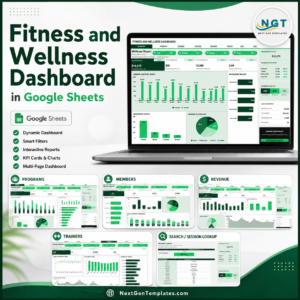
For a wider view across several habits at once, the Fitness and Wellness Dashboard in Google Sheets is the multi-page option. Browse the full shelf of Google Sheets templates and the Google Sheets Trackers category for more one-page logs.
📖 Click here to read the Detailed Blog Post
🎥 Visit our YouTube channel for step-by-step video tutorials
👉 YouTube.com/@NextGenTemplates
📅 Last updated: August 2026


















Reviews
There are no reviews yet.