

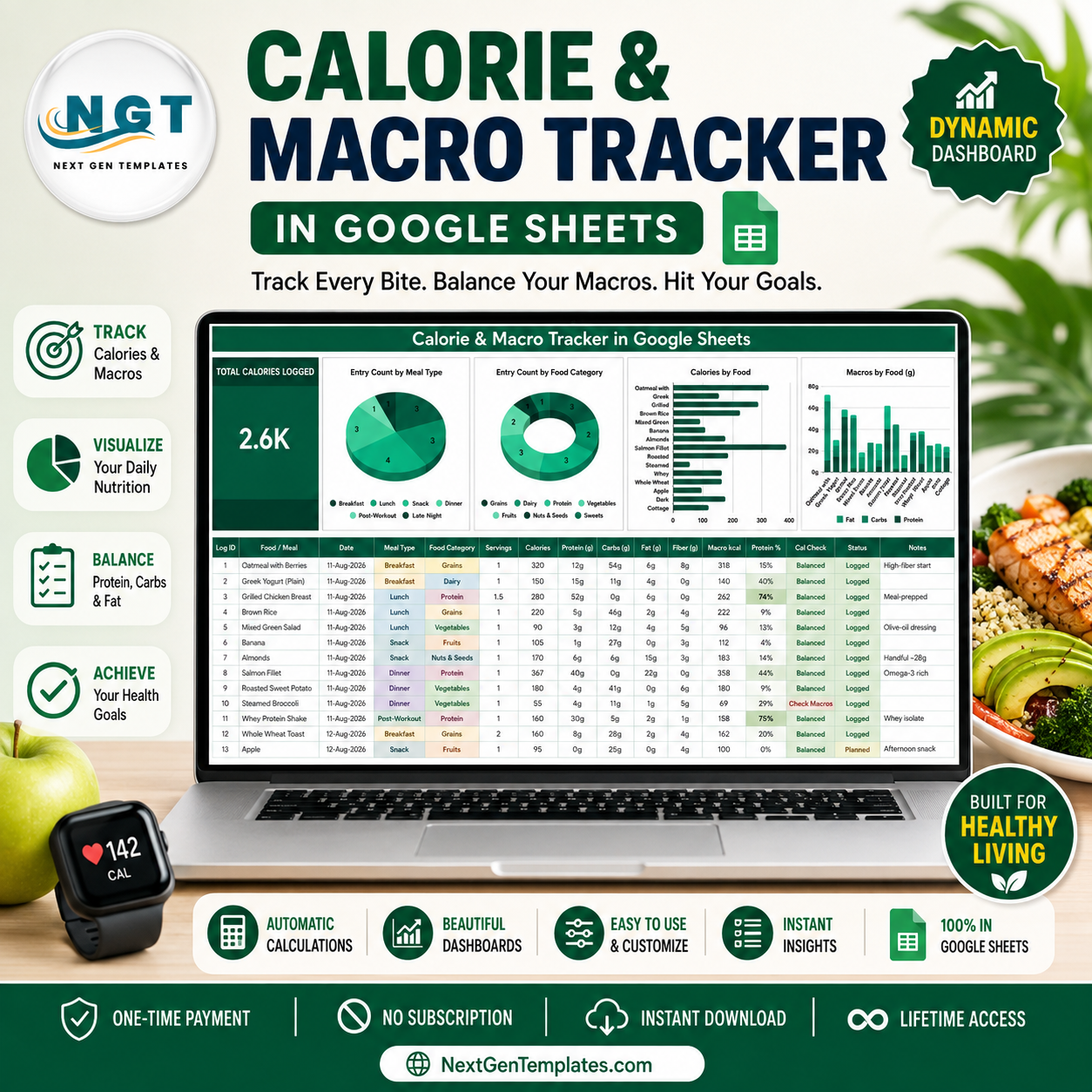
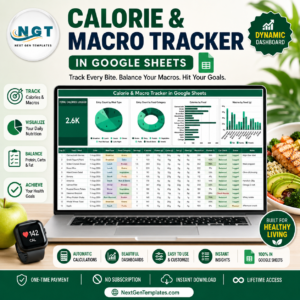
The Calorie & Macro Tracker in Google Sheets is a one-page food log that does the arithmetic for you. Type a food, a serving count and its calories, protein, carbs and fat, and four columns calculate themselves while four charts and a Total Calories Logged card redraw underneath. Nothing is hidden: 16 columns, 4 formula columns, 3 dropdown lists and 4 charts all live on a single sheet you can see at a glance. It ships from NextGenTemplates, a 2,000+ template library built by a Microsoft Certified Professional, and arrives as a one-time payment with instant download and lifetime access – no subscription, no per-month app fee, and your data never leaves your own Google Drive.
This template is a logging and charting tool. It is not medical or nutritional advice, and it does not set or recommend calorie or macro targets for you.
Key Features of the Calorie & Macro Tracker in Google Sheets
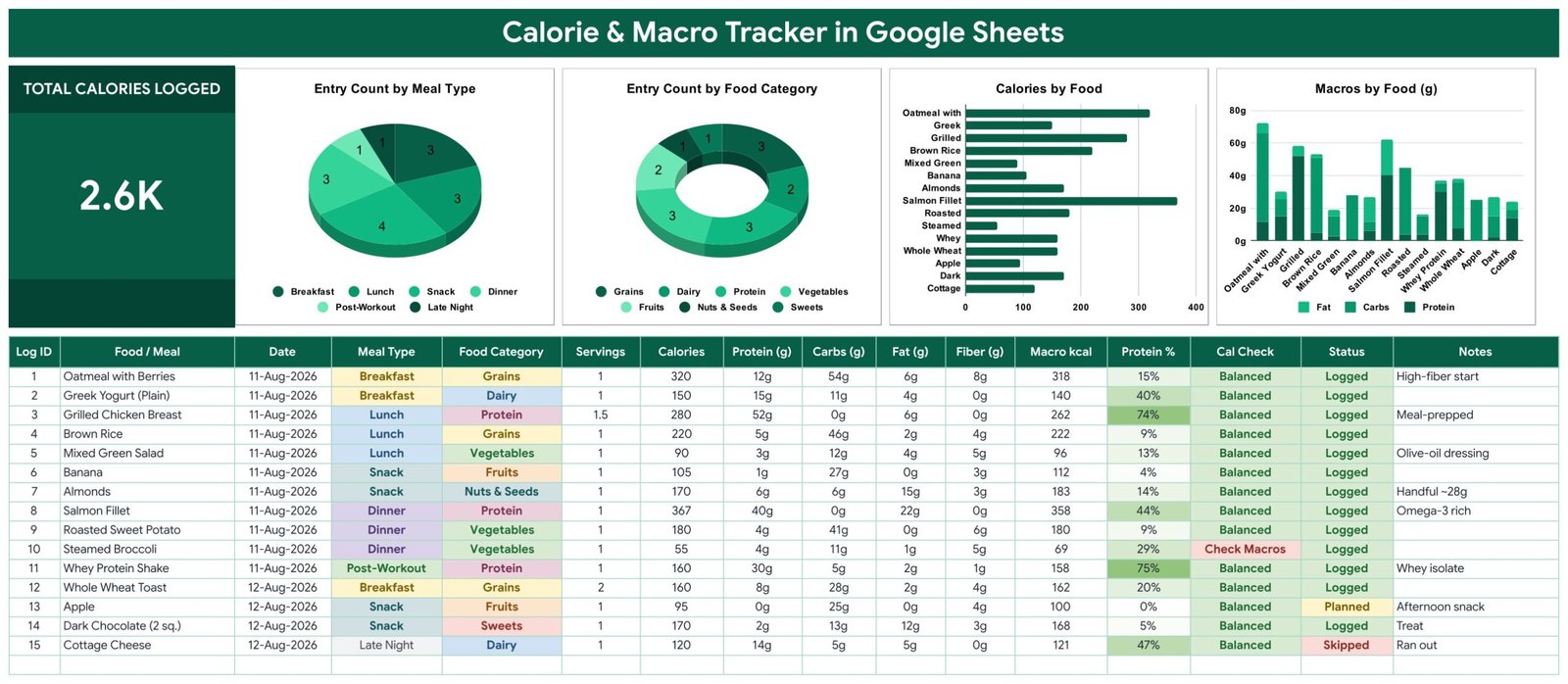
- Total Calories Logged card. A single large card at the top left sums the Calories column across every row you have entered. In the sample data it reads 2.6K.
- Entry Count by Meal Type. A pie chart splitting your entries across Breakfast, Lunch, Snack, Dinner, Post-Workout and Late Night, so you can see where most of your logging actually happens.
- Entry Count by Food Category. A donut chart across Grains, Dairy, Protein, Vegetables, Fruits, Nuts & Seeds and Sweets.
- Calories by Food. A horizontal bar chart ranking each logged food by its calorie figure, longest bar first in the eye.
- Macros by Food (g). A stacked column chart showing Fat, Carbs and Protein in grams per food, so the composition of each entry is visible side by side.
- Macro kcal. A formula column that recomputes calories from your macros using protein x 4 + carbs x 4 + fat x 9.
- Cal Check. Compares the Calories you typed against Macro kcal and prints “Check Macros” in red when the two drift more than 15% apart. Everything else reads “Balanced”.
- Protein %. The share of each entry’s calories coming from protein, with a green scale that deepens as the percentage climbs.
- Auto-expanding dropdowns. Meal Type, Food Category and Status pull from a List tab covering rows 2 to 500. Add a value there and it appears in the dropdown immediately.
- Charts that never need re-ranging. All four charts read the data columns directly across rows 16 to 1000 using Google Sheets’ built-in Aggregate option. There are no helper tables anywhere in the file.
What’s Inside the Calorie & Macro Tracker in Google Sheets
Page 1 – The tracker
The working page. A dark green title banner, the Total Calories Logged card, the four charts in a row, and beneath them the log table with 16 columns: Log ID, Food / Meal, Date, Meal Type, Food Category, Servings, Calories, Protein (g), Carbs (g), Fat (g), Fiber (g), Macro kcal, Protein %, Cal Check, Status and Notes. Fifteen sample rows covering a day and a half are already filled in – oatmeal, Greek yogurt, grilled chicken, brown rice, salmon fillet, a whey shake and so on – with Status values of Logged, Planned or Skipped.
Page 2 – How to Use
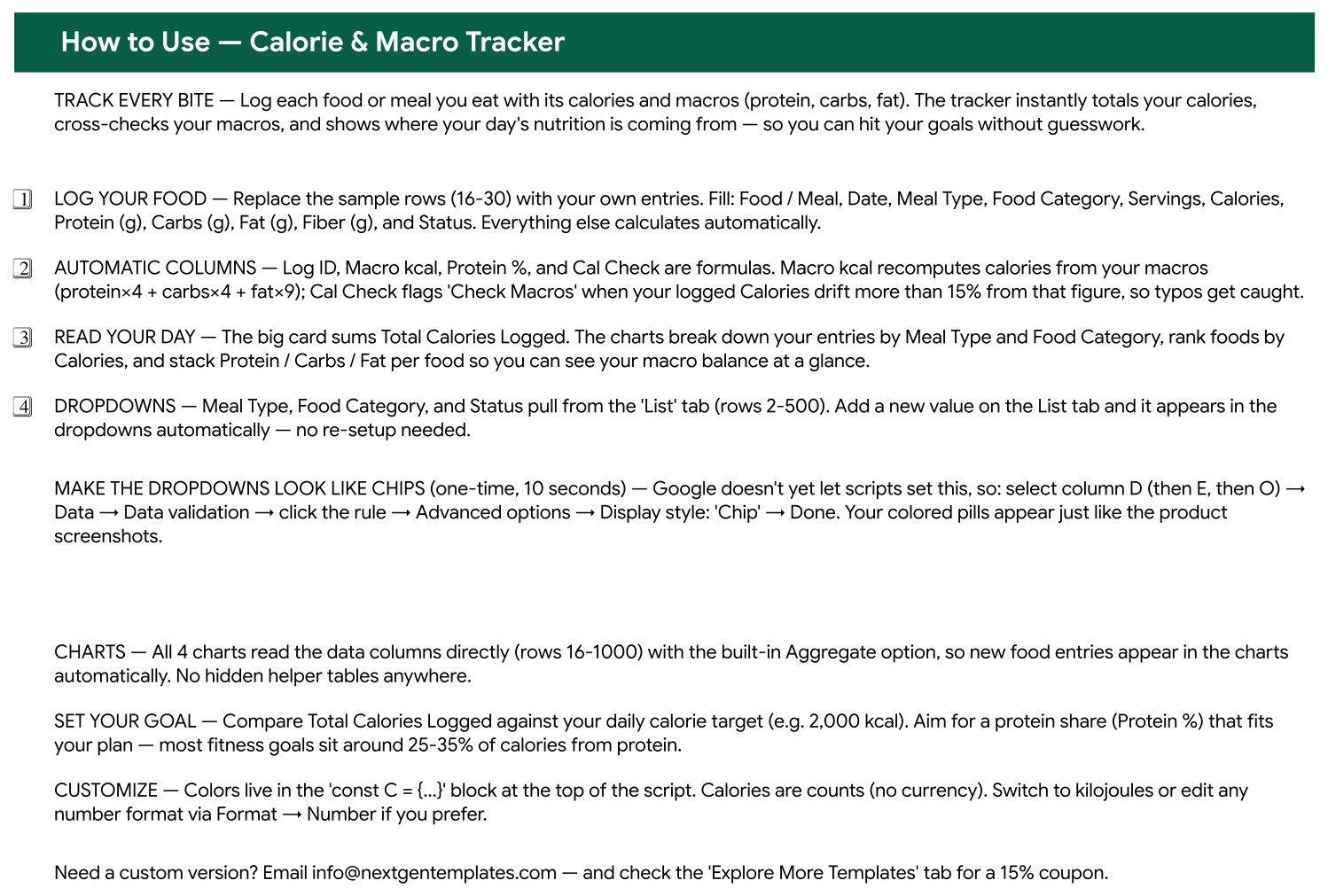
A written walkthrough in the same file. It names which columns you fill and which calculate themselves, explains the Macro kcal formula and the 15% Cal Check threshold, points at the List tab behind the dropdowns, and shows the ten-second Data validation step that turns those dropdowns into the coloured chips you see in the screenshots. It closes with where the colour constants live if you want to re-theme the sheet.
Page 3 – Explore More Templates
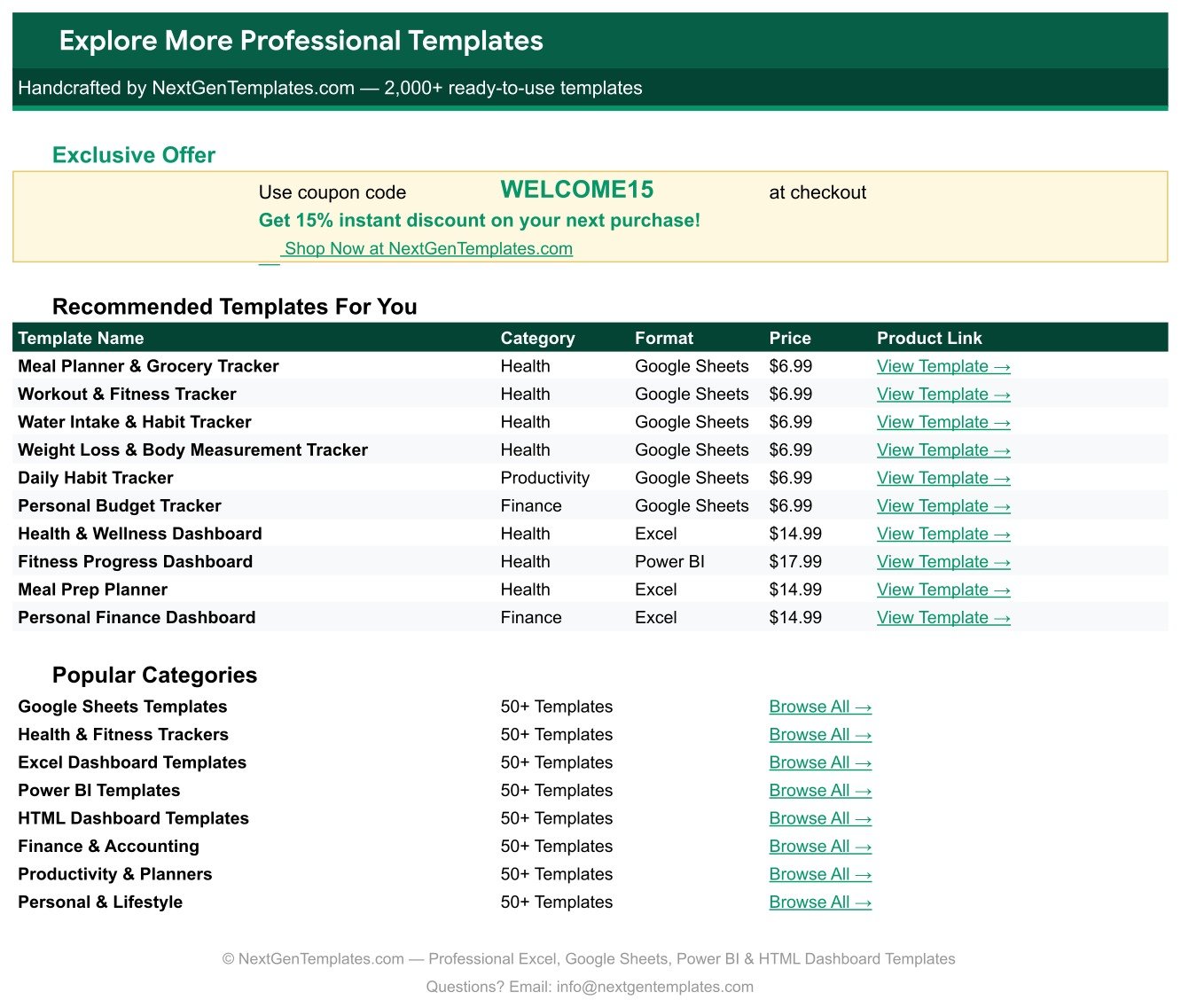
A closing sheet with a WELCOME15 coupon code for 15% off your next purchase, a table of recommended health, fitness and finance templates, and links into the main template categories.
Calorie & Macro Tracker in Google Sheets vs. an Excel Log vs. a Paid Nutrition App – Where This Fits
| This tracker (Google Sheets) | A do-it-yourself Excel log | Paid nutrition app (MyFitnessPal Premium tier) | |
|---|---|---|---|
| Cost | One payment, 6.99 on sale | Free, if you build it | Roughly 20 per month per person |
| Platform | Google Sheets, any browser | Desktop Excel | Vendor’s phone app |
| Setup time | Copy the sheet, clear the sample rows – minutes | Hours of formula and chart work | Account signup, then subscription |
| Real-time collaboration | Yes, native Sheets sharing | Only via OneDrive co-authoring | Usually single-account |
| Mobile access | Google Sheets mobile app | Excel mobile app | Yes, that is the whole product |
| Customisable fields | Add columns and List values freely | Yes | Fixed by the vendor |
| Share with a link | Yes | File-based | Rarely |
| Year-1 cost, 5 people | 6.99 once | Your time | Around 1,200 |
| Macro cross-check on your own entries | Yes – Macro kcal plus the Cal Check flag | Only if you write it | Handled by the food database instead |
| You own the raw data | Yes, it is your Drive file | Yes | Held on the vendor’s servers |
Who This Template Is For – and Who It’s Not For
It fits anyone who already knows what they want to log and just wants a clean place to log it: people meal-prepping and recording the same handful of dishes, lifters keeping a written protein record, anyone whose coach or clinician has asked for a food diary they can share as a link, and spreadsheet users who would rather own the file than rent an app.
It does not fit if you want a barcode scanner or a built-in food database – this sheet has no nutrition lookup, you type the numbers from the label or your own source. It is not the right tool if you need a phone-first logging experience with photo recognition, and it is not a clinical record. It also does not tell you what your calorie or macro numbers should be; that judgement stays with you and, where relevant, a qualified professional.
How to Use the Calorie & Macro Tracker in Google Sheets
- Make your copy. Open the PDF in your download and click the copy link. Google creates an editable copy in your own Drive.
- Clear the samples. Rows 16 to 30 hold the 15 example entries. Delete them once you have seen the format.
- Log an entry. Fill Food / Meal, Date, Meal Type, Food Category, Servings, Calories, Protein (g), Carbs (g), Fat (g), Fiber (g) and Status. Log ID, Macro kcal, Protein % and Cal Check fill themselves.
- Watch the Cal Check column. A red “Check Macros” means your typed calories and your typed macros disagree by more than 15% – usually a mistyped gram figure.
- Turn on chip styling once. Select column D, then E, then O, and set Data validation to display style Chip. That is what produces the coloured pills in the screenshots.
- Extend the lists. New meal type, new food category, new status? Add it on the List tab and the dropdown picks it up.
- Read the charts. They update as you type. No refresh, no re-ranging, no pivot rebuild.
Real-World Use Cases
Priya, meal-prepping on Sundays. She cooks five identical lunches, logs the dish once with Servings set to 5, and uses Entry Count by Food Category to check whether her week is drifting entirely into Grains.
Daniel, tracking protein around training. He uses the Post-Workout meal type for shakes and reads Macros by Food (g) to see, in grams, which entries are actually carrying his protein rather than guessing from the calorie column.
Rosa, keeping a diary for an appointment. Her dietitian asked for two weeks of food records. She shares the sheet as a view link, and the Status column marks which planned meals she actually ate and which she skipped.
Frequently Asked Questions
Does this tracker tell me how many calories or grams of protein I should eat?
No. It records what you enter and charts it. Setting targets is outside what this template does, and any target should come from you or a qualified professional. Nothing here is medical or nutritional advice.
Is there a food database or barcode scanner?
No. You type the calorie and macro figures yourself, from the label or whatever source you trust. That is deliberate – it keeps the file small, offline-friendly and entirely yours.
What does “Check Macros” mean?
Macro kcal recalculates calories from your macros as protein x 4 + carbs x 4 + fat x 9. If that figure and the Calories you typed differ by more than 15%, the Cal Check column flags the row so you can spot a typo.
How many rows can I log?
The charts read rows 16 to 1000 directly, so roughly 985 entries are covered out of the box, and the List tab holds up to 500 dropdown values.
Do I need Google Sheets, or will Excel open it?
It is built for Google Sheets and uses Sheets’ native charts and data validation. You can export to Excel, but the chip-styled dropdowns and the built-in Aggregate chart behaviour are Sheets features.
Can I change the colours?
Yes. The How to Use sheet points at the colour constants block, and every cell fill is editable like any other sheet.
What exactly do I download?
A PDF containing the Google Sheets copy link. Clicking it puts your own editable copy in your Drive – the original is never shared or edited.
About the Author
Built by PK – Microsoft Certified Professional with 15+ years of Excel, Google Sheets, and Power BI experience. Founder of NextGenTemplates, reaching 300K+ subscribers across YouTube channels. Every template is hand-built and tested before release.
Explore Related Templates
- Body Measurements Tracker in Google Sheets – the measuring-tape side of the same routine.
- Water Intake Tracker in Google Sheets – hydration logging in the same one-page format.
- Weight Loss Tracker in Google Sheets – a weekly weigh-in log with its own charts.
- Workout Log Tracker in Google Sheets – sets, reps and session volume.
- Meal Planner & Grocery List in Google Sheets – plan the week before you log it.
- Browse the full Google Sheets Trackers category, or all Google Sheets templates.
Add the Calorie & Macro Tracker in Google Sheets to your cart for a one-time 6.99 (regular 12.99). Instant download, lifetime access, and a WELCOME15 coupon inside the file for 15% off your next template. Questions before you buy? Email [email protected].
Watch the step-by-step video Demo:
Last updated: 14 August 2026.































Reviews
There are no reviews yet.