

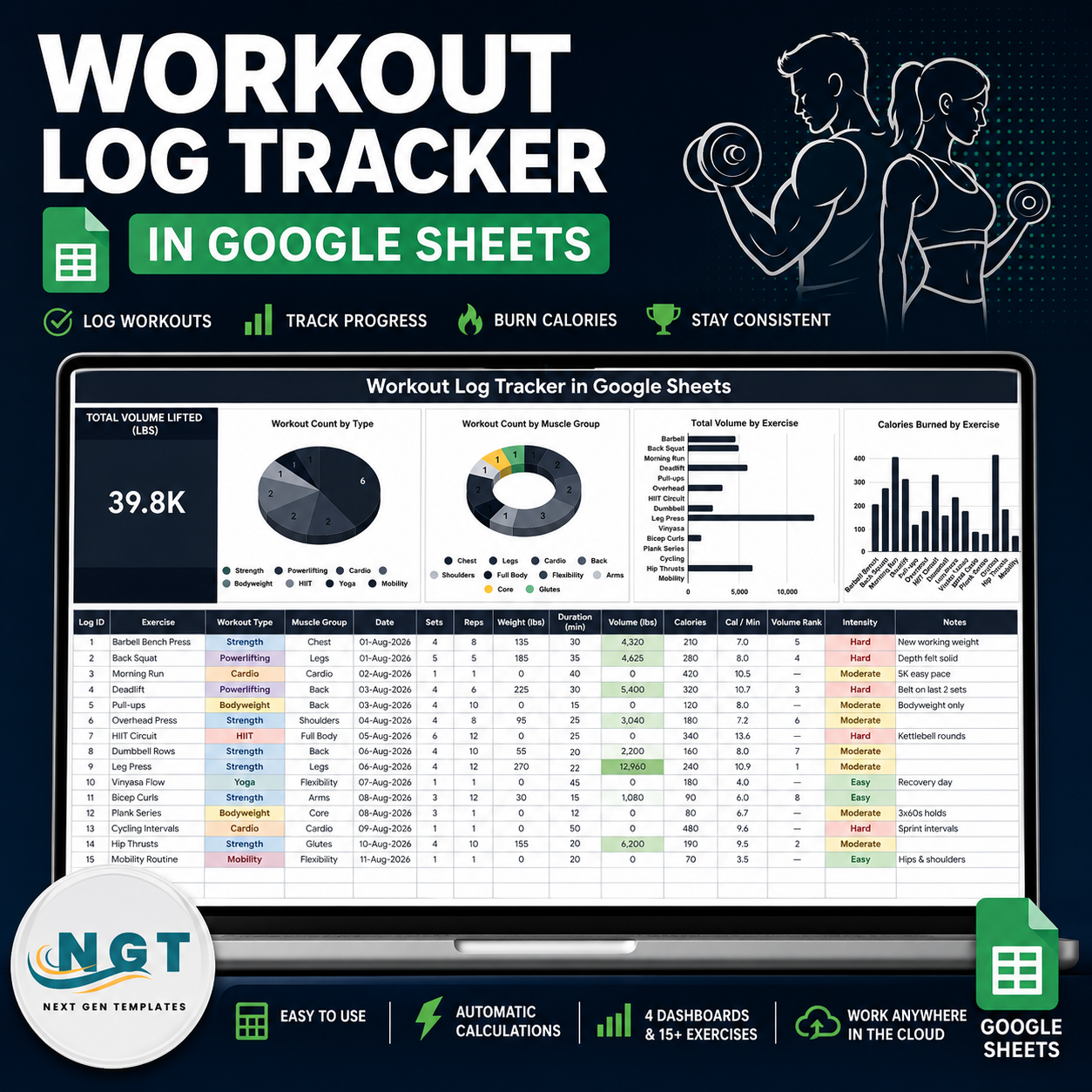
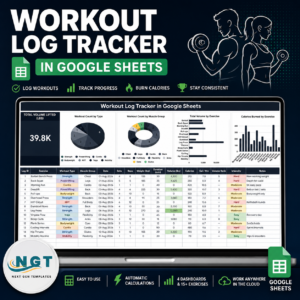
The Workout Log Tracker in Google Sheets turns training into data on a single screen: one Total Volume Lifted KPI card, four charts that redraw as you type, and a 15-column logging table with room for 1,000 sessions. The sample file arrives with 15 logged workouts spanning 7 workout types, 10 muscle groups and 39.8K lbs of recorded volume, so you can see the formulas behaving before you replace a single row. Built by NextGenTemplates, a 2,000+ template library backed by 300K+ subscribers across our YouTube channels. This is a one-time purchase at $6.99 (regular $12.99) – no subscription, no per-user fee, and the copy lands in your own Google Drive where you keep it for good.
Key Features of the Workout Log Tracker in Google Sheets
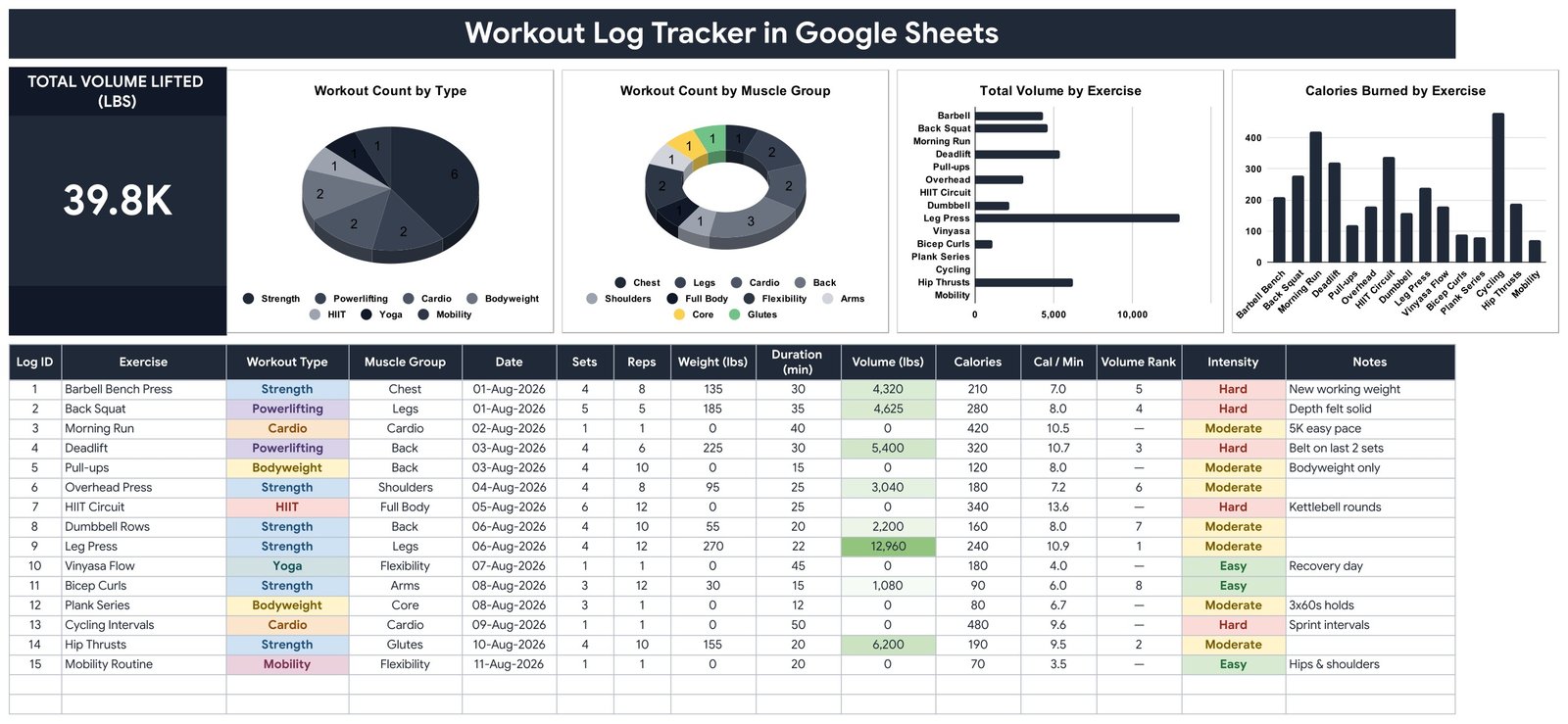
- Total Volume Lifted (lbs) KPI card – a single dark card that adds up Sets x Reps x Weight across every strength row you have logged.
- Workout Count by Type – a pie chart that counts sessions across Strength, Powerlifting, Cardio, Bodyweight, HIIT, Yoga and Mobility.
- Workout Count by Muscle Group – a donut chart covering Chest, Back, Legs, Shoulders, Arms, Core, Glutes, Full Body, Cardio and Flexibility.
- Total Volume by Exercise – a horizontal bar chart that lines your exercises up by the load moved, so Leg Press and Hip Thrusts separate visibly from Pull-ups and Plank Series.
- Calories Burned by Exercise – a column chart built from the calorie figure you record per session.
- Three calculated columns – Volume (lbs) = Sets x Reps x Weight, Cal / Min = Calories / Duration, and Volume Rank, which numbers your heaviest sessions 1, 2, 3 and leaves a dash on bodyweight and cardio rows.
- Colour-coded Intensity – Easy, Moderate and Hard each get their own fill, and the Volume column carries a green gradient so your biggest sessions stand out in the table itself.
- Dropdowns that grow with you – Workout Type, Muscle Group and Intensity all read the List tab (rows 2-500). Add a value there and it appears in the dropdown with no re-setup.
- Charts wired to rows 16-1000 – built with the native Aggregate option against the data columns, so there are no hidden helper tables to maintain and new rows appear automatically.
- lbs or kg – the sheet ships in lbs; relabel the header and enter kg values and every formula still works.
What’s Inside the Workout Log Tracker in Google Sheets
The download is a PDF that carries the Make a copy link. One click puts an editable Google Sheet in your Drive with four tabs:
- Tracker – the working page. Title banner, the Total Volume Lifted card, all four charts across the top, and the log table underneath with Log ID, Exercise, Workout Type, Muscle Group, Date, Sets, Reps, Weight (lbs), Duration (min), Volume (lbs), Calories, Cal / Min, Volume Rank, Intensity and Notes.
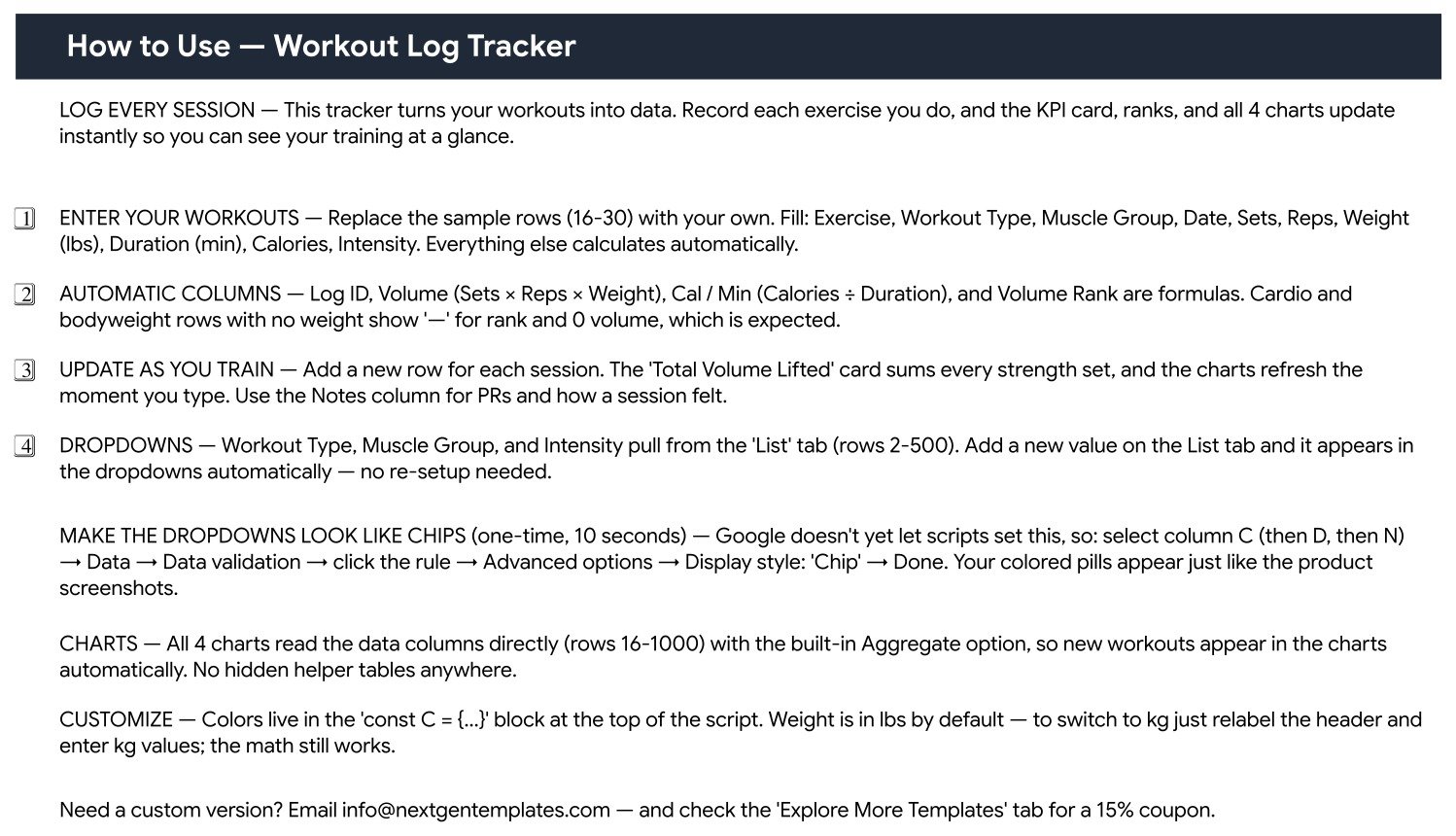
- How to Use – a printed instruction page covering data entry, which columns are formulas, how to switch the dropdowns to chip display, and how to recolour the sheet.
- List – the source lists for the three dropdowns, editable down to row 500.
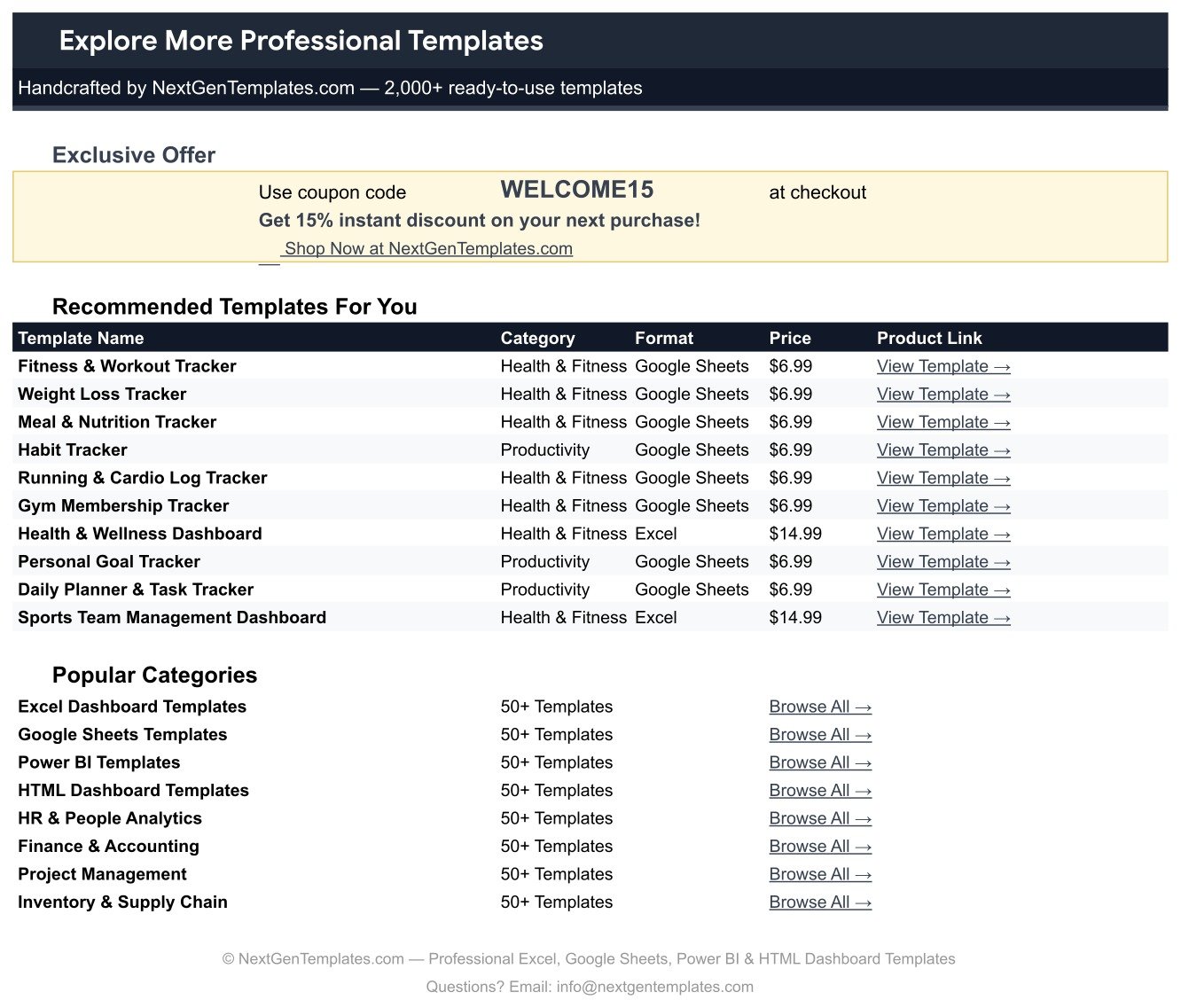
- Explore More Templates – the NextGenTemplates catalogue page with a WELCOME15 coupon code.
Workout Log Tracker in Google Sheets vs. an Excel Workout Log vs. a Paid Fitness App – Where This Fits
| What matters | This Google Sheets tracker | Excel workout log | Paid fitness app subscription |
|---|---|---|---|
| Cost | $6.99 once | Free file, but needs an Office licence | Typically $5-$10 per user per month |
| Platform | Google Sheets, any browser | Desktop Excel | Vendor app, phone first |
| Setup time | Under 5 minutes – copy and start logging | Build the charts and formulas yourself | Account creation plus onboarding flow |
| Real-time collaboration | Yes, native Google Sheets sharing | Only via OneDrive co-authoring | Usually a paid coach or team tier |
| Mobile access | Google Sheets app, free | Excel mobile, limited charting | Yes, the app is the product |
| Customisable fields | Every column, dropdown and colour | Yes, if you build it | Limited to what the vendor exposes |
| Share with a link | Yes | File attachment or cloud link | Invite-only inside the app |
| Year-1 cost at 5 users | $6.99 total | Office licences plus your build time | Roughly $300-$600 |
| Auto-calculated training volume | Built in – Sets x Reps x Weight plus a rank | You write the formula | Sometimes, varies by app |
| You own the raw history | Yes – it is your spreadsheet, export any time | Yes | Locked to the vendor’s export tools |
Who This Template Is For – and Who It’s Not For
A good fit if you lift and want a written record of sets, reps and load; you mix strength work with cardio, yoga and mobility and want one place for all of it; you coach a handful of clients and want each of them logging into a sheet you can open; or you already live in Google Drive and do not want another app account.
Not the right fit if you want automatic syncing from a watch or gym machine – this tracker is typed in by hand. It is also not a programming tool: it records what you did, it does not write your training plan or give coaching advice. And if you need per-set logging with a separate row for every single set, you will want to adapt the layout, because this sheet records one row per exercise per session.
How to Use the Workout Log Tracker in Google Sheets
- Open the PDF and click the copy link. Google puts an editable copy in your own Drive.
- Clear the samples. Rows 16-30 hold the demo workouts. Delete the values and keep the formatting.
- Log a session. Fill Exercise, Workout Type, Muscle Group, Date, Sets, Reps, Weight, Duration, Calories and Intensity. Log ID, Volume, Cal / Min and Volume Rank fill themselves.
- Turn the dropdowns into chips (10 seconds, one time). Select column C, then D, then N, go to Data – Data validation – click the rule – Advanced options – Display style: Chip. That is the pill look you see in the screenshots.
- Add your own lists. New workout type or muscle group? Type it on the List tab and it joins the dropdown.
- Watch the top of the sheet. The KPI card and all four charts refresh the moment a row lands – no refresh button, no re-linking ranges.
- Recolour if you want. The palette lives in the const C = {…} block at the top of the script.
Real-World Use Cases
Marcus, a 5-day-a-week lifter. He logs one row per exercise and uses Volume Rank to check whether this month’s Deadlift and Leg Press sessions actually moved more load than last month’s, instead of guessing from memory.
Priya, a personal trainer with 6 clients. Each client gets their own copy of the sheet. She opens them before a session, glances at Workout Count by Muscle Group, and sees at a glance who has skipped legs for three weeks.
Dan, a hybrid athlete. His week mixes Powerlifting, HIIT, cycling and Vinyasa. The Workout Count by Type pie is the only place he can see the whole mix in one picture, and the Notes column keeps the detail – “belt on last 2 sets”, “5K easy pace”.
Frequently Asked Questions
Do I need a Google account?
Yes. The download is a PDF containing a Make a copy link, and Google needs an account to place that copy in your Drive. Google Sheets itself is free.
How many workouts can I log?
The charts and formulas are wired down to row 1000, which is roughly 985 logged sessions. You can extend further by copying the formulas down and widening the chart ranges.
Does it work in kg?
Yes. Relabel the Weight (lbs) header to kg and enter kg values. Volume is a straight Sets x Reps x Weight multiplication, so the maths is unchanged – just read the KPI card as kg.
Why do some rows show a dash in Volume Rank?
Cardio, bodyweight and mobility rows have no external load, so volume is 0 and the rank is deliberately blanked with a dash. That is expected behaviour, not an error.
Can I use it on my phone?
Yes, in the free Google Sheets mobile app. Logging rows works well on a phone; the charts are easier to read on a tablet or laptop.
Will the charts update when I add rows?
Yes. Each chart reads the data columns directly with the built-in Aggregate option over rows 16-1000, so a new row appears in the charts as soon as you type it. There are no hidden helper tables.
Can I share it with a coach or training partner?
Yes – it is a normal Google Sheet, so use the Share button and give view or edit access with a link.
About the Author
Built by PK – Microsoft Certified Professional with 15+ years of Excel, Google Sheets, and Power BI experience. Founder of NextGenTemplates, reaching 300K+ subscribers across YouTube channels. Every template is hand-built and tested before release.
Explore Related Templates
- Gym Personal Records (PR) Tracker in Google Sheets – the companion sheet for one-rep maxes and lift milestones.
- Weight Loss Tracker in Google Sheets – body weight and measurement logging alongside your training.
- Gym Membership Tracker in Google Sheets – for anyone running the gym rather than training in it.
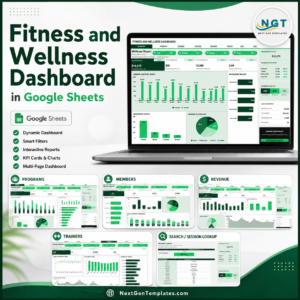
- Fitness and Wellness Dashboard in Google Sheets – a multi-page dashboard when one tracker page is no longer enough.
- Fitness Trainer Dashboard in Google Sheets – client, session and revenue reporting for coaches.
Browse the full Google Sheets Trackers category, or the wider Google Sheets library.
Start logging today. Add the Workout Log Tracker in Google Sheets to your cart for $6.99, open the PDF, click the copy link, and your first session is recorded inside five minutes. Need a custom column or a different chart set? Email [email protected] and we will quote it.
Watch the step-by-step video Demo:
Last updated: 13 August 2026.
































Reviews
There are no reviews yet.