

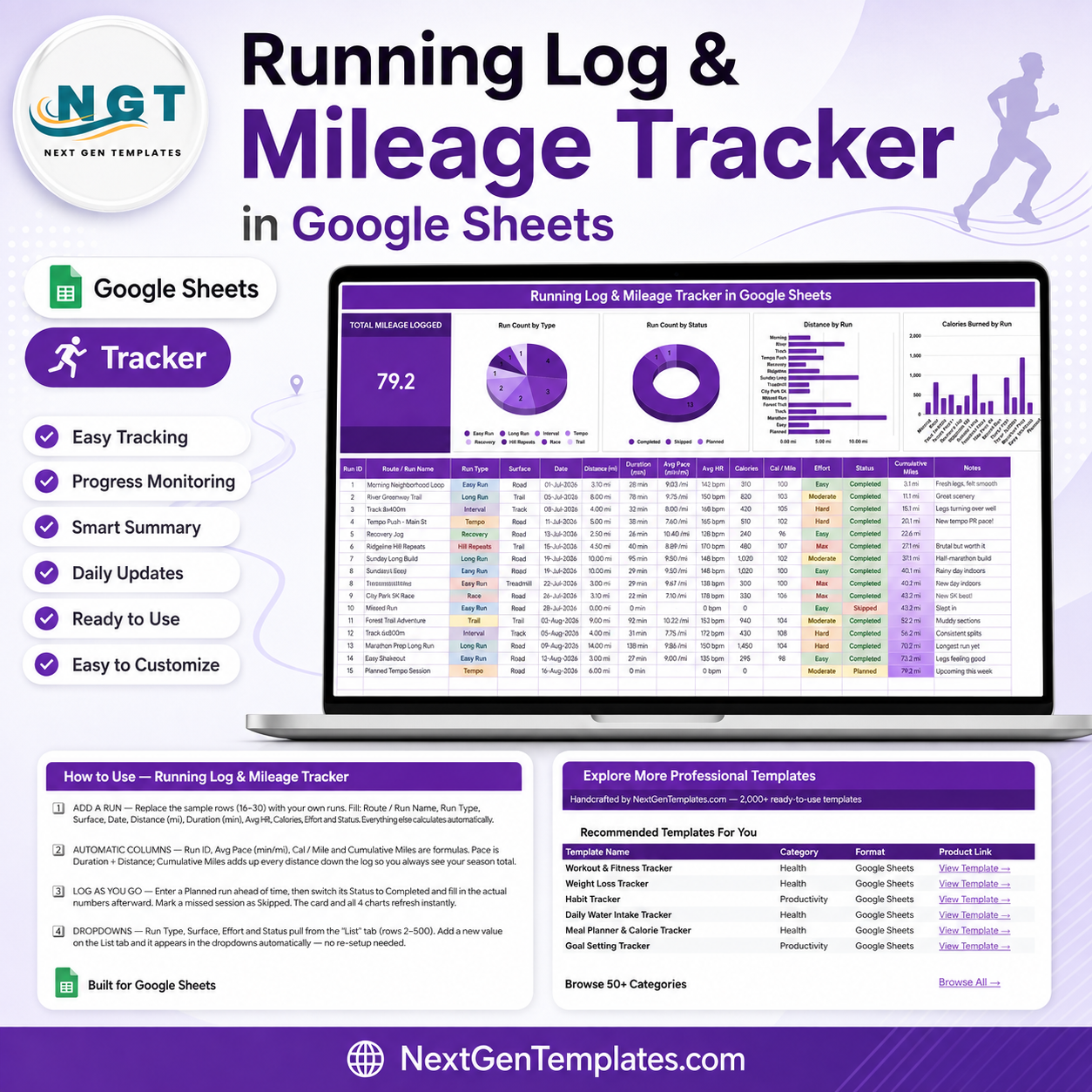
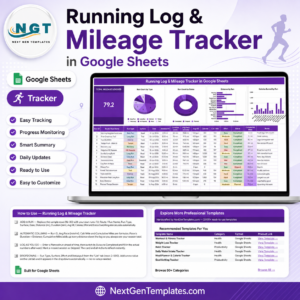
The Running Log & Mileage Tracker in Google Sheets puts every run you record on one page: a single TOTAL MILEAGE LOGGED card, four live charts, and a 15-column log that runs to row 1000. The sample file ships with 15 runs across 8 run types and 4 surfaces, totalling 79.2 miles logged. Four columns calculate themselves – Run ID, Avg Pace, Cal / Mile and Cumulative Miles – so you type six fields per run and the sheet does the arithmetic. Instant download, one-click “Make a copy”, yours forever with no subscription and no app account. This is a logging and charting template, not medical or coaching advice.
Key Features of the Running Log & Mileage Tracker
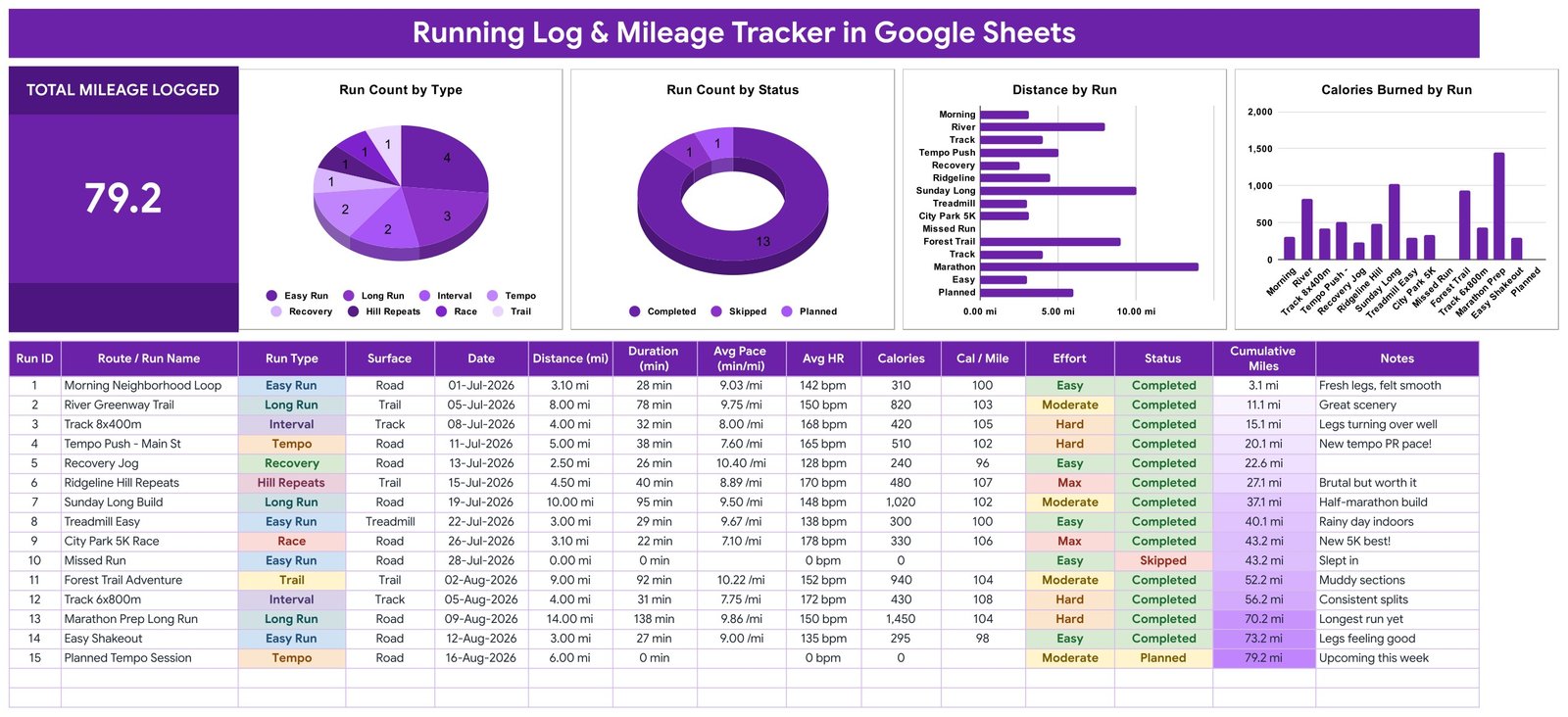
- One TOTAL MILEAGE LOGGED card – the cumulative distance of every run in the log, in the size you can read from across the room.
- Four charts, no helper tables – Run Count by Type, Run Count by Status, Distance by Run and Calories Burned by Run all read the data columns directly using the built-in Aggregate option.
- 15-column run log – Run ID, Route / Run Name, Run Type, Surface, Date, Distance (mi), Duration (min), Avg Pace (min/mi), Avg HR, Calories, Cal / Mile, Effort, Status, Cumulative Miles and Notes.
- Four calculated columns – Run ID, Avg Pace (Duration divided by Distance), Cal / Mile and a running Cumulative Miles total down the log.
- Four dropdown columns – Run Type, Surface, Effort and Status, all fed from a separate List tab.
- Eight run types out of the box – Easy Run, Long Run, Interval, Tempo, Recovery, Hill Repeats, Race and Trail.
- Plan before you run – log a session as Planned, then switch it to Completed and fill in the actuals, or mark it Skipped if it did not happen.
- Miles or kilometres – the file uses miles by default; enter km instead and rename three headers, the formulas behave identically.
- Auto-expanding lists – the List tab covers rows 2 to 500, so a new surface or run type appears in the dropdowns with no re-setup.
- Charts cover rows 16 to 1000 – roughly three years of daily running before you touch a range.
What’s Inside the Running Log & Mileage Tracker
Page 1 – Running Log dashboard
The working page. A purple title banner, the TOTAL MILEAGE LOGGED card on the left, then four charts across the top: Run Count by Type (a pie showing the sample’s 4 Easy Runs, 3 Long Runs, 2 Intervals, 2 Tempos and one each of Recovery, Hill Repeats, Race and Trail), Run Count by Status (a donut reading 13 Completed, 1 Skipped, 1 Planned), Distance by Run (a horizontal bar per session) and Calories Burned by Run (a column chart). Below them sits the log itself, with coloured chips on the Run Type, Surface, Effort and Status columns.
Page 2 – How to Use
A one-screen setup guide covering adding a run, which columns calculate themselves, how the Planned / Completed / Skipped workflow behaves, how the List tab feeds the dropdowns, the ten-second step for turning dropdowns into coloured chips, how to switch to kilometres, and where the colour block lives in the script if you want a different palette.
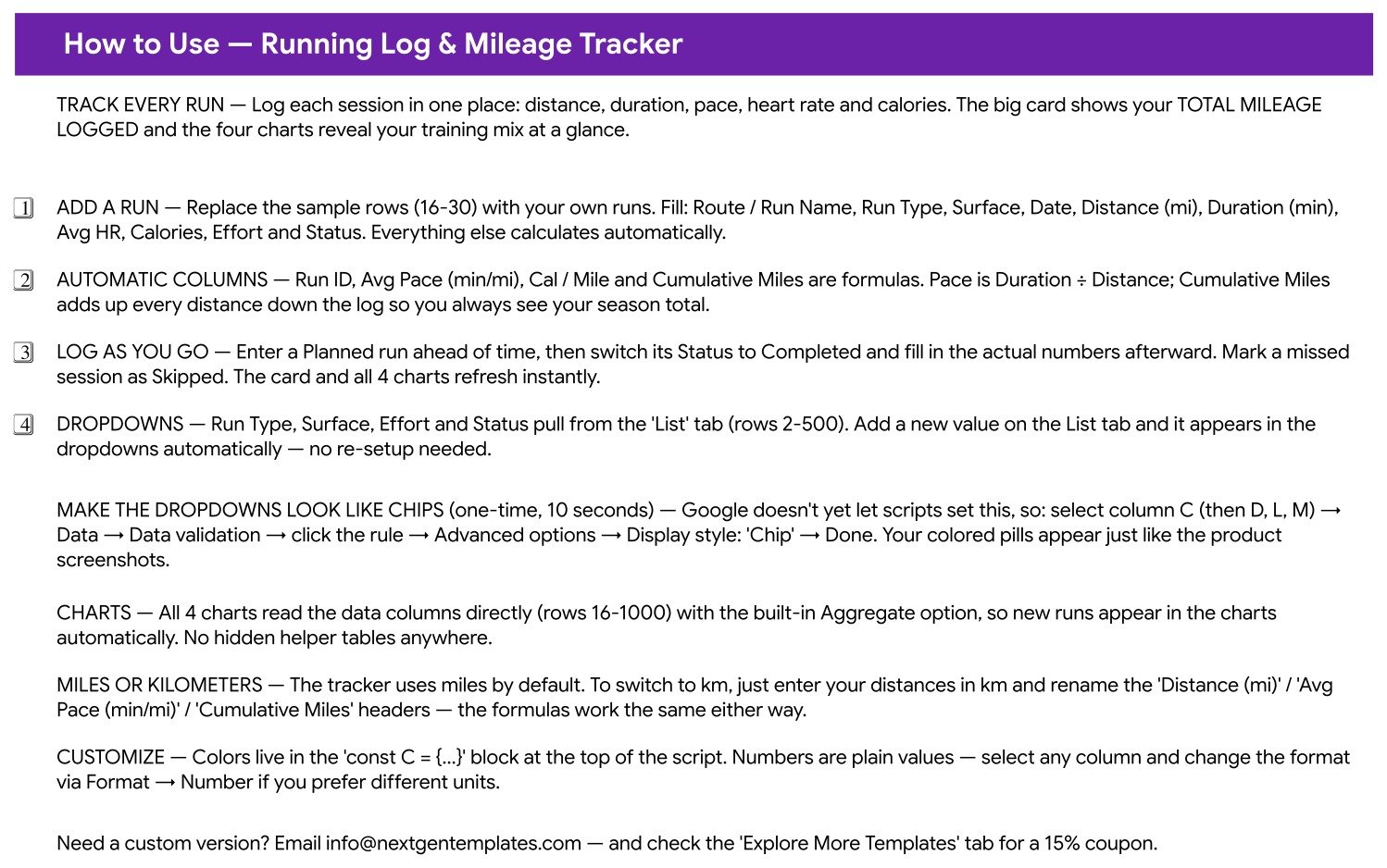
Page 3 – Explore More Templates
A WELCOME15 coupon for 15% off your next purchase, plus a recommended-templates table and a set of category links back to NextGenTemplates.
List tab
The hidden engine: the values behind all four dropdown columns, editable without opening a menu.
Running Log Tracker vs. Excel vs. a Paid Running App – Where This Fits
| This Google Sheets tracker | Excel running log | Paid running app | |
|---|---|---|---|
| Cost | $6.99 once | $6.99-$15 once, plus Office | $12-$20 per month |
| Platform | Google Sheets, browser or mobile | Microsoft Excel | Vendor app plus web |
| Setup time | Under 5 minutes | 10-15 minutes | Account, device pairing, permissions |
| Real-time sharing with a coach or partner | Yes, share the link | Only via OneDrive | Yes, inside the vendor’s network |
| Mobile access | Free Sheets app | Excel mobile | Native app |
| Customisable fields | Any column you want | Any column you want | Fixed by the vendor |
| Year-1 cost at 5 users | $6.99 | $6.99 plus licences | $720-$1,200 |
| You own the raw data file | Yes, it is your Drive | Yes | Export only, in the vendor’s format |
| Works with manual entry (no GPS watch) | Yes | Yes | Usually watch-first |
Who This Template Is For – and Who It’s Not For
A good fit if you: want a permanent, plain record of your own runs that you control; run on a treadmill or without a watch and enter numbers by hand; keep a training diary and want the mileage total maintained for you; want to share a read-only training log with a coach or running partner; or want your history out of an app you may stop paying for.
Not for you if you: want automatic GPS or heart-rate sync from a watch – every row here is typed in; want route maps, elevation profiles or segment leaderboards; need a coach-facing platform that prescribes sessions; or expect the file to interpret your numbers. It records and charts what you enter, nothing more.
How to Use the Running Log & Mileage Tracker
- Open the PDF in your download and click the “Make a copy” link. The tracker lands in your own Google Drive.
- Clear the sample runs in rows 16 to 30 and put your own in their place.
- Fill six fields per run – Route / Run Name, Run Type, Surface, Date, Distance and Duration – then add Avg HR, Calories, Effort and Status if you track them.
- Let the sheet finish the row. Run ID, Avg Pace, Cal / Mile and Cumulative Miles calculate themselves, and the card and all four charts refresh instantly.
- Turn on chips (10 seconds, one time). Select column C, then Data → Data validation → click the rule → Advanced options → Display style: Chip. Repeat for D, L and M and your columns look exactly like the screenshots.
- Log ahead if you like. Enter a session as Planned, then flip it to Completed and add the actual numbers afterwards.
- Add your own values – a new surface or run type goes straight onto the List tab and appears in the dropdowns.
Real-World Use Cases
Priya, building toward a half marathon. She logs every session with Run Type set to Easy Run, Long Run or Interval and watches the Run Count by Type pie to see whether her week has drifted entirely into easy miles. Cumulative Miles gives her the block total without a calculator.
Marcus, a treadmill-and-road runner with no GPS watch. Everything he does is typed in from the treadmill console – distance, duration, calories – and the Cal / Mile column gives him a consistent number to compare a treadmill session with a road run.
Dana, sharing a log with her running club coach. She keeps the sheet in Drive and shares a view-only link. Her coach reads the Notes column, the Effort chips and the Distance by Run chart without needing an account anywhere.
Frequently Asked Questions
Does this give me a training plan or medical advice?
No. It is a logging and charting template. It records the runs you type in and totals them. It does not prescribe sessions, interpret heart rate, or offer medical, coaching or injury-related advice. Speak to a qualified professional for that.
Will it sync with my Garmin, Apple Watch or Strava?
No – there is no automatic import. You enter each run by hand, or paste an export from your device into the columns. That is deliberate: it means the file works identically whether or not you own a watch.
Can I use kilometres instead of miles?
Yes. Enter your distances in km and rename the “Distance (mi)”, “Avg Pace (min/mi)” and “Cumulative Miles” headers. The formulas are unit-agnostic and behave the same either way.
How many runs can I log?
The charts and formulas are set up through row 1000, which is roughly three years of daily running. You can extend the ranges further if you ever get there.
Why are my dropdowns plain text instead of coloured chips?
Google Sheets does not yet let a script set chip display, so it is a one-time manual step: select column C, then Data → Data validation → click the rule → Advanced options → Display style: Chip. Repeat for columns D, L and M. It takes about ten seconds.
Can I add my own run types or surfaces?
Yes. The List tab feeds every dropdown across rows 2 to 500. Type a new value there and it appears in the dropdown immediately – no re-setup needed.
What do I actually download?
A PDF containing the “Make a copy” link for the Google Sheet, so the tracker becomes a file in your own Drive that nobody else can edit.
About the Author
Built by PK – Microsoft Certified Professional with 15+ years of Excel, Google Sheets, and Power BI experience. Founder of NextGenTemplates, reaching 300K+ subscribers across YouTube channels. Every template is hand-built and tested before release.
Explore Related Templates
- Marathon Training Plan Tracker in Google Sheets – the natural companion: plan the block there, log the runs here.
- Cycling Training Log Tracker in Google Sheets – the same idea for rides, for anyone cross-training.
- Daily Steps Tracker in Google Sheets – everyday movement on the days you are not running.
- Workout Log Tracker in Google Sheets – for the strength sessions between runs.
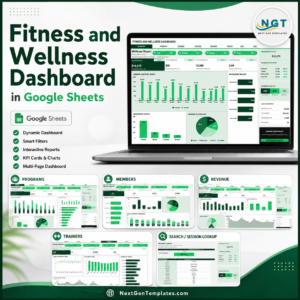
- Fitness and Wellness Dashboard in Google Sheets – a multi-page dashboard if you want more than a single log.
- Browse the full Google Sheets Trackers catalogue, or every Google Sheets template.
Download the Running Log & Mileage Tracker in Google Sheets today – $6.99, instant delivery, no subscription. Open the PDF, click the copy link, and start logging your next run in under five minutes. Read the full walkthrough on the NeoTechNavigators blog.
Watch the step-by-step video Demo:
Reminder: this is a logging template, not medical or coaching advice.
Last updated: 15 August 2026.

























Reviews
There are no reviews yet.