

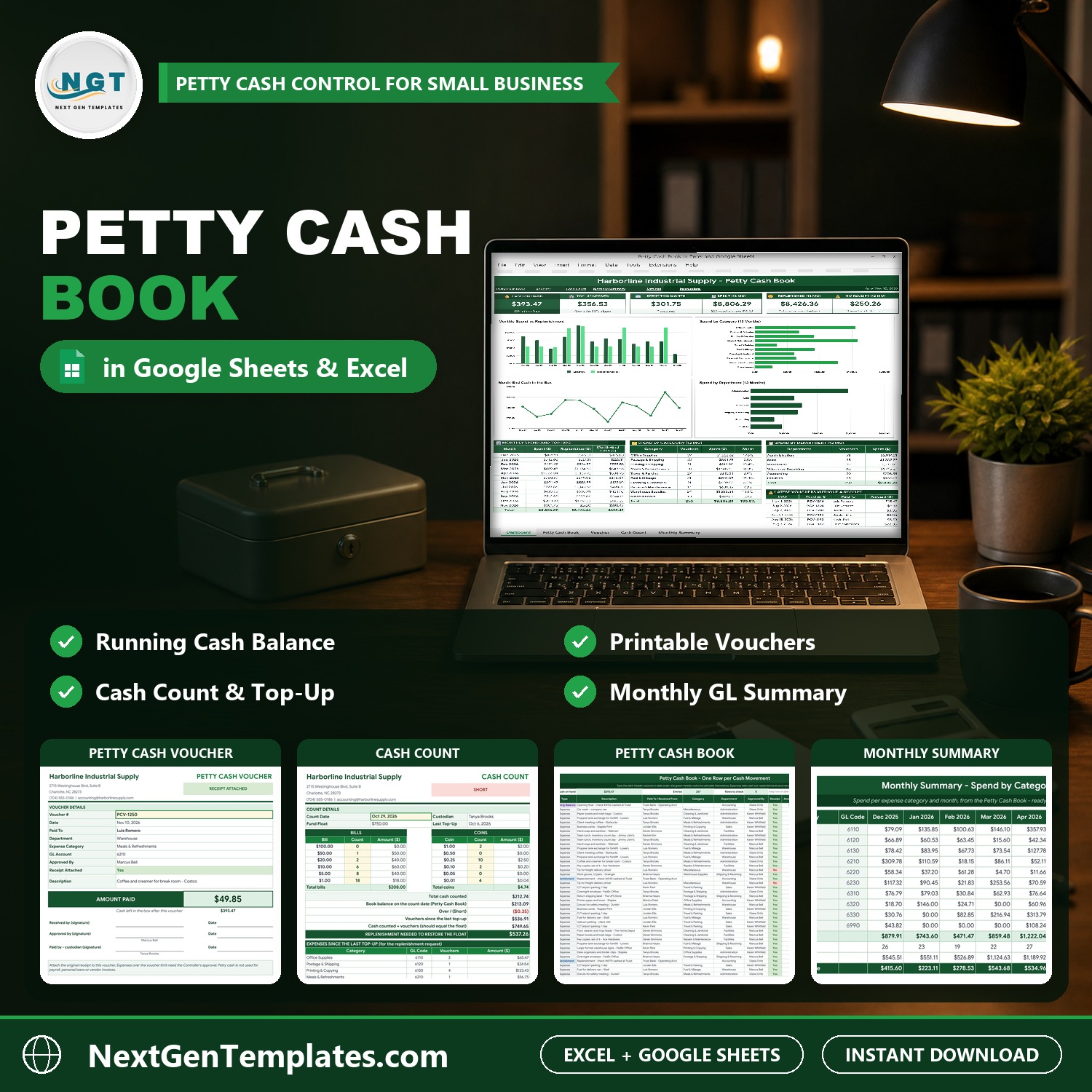

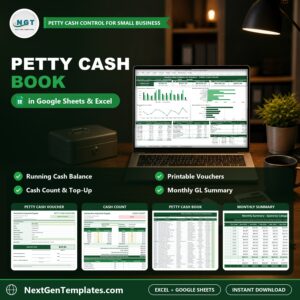
Petty Cash Book in Excel and Google Sheets shows where every petty cash dollar went. Record each payment in one book with a running balance after every row, print a voucher in one click, count the cash box against the book and see when it is time to top up. It is a petty cash template Excel and Google Sheets users can start with in minutes: a Dashboard with six tiles and four charts, a printable Voucher, a Cash Count sheet and a Monthly Summary with GL codes for the journal entry. It ships in two editions, Google Sheets and Microsoft Excel, with the same tabs, the same formulas and sample data for a distributor in Charlotte, NC.
Watch the Petty Cash Book in Excel and Google Sheets walkthrough
🌍 Join 10,000+ customers in 180+ countries using NextGenTemplates to replace paid SaaS tools with one-time-purchase Excel, Google Sheets, Power BI and HTML templates.
✅ Instant download · One-time payment · No subscription · No per-user fees · Lifetime access
This is a petty cash book template for office managers, bookkeepers, small business owners and anyone who keeps a cash box. It is a manual petty cash log template with formulas, charts and a printable petty cash voucher template, not a macro tool and not a bank connection: you type the payments yourself.
🔑 Key Features of the Petty Cash Book
📒 A running balance after every row. One row for every cash movement, in date order. Cash in, cash out and the balance are calculated for you, rounded to exact cents.
🧾 A printable voucher in one click. Pick a voucher number and the whole petty cash voucher fills itself, with the amount paid, the cash left in the box and signature lines for the receiver, approver and custodian.
💵 A cash count that checks the box. Count the bills and coins and see the shortage or overage against the book, plus the top-up needed to restore the float.
🚦 A Check column. It flags a missing category, a duplicate voucher number, a date out of order or an expense over your voucher limit.
📊 A dashboard with six tiles and four charts. Cash on Hand, Top-Up Needed, Spent This Month, Spent over 12 months, Replenished over 12 months and vouchers with No Receipt, so you know exactly who to chase.
🗓️ A Monthly Summary with GL codes. Spend by category and month for the last 12 months, ready for the monthly journal entry.
⚙️ Everything is renamable. Float, replenish trigger, voucher limit, voucher prefix, categories with GL codes, departments and approvers live on the Settings tab, and the dropdowns follow.
📦 What’s Inside the Petty Cash Book
The download is a ZIP with two files: the Excel edition (.xlsx, no macros) and a PDF guide that holds the “Make a copy” link to your own editable Google Sheet. Both editions have the same tabs: Dashboard, Petty Cash Book, Voucher, Cash Count, Monthly Summary, Settings, Instructions and Explore More Templates.
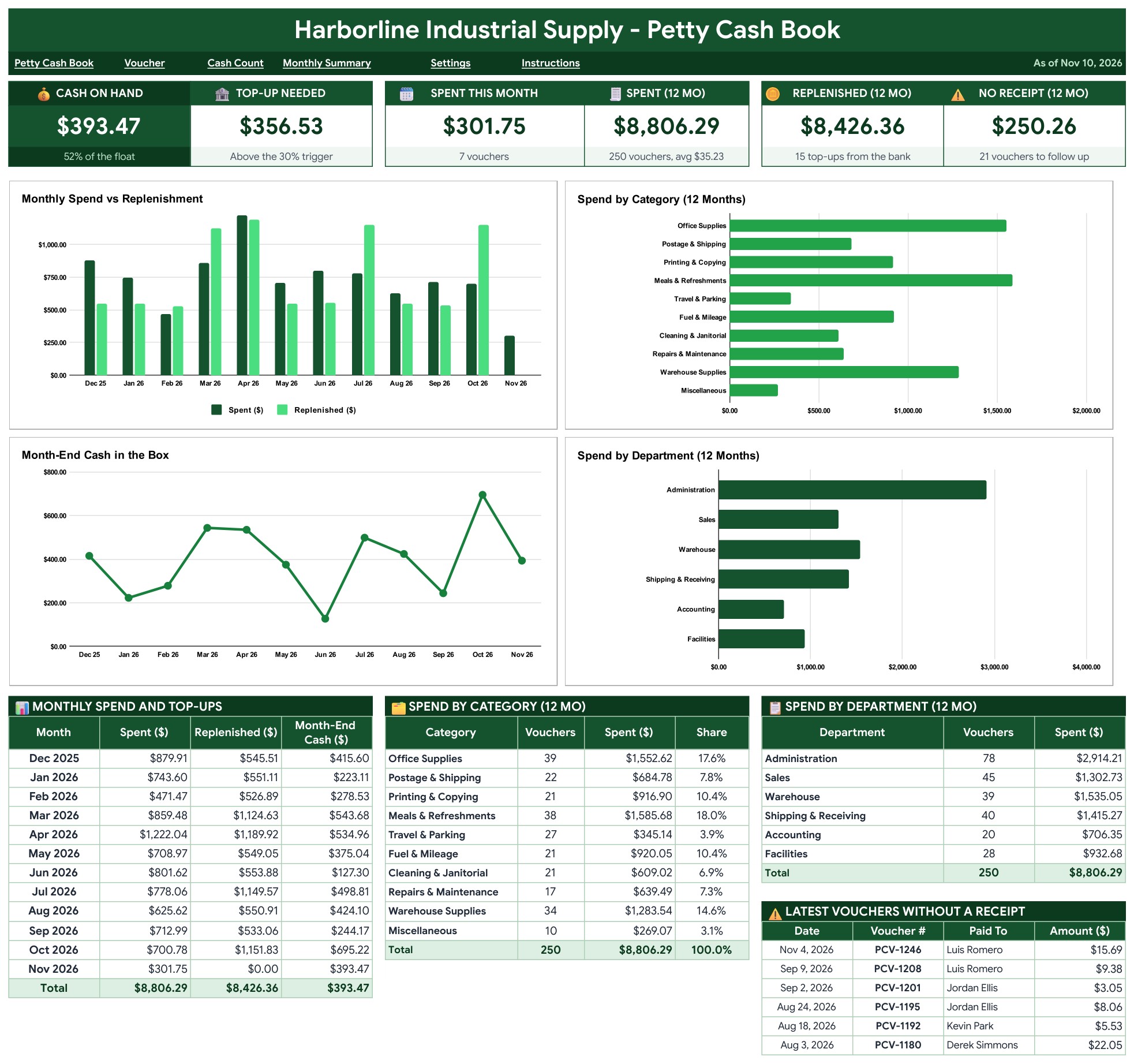
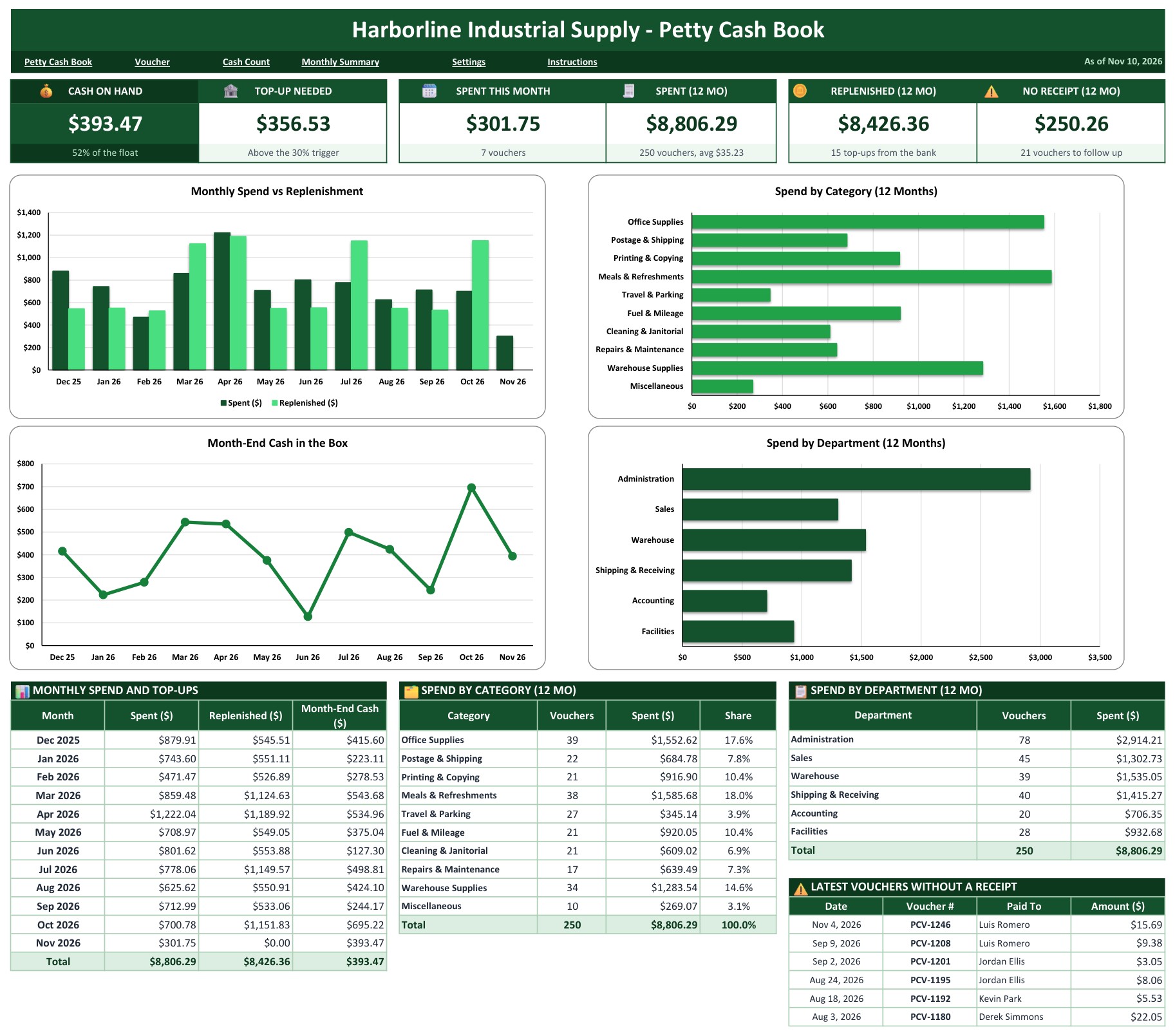
Page 1: Dashboard (Google Sheets)
Six tiles show Cash on Hand, Top-Up Needed, Spent This Month, Spent over 12 months, Replenished over 12 months and vouchers with No Receipt. Four charts follow: Monthly Spend vs Replenishment, Spend by Category, Month-End Cash in the Box and Spend by Department. Under them sit the monthly table, spend by category with its share, spend by department and the latest vouchers without a receipt.
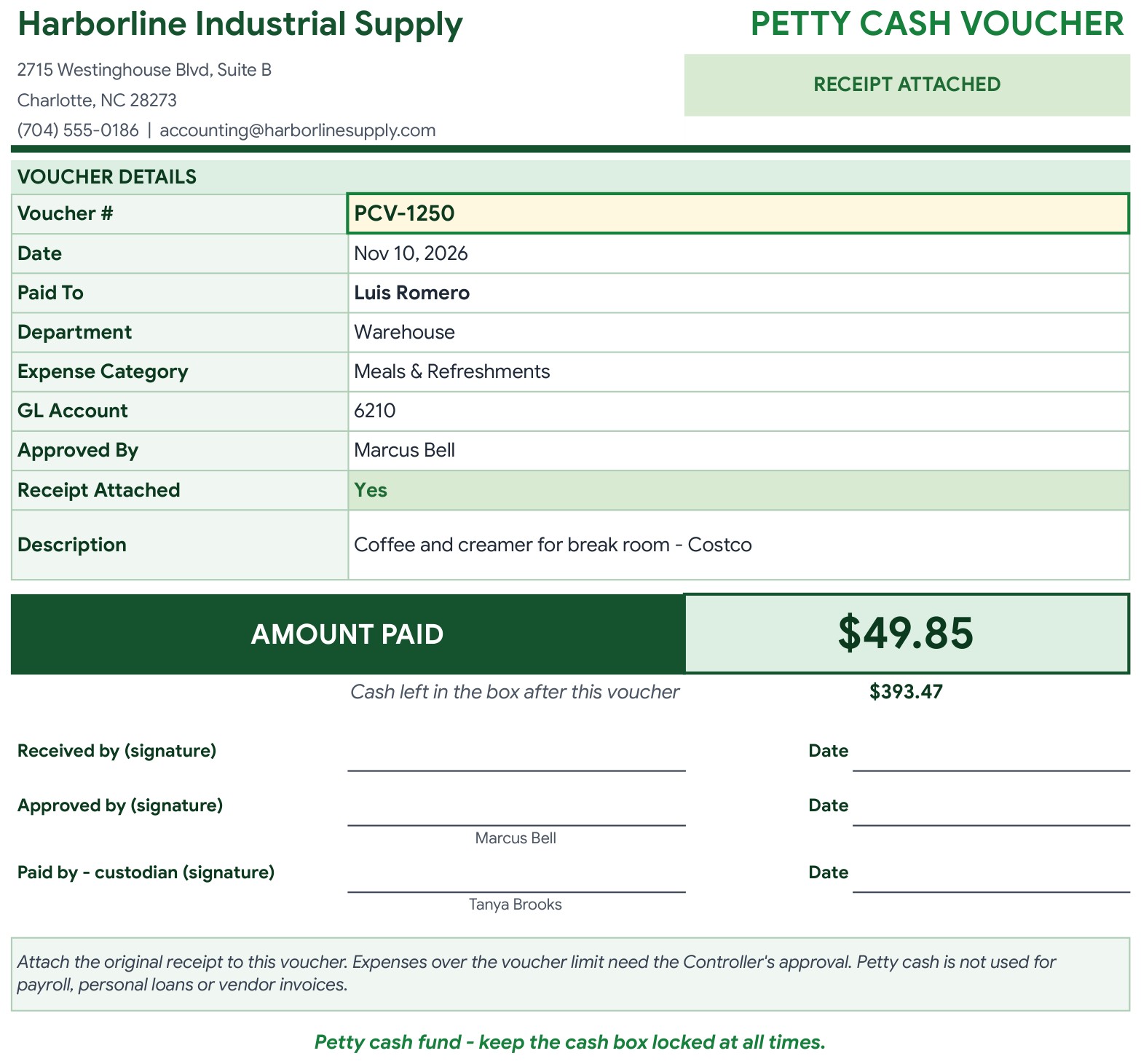
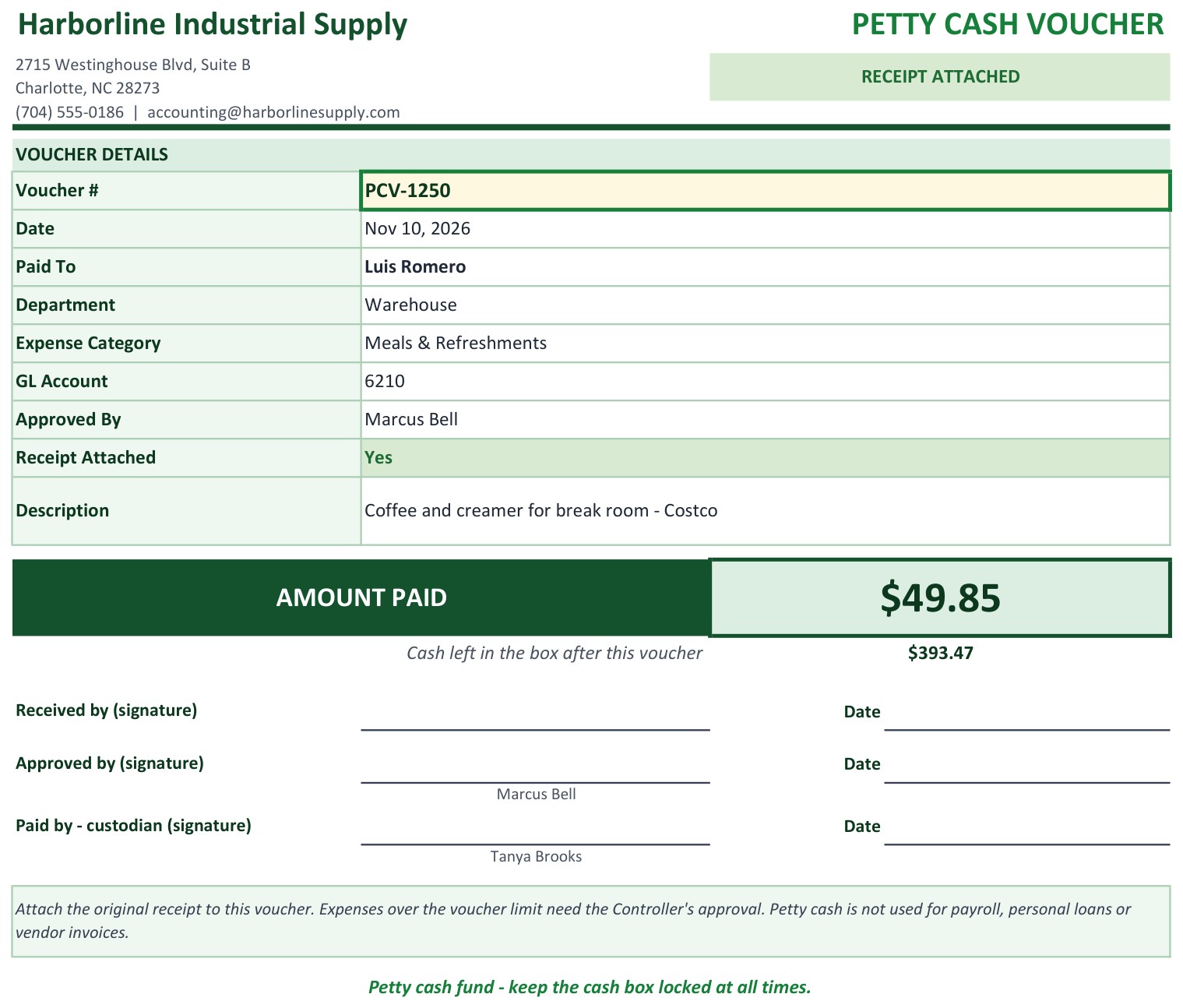
Page 2: Voucher (Google Sheets)
Pick a voucher number in the yellow dropdown and the date, paid to, department, expense category, GL account, approved by, receipt status and description fill in by themselves, with the amount paid and the cash left in the box. Signature lines for the receiver, the approver and the custodian sit at the bottom. It prints on one Letter or A4 page.
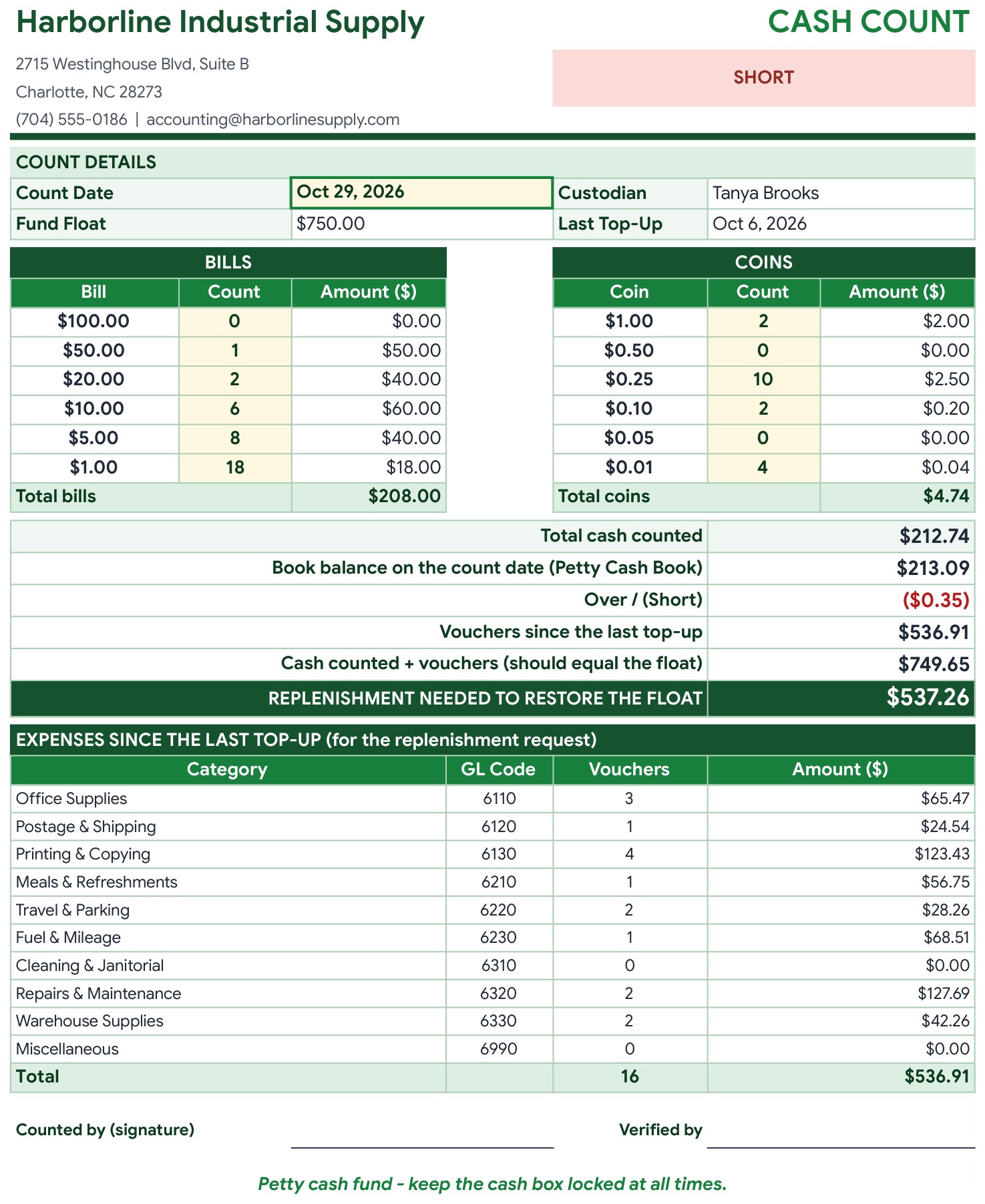
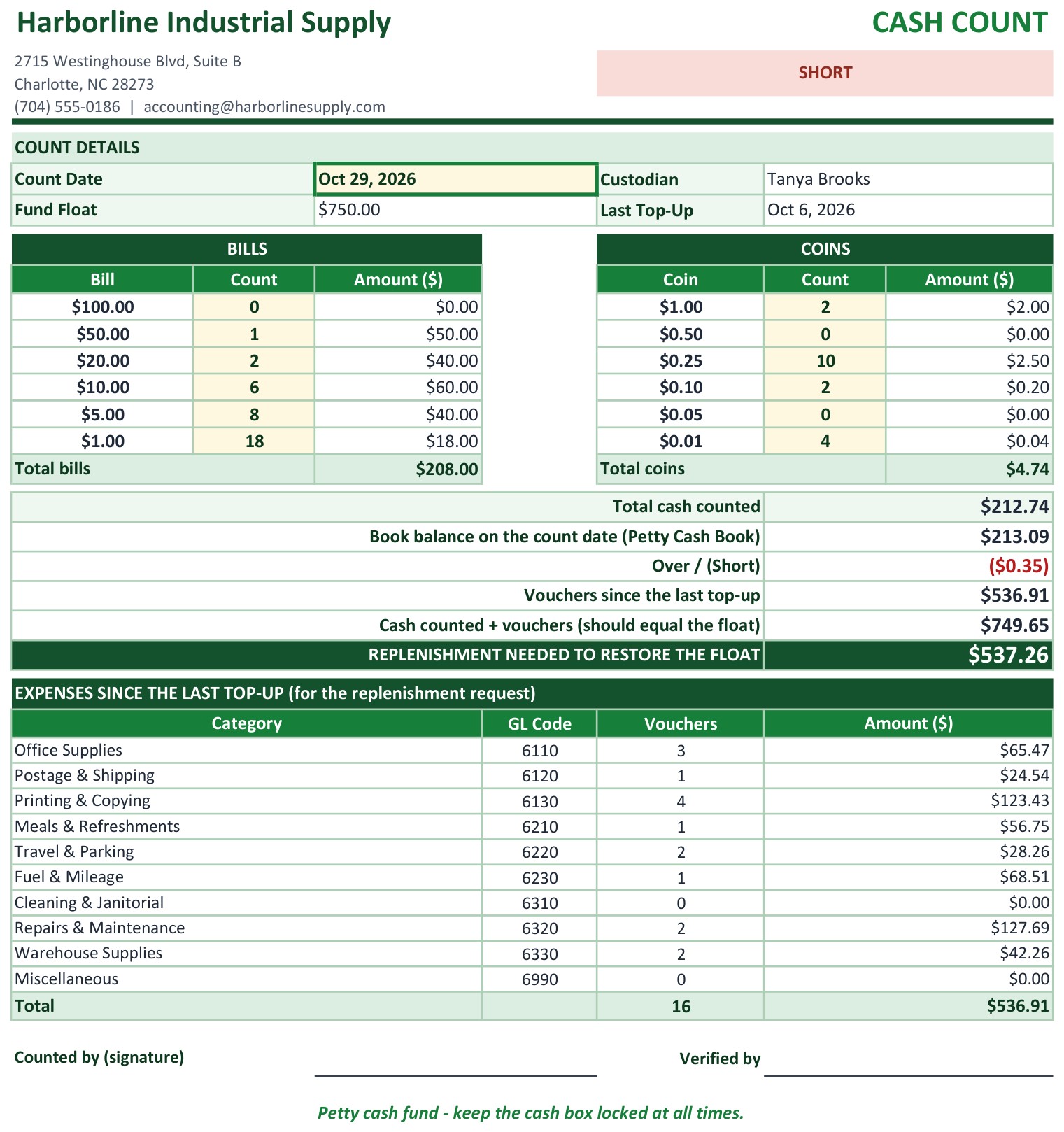
Page 3: Cash Count (Google Sheets)
Type the count date and the number of each bill and coin. The sheet shows the cash counted, the book balance on that date, any shortage or overage, the vouchers since the last top-up by category and the replenishment needed to restore the float.
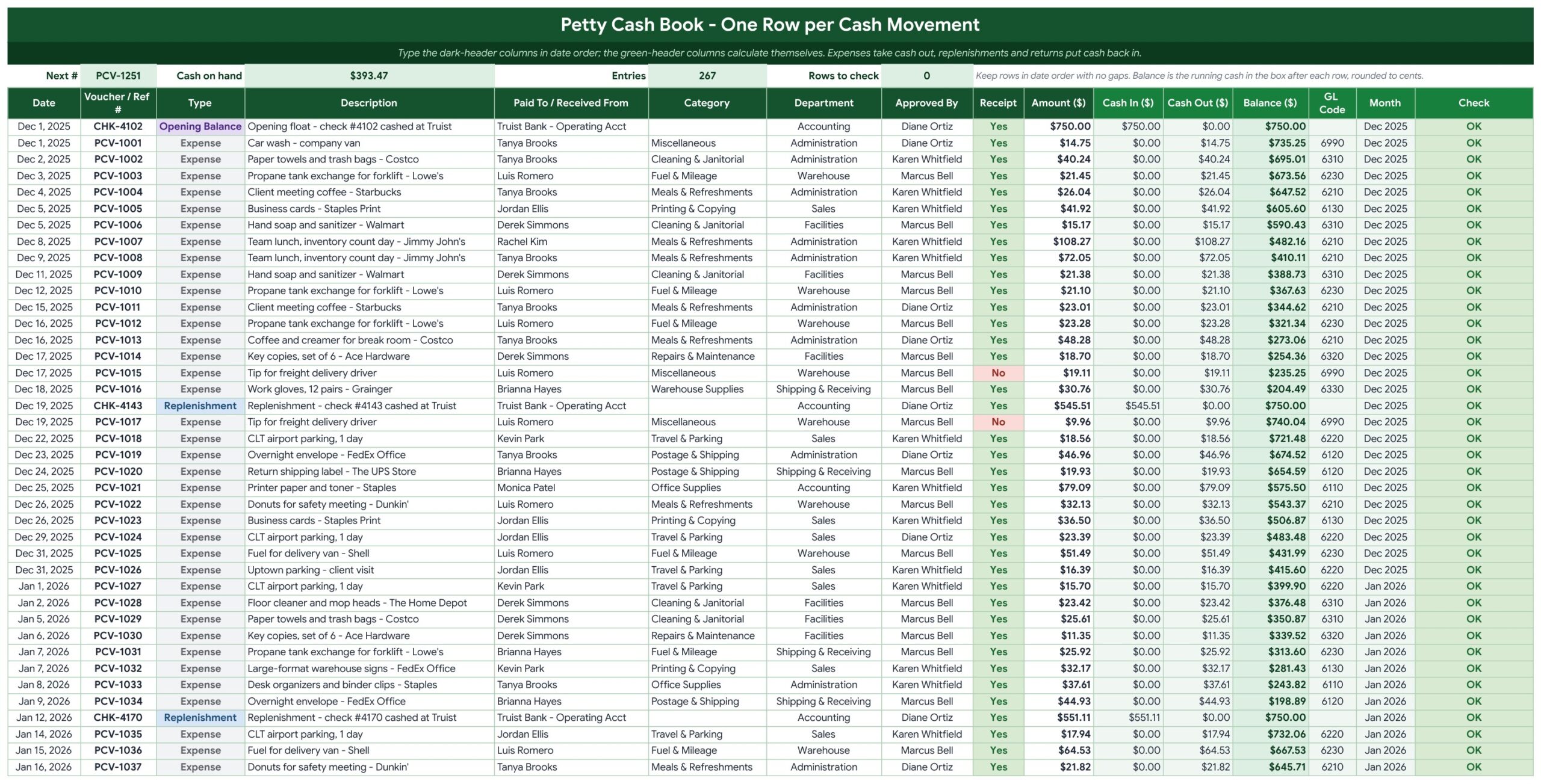
Page 4: Petty Cash Book (Google Sheets)
One row per cash movement in date order: date, voucher number, type, description, paid to or received from, category, department, approver, receipt and amount. Green columns calculate cash in, cash out, the running balance, the GL code, the month and a Check column that flags a missing category, a duplicate voucher number, a date out of order or an expense over your voucher limit.
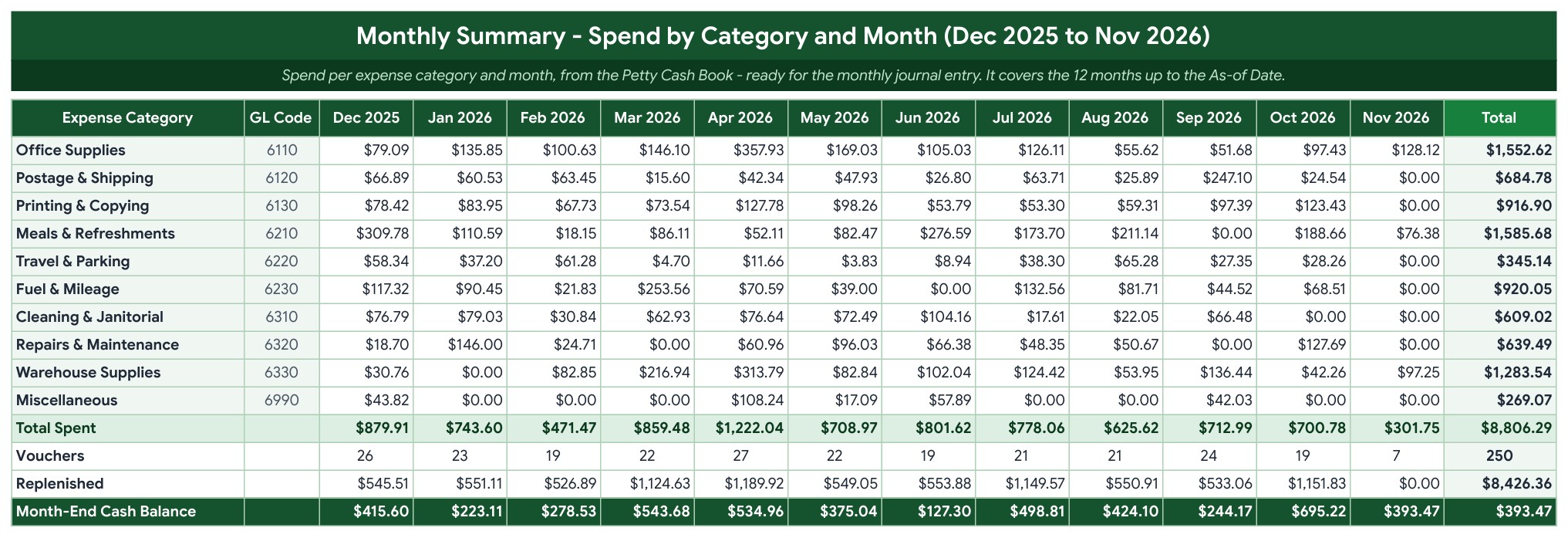
Page 5: Monthly Summary (Google Sheets)
Spend by expense category and month for the last 12 months, with GL codes, total spent, number of vouchers, replenishments and the month-end cash balance, ready for the monthly journal entry.
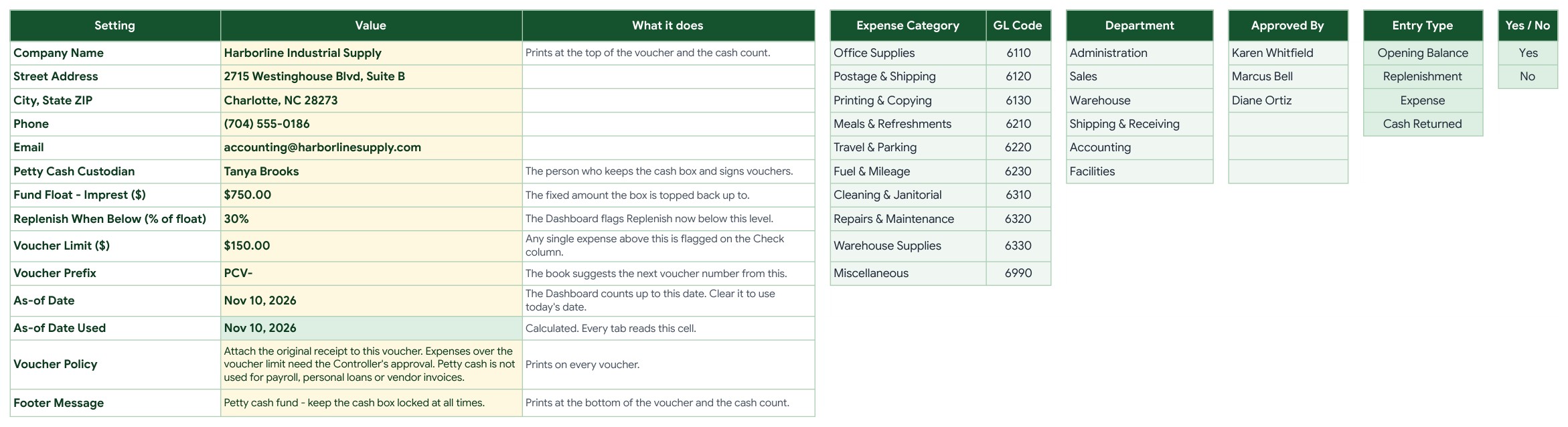
Page 6: Settings (Google Sheets)
Enter the company details, the custodian, the fund float, the replenish trigger, the voucher limit, the voucher prefix, the As-of Date and your voucher policy wording. The lists of expense categories with GL codes, departments and approvers are here too, and every dropdown follows them.
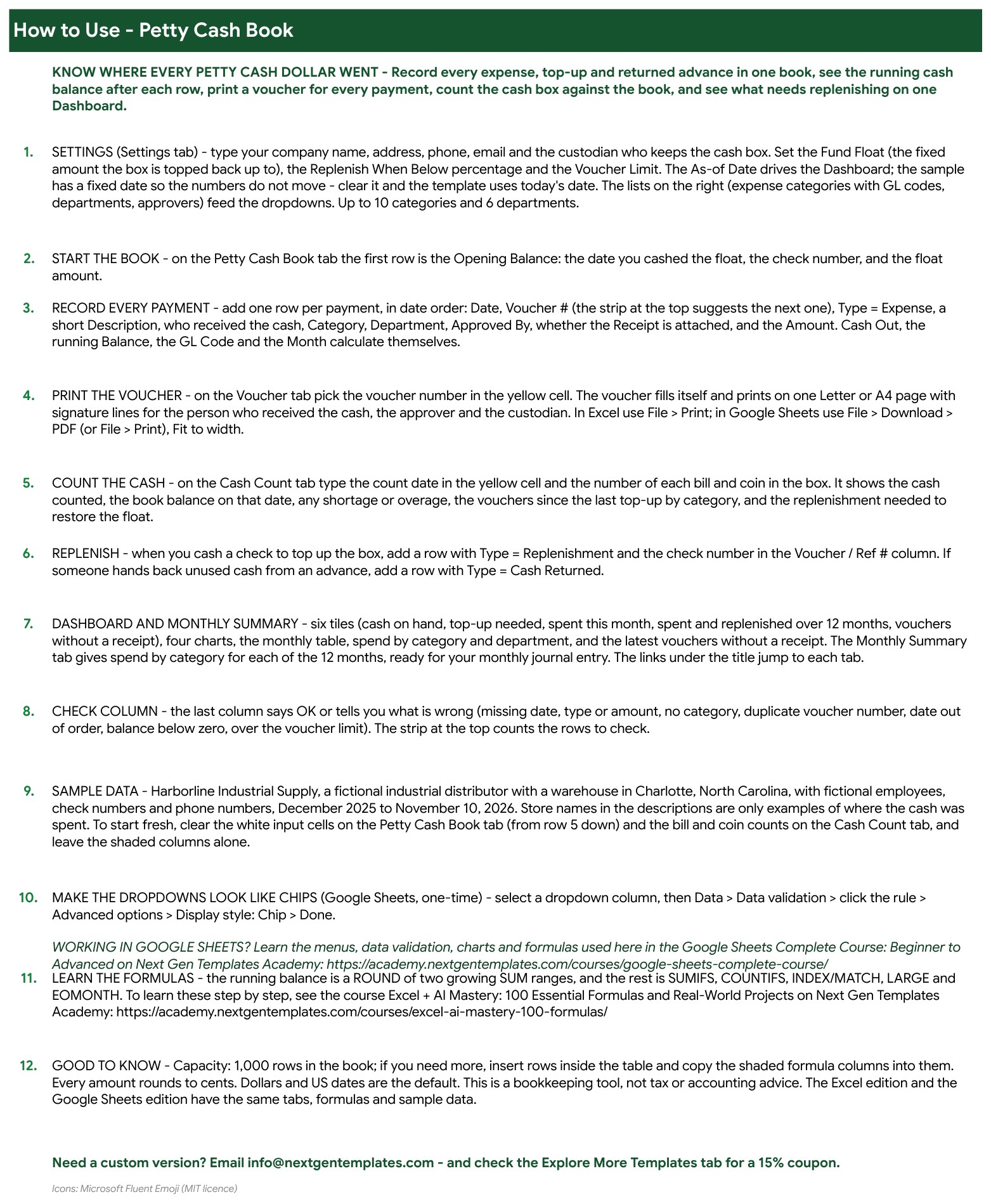
Page 7: Instructions (Google Sheets)
Step by step: set up the fund, record payments, print vouchers, count the cash, replenish the float and read the dashboard.
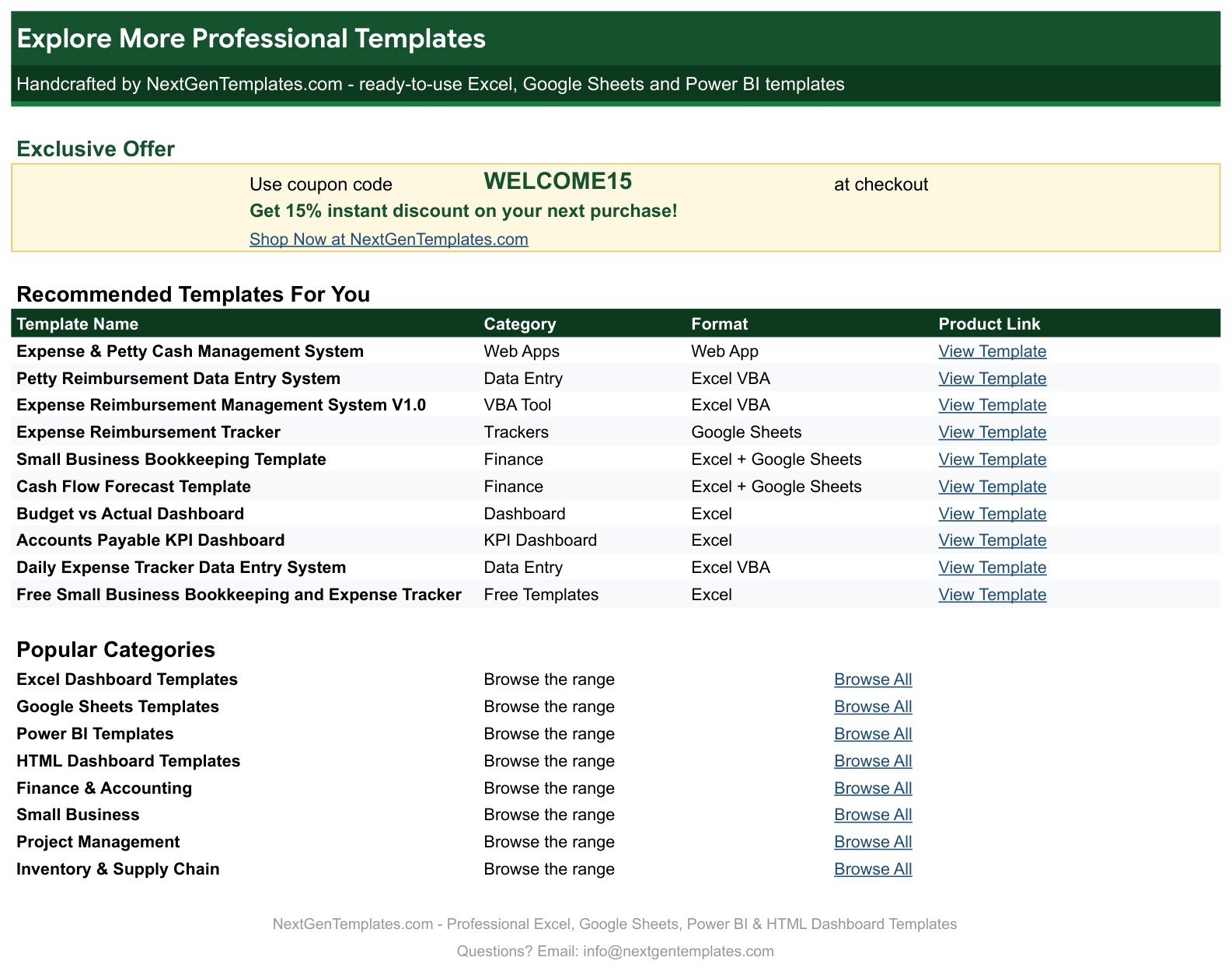
Page 8: Explore More Templates (Google Sheets)
Recommended templates and popular categories, plus a WELCOME15 coupon for 15% off your next purchase.
Page 9: Dashboard (Excel edition)
The same six tiles, four charts and tables in Microsoft Excel, with the same formulas and sample data.
Page 10: Voucher (Excel edition)
The one-page printable voucher in Excel, filled in from the voucher number you pick.
Page 11: Cash Count (Excel edition)
The cash count and replenishment sheet in Excel, with the shortage or overage against the book balance.
📊 Petty Cash Book vs. Blank Spreadsheet vs. Accounting Software: Where This Fits
| Feature | Petty Cash Book (Google Sheets + Excel) | Blank spreadsheet | Accounting software |
|---|---|---|---|
| Cost | ✅ $6.99 one-time | Free to build, but your time | Monthly subscription |
| Platform | ✅ Google Sheets and Microsoft Excel, both included | One platform | Web app |
| Running balance after every row | ✅ Built in | You write the formulas | Yes |
| Printable voucher and cash count sheet | ✅ Yes | Build it yourself | Varies |
| Checks for duplicates and over-limit expenses | ✅ Yes | Add it yourself | Varies |
| Your data stays in your own file | ✅ Yes | ✅ Yes | Stored with the vendor |
| Automatic bank import | No, you type each payment | No | ✅ Often yes |
👥 Who This Template Is For, and Who It’s Not For
✅ This template is built for:
- Office managers and custodians who keep a petty cash fund
- Bookkeepers who need a monthly summary by GL account
- Small business owners who want to stop losing small cash payments
- Schools, clinics, shops and site offices with a locked cash box
❌ This template is NOT for:
- Teams that want payments imported from a bank or card feed
- Businesses that need full bookkeeping, invoicing or tax filing
- Large expense reimbursement workflows with approvals by email
⚙️ How to Use the Petty Cash Book
- Open the PDF guide and click the “Make a copy” link for Google Sheets, or open the Excel file.
- On the Settings tab, enter your company details, custodian, float, replenish trigger and voucher limit.
- On the Petty Cash Book tab, enter the opening balance, then add each payment and top-up in date order.
- Pick a voucher number on the Voucher tab and print it for the receipt.
- Count the cash on the Cash Count tab and compare it with the book.
- Read the Dashboard and the Monthly Summary, then top up the box when the cash falls below your trigger.
💼 Real-World Use Cases
An office manager pays $49.85 for coffee and creamer, picks voucher PCV-1250 and prints it for the signature.
A custodian counts the box, sees a $0.35 shortage and the $537.26 needed to restore the $750 float.
A bookkeeper opens the Monthly Summary and posts the month’s spend by GL account to the journal.
❓ Frequently Asked Questions
What is a petty cash book?
A petty cash book is the record of the small cash payments a business makes from its cash box: stamps, parking, coffee, small repairs. Each payment gets a row, and the book keeps a running balance so you always know how much cash should be in the box.
Does it work in Google Sheets and in Excel?
Yes. The ZIP holds the Excel edition (.xlsx, no macros) and a PDF guide with the Make a copy link for Google Sheets. Both editions have the same tabs, formulas and sample data.
How does the voucher work?
On the Voucher tab you pick a voucher number from the yellow dropdown and the date, payee, department, category, GL account, approver, receipt status, amount and cash left in the box fill in. It prints on one Letter or A4 page with signature lines.
How do I count the cash box?
Open the Cash Count tab, type the count date and the number of each bill and coin. It compares the cash with the book balance, shows any shortage or overage and tells you the top-up needed to restore the float.
What does the Check column flag?
A missing category or amount, a duplicate voucher number, a row out of date order and an expense over your voucher limit. The strip at the top of the book also shows how many rows need checking.
What does the sample data show?
A fictional industrial distributor in Charlotte, NC with a $750 float, 267 book entries (250 vouchers and 15 top-ups) from December 2025 to November 10, 2026. Replace the rows with your own.
How many rows does the book hold?
1,000 rows. If you need more, insert rows inside the table and copy the shaded formula columns down.
Does it connect to my bank?
No. You type each payment and top-up yourself. It is a manual petty cash log template with formulas and charts, not a bank connection.
👤 About the Author
Built by PK, Microsoft Certified Professional with 15+ years of Excel, Google Sheets and Power BI experience. Founder of NextGenTemplates. Every template is hand-built and tested before release. Watch the walkthroughs on @PKAnExcelExpert and @NextGenTemplates.
🔗 Explore Related Templates
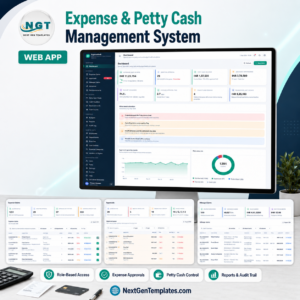
📌 Expense & Petty Cash Management System Web App: a multi-user web app for expenses and petty cash.
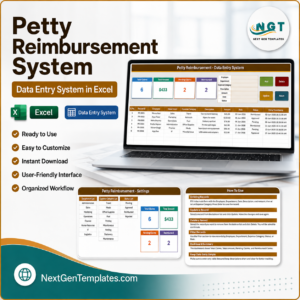
📌 Petty Reimbursement Data Entry System in Excel: log and track small reimbursements.
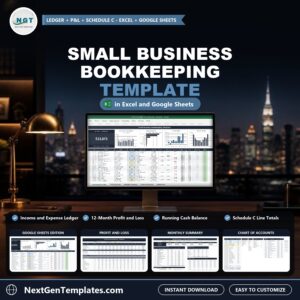
📌 Small Business Bookkeeping Template in Excel and Google Sheets: a ledger, profit and loss and cash balance.
Browse every Google Sheets template in the store.
🎥 Visit our YouTube channel for step-by-step video tutorials
👉 YouTube.com/@NextGenTemplates
📅 Last updated: November 2026


Reviews
There are no reviews yet.