

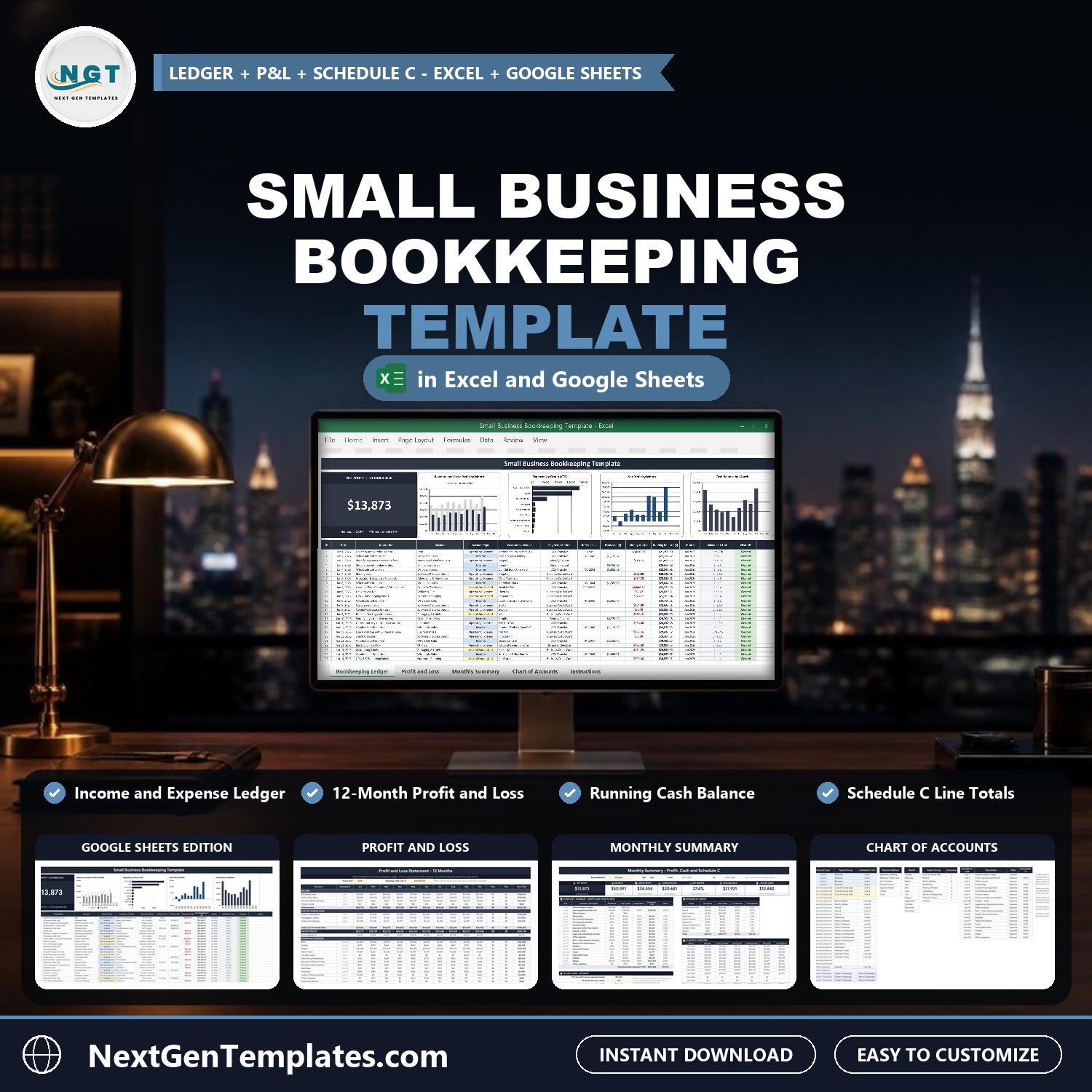

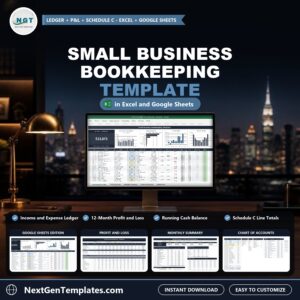
Keep the books for a small business without accounting software. The Small Business Bookkeeping Template in Excel and Google Sheets records every dollar in and out in one ledger, then builds your profit and loss statement, your cash balance and your Schedule C totals automatically. It comes in two editions, Google Sheets and Microsoft Excel, with the same tabs and formulas, and no macros.
Watch the Small Business Bookkeeping Template in Excel and Google Sheets walkthrough
Please note: this is a bookkeeping workbook for your records, not tax or accounting advice. The tax set-aside is an estimate only. Your tax professional confirms the real number.
What You Get
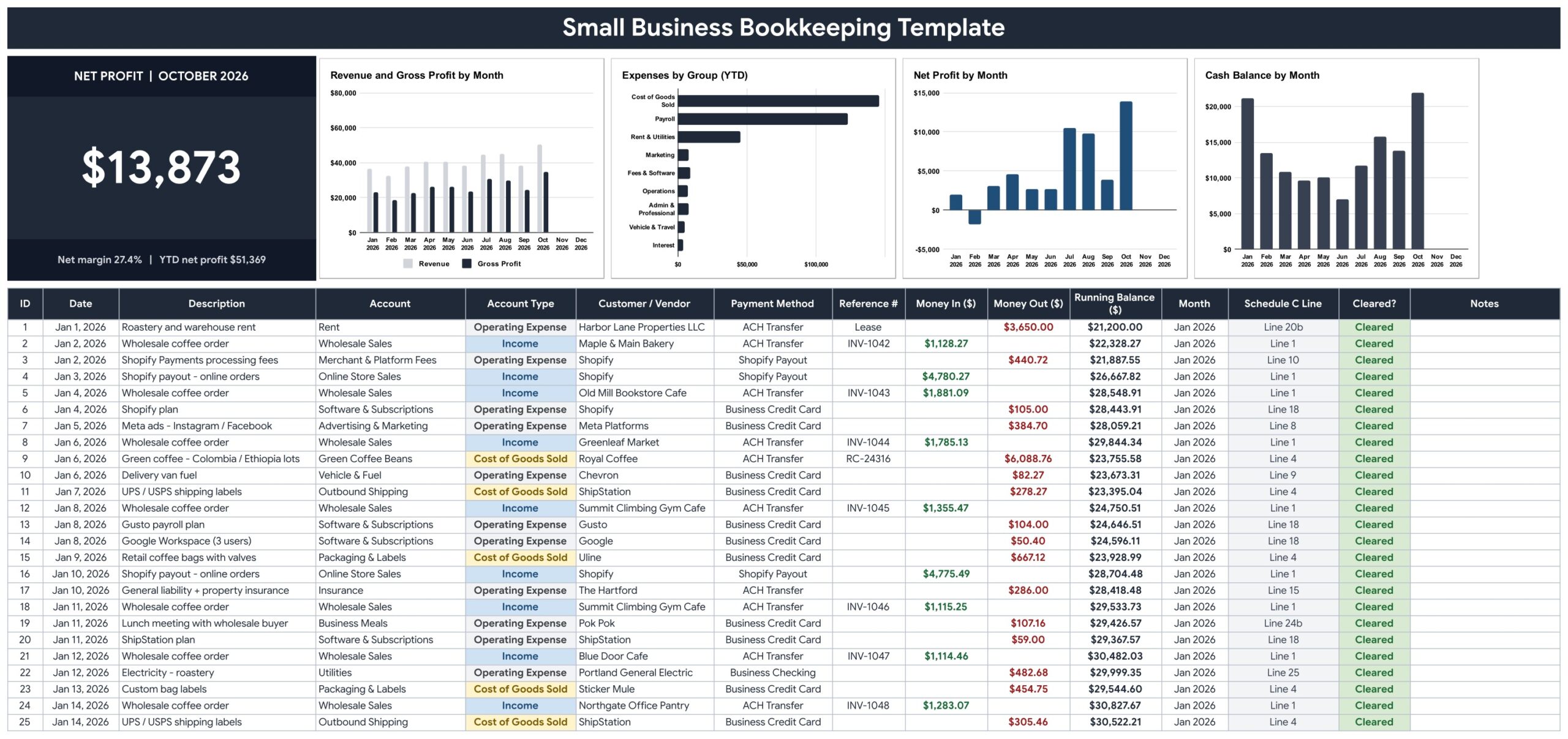
- A Bookkeeping Ledger with account dropdowns, running bank balance and a Cleared column
- A Net Profit card and four charts for the month you are reviewing
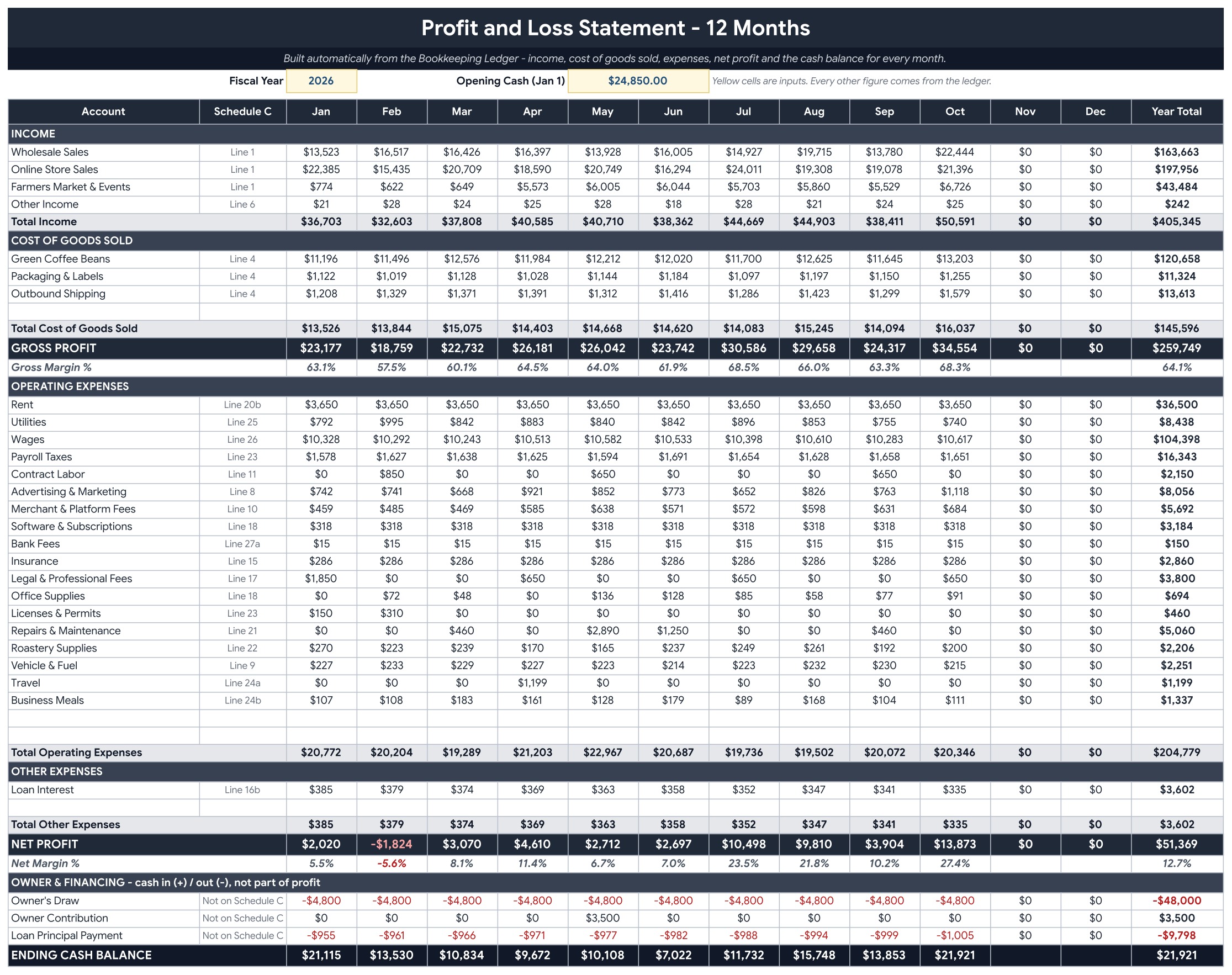
- A 12-month Profit and Loss with cost of goods sold, gross profit and ending cash balance
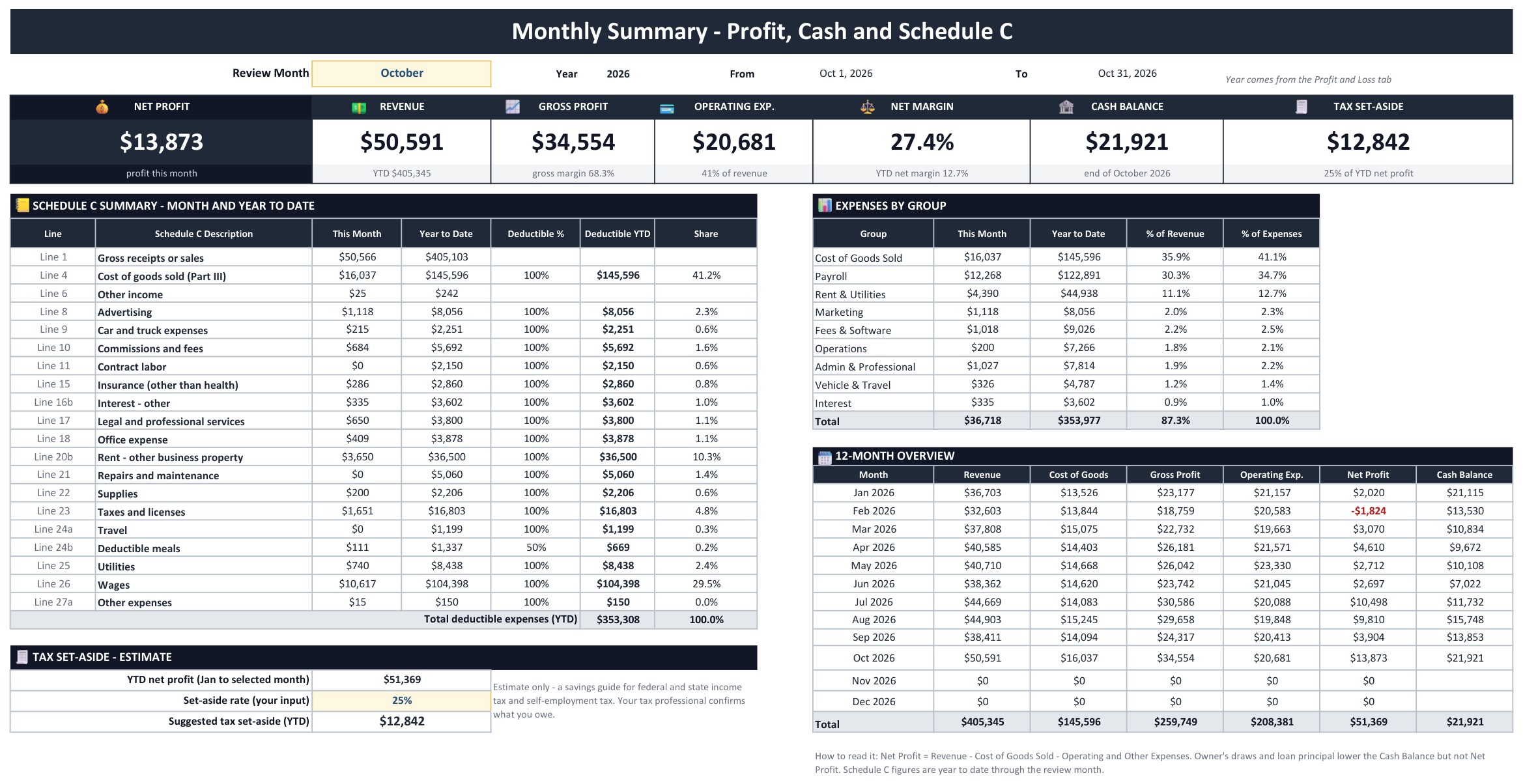
- A Monthly Summary with seven KPI tiles and a Schedule C summary
- A Chart of Accounts with report groups, Schedule C lines and spare rows
- Google Sheets and Excel editions in one download, plus Instructions and Explore More Templates tabs
Key Features
Bookkeeping Ledger
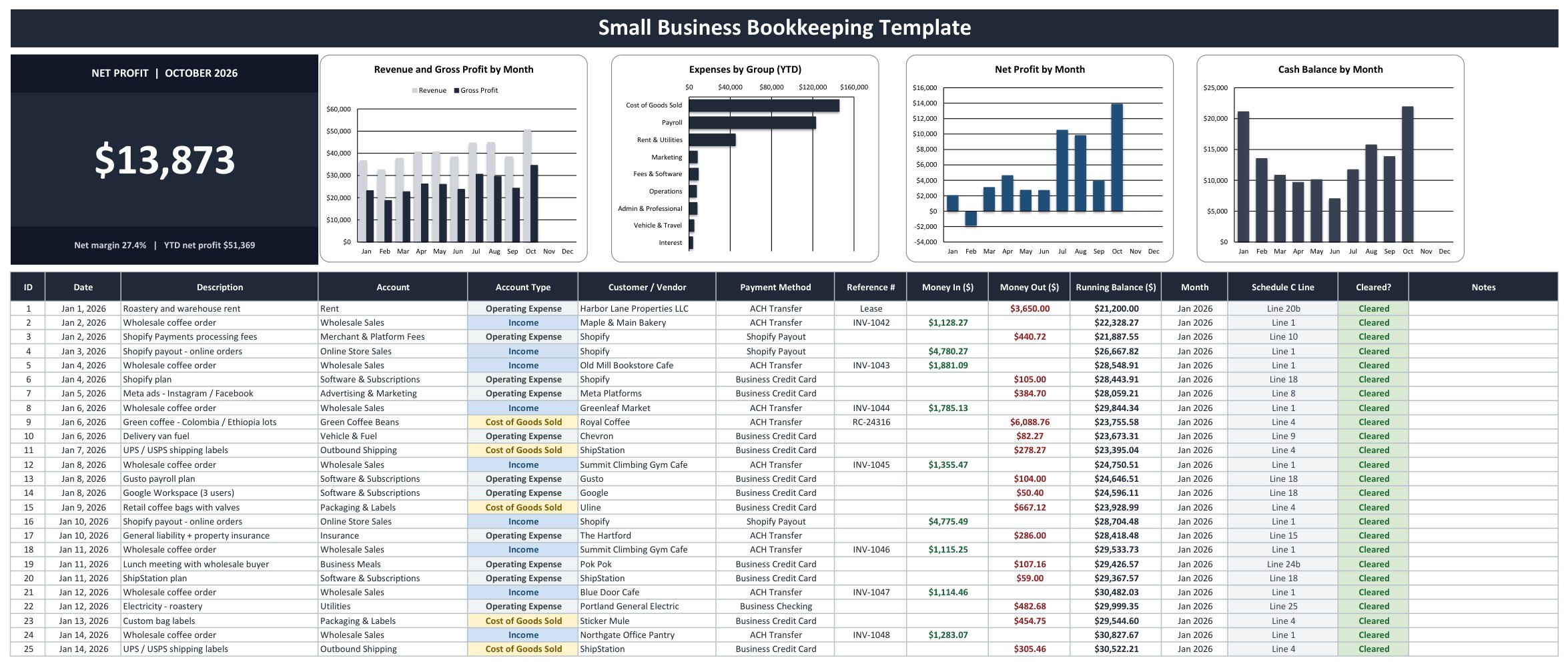
Every dollar in and out lives here. A Net Profit card for the review month sits above four charts: Revenue and Gross Profit by Month, Expenses by Group, Net Profit by Month and Cash Balance by Month. Below is the ledger: date, description, account dropdown, customer or vendor, payment method, reference number, Money In and Money Out. Account type, running balance, month and Schedule C line fill in for you, and a Cleared column matches each row to your bank statement.
Profit and Loss
Enter the fiscal year and your opening cash, and twelve months of income by account, cost of goods sold, gross profit, operating expenses, other expenses and net profit build themselves. Owner draws, owner contributions and loan principal payments sit in their own block below net profit, with the ending cash balance for every month.
Monthly Summary
Pick a month and seven KPI tiles update: Net Profit, Revenue, Gross Profit, Operating Expenses, Net Margin, Cash Balance and Tax Set-Aside. The Schedule C summary totals each line for the month and year to date, with business meals counted at 50 percent. Expenses by group and a 12-month overview sit alongside.
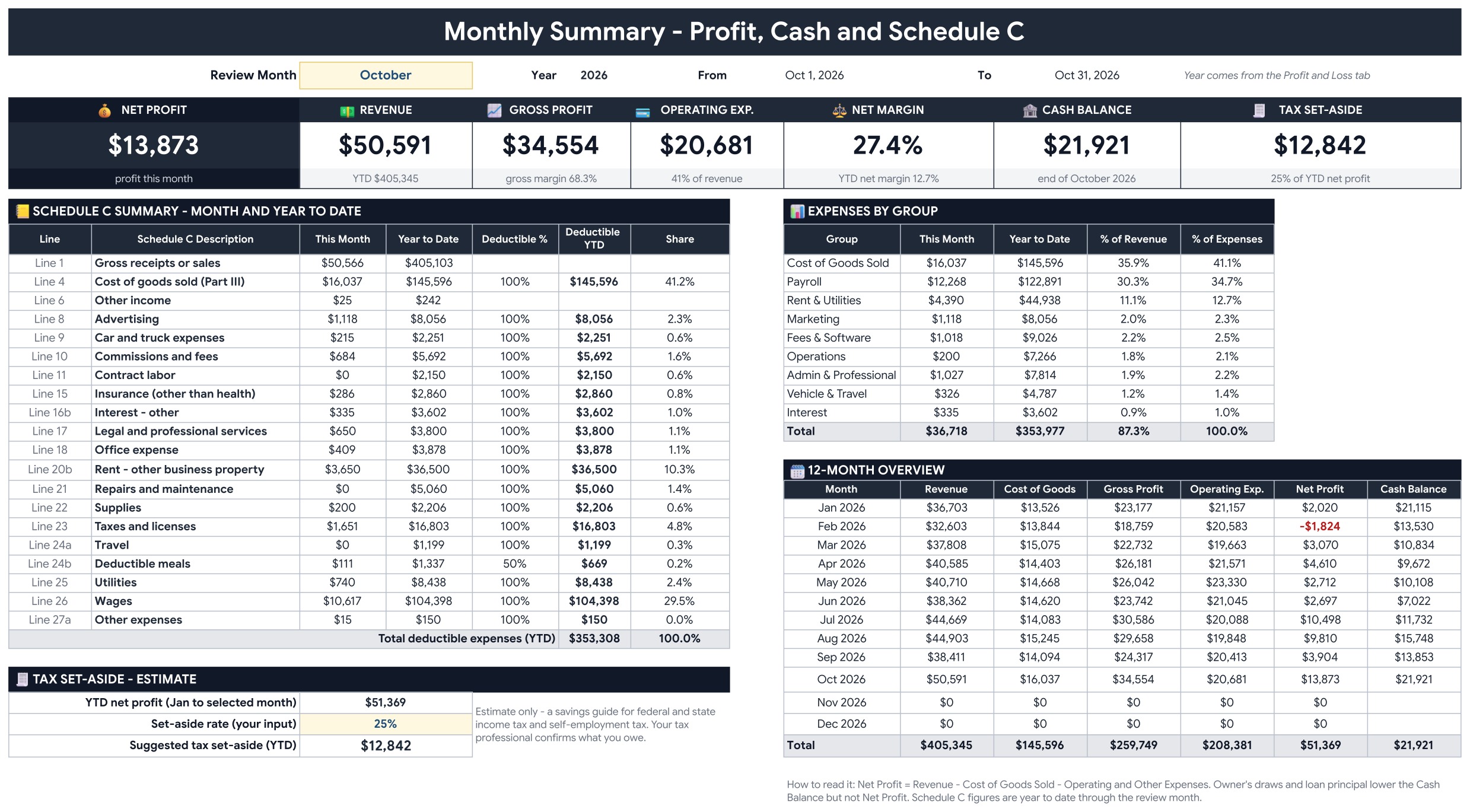
Chart of Accounts
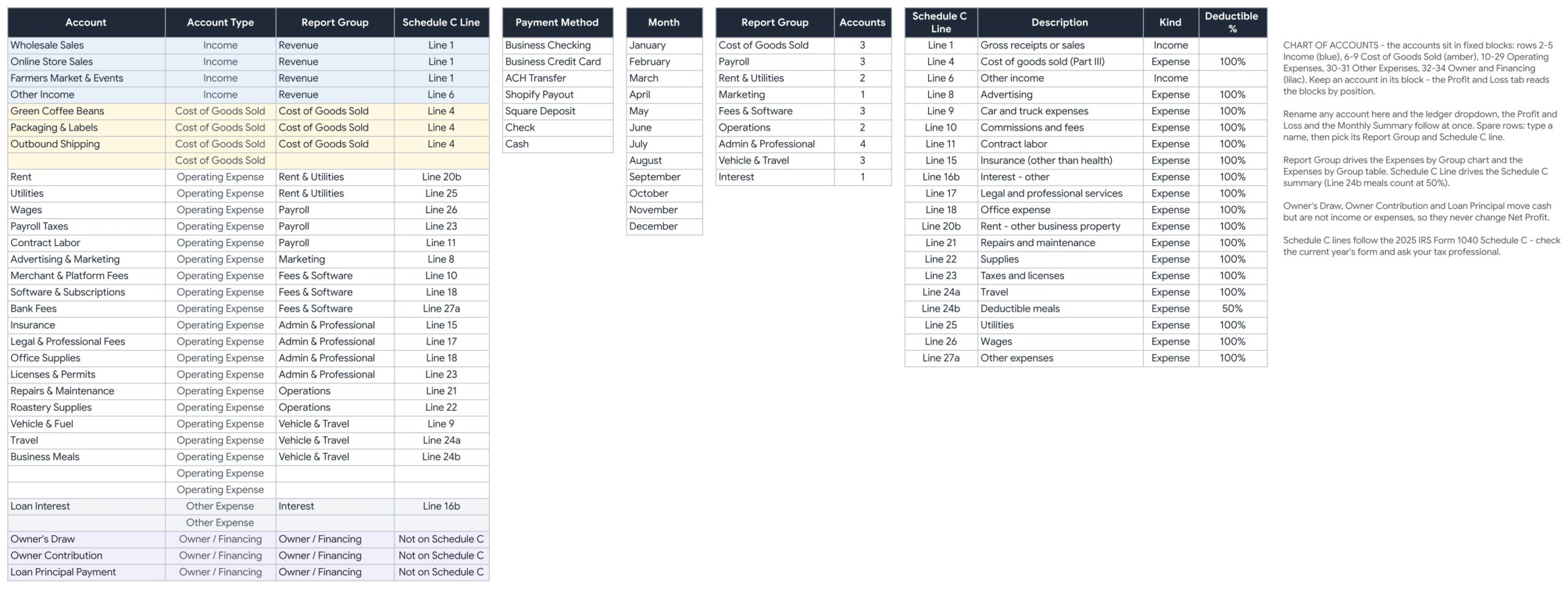
Your accounts in fixed blocks for income, cost of goods sold, operating expenses, other expenses and owner and financing, each with a report group and a Schedule C line. Payment methods and spare rows for new accounts are included.
Instructions
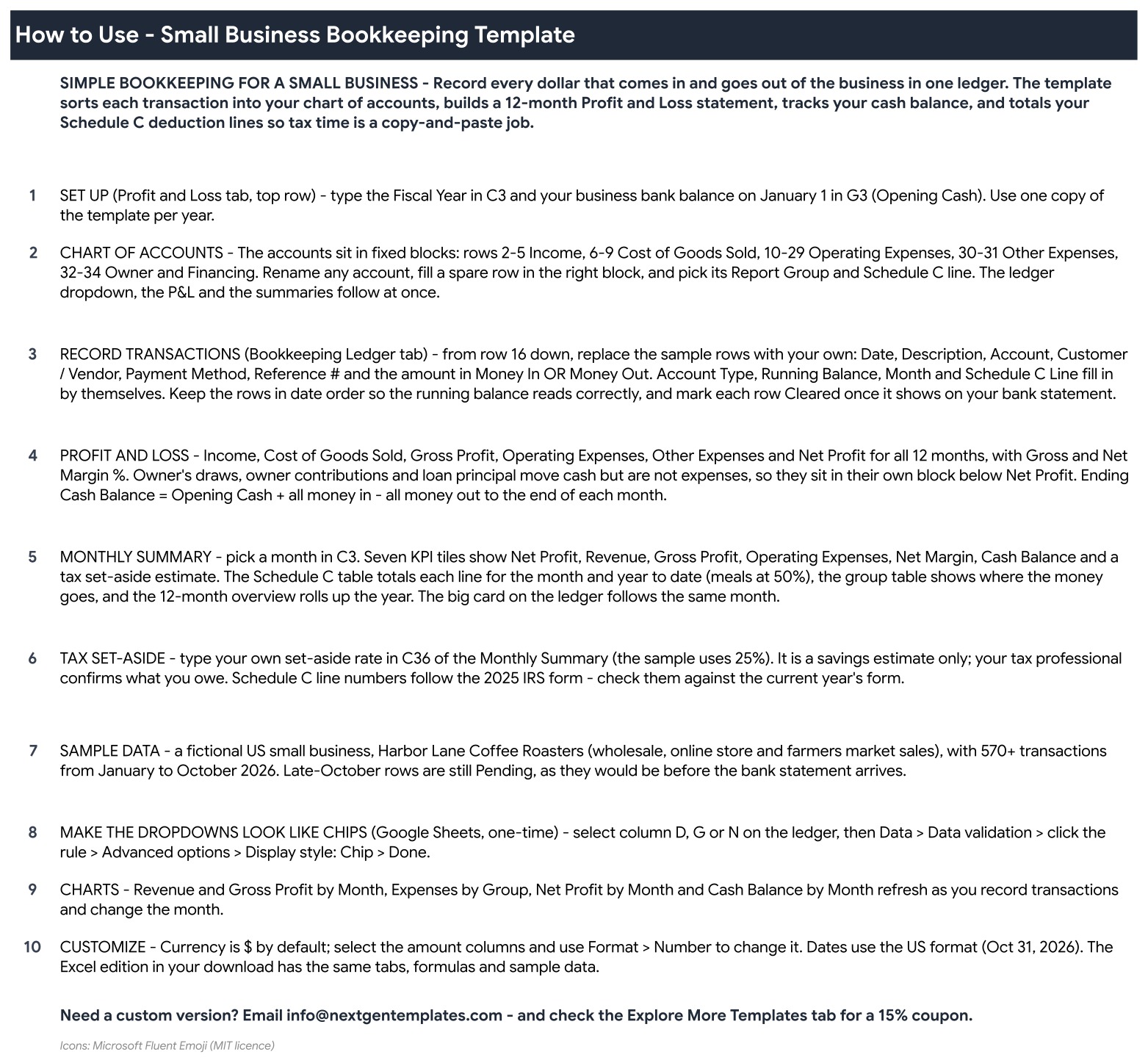
A step by step guide to setting up the file, recording transactions and reading each report.
Excel edition
The same tabs, formulas and sample data in a macro-free .xlsx workbook that opens in desktop Excel.
Who Is It For?
Freelancers, sole proprietors and small business owners who want one clear set of books, plus bookkeepers who need a simple working file for a client. The sample data is a fictional US coffee roaster with wholesale, online store and farmers market sales.
How to Use
- Download the file, open the Google Sheets link in the PDF and choose File, Make a copy, or open the Excel workbook.
- Set the fiscal year and opening cash on the Profit and Loss tab.
- Review or rename your accounts on the Chart of Accounts tab.
- Replace the sample rows with your own transactions on the Bookkeeping Ledger.
- Pick a month on the Monthly Summary tab to read your KPIs and Schedule C totals.
Comparison
| Feature | This template | Paper or blank sheet |
|---|---|---|
| Profit and loss statement | Built from the ledger | Build it yourself |
| Schedule C totals | Automatic, meals at 50% | Manual |
| Running cash balance | Automatic | Manual |
| Google Sheets and Excel | Both included | One or the other |
| Files taxes or gives tax advice | No | No |
Frequently Asked Questions
Does this replace an accountant or file my taxes?
No. It is a bookkeeping workbook for your records. It builds a profit and loss, a cash balance and Schedule C totals from the transactions you enter, but it does not file returns or give tax advice. Your tax professional confirms the real numbers.
Do I get both Google Sheets and Excel?
Yes. One download holds the Excel workbook (.xlsx, no macros) and a PDF guide with the link to the Google Sheets edition. Both have the same tabs, formulas and sample data.
How do I record a transaction?
Add one row on the Bookkeeping Ledger tab. Enter the date and description, pick the account from the dropdown, add the customer or vendor, the payment method and a reference number, then type the amount in Money In or Money Out. Account type, running balance, month and Schedule C line fill in for you.
What does the Cleared column do?
Mark a row Cleared once it appears on your bank statement. Rows still waiting stay open, so you can see at a glance what has not been matched.
Is the tax set-aside amount accurate?
It is an estimate. You type your own set-aside rate on the Monthly Summary tab and it suggests how much to keep aside from year to date net profit. Confirm the real figure with your tax professional.
Can I change the accounts?
Yes. The Chart of Accounts tab holds the accounts in fixed blocks with a report group and a Schedule C line. Rename an account there and every tab follows. Spare rows are ready for new accounts.
Does it need macros or add-ons?
No. It is formulas, dropdowns and charts only, in both editions.
Get the Template
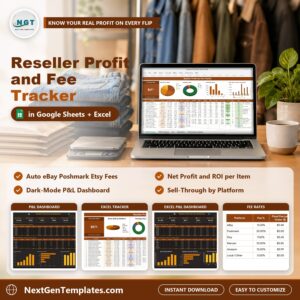
Download the Small Business Bookkeeping Template in Excel and Google Sheets and keep clean books from your next transaction. To track what you earn per sale, see the Reseller Profit and Fee Tracker in Excel and Google Sheets, or browse all Google Sheets templates.












Reviews
There are no reviews yet.