

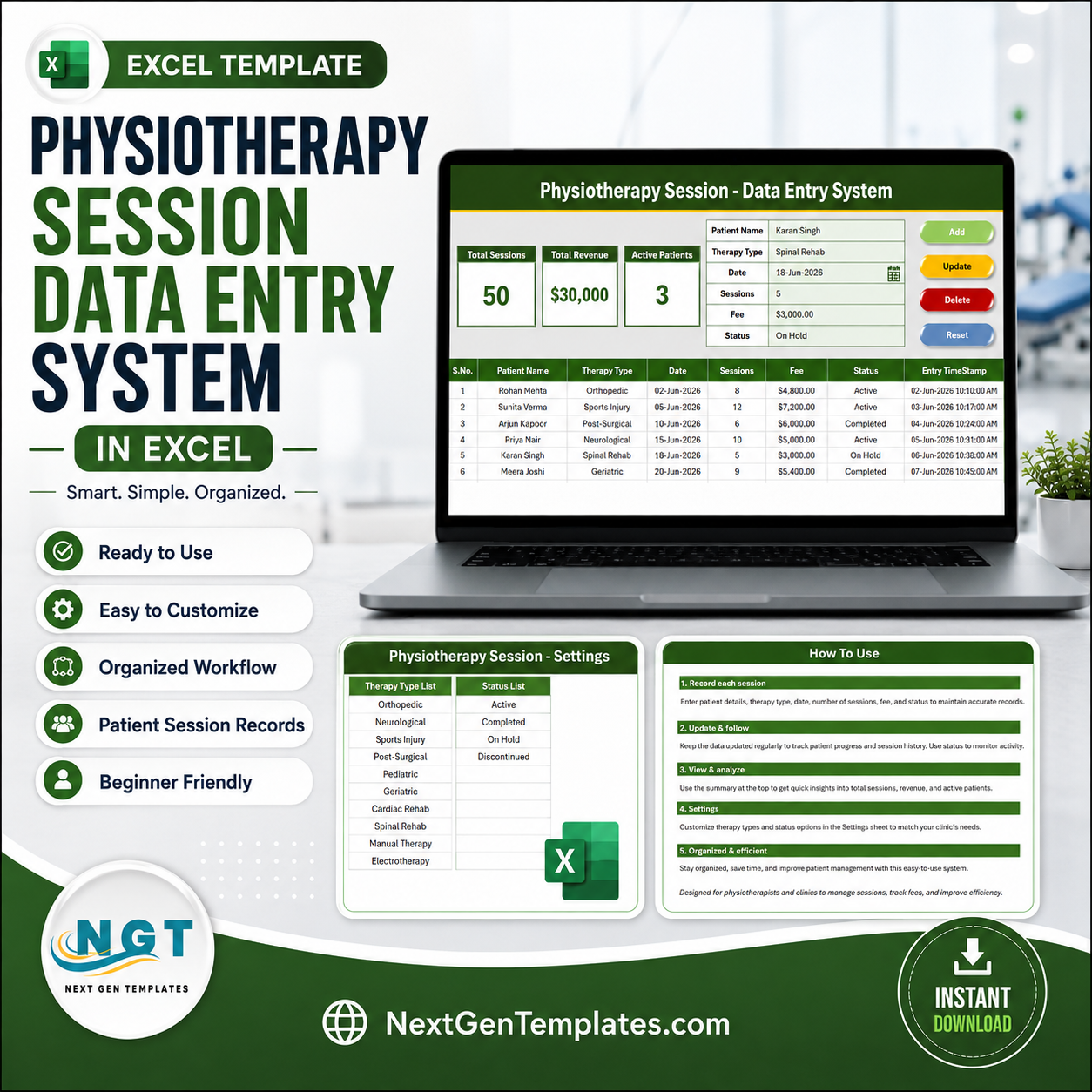
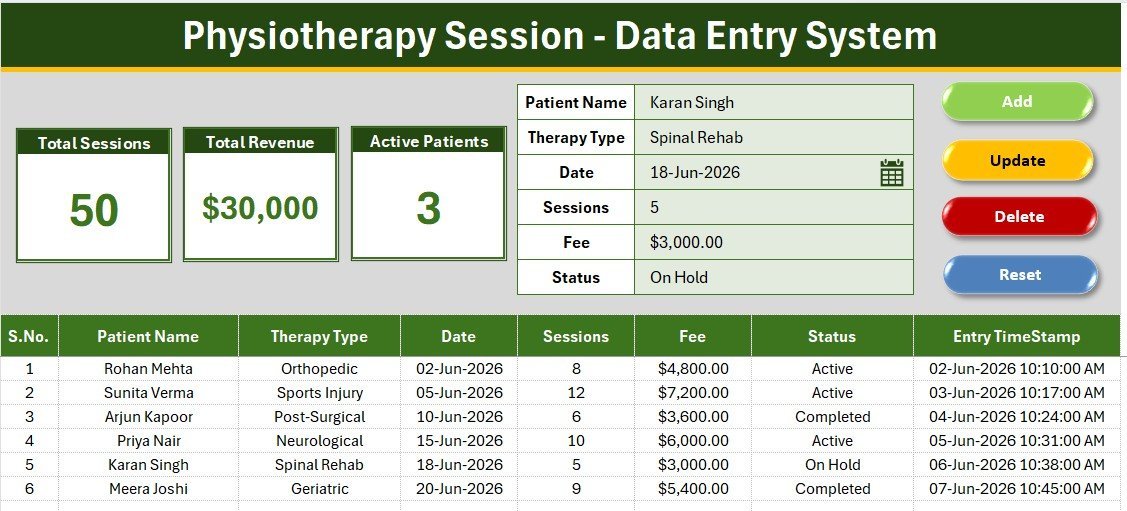
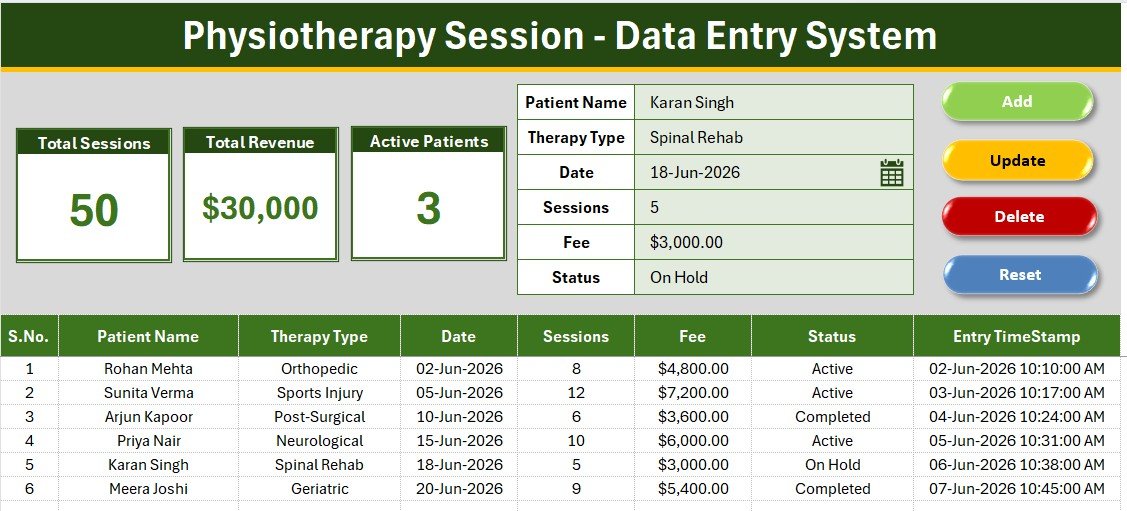
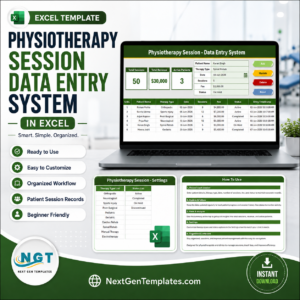
The Physiotherapy Session Data Entry System in Excel logs every patient visit across six fields — Patient Name, Therapy Type, Date, Sessions, Fee, and Status — and drives three live KPI cards (Total Sessions, Total Revenue, and Active Patients) that recalculate the instant a record changes. Four VBA buttons handle Add, Update, Delete, and Reset, so logging a session takes seconds and never touches a raw formula.
🌍 Join 8,400+ teams in 40+ countries using NextGenTemplates to replace paid SaaS tools with one-time-purchase Excel, Google Sheets, Power BI, and HTML templates.
✅ Instant download · One-time payment · No subscription · No per-user fees · Lifetime access
🔑 Key Features of the Physiotherapy Session Data Entry System
This system captures six fields per visit and runs four one-click VBA actions, so front-desk staff never edit a formula.
- Six-field session form: Patient Name, Therapy Type, Date, Sessions, Fee, and Status in a single entry panel.
- Three live KPI cards: Total Sessions sums Sessions, Total Revenue sums Fee, and Active Patients counts Status = Active.
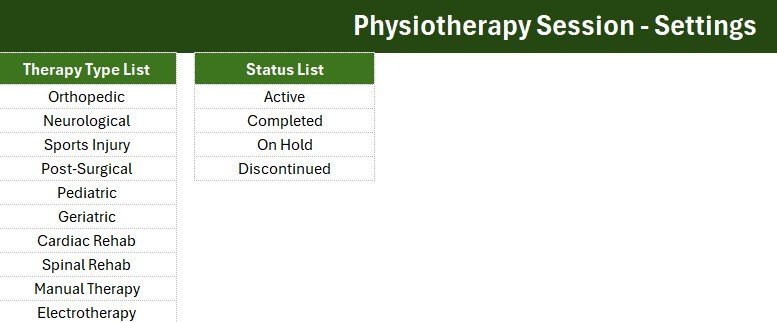
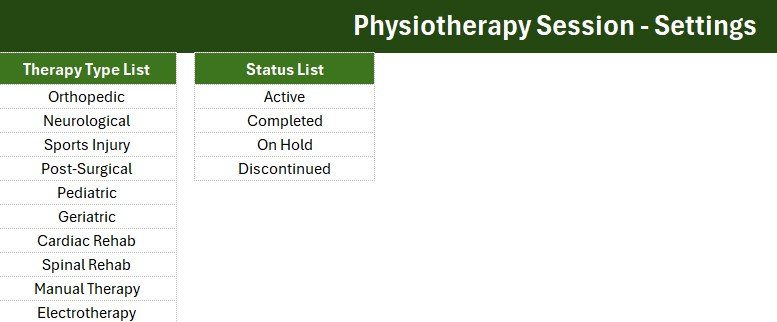
- Ten-option Therapy Type dropdown: Orthopedic, Neurological, Sports Injury, Post-Surgical, Pediatric, Geriatric, Cardiac Rehab, Spinal Rehab, Manual Therapy, and Electrotherapy, editable on the Setting sheet.
- Four VBA buttons: Add, Update, Delete, and Reset run the whole workflow from single clicks.
- Auto S.No and timestamp: each visit is numbered and stamped with an Entry TimeStamp automatically.
📦 What’s Inside the Physiotherapy Session Data Entry System
The workbook ships with four sheets built in the NextGenTemplates house style, using a green (#3c751e) theme and the Aptos Narrow font.
Data Entry Dashboard
The main screen holds the three KPI cards, the six-field form, the four coloured action buttons, and the records table with auto S.No, currency-formatted Fee, and an Entry TimeStamp column.
Setting Sheet
Edit the Therapy Type and Status dropdown lists here and every form field updates automatically. The KPI stat cards are duplicated on this sheet so you can Copy → Paste Special → Linked Picture onto any report.
Instructions and Get More Templates
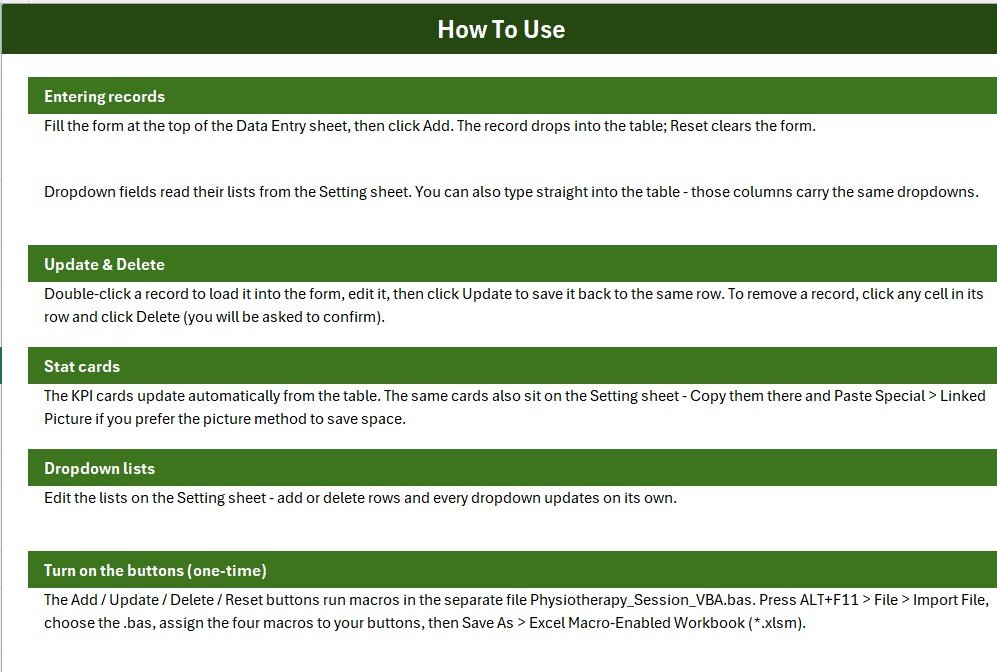
A one-page activation guide covers importing the VBA module, and the Get More Templates sheet links back to the full Excel VBA Tool catalogue.
📊 Physiotherapy Session Data Entry System vs. Google Sheets vs. Physio Practice Software — Where This Fits
| Feature | Physiotherapy Session Data Entry System (Excel) | Google Sheets Session Log | Physio Practice Software (WebPT / Practice Perfect) |
|---|---|---|---|
| Cost | $5.99 one-time | Free but manual to build | $70–$200 / therapist / month |
| Platform | Microsoft Excel (offline) | Google Sheets (online) | Cloud only |
| Setup time | Under 5 minutes | Hours to build formulas | Onboarding + training |
| One-click Add / Update / Delete | Yes, VBA buttons | Manual or scripting | Yes, in-app |
| Works fully offline | Yes | No, needs internet | No |
| Patient data stays on your computer | Yes | Partial (Google cloud) | No, vendor cloud |
| Per-therapist fees | None | None | Charged per seat |
| Year-1 cost at 3 therapists | $5.99 total | $0 (build it yourself) | $2,500–$7,200 |
For solo physiotherapists and small clinics that want a private, one-time-purchase session log without per-therapist SaaS fees, the Physiotherapy Session Data Entry System in Excel sits in the sweet spot.
👥 Who This Template Is For — and Who It’s Not For
✅ Built for: solo physiotherapists and small clinics logging daily sessions; independent rehab practitioners avoiding a monthly SaaS bill; front-desk staff at 1-3 therapist clinics who need one-click Add/Update/Delete, not a full EMR.
❌ Not for: multi-location chains needing real-time online scheduling and insurance billing; clinics requiring audited cloud storage or live multi-user sync; practices wanting patients to self-book online — this is an internal log, not a booking page.
⚙️ How to Use the Physiotherapy Session Data Entry System
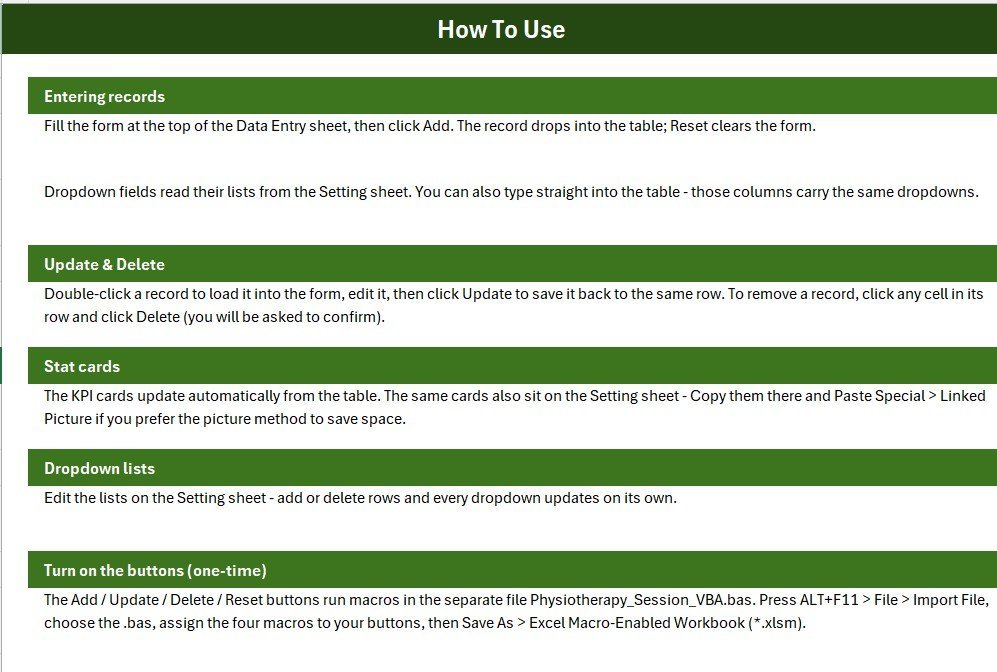
- Open the workbook and press ALT+F11, then File → Import File to load the VBA module.
- Add four Form-Control buttons over the coloured Add/Delete/Update/Reset cells and assign the matching macros.
- Save As an Excel Macro-Enabled Workbook (.xlsm) so the buttons keep working.
- Open the Setting sheet and edit the Therapy Type and Status lists to match your clinic.
- Fill the form on the Data Entry Dashboard and click Add — the KPI cards and records table update instantly.
💼 Real-World Use Cases
Anita runs a solo physiotherapy practice from a rented clinic room. She logs each session’s Therapy Type and Fee, then checks her Total Revenue card weekly — no monthly practice-management fee for a one-person business.
Dr. Rajeev manages a three-therapist rehab clinic. He watches the Active Patients card to see who is still under care and updates Status as patients finish their program, keeping a clean offline history for insurance queries.
Meghan tracks post-surgical rehab sessions for a home-visit practice. She adds a row after each visit on her laptop and exports the records table whenever a client asks for a session summary.
❓ Frequently Asked Questions
What fields does the Physiotherapy Session Data Entry System track?
Six fields per visit: Patient Name, Therapy Type, Date, Sessions, Fee, and Status. Therapy Type and Status use editable dropdowns, and every record is auto-numbered with an Entry TimeStamp.
Do I need to know VBA or Excel formulas to use it?
No. The system runs on four ready-made VBA buttons — Add, Update, Delete, and Reset. Enable macros once, then click buttons; no formula editing is required.
How do the KPI cards calculate Sessions, Revenue, and Active Patients?
Total Sessions sums the Sessions column, Total Revenue sums the Fee column, and Active Patients counts rows where Status equals Active — all recalculate instantly on any change.
Can I change the Therapy Type and Status options?
Yes. Edit the lists on the Setting sheet and the form dropdowns update automatically, since they’re linked by name.
How does this compare to physio practice software like WebPT?
WebPT-style platforms charge $70–$200 per therapist each month and store data in their cloud. This system is a $5.99 one-time purchase that works offline and keeps every patient record on your own computer.
How long does setup take?
Under 5 minutes — enable macros, edit the Setting sheet dropdowns, and you’re ready to log your first session.
👤 About the Author
Built by PK — Microsoft Certified Professional with 15+ years of Excel, Google Sheets, and Power BI experience. Founder of NextGenTemplates, reaching 300K+ subscribers across YouTube channels (@PK-AnExcelExpert, @NextGenTemplates, @NeoTechNavigators). Every template is hand-built and tested before release.
🔗 Explore Related Templates
- Dental Patient Log Data Entry System in Excel — same one-click form pattern for dental visits.
- Lab Test Booking Data Entry System in Excel — pairs well with session logs.
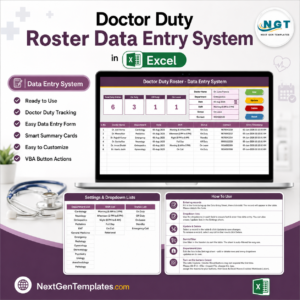
- Doctor Duty Roster Data Entry System in Excel — another VBA-driven clinic entry system.
- 💎 Outgrowing a single-file workbook? Upgrade to the Physiotherapy Clinic Management System Web App for multi-user, role-based login.
📖 Click here to read the Detailed Blog Post
🎥 Visit our YouTube channel for step-by-step video tutorials
👉 YouTube.com/@NextGenTemplates






























Reviews
There are no reviews yet.