

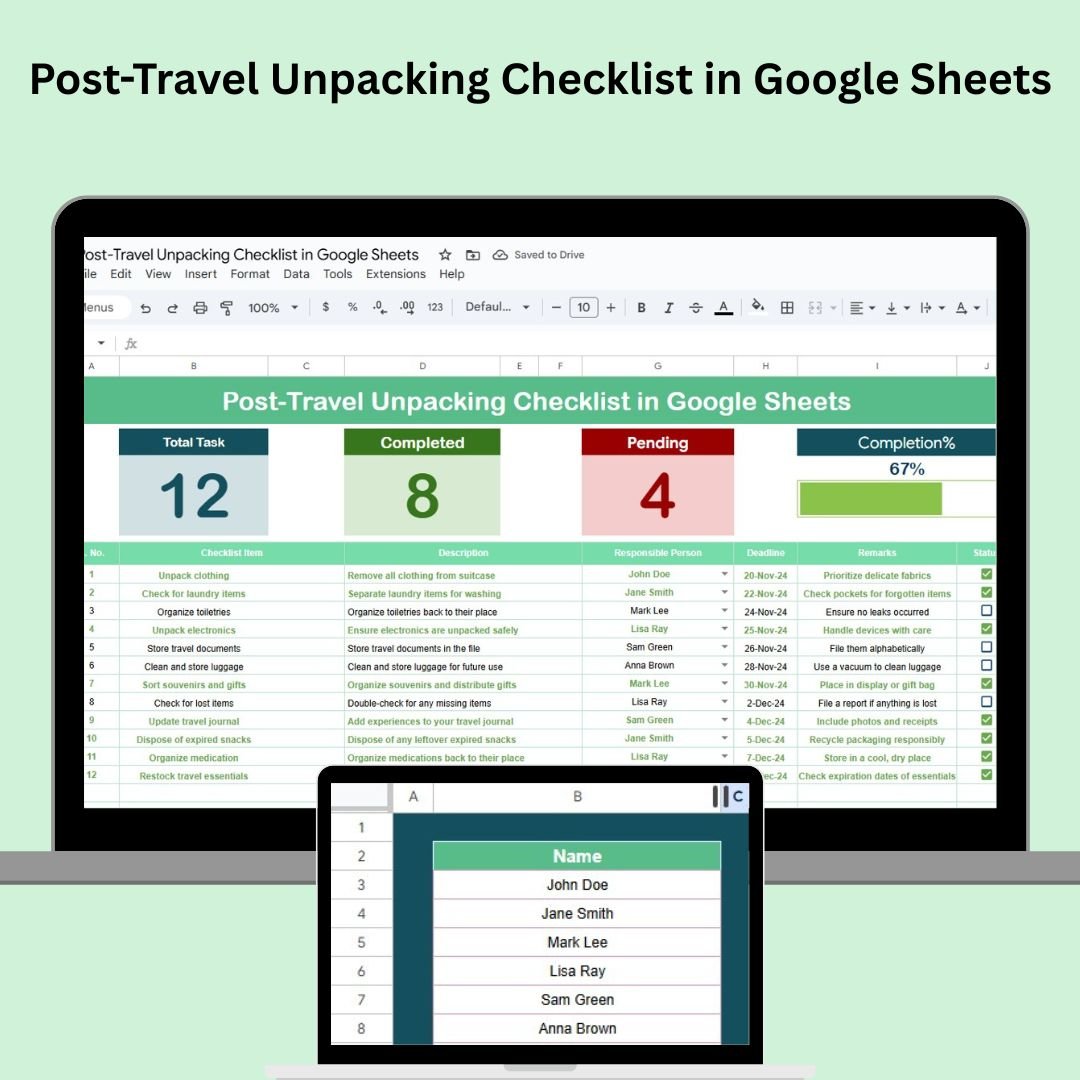

The Post-Travel Unpacking Checklist in Google Sheets is the perfect tool to help you stay organized and on top of all the tasks that come with returning from a trip. Whether you’ve been away for a weekend getaway or a lengthy vacation, this checklist allows you to manage your post-travel responsibilities in one place. From unpacking and doing laundry to sorting through travel documents, this ready-to-use template ensures nothing is overlooked during your post-travel routine.
🔑 Key Features of the Post-Travel Unpacking Checklist:
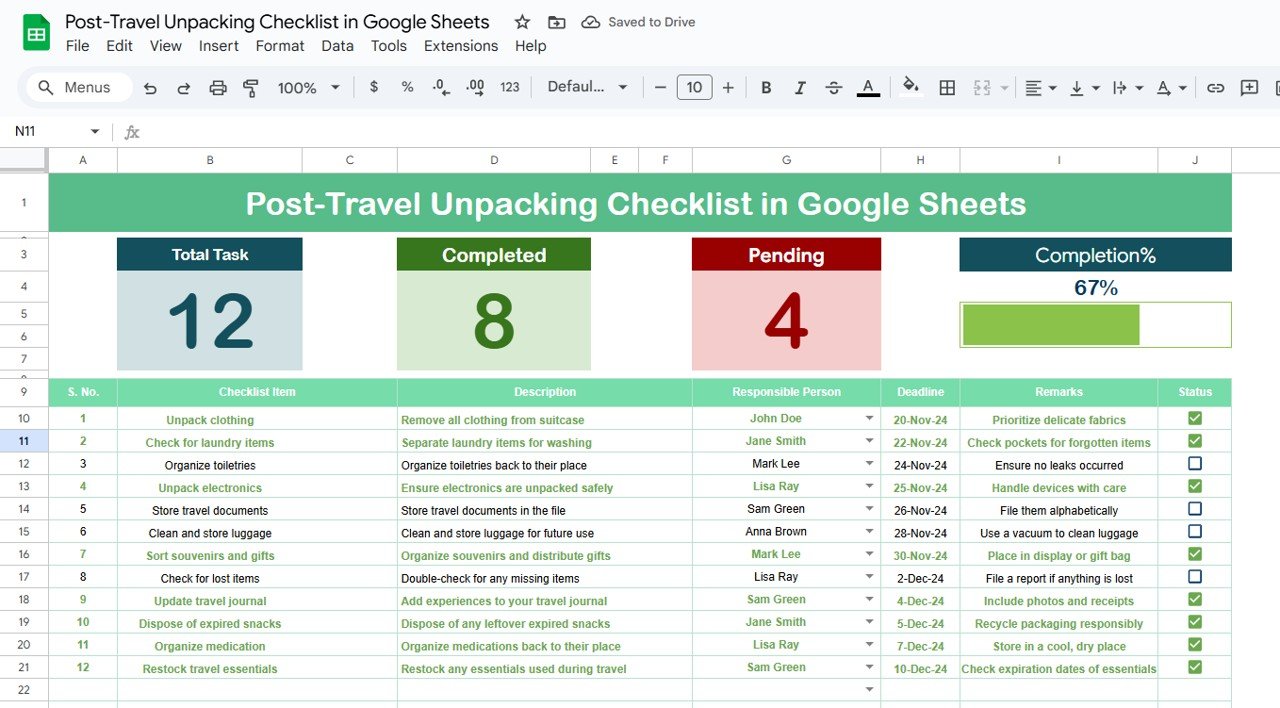
Real-Time Progress Tracking: Stay updated with automatic counts for total tasks, completed tasks, and pending tasks.
Progress Bar: Visualize your completion rate with a progress bar that automatically updates as you complete tasks.
Task Assignment: Easily assign tasks to individuals and track their progress in real-time, whether you’re working alone or with family or roommates.
Customizable: Tailor the checklist by adding or removing tasks, changing deadlines, and adjusting responsible persons to fit your specific needs.
Access Anywhere: Since it’s stored in Google Sheets, you can access and update the checklist from any device, anytime.
What’s Inside the Post-Travel Unpacking Checklist Template 🧳📅
Inside this Post-Travel Unpacking Checklist, you’ll find two powerful worksheets designed to streamline your unpacking and post-travel tasks:
Post-Travel Unpacking Checklist Sheet: This sheet is where you’ll list all tasks, track their progress, and manage deadlines. It includes:
Total, Completed, and Pending Counts: Stay on top of your progress as the checklist tracks these numbers automatically.
Checklist Table: A detailed task list with columns for task name, description, responsible person, deadline, remarks, and status (✔ or ✘).
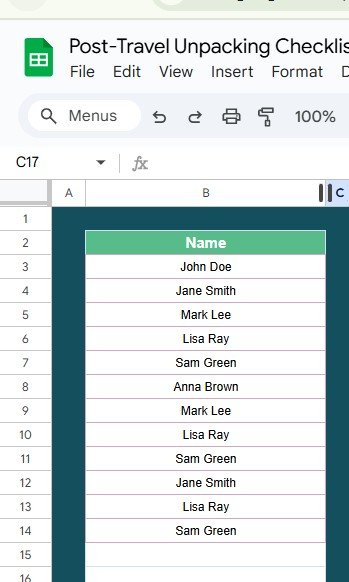
List Sheet: This sheet contains a list of responsible persons, making it easy to assign tasks to family members, roommates, or yourself. It also helps ensure consistency when assigning responsibilities.
How to Use the Post-Travel Unpacking Checklist 🏡📝
Using the Post-Travel Unpacking Checklist is simple and effective:
Download and Open the Template: Open the checklist in Google Sheets and start filling in the tasks you need to complete after your trip.
Assign Tasks: Use the Responsible Person column to assign tasks to the appropriate individuals (family, friends, or yourself).
Set Deadlines: Input realistic deadlines for each task to ensure timely completion and prevent any last-minute stress.
Track Progress: As tasks are completed, mark them with a ✔, and the progress bar will update automatically.
Collaborate: Share the checklist with others to ensure all tasks are covered and done efficiently.
Who Can Benefit from This Post-Travel Unpacking Checklist? 🌍🏠
This checklist is perfect for anyone returning from a trip who needs a systematic approach to handle their post-travel duties. Whether you’re traveling alone, with family, or as part of a group, this tool helps you stay organized and on top of tasks.
Solo Travelers: Ensure everything is unpacked and in order by following a clear checklist.
Family Travelers: Assign tasks to different family members to make the unpacking process smoother.
Roommates: Share the checklist with your roommates to collaborate on unpacking, laundry, and other shared tasks.
Travel Bloggers/Content Creators: Use it to manage the post-travel process efficiently while focusing on content creation.
Advantages of Using the Post-Travel Unpacking Checklist 📅📊
Stay Organized: Keep all your tasks in one place and prevent missing important steps like sorting travel documents or doing laundry.
Real-Time Tracking: Monitor your progress with automatic updates on the number of completed and pending tasks.
Collaboration-Friendly: Share the checklist with family, friends, or housemates to ensure everything gets done.
Customizable for Any Trip: Modify the checklist to suit short trips, long vacations, or business travel, adapting tasks to your needs.
Motivating Visuals: Use the Progress Bar to stay motivated as you check off tasks and see your progress.
Click here to read the Detailed Blog Post 📖
Visit our YouTube Channel to Learn Step-by-Step Video Tutorials 🎥
YouTube.com/@NeotechNavigators
Watch the step-by-step video Demo:
Compatibility and Requirements
- Works in Google Sheets. You need a free Google account and a web browser.
- The responsible person column uses an in-cell dropdown. Google explains dropdowns in Create an in-cell dropdown list.
Frequently Asked Questions
Which sheets are included?
It has a Post-Travel Unpacking Checklist sheet and a List sheet with the names of responsible people.
Which columns does the checklist have?
Task name, description, responsible person, deadline, remarks and status (✔ or ✘).
How do I track progress?
The sheet counts total, completed and pending tasks, and a progress bar updates as you mark tasks with ✔.
Can family or roommates help?
Yes. Assign tasks to them in the Responsible Person column and share the sheet.
Is there an Excel version?
Yes. The Post-Travel Unpacking Checklist in Excel does the same job in Excel.
Related Travel Checklists
- Post-Travel Unpacking Checklist in Excel: the same checklist in Excel
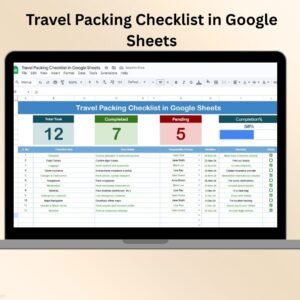
- Travel Packing Checklist in Google Sheets: pack before the trip
- Family Trip Checklist in Google Sheets: plan a family trip
- Travel Safety Checklist in Google Sheets: stay safe while away
- Checklist & SOP Pack: 12 checklist templates in one download
Browse all Google Sheets checklists or the Google Sheets trackers.






























Reviews
There are no reviews yet.