


Keeping track of homework, assignments, and academic tasks can often feel overwhelming for students, teachers, and parents alike. Missing deadlines, forgetting tasks, or losing track of responsibilities can negatively impact performance and productivity. That’s where the Homework Checklist in Google Sheets comes in — a simple, ready-to-use digital template designed to make homework management easy, organized, and stress-free. ✅📚
This structured checklist brings clarity to daily academic tasks, ensuring that nothing slips through the cracks. Whether you’re a student managing multiple subjects, a teacher monitoring assignments, or a parent guiding your child’s progress, this template makes the process smooth and efficient.
🔑 Key Features of Homework Checklist in Google Sheets
📋 Main Checklist Sheet
Track all homework tasks in one centralized location.
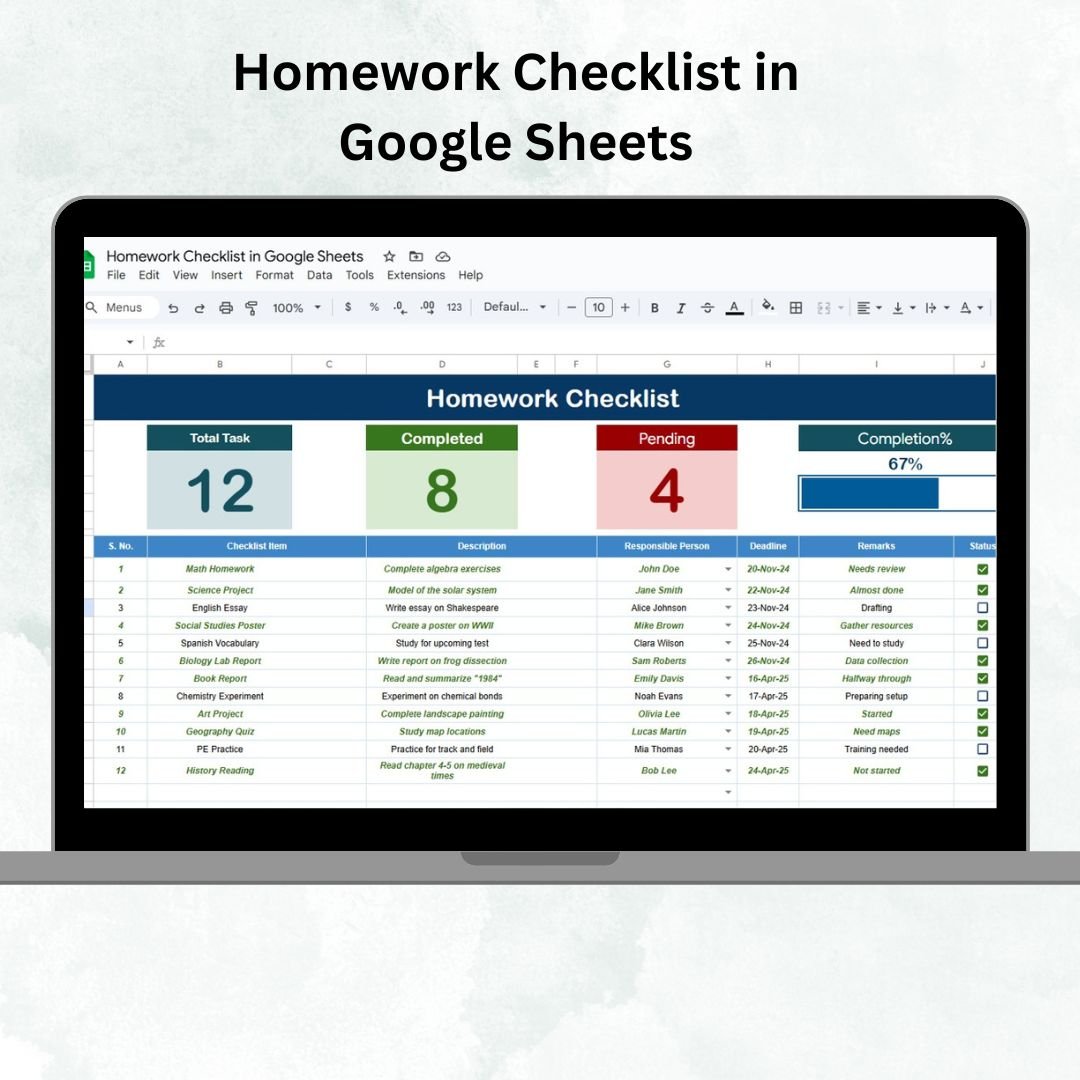
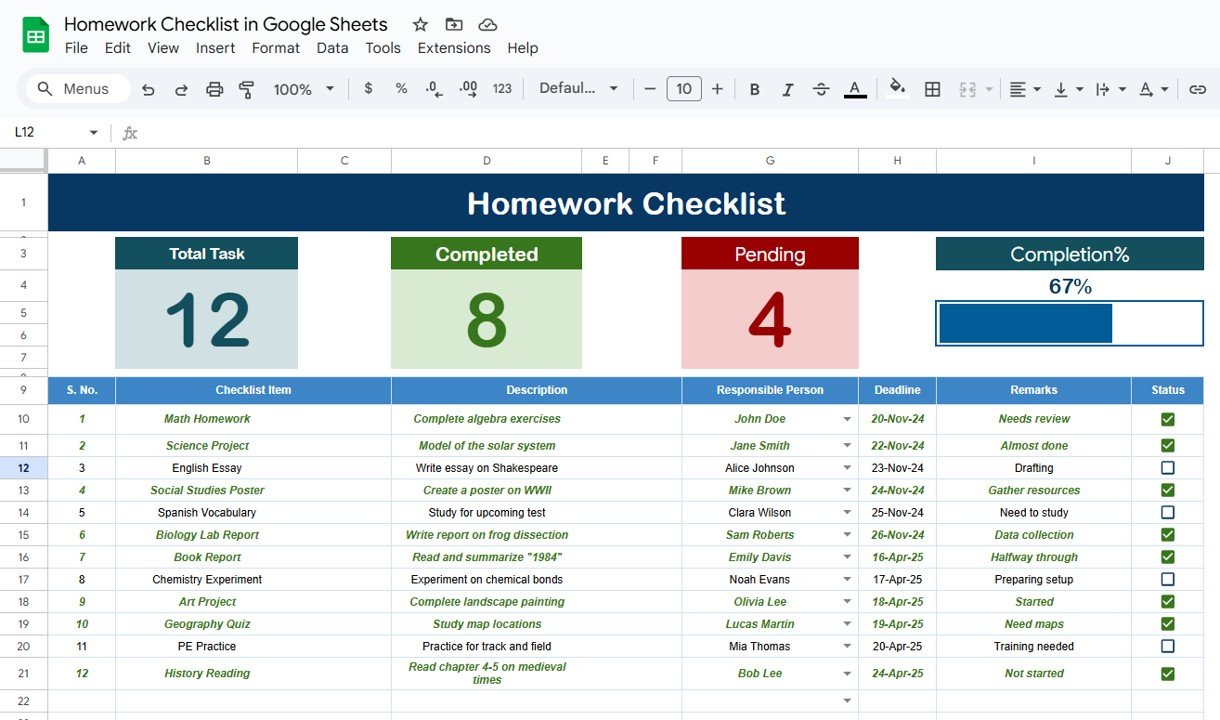
Cards display Total Count, Completed Count, Pending Count, and a dynamic Progress Bar to visually track task completion.
A clean and structured table format with columns for Serial No., Checklist Item, Description, Responsible Person, Deadline, Remarks, and Status (✔ or ✘).
📑 List Sheet for Drop-downs
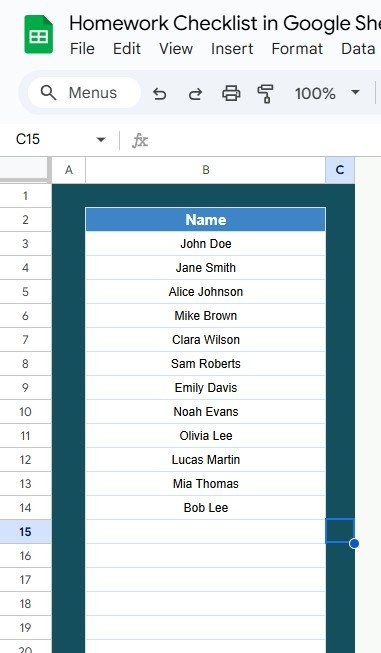
Stores unique entries for the “Responsible Person” column.
Ensures consistency and reduces data entry errors with dropdown lists.
🎯 Visual Progress Tracking
Instantly see how much homework is pending and how much is complete.
Get motivated by the progress bar as it updates automatically.
📦 What’s Inside the Homework Checklist Template?
When you download this Google Sheets template, you get:
✅ Main Checklist Sheet – The heart of the tracker with status-based progress updates.
✅ List Sheet – A secondary tab to manage responsible persons and dropdown options.
✅ Pre-filled Sample Data – To help you understand how to use the template.
✅ Built-in Progress Bar – Automatic visual tracking of your completion rate.
✅ Simple & Intuitive Layout – No coding required, just fill in your details and track homework effectively.
🧑🏫 How to Use the Homework Checklist in Google Sheets
Enter Tasks – Add assignments in the main checklist with deadlines and responsible persons.
Update Status – Mark tasks as ✔ when completed or ✘ if still pending.
Track Progress – Watch the top cards and progress bar update automatically.
Use Drop-downs – Select responsible persons directly from the List Sheet.
Review Regularly – Check daily or weekly to ensure deadlines are met.
No technical knowledge required — just enter your data and let the template keep you on track. 🎓
🎯 Who Can Benefit from This Checklist?
👩🎓 Students – Organize assignments, deadlines, and track completion progress.
👨🏫 Teachers – Monitor class assignments and ensure student accountability.
👨👩👧 Parents – Manage children’s homework across multiple subjects with ease.
📚 Tutors – Track student tasks and manage lessons more effectively.
🏫 Schools & Institutions – Share with classrooms for collaborative task tracking.
Whether you’re managing one student or an entire class, this checklist adapts to your needs.
🔗 Click here to read the Detailed blog post
🔗 Visit our YouTube channel to learn step-by-step video tutorials
Compatibility and Requirements
- Works in Google Sheets with a free Google account and a web browser.
- Make a copy to your own Google Drive, then share it with your team if you want to work on it together.
- New to Sheets? Google’s guide How to use Google Sheets covers the basics.
- Google explains dropdowns in Create an in-cell dropdown list.
Frequently Asked Questions
What is in the Homework Checklist in Google Sheets?
A Main Checklist sheet with the task table and progress cards, a List sheet for the dropdown, and sample data to show how it works.
How do I mark homework as done?
Set the Status to a tick when a task is complete or a cross if it is still pending. The cards and progress bar update on their own.
Which columns does the checklist have?
Serial No., Checklist Item, Description, Responsible Person, Deadline, Remarks and Status.
Can a teacher use it for a whole class?
Yes. Add students as responsible persons on the List sheet and share the sheet with the class.
Related Student Templates
- Homework Checklist in Excel: the Excel version
- Student Assignment Tracker in Google Sheets: track assignments by subject
- Student Progress Tracker Checklist in Google Sheets: follow student progress
- Education and School Management Bundle: eight school templates
Browse all Google Sheets checklists or the Excel education templates.
































Reviews
There are no reviews yet.