

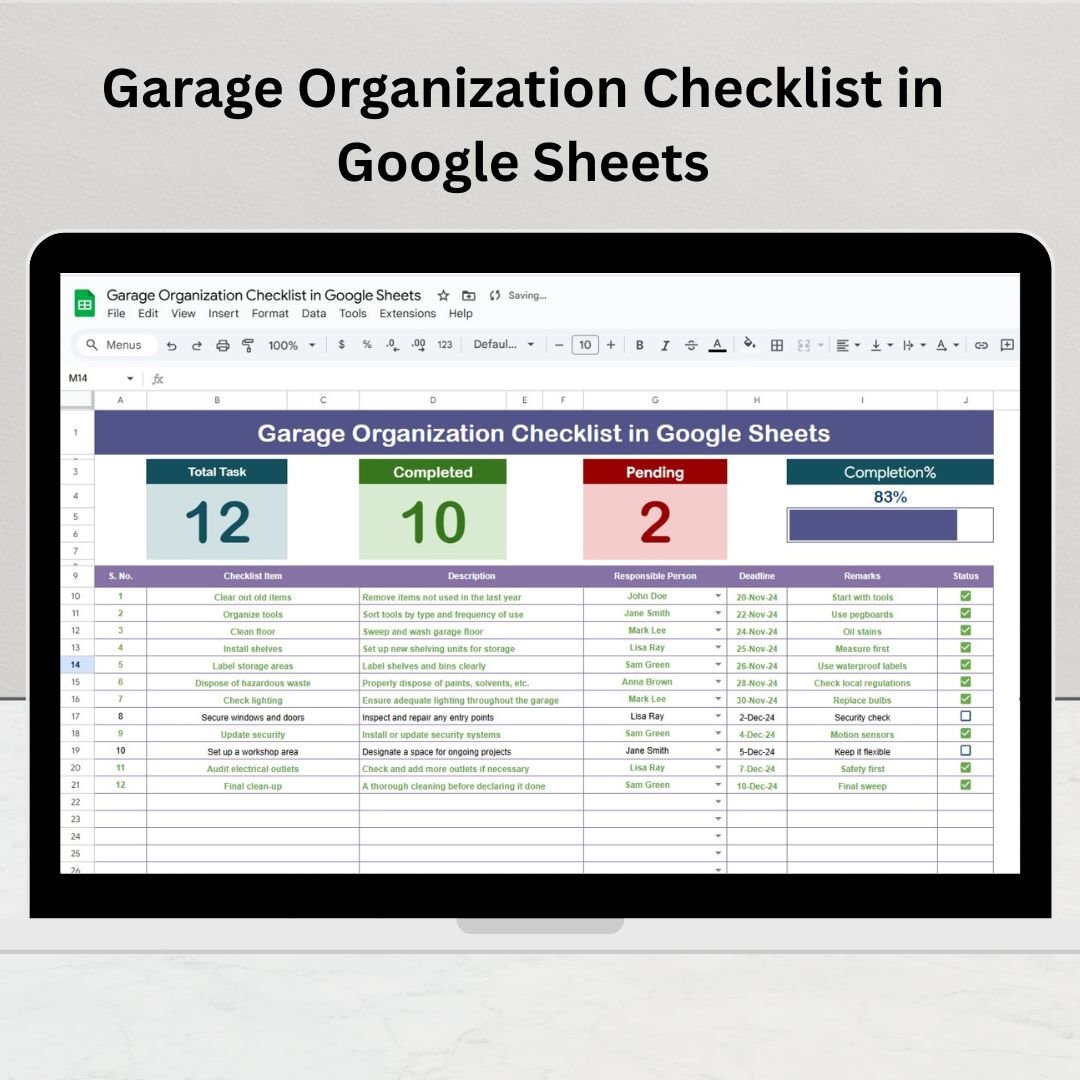

Tired of stepping over clutter and digging through piles just to find a screwdriver? The Garage Organization Checklist in Google Sheets is your go-to tool for transforming any garage—big or small—into a neat, functional, and stress-free space. Whether you’re doing spring cleaning or a full reorganization, this simple, effective template helps you stay on track with every task.
🧰 Key Features of the Garage Organization Checklist
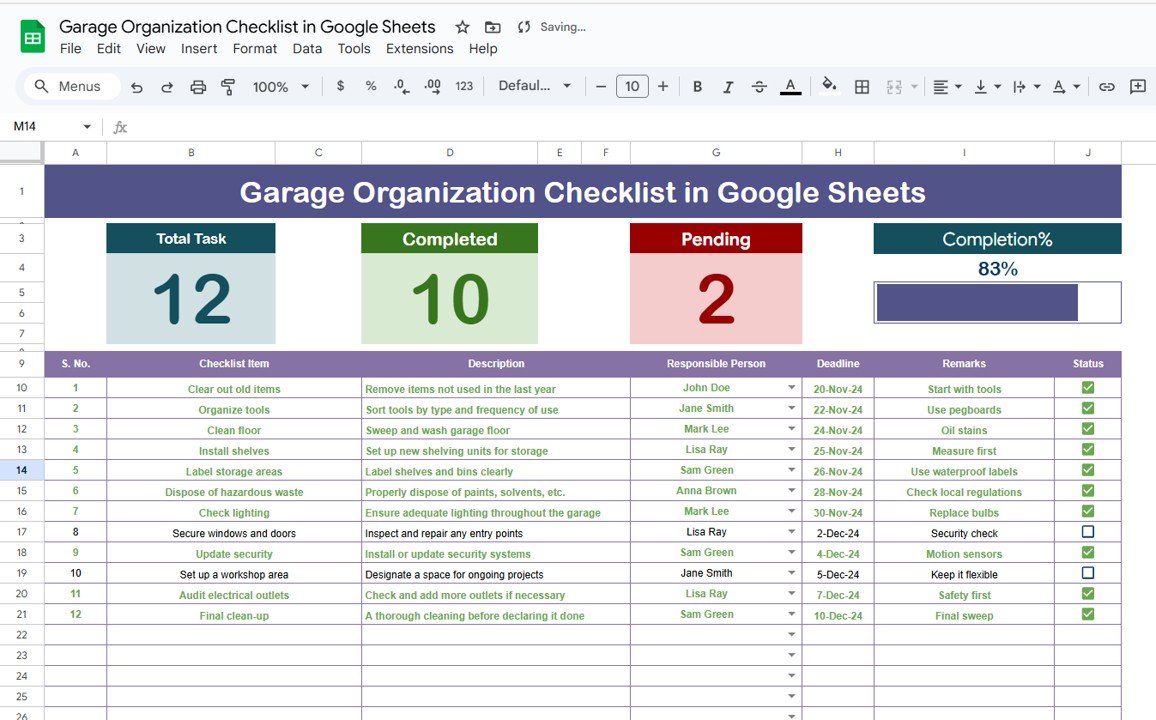
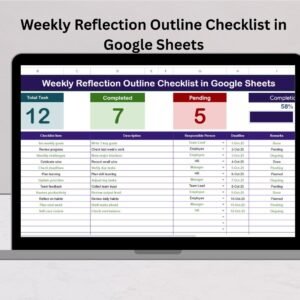
📋 Interactive Task Dashboard
✅ Total Count – Know how many tasks are on your list
🟢 Completed Count – Track finished work at a glance
🔴 Pending Count – See how much is left to do
📊 Progress Bar – Instantly visualize your overall progress
📑 Well-Structured Checklist Table
Each task is detailed in a table with the following columns:
Serial No. – Unique identifier for tracking
Checklist Item – Short description of the task (e.g., “Sort tools”, “Label bins”)
Description – Extra details for each task
Responsible Person – Dropdown assignment from the list tab
Deadline – Assign realistic due dates
Remarks – Add important notes or reminders
Status – Mark tasks as ✔ (Completed) or ✘ (Pending)
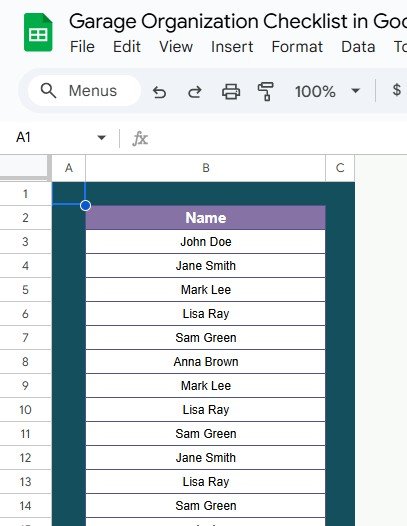
📄 List Sheet Tab for Easy Assignment
Maintain a centralized list of responsible persons
Populates the dropdown in the main checklist tab automatically
Keeps assignments consistent, editable, and organized
📦 What’s Inside the Garage Organization Checklist
You’ll get two fully integrated sheets that simplify the process:
1️⃣ Garage Organization Checklist Tab – The main workspace for logging and tracking all organization tasks
2️⃣ List Sheet Tab – Manage the dropdown list of team members or household members for task delegation
These sheets are interlinked to automatically calculate progress and improve task distribution. Whether you’re working solo or with a team, you’ll stay organized and efficient.
🧭 How to Use the Garage Organization Checklist in Google Sheets
1️⃣ List Your Tasks – Add all your garage-related chores into the Checklist Table
2️⃣ Assign Responsibility – Use the dropdown menu to assign team members or household members
3️⃣ Set Deadlines – Keep your project on schedule
4️⃣ Update Status – Mark tasks ✔ (done) or ✘ (pending)
5️⃣ Track Progress – Monitor the top-section cards and progress bar
6️⃣ Make Notes – Use the Remarks column for labeling systems, storage bin notes, or next steps
Simple, visual, and shareable—this template works for every level of organization.
👥 Who Should Use This Checklist?
🧰 DIY Enthusiasts – Organize tools, shelves, bins, and more
🏠 Homeowners – Create a more functional and usable garage space
🛠️ Maintenance Crews – Manage shared spaces with assigned responsibilities
🏢 Property Managers – Keep facility garages or storage rooms tidy and accountable
👨👩👧👦 Families – Teach task responsibility and divide up the workload
Whether you’re decluttering a single-car garage or a full workshop—this tool gets it done.
💡 Why You’ll Love This Google Sheets Template
✅ Real-Time Updates – See completion status automatically
✅ Easy to Edit – Add/delete tasks, reassign people, or adjust deadlines
✅ Cloud-Based Access – Share with anyone, anywhere
✅ Color-Coded Progress – Instant visibility into how much is done
✅ Zero Setup Required – Plug in your tasks and go
✅ Perfect for Print or Digital Use – Update on screen or print out your plan
🔁 Click here to read the Detailed blog post
Click here to read the Detailed blog post
Watch the step-by-step video Demo:
🎥 Visit our YouTube channel to learn step-by-step video tutorials
Youtube.com/@NeotechNavigators
Compatibility and Requirements
- Works in Google Sheets. You need a free Google account and a web browser.
- You assign each task to a person from a dropdown that reads from the List sheet. Google explains dropdowns in Create an in-cell dropdown list.
Frequently Asked Questions
Which sheets are included?
Two sheets: the Garage Organization Checklist tab, where you log and track tasks, and the List sheet, where you keep the names of the people who can be assigned tasks.
What does each task row contain?
Each row has a serial number, the checklist item, a description, the responsible person, a deadline, remarks and a status.
How do I assign a task to someone?
Add the person’s name to the List sheet. It then appears in the Responsible Person dropdown on the checklist tab.
How do I see my overall progress?
The top of the checklist tab shows the total, completed and pending task counts and a progress bar. They update when you mark a task as completed (✔) or pending (✘).
Is there an Excel version?
Yes. See the Garage Organization Checklist Template in Excel.
Related Checklist Templates
- Garage Organization Checklist Template in Excel: the same garage checklist for Excel
- Home Organization Checklist in Excel: a checklist for the rest of the house
- Seasonal Home Maintenance Checklist Template in Excel: recurring home upkeep tasks
- Project Management Checklist in Google Sheets: another Google Sheets checklist with task tracking
- Checklist & SOP Pack: 12 checklist templates for Excel and Google Sheets in one download
Browse all Google Sheets checklists.

































Reviews
There are no reviews yet.