

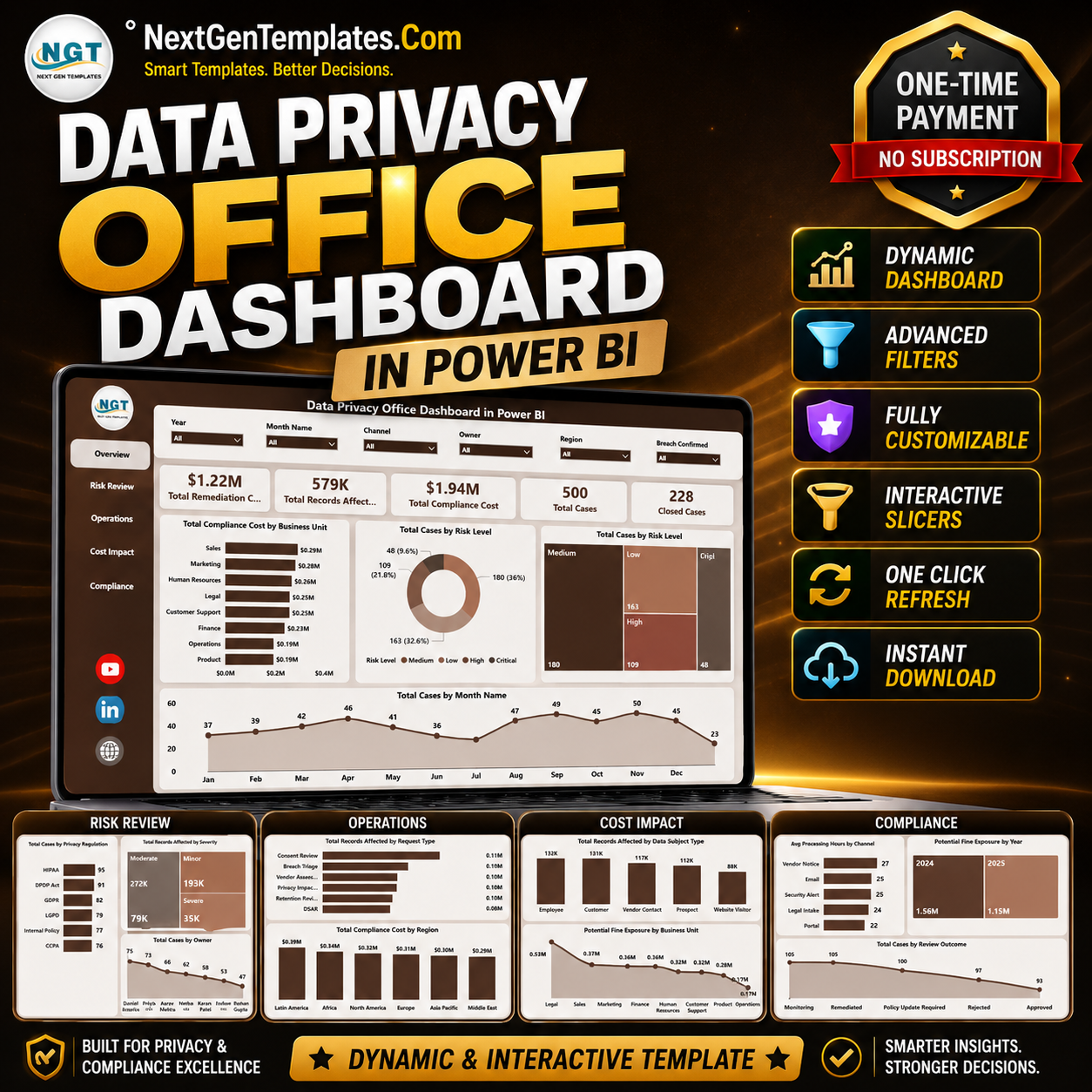

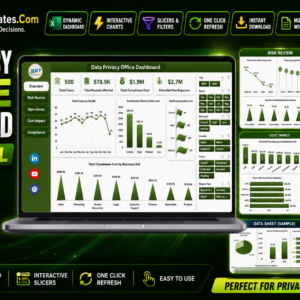
The Data Privacy Office Dashboard in Power BI tracks 30+ privacy KPIs across 5 interactive pages, with pre-built charts and slicers for DSARs, data breaches, consent, processing activities (ROPA), and staff training. Setup takes under 10 minutes — replace the sample data and every page refreshes automatically.
🌍 Join 8,400+ teams in 40+ countries using NextGenTemplates to replace paid SaaS tools with one-time-purchase Excel, Google Sheets, Power BI, and HTML templates.
✅ Instant download · One-time payment · No subscription · No per-user fees · Lifetime access
🔑 Key Features of the Data Privacy Office Dashboard in Power BI
This dashboard gives a Data Protection Officer a single, audit-ready view of the whole privacy programme:
- 📊 30+ privacy KPIs on one model – total DSARs, open and overdue requests, average response time in days, breach count, 72-hour notification rate, consent rate, ROPA count, and training completion all read from one dataset.
- 🗂️ 5 purpose-built report pages – Program Overview, DSAR Analysis, Breaches and Incidents, Consent and Processing Activities, and Training, Risk and Policy Compliance.
- 🏛️ Regulation-aware structure – the data layout maps to GDPR concepts like lawful basis, data subject rights, and processor inventories, and works for CCPA too.
- 🎛️ Interactive slicers for date, department, request type, and severity, so you can move from a board summary to a single overdue case in two clicks.
- ⚡ Refresh in minutes – point it at your own register exports and every card, chart, and slicer updates through the Power BI data model.
📦 What’s Inside the Data Privacy Office Dashboard in Power BI
Five pages, each answering a question a privacy team is asked every week.
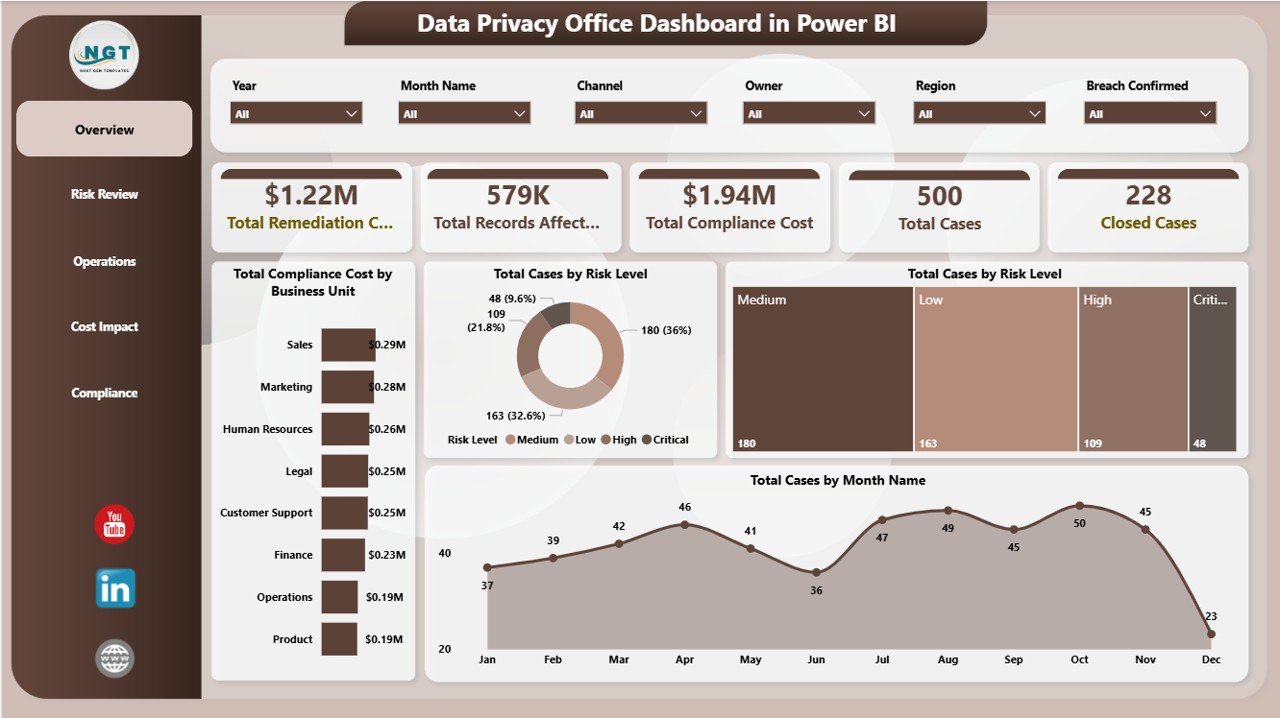
Page 1: Privacy Program Overview
Headline KPI cards for Total DSARs, Open Requests, Overdue Requests, Data Breaches, Average Response Time, Consent Rate, Training Completion, and DPIAs Completed. Charts include DSARs by Month, Requests by Type, Breach Trend by Month, and Compliance Score by Department.
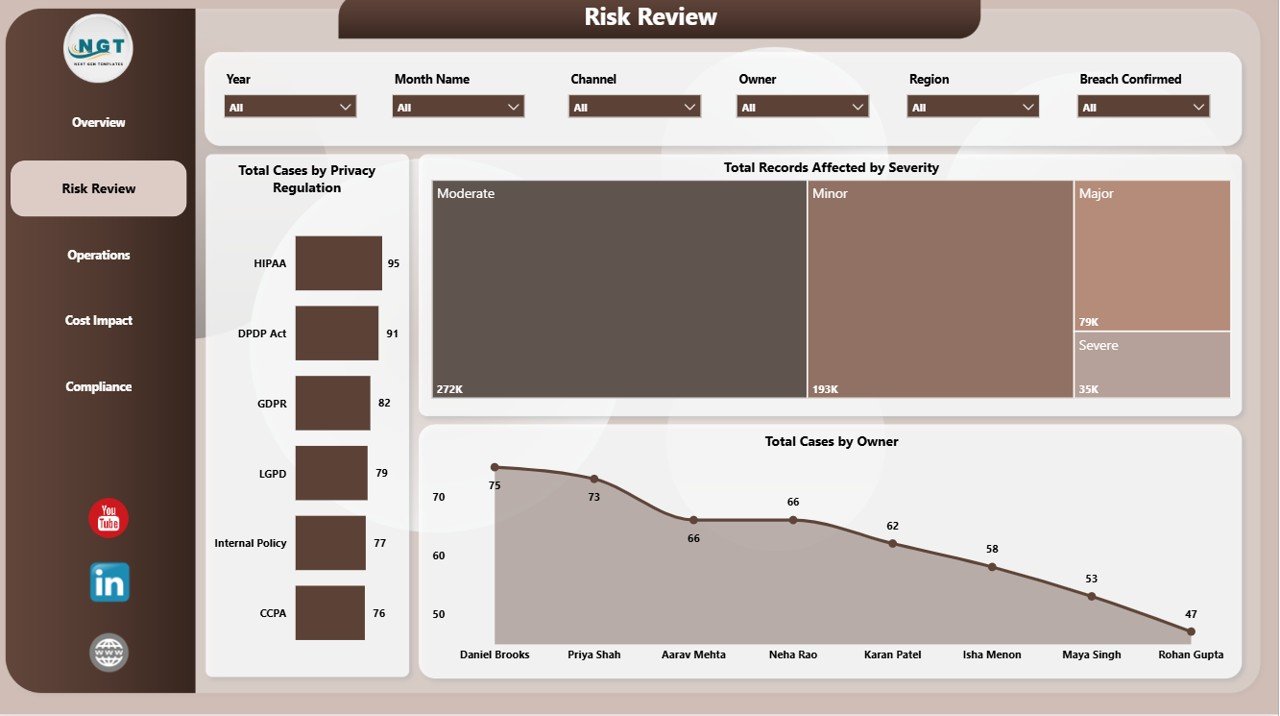
Page 2: Data Subject Request (DSAR) Analysis
Tracks request volume and turnaround against the one-month statutory deadline: Total Requests, Access Requests, Erasure Requests, Average Resolution Days, and SLA Compliance. Charts include Requests by Type, Requests by Status, Resolution Time by Request Type, Requests by Department, and Requests by Channel.
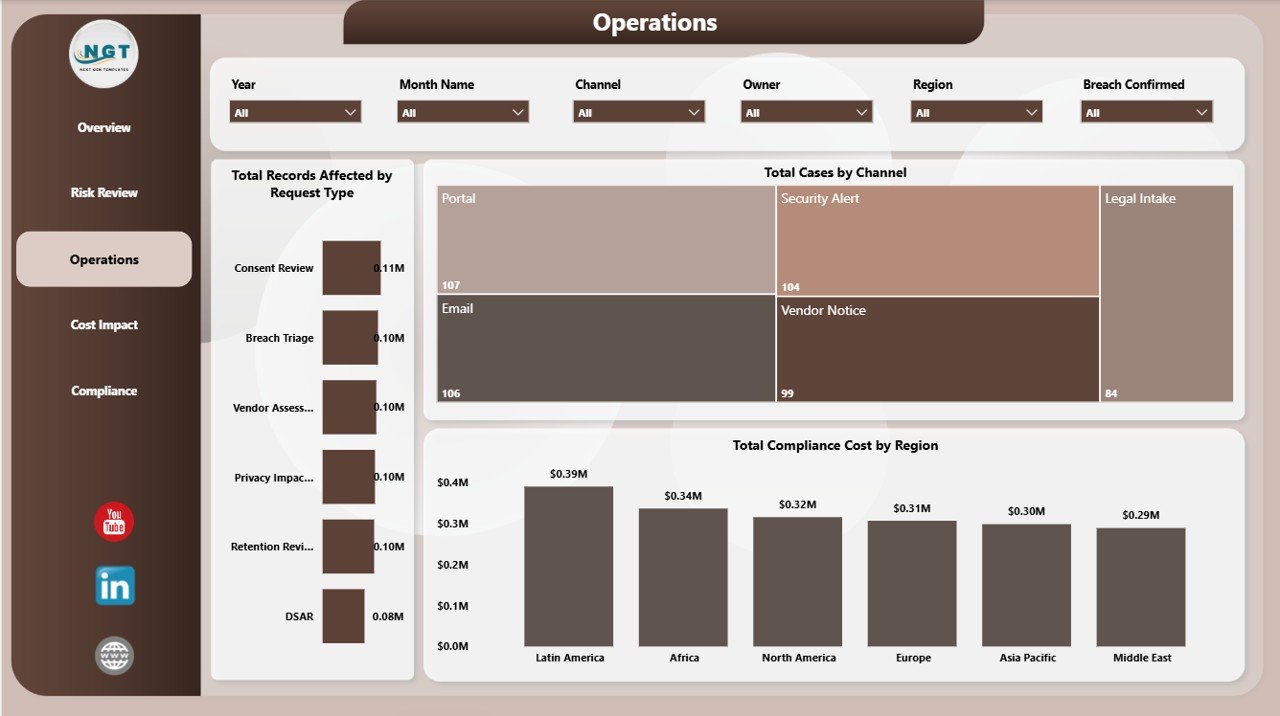
Page 3: Data Breaches and Incidents
Built for the 72-hour notification clock: Total Breaches, 72-Hour Notifications, Affected Records, Open Incidents, and Average Containment Time. Charts include Breaches by Severity, Breaches by Root Cause, Affected Records by Month, Incidents by Status, and Notification Timeliness.
Page 4: Consent and Processing Activities (ROPA)
Maintains the Article 30 picture: Active Consents, Withdrawn Consents, Consent Rate, Processing Activities (ROPA), Third-Party Processors, and High-Risk Activities. Charts include Consent by Channel, Consent Status, Processing Activities by Department, Lawful Basis Breakdown, and Processors by Risk Level.
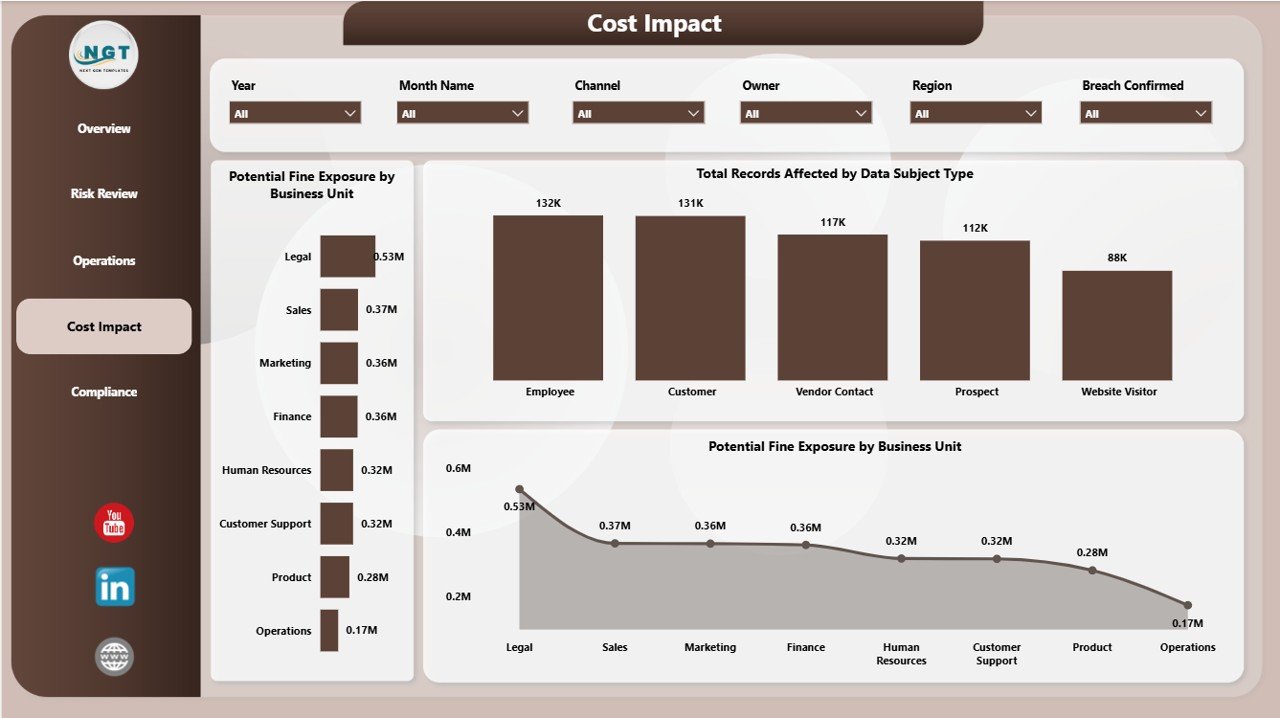
Page 5: Training, Risk and Policy Compliance
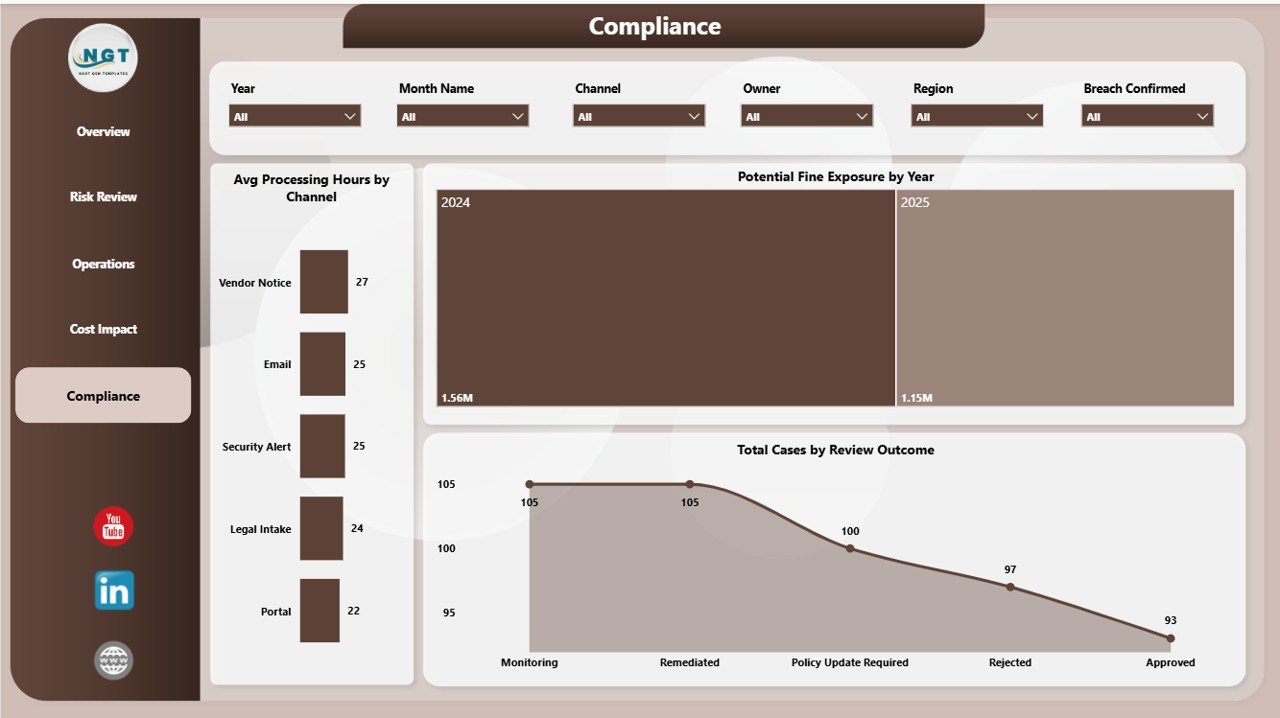
Covers the human and governance side: Training Completion, Employees Trained, Policies Reviewed, Vendor Assessments, and an Overall Risk Score. Charts include Training Completion by Department, Risk Level by Category, Policy Compliance by Region, Audit Findings by Status, and DPIA Status.
📊 Data Privacy Office Dashboard in Power BI vs. Tableau/Qlik vs. Privacy SaaS — Where This Fits
| Feature | Data Privacy Office Dashboard in Power BI | Tableau / Qlik Build | OneTrust / TrustArc (Privacy SaaS) |
|---|---|---|---|
| Cost | $17.99 one-time | $70–$75 / user / month | $15,000–$50,000+ / year |
| Platform | Power BI Desktop (free) | Tableau / Qlik licence | Vendor-hosted SaaS |
| Setup time | Under 15 minutes ✅ | Days of report building | Weeks of implementation |
| DSAR and breach tracking | Built in across 5 pages ✅ | Build from scratch | ✅ Included |
| Customizable fields | Full model access ✅ | ✅ Full access | Limited to vendor schema |
| Mobile access | ✅ Power BI mobile app | ✅ Vendor app | ✅ Vendor app |
| You own the data | 100% on your tenant ✅ | ✅ On your tenant | Stored with the vendor |
| Year-1 cost at 5 users | $17.99 ✅ | ~$4,200+ | $15,000–$50,000+ |
For privacy teams that want a regulator-ready DSAR, breach and consent view without a five-figure platform bill, the Data Privacy Office Dashboard in Power BI sits in the sweet spot.
👥 Who This Template Is For — and Who It’s Not For
✅ This template is built for:
- Data Protection Officers and privacy leads at small and mid-size organisations who report to a board or audit committee.
- Compliance and risk managers who need GDPR or CCPA metrics without a dedicated GRC platform.
- IT and security teams already running Power BI who want privacy reporting on the same stack.
❌ This template is NOT for:
- Teams needing a fully automated privacy platform with cookie scanning and assessment workflows — choose OneTrust or TrustArc.
- Anyone without access to Power BI Desktop.
- Those who want a live system of record rather than a reporting layer over existing registers.
⚙️ How to Use the Data Privacy Office Dashboard in Power BI
- Open the .pbix file in Power BI Desktop (free from Microsoft).
- Open the sample data tables and replace them with your own DSAR, breach, consent, ROPA, and training exports.
- Click Refresh — every KPI card, chart, and slicer updates from the data model.
- Use the date, department, request-type, and severity slicers to filter any page.
- Publish to the Power BI service if you want scheduled refreshes and team sharing.
💼 Real-World Use Cases
Anita is the DPO at a 220-person fintech. She uses the Data Privacy Office Dashboard in Power BI to walk her risk committee through DSAR turnaround, overdue requests, and breach notification timeliness each quarter, replacing three spreadsheets she used to merge by hand.
Marcus runs compliance for a health-tech scale-up. He points the consent and ROPA page at his processing register to show auditors every processing activity, its lawful basis, and which third-party processors carry high risk — on one screen.
Priya is an independent privacy consultant. She deploys the dashboard for each client in under 15 minutes, swapping in their request and incident logs to deliver a board-ready report without a per-seat platform licence.
❓ Frequently Asked Questions
What KPIs does the Data Privacy Office Dashboard in Power BI track?
The Data Privacy Office Dashboard in Power BI tracks 30+ KPIs including total and overdue DSARs, average response time, breach count, 72-hour notification rate, consent rate, ROPA count, and training completion. All metrics update automatically when you load your own data.
Do I need a paid Power BI licence?
No. The Data Privacy Office Dashboard in Power BI opens in Power BI Desktop, which is free from Microsoft. A paid service licence is only needed to publish the report online and schedule refreshes for your team.
How long does setup take?
Most users have the Data Privacy Office Dashboard in Power BI running in under 15 minutes — open the .pbix file, replace the sample tables, and refresh.
How does this compare to OneTrust or TrustArc?
OneTrust and TrustArc are full privacy platforms costing tens of thousands per year. The Data Privacy Office Dashboard in Power BI is a one-time $17.99 reporting layer over your existing registers, and it keeps your data on your own tenant.
Can I use it for CCPA as well as GDPR?
Yes. The Data Privacy Office Dashboard in Power BI is built around universal privacy concepts like data subject rights, lawful basis, and processor inventories, so it suits CCPA, GDPR, and most privacy frameworks.
Is my data kept private?
Yes. The dashboard runs entirely on your own Power BI tenant or desktop. No personal data is sent to NextGenTemplates or any third-party vendor.
👤 About the Author
Built by PK — Microsoft Certified Professional with 15+ years of Excel, Google Sheets, and Power BI experience. Founder of NextGenTemplates, reaching 300K+ subscribers across YouTube channels (@PK-AnExcelExpert, @NextGenTemplates, @NeoTechNavigators). Every template is hand-built and tested before release.
🔗 Explore Related Templates
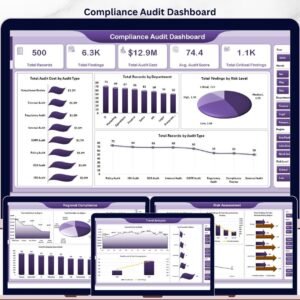
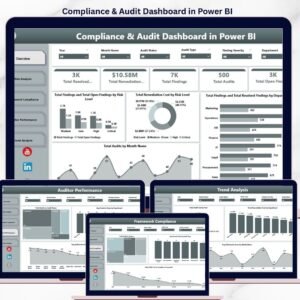
Also available as: Data Privacy Office Dashboard in Excel — the same dashboard for Excel users. For a tighter scorecard view, see the Data Privacy Office KPI Dashboard in Power BI. To widen coverage from privacy to full audit programmes, pair it with the Compliance Audits Dashboard in Power BI or the Compliance and Audit Dashboard in Power BI. Browse more in Power BI Dashboard Templates.
📖 Click here to read the Detailed Blog Post
🎥 Visit our YouTube channel for step-by-step video tutorials
👉 YouTube.com/@NextGenTemplates
📅 Last updated: June 2026































Reviews
There are no reviews yet.