

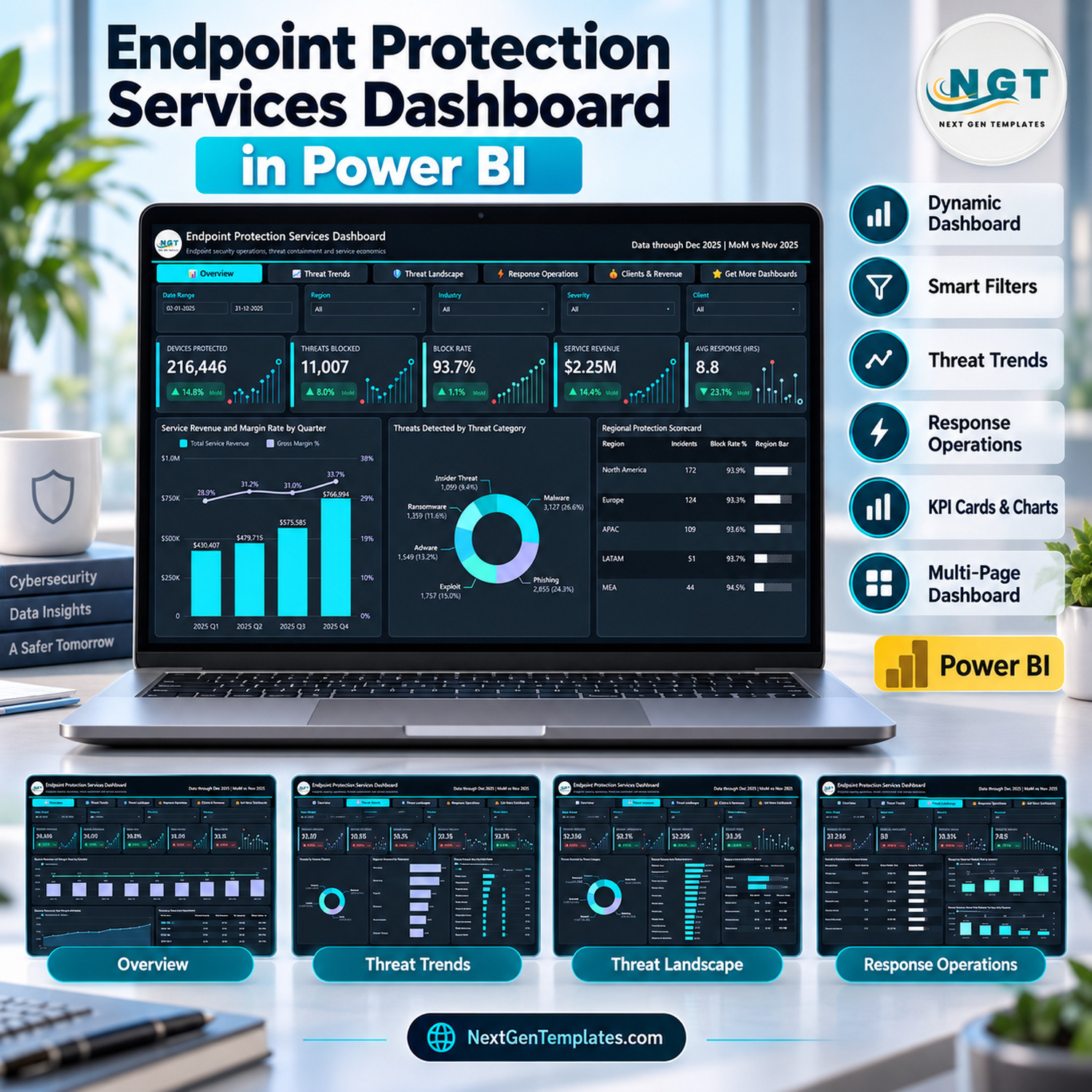

The Endpoint Protection Services Dashboard in Power BI turns 500 sample service incidents from 20 client accounts into five cross-filtered report pages, 25 KPI cards with month-on-month badges and sparklines, and a hidden row-level drillthrough page. The model reads one Excel sheet of 20 columns, so replacing the sample rows with your own service log and pressing Refresh updates every page.
🌍 Made by NextGenTemplates, the team behind thousands of ready-to-use Excel, Google Sheets and Power BI templates for small businesses, agencies and service providers.
✅ Instant download · One-time payment · No subscription · No per-user fees · Lifetime access
⚠️ Please note: this is a reporting template for analysing endpoint security service records you already keep. It does not scan devices, detect or block threats, or connect to any antivirus or EDR console, and it carries no security certification or compliance claim. Every client, analyst and figure in the file is fictional sample data.
🔑 Key Features of Endpoint Protection Services Dashboard in Power BI
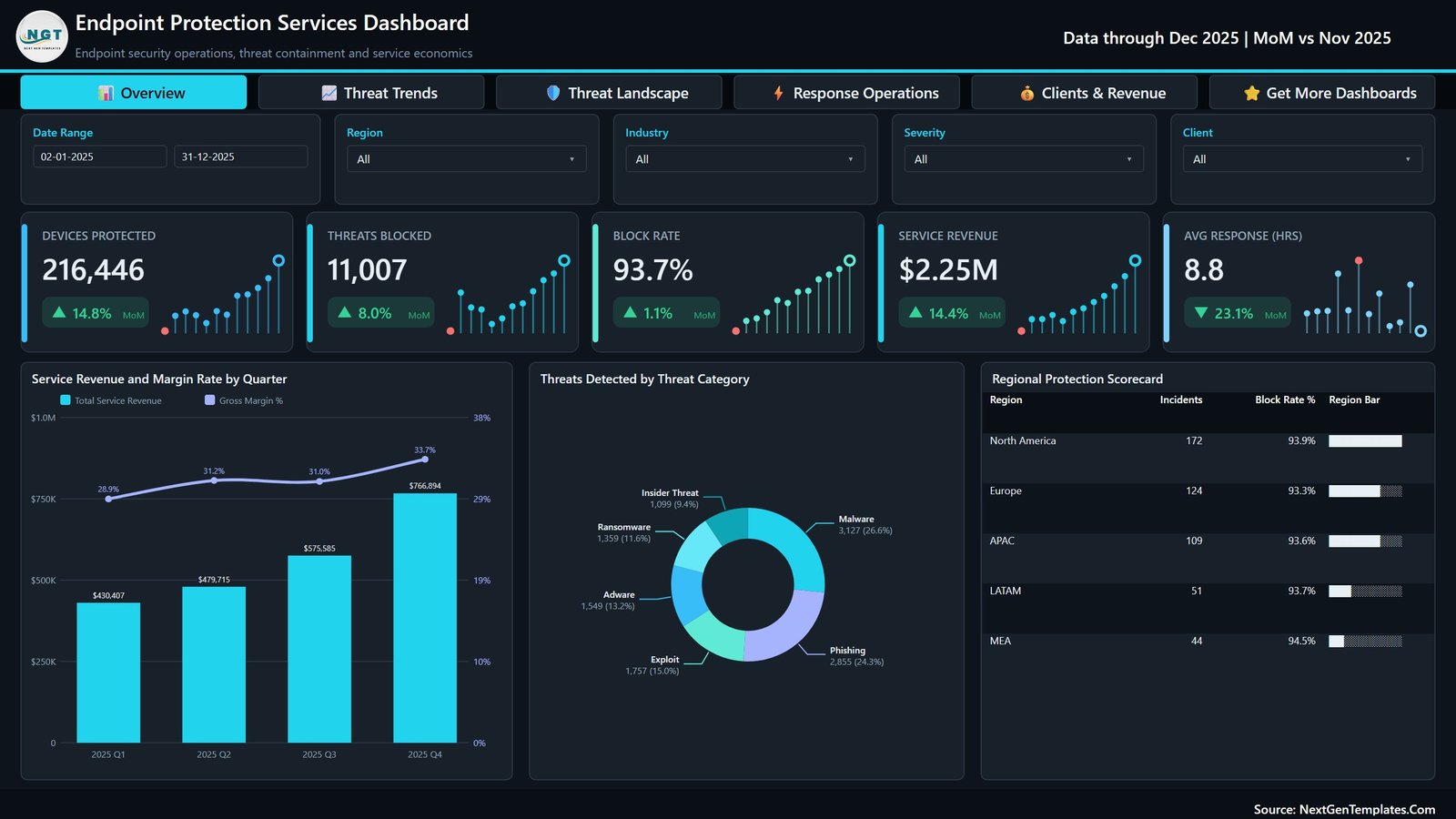
- 📊 Five analysis pages: Overview, Threat Trends, Threat Landscape, Response Operations and Clients & Revenue, plus a Get More Dashboards panel. Every page shares the same header, navigation bar and slicer row, so moving between views never loses your filter context.
- 🎛️ Slicers on every page: Date Range, Region, Industry and Severity appear everywhere, and each page adds its own fifth slicer: Client, Threat Category, Detection Method, Analyst or Device Type.
- 📈 KPI cards with MoM change: each page carries five cards showing the value, a green or red month-on-month badge and a 12-month sparkline. The sample runs through December 2025 and compares against November 2025.
- 🛡️ Containment metrics: the sample shows 11,746 threats detected, 11,007 blocked and 739 missed, giving a 93.7% block rate across 216,446 devices protected.
- ⏱️ Response metrics: average detection of 34.1 minutes, average response of 8.8 hours, a 66.4% resolution rate and a 7.4% escalation rate across 500 incidents.
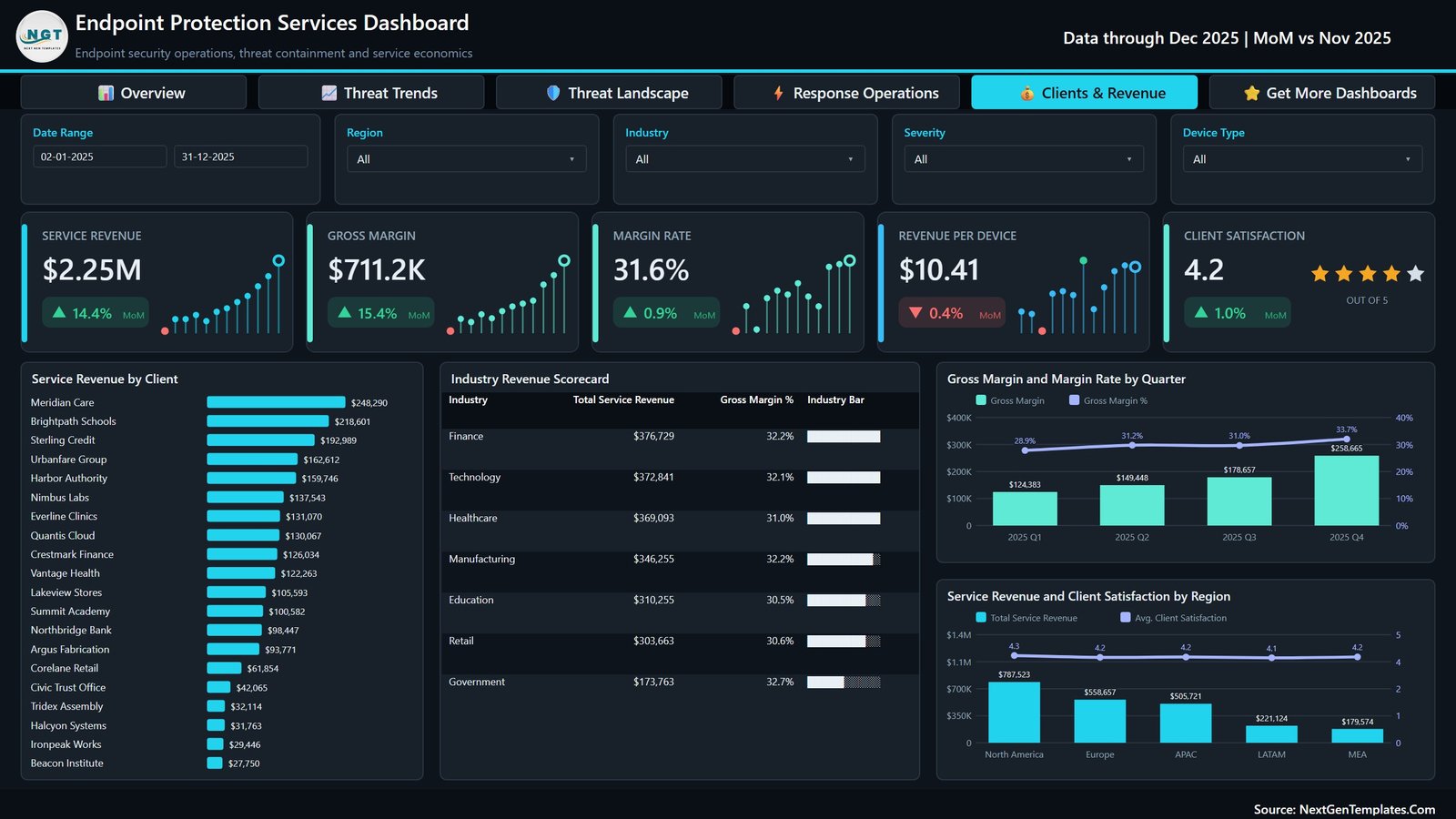
- 💰 Service economics: $2.25M service revenue, $711.2K gross margin, a 31.6% margin rate, $10.41 revenue per device and a 4.2 out of 5 client satisfaction score.
- 🔍 Drillthrough and tooltips: right-click a client, industry, region, device type or OS platform to open the hidden Details page, and hover visuals for the Metric Detail and Trend Detail tooltip pages.
📦 What’s Inside the Endpoint Protection Services Dashboard in Power BI
Page 1: Overview
Cards for Devices Protected, Threats Blocked, Block Rate, Service Revenue and Avg Response (hrs). Charts include Service Revenue and Margin Rate by Quarter, Threats Detected by Threat Category and a Regional Protection Scorecard with incidents and block rate for five regions.
Page 2: Threat Trends
Cards for Incidents Handled, Threats Detected, Threats Blocked, Block Rate and Threats per Incident. Charts include Threats Detected and Block Rate by Month, Devices Protected by Month, Threat Volume by Quarter and a Quarterly Threat Scorecard, where block rate climbs from 90.2% in Q1 to 96.9% in Q4.

Page 3: Threat Landscape
Cards for Threats Detected, Critical Incidents, Critical Share, Threats Missed and Threats per 1K Devices. Charts include Incidents by Severity, Threats Detected by Threat Category, Threat Outcome by OS Platform and Incidents by Detection Method.

Page 4: Response Operations
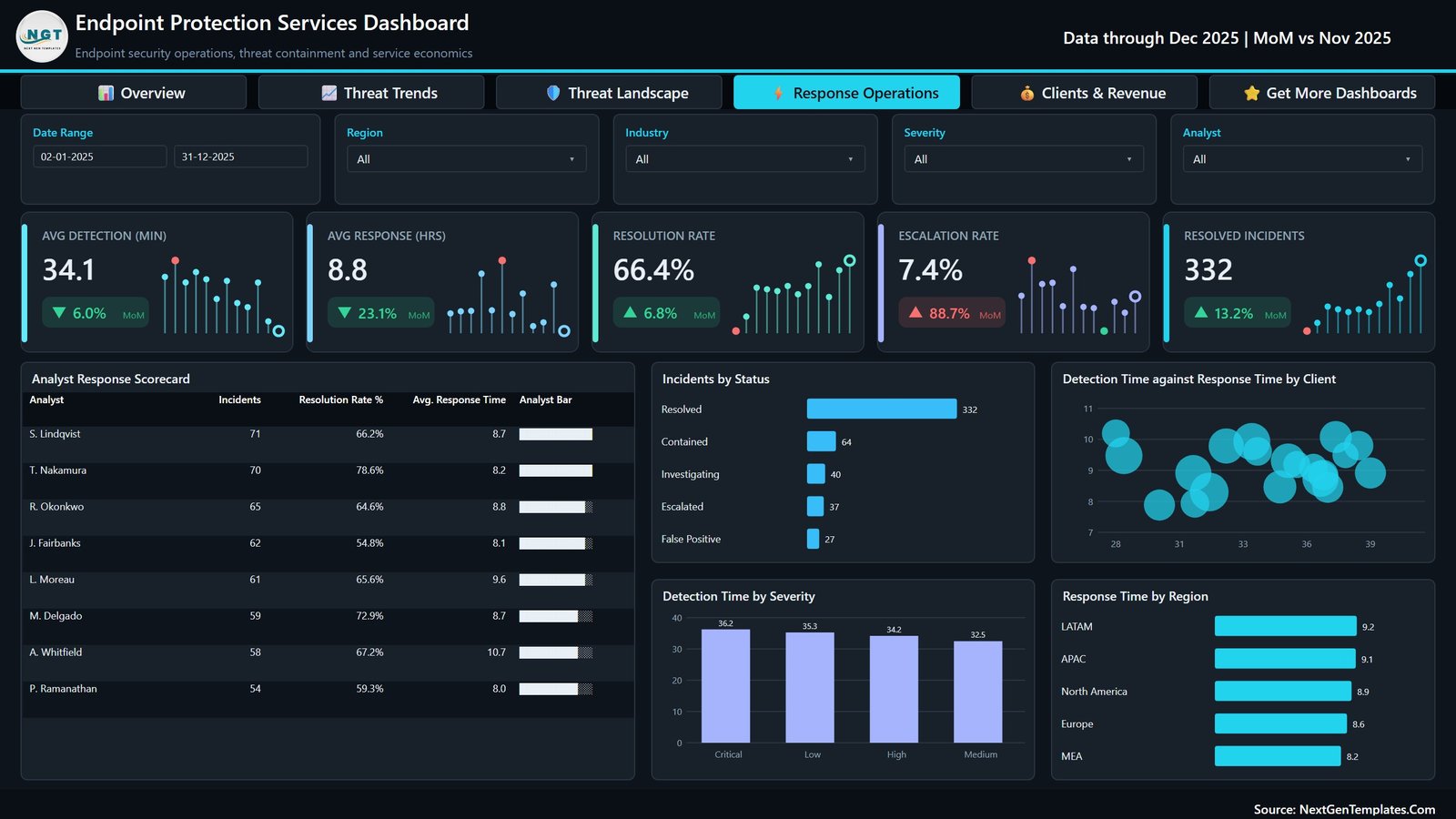
Cards for Avg Detection (min), Avg Response (hrs), Resolution Rate, Escalation Rate and Resolved Incidents. Charts include an Analyst Response Scorecard for eight analysts, Incidents by Status, Detection Time against Response Time by Client, Detection Time by Severity and Response Time by Region.
Page 5: Clients & Revenue
Cards for Service Revenue, Gross Margin, Margin Rate, Revenue per Device and Client Satisfaction. Charts include Service Revenue by Client for 20 accounts, an Industry Revenue Scorecard for seven industries, Gross Margin and Margin Rate by Quarter, and Service Revenue and Client Satisfaction by Region.
📁 In the ZIP: the .pbix report, Data.xlsx (500 rows, 20 columns from Incident ID and Service Date to Service Revenue, Service Cost and Client Satisfaction) and the Power BI Dashboard User Manual PDF.
📊 Where It Fits: This Power BI Template vs. Tableau / Qlik vs. PSA and RMM Reporting Suites
| Feature | Endpoint Protection Services Dashboard in Power BI | Tableau / Qlik build | PSA / RMM reporting suite |
|---|---|---|---|
| Cost | ✅ $17.99 one-time | Subscription licence plus build time | Recurring subscription |
| Platform | Power BI Desktop (free, Windows) | Tableau or Qlik | Vendor cloud portal |
| Setup time | ✅ Minutes with the sample file | Days to design from scratch | Onboarding project |
| Real-time team collaboration | After publishing to a Power BI workspace | ✅ On server or cloud | ✅ Built in |
| Mobile access | Power BI mobile app after publishing | ✅ Yes | ✅ Yes |
| Customizable fields | ✅ Full .pbix and model edit | ✅ Yes | Vendor-defined report options |
| Share with link | Through Power BI Service (licence rules apply) | ✅ Yes | ✅ Client portal |
| Year-1 cost at 5 users | ✅ $17.99 plus any Power BI licences you already hold | Five subscription seats | Recurring per-seat or per-endpoint fees |
| Threats, response and revenue on one report | ✅ Yes, five linked pages | Only if you build it | Often split across modules |
| Scans or protects devices | No, it analyses your records | No | Depends on the suite |
For security service teams that want threat, response and margin reporting in one file without another subscription, this Power BI template sits in the sweet spot.
👥 Who This Template Is For — and Who It’s Not For
✅ This template is built for:
- Managed security service providers reporting endpoint work across several client accounts
- IT service managers who review block rate, response time and analyst workload each month
- Power BI learners who want a finished multi-page model with drillthrough and tooltip pages to study
❌ This template is NOT for:
- Teams looking for antivirus, EDR or threat detection software; it only reports on records you export
- Anyone needing live streaming from a security console or an audited compliance report
⚙️ How to Use the Template
- Unzip the download and keep the .pbix and Data.xlsx in the same folder.
- Open the .pbix in Power BI Desktop and explore the sample pages.
- Paste your own incident rows into Data.xlsx using the same 20 column headers.
- If you moved the file, update the source path in Transform Data, then press Refresh.
- Use the slicers, drillthrough and tooltips to review results, then publish to your workspace if you share reports.
💼 Real-World Use Cases
Maya runs service delivery at a 12-person managed security provider. Each month she filters the Clients & Revenue page by industry to see which accounts carry thin margins, then opens Response Operations to check whether escalations are rising before the client review call.
Daniel leads a small internal IT security team. He uses Threat Landscape to show leadership how missed threats split by OS platform and detection method, and Threat Trends to show whether the block rate is improving quarter by quarter.
❓ Frequently Asked Questions
What does the Endpoint Protection Services Dashboard in Power BI track?
It tracks devices protected, threats detected, blocked and missed, block rate, detection and response times, resolution and escalation rates, service revenue, gross margin, revenue per device and client satisfaction across five pages, all sliceable by date, region, industry and severity.
Does it detect or stop threats on my devices?
No. The template is an analytics report over an Excel table of service records. It does not install on endpoints, scan files or connect to antivirus or EDR tools, and it makes no certification or compliance claim. You supply the data exported from your own systems.
How long does setup take?
The sample file opens ready to explore. Replacing the sample rows with your own data in the same 20 columns and refreshing usually takes under an hour, depending on how clean your export is. No DAX editing is needed for the standard pages.
How does it compare to a PSA or RMM reporting module?
A PSA or RMM suite runs operations and bills monthly. This template costs $17.99 once and focuses only on reporting, combining threat outcomes, response speed and service margin in one Power BI file you can restyle and extend however you like.
Which software do I need?
Power BI Desktop, which Microsoft provides free for Windows, plus Excel or any tool that can edit an .xlsx file. Publishing and sharing through Power BI Service follows Microsoft’s own licensing rules.
Is there an Excel version?
Yes. The same topic is available as the Endpoint Protection Services Dashboard in Excel, linked in the related templates section below, for teams that prefer a workbook with no Power BI dependency.
👤 About the Author
Built by PK — Microsoft Certified Professional with 15+ years of Excel, Google Sheets, and Power BI experience. Founder of NextGenTemplates, reaching 300K+ subscribers across YouTube channels (@PKAnExcelExpert, @NextGenTemplates, @NeoTechNavigators). Every template is hand-built and tested before release.
🔗 Explore Related Templates
- 📗 Also available as: Endpoint Protection Services Dashboard in Excel — the same topic as an Excel workbook.
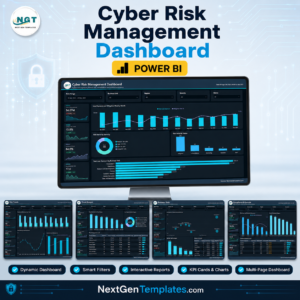
- 🛡️ Cyber Risk Management Dashboard in Power BI — risk exposure and control reporting.
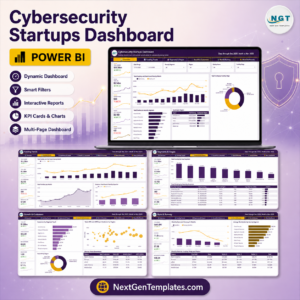
- 🚀 Cybersecurity Startups Dashboard in Power BI — growth and revenue analysis for security businesses.
- 🧰 Cybersecurity Service Management System Web App — run day-to-day service jobs in Google Apps Script.
- 📊 Browse all Power BI Dashboards.
📖 Click here to read the Detailed Blog Post
🎥 Visit our YouTube channel for step-by-step video tutorials
👉 YouTube.com/@NextGenTemplates
📅 Last updated: September 2026
Watch the demo video:
Compatibility and Requirements
- Works in Power BI Desktop, which is free from Microsoft. Power BI Desktop runs on Windows. Microsoft explains the download in Get Power BI Desktop.
- You also need Excel or another tool that can edit an .xlsx file, because the data sits in Data.xlsx.
- Keep the .pbix and Data.xlsx in the same folder. If you move them, update the source path in Transform Data and press Refresh.



















Reviews
There are no reviews yet.